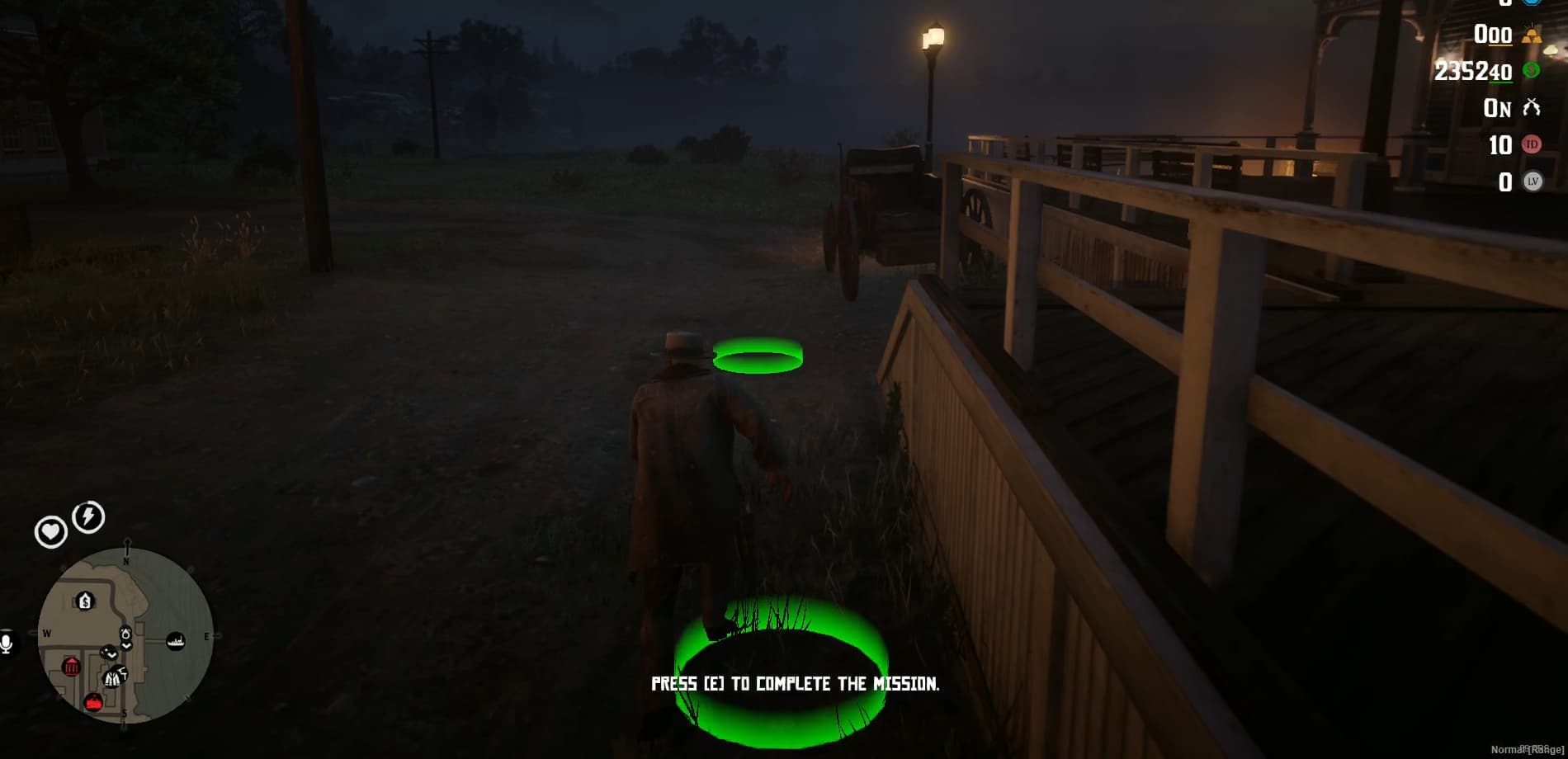
Pogue Police with MDT & Radial Menu (VORP)

Showcase:

:movie_camera: Check out the gameplay video: Watch on YouTube

:shopping_cart: Get your copy on Tebex: Pogue Police with MDT & Radial Menu

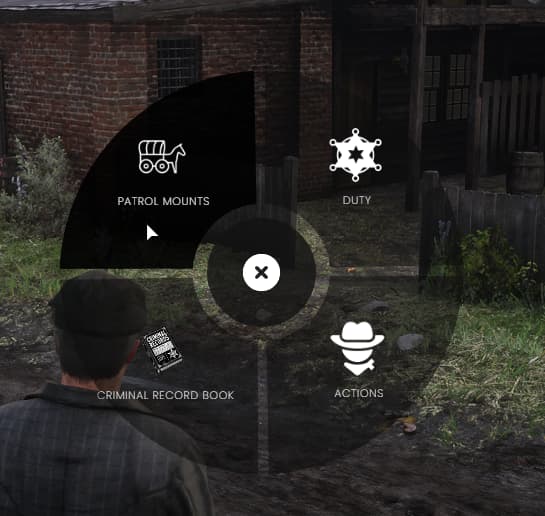
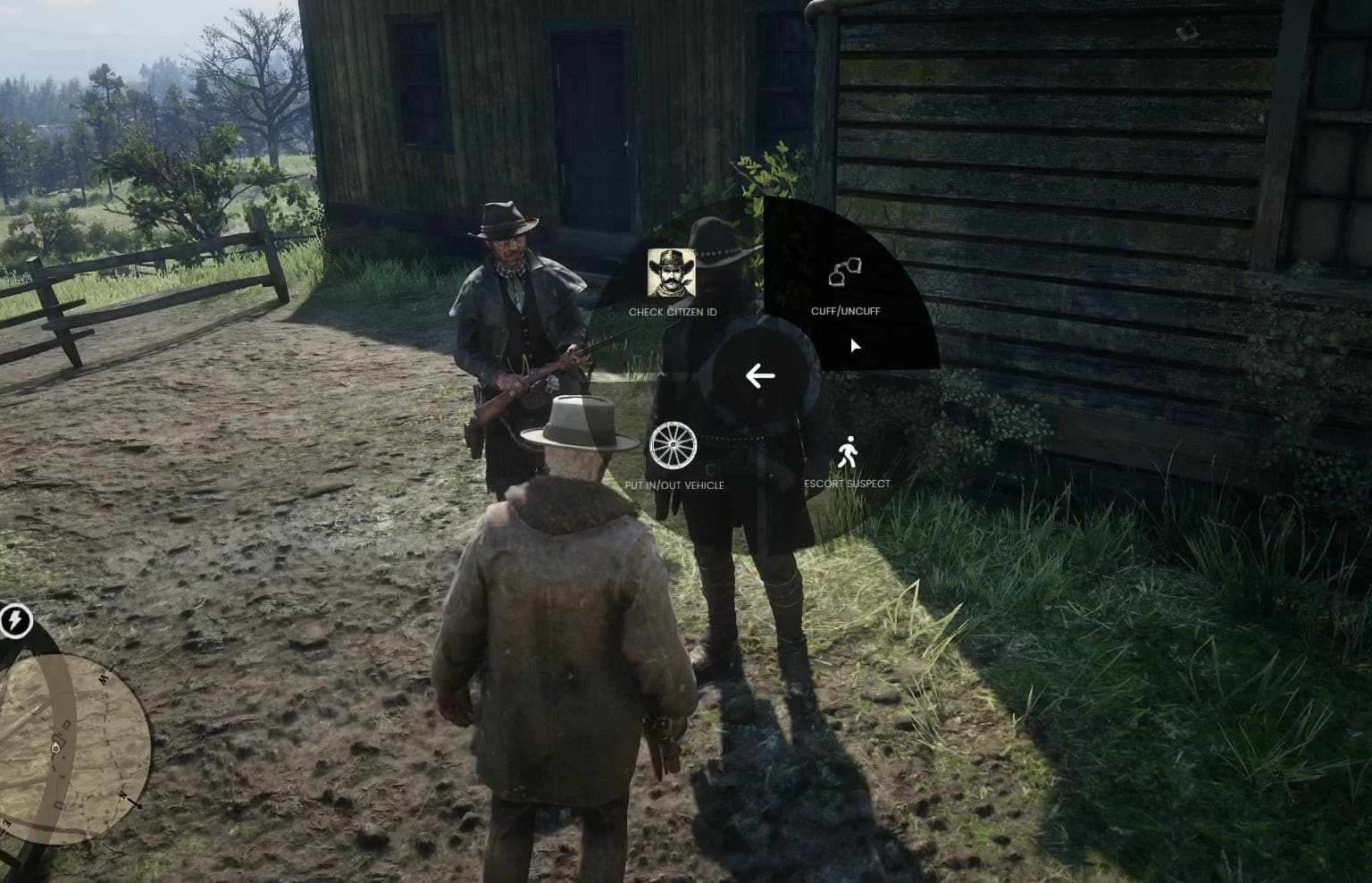
:large_blue_circle: Radial Menu – Designed for Lawmen Only!

:cowboy_hat_face: Only authorized law enforcement can access the menu.
:hourglass_flowing_sand: Clock in and out of duty—because even sheriffs need a break.
:medal_military: Equip, remove, or adjust your badge—because a sheriff’s gotta look sharp.

:link: Arrest and Transport Criminals

:link: Cuff criminals—No more waving hands for outlaws!
:link: Escort suspects—Walk ‘em in nice and easy… or drag ‘em through town for everyone to see.
:link: Put them in and take them out of vehicles.
:link: If a player logs out while cuffed, they will remain cuffed when they log back in!

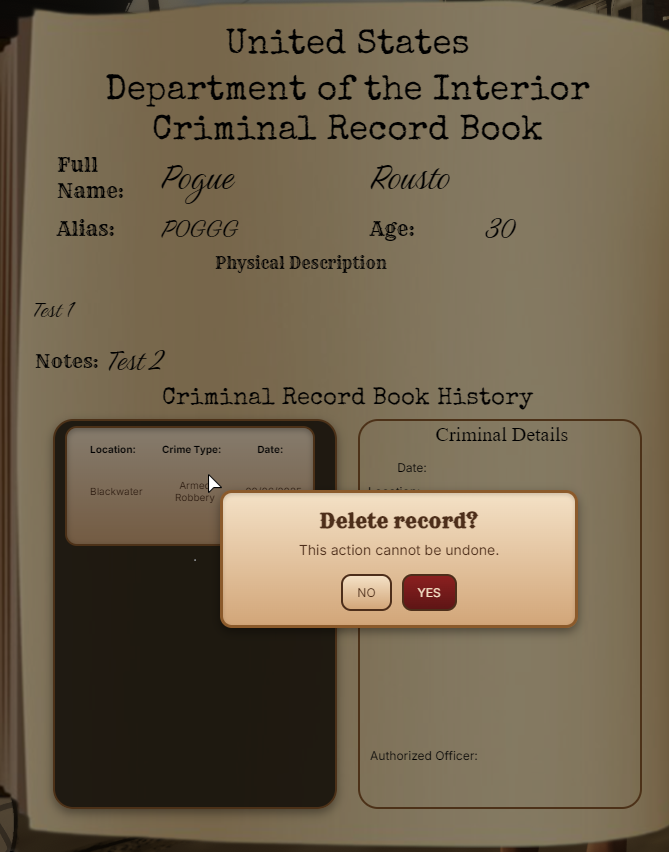
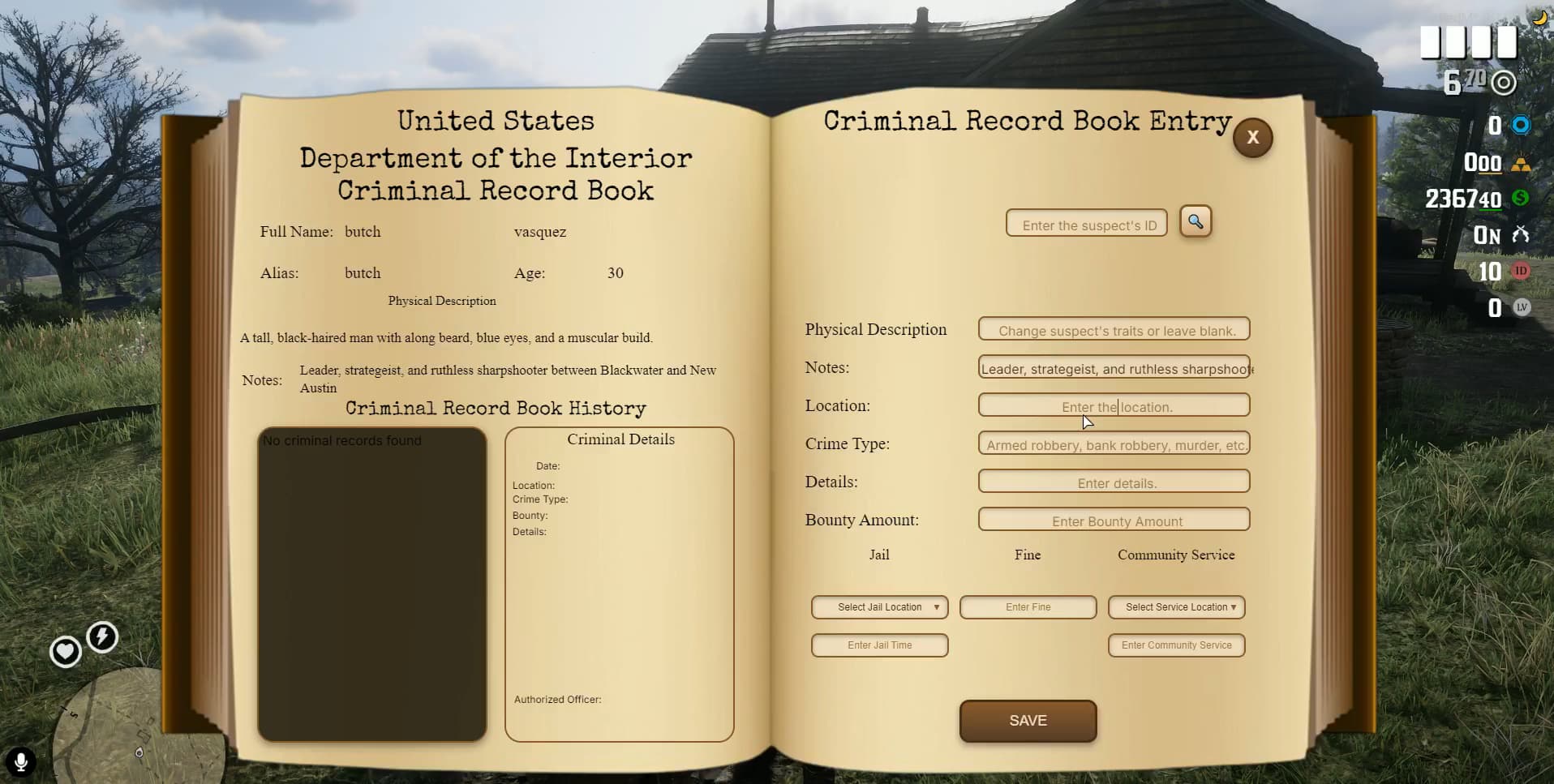
:open_book: Criminal Record Book – Keep Track of Outlaws!

:open_book: Write down the suspect’s description—if their hat is too low or their eyes are too shifty, they’re getting recorded!
:open_book: Add important notes—like “This guy pulls a gun when he loses at poker.”
:open_book: Report last known locations—because outlaws don’t just disappear into thin air!
:open_book: Send them to jail—prison cells come with free regret and no tea.
:open_book: Issue fines—hit ‘em where it hurts—their pockets!
:open_book: Assign community service—let them clean the streets and rethink their life choices.
:open_book: Check criminal history—because some outlaws just never learn!
:open_book: If a player logs out while in jail, they will respawn inside the prison upon rejoining, and their sentence will restart!

:mag: Search Suspects – No More Hidden Tricks!

:mag: Check their pockets, boots, and hats—nothing stays hidden from the law!
:mag: Confiscate illegal items—consider it a go to the sheriff’s office!
:mag: Always check for weapons—because a smiling outlaw is still an outlaw.

:classical_building: Sheriff’s Cabinet – Always Locked & Loaded!

:crossed_swords: Grab weapons & ammo—stay ready for action.
:crossed_swords: Lawmen only—no sneaky outlaws stealing supplies!
:crossed_swords: Never run out of firepower in a gunfight!

:rotating_light: Prison Break Alerts – No Escape!

:rotating_light: If a prisoner escapes, all on-duty sheriffs are instantly notified.
:rotating_light: The escapee’s last known location is sent out.
:rotating_light: Round up the posse and bring ‘em back—outlaws don’t get far with the whole law chasing them!

:warning: No Easy Way Out!

:stop_sign: Logging out won’t get you off the hook! If a player has an active community service task and logs out, they will be forced to complete it upon returning!

:fire: Check Out My Other Scripts!

Looking for other high-quality scripts to enhance your server? Check these out:

:arrow_right: Pogue BloodBet [VORP] RedM to MMORPG: View it on the CFX Forum

:arrow_right: Pogue Witness with Dispatch [VorpCore]: View it on the CFX Forum

:arrow_right: Pogue Telegram (VORPCore Framework): View it on the CFX Forum

:arrow_right: Pogue Battleground [VorpCore]: View it on the CFX Forum

:arrow_right: Pogue Saloon Job [VorpCore]: View it on the CFX Forum

:arrow_right: Pogue AFK System — AFK Verification for RedM: View it on the CFX Forum

:arrow_right: Pogue Stockmarket Version 2 VorpCore & RSG: View it on the CFX Forum

:arrow_right: Pogue Paperworks (VORPCore Framework): View it on the CFX Forum

:arrow_right: Pogue Stockmarket For RedM VorpCORE & RSG: View it on the CFX Forum

:arrow_right: Pogue Bodyguard Release [STANDALONE]: View it on the CFX Forum

:arrow_right: Pogue Liar’s Deck Game VorpCORE & RSG: View it on the CFX Forum

:arrow_right: Pogue Boss Menu Script (VORPCore Framework): View it on the CFX Forum

:arrow_right: Pogue Realistic Notepad Script (VORPCore Framework): View it on the CFX Forum

:arrow_right: Pogue Excavation (Digging) Script (VORPCore Framework): View it on the CFX Forum

:arrow_right: Pogue Redipedia [STANDALONE]: View it on the CFX Forum

:arrow_right: Pogue High Ping Kick [STANDALONE]: View it on the CFX Forum

:arrow_right: Pogue Safe Zone (VORP & RSG Core): View it on the CFX Forum


:globe_with_meridians: Join the Community & Get Support

:pushpin: Discord: Join our Discord

:clipboard: Script Details

Property Information
Code is accessible No
Subscription-based No
Lines (approximately) 7000+
Requirements VorpCore
Support Yes
1 Like

:mailbox_with_mail: Police System v1.1.0 Update

:rocket: New Improvements:

  • Translation Fix:
    A minor issue with translation display has been resolved to ensure smoother localization experience.

  • Toggleable Weapon Cabinet Access:
    A new config option has been added for police jobs:
    You can now enable or disable access to the weapon cabinet menu using a simple true/false setting.
    If disabled, the cabinet will not appear in the menu for that job.

:mailbox_with_mail: Police System v1.2.0 Update


:zap: Performance Optimization with New Table!

A new optimization has been implemented:
We introduced a new table:

CREATE TABLE IF NOT EXISTS cuffed_players ( charidentifier VARCHAR(60) PRIMARY KEY, cuffed TINYINT(1) DEFAULT 0 ) ENGINE=InnoDB DEFAULT CHARSET=utf8mb4 COLLATE=utf8mb4_general_ci;

This change allows us to store cuffed player data separately, significantly reducing the load on the characters table.
The server now handles cuff status checks faster and much more efficiently.


:rocket: What does this mean for you?

  • Less database stress during gameplay.
  • Faster cuff status updates and checks.
  • Improved server performance, especially with higher player counts.
  • No more unnecessary heavy queries on the characters table!

:wrench: Technical Details

The cuffed_players table is now the only table used to track handcuff statuses.
All old queries to the large characters table have been eliminated for this purpose.

This makes the entire system more server-friendly and future-proof.


:mailbox_with_mail: Police System v1.4.0 Update


:zap: Major Performance Improvements!

Several important updates have been made (some of which couldn’t be shared individually before):
We are excited to announce the release of version 1.4.0, bringing significant server optimization!


:rocket: What does this mean for you?

  • Drastically reduced server resource consumption.
  • Faster and more stable script performance.
  • Optimized database interactions to lower unnecessary server load.
  • Smoother gameplay experience, especially during peak hours.

:wrench: Technical Details

  • Critical script optimizations have been applied internally.
  • Server resource usage has been reduced significantly without compromising features.
  • Better future-proofing for upcoming updates and scalability.

:mailbox_with_mail: Police System v1.4.1 Update

What’s New?

  • :abc: Typography Refresh
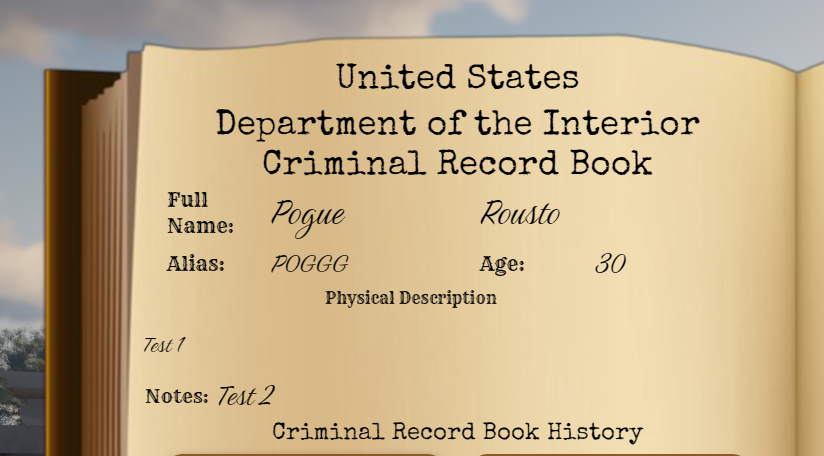
    Updated fonts for Full Name, Alias, Age, Physical Description, Notes for better readability and a consistent UI look.

  • :mag_right: Dual Search (Name & Source ID)
    You can now search suspects by full name or source ID and perform actions on either result path (online/offline friendly).

  • :shield: Role-Based Record Deletion
    Criminal records can now be deleted by players with the right job & grade.
    How to delete: Right-click a record to open the context menu and choose Delete.
    The Delete option appears only for authorized users; all checks are server-side for security.

  • :hook: Handcuff + Lasso Lock
    If a player is handcuffed and gets lassoed, all untie/struggle controls are disabled until they’re uncuffed — no more self-untying exploits.

  • :oncoming_police_car: Per-Jail Transfer Permissions
    New settings let you specify which jobs/grades are allowed to transfer players to which jail.

  • :broom: Per-Service Community Service Permissions
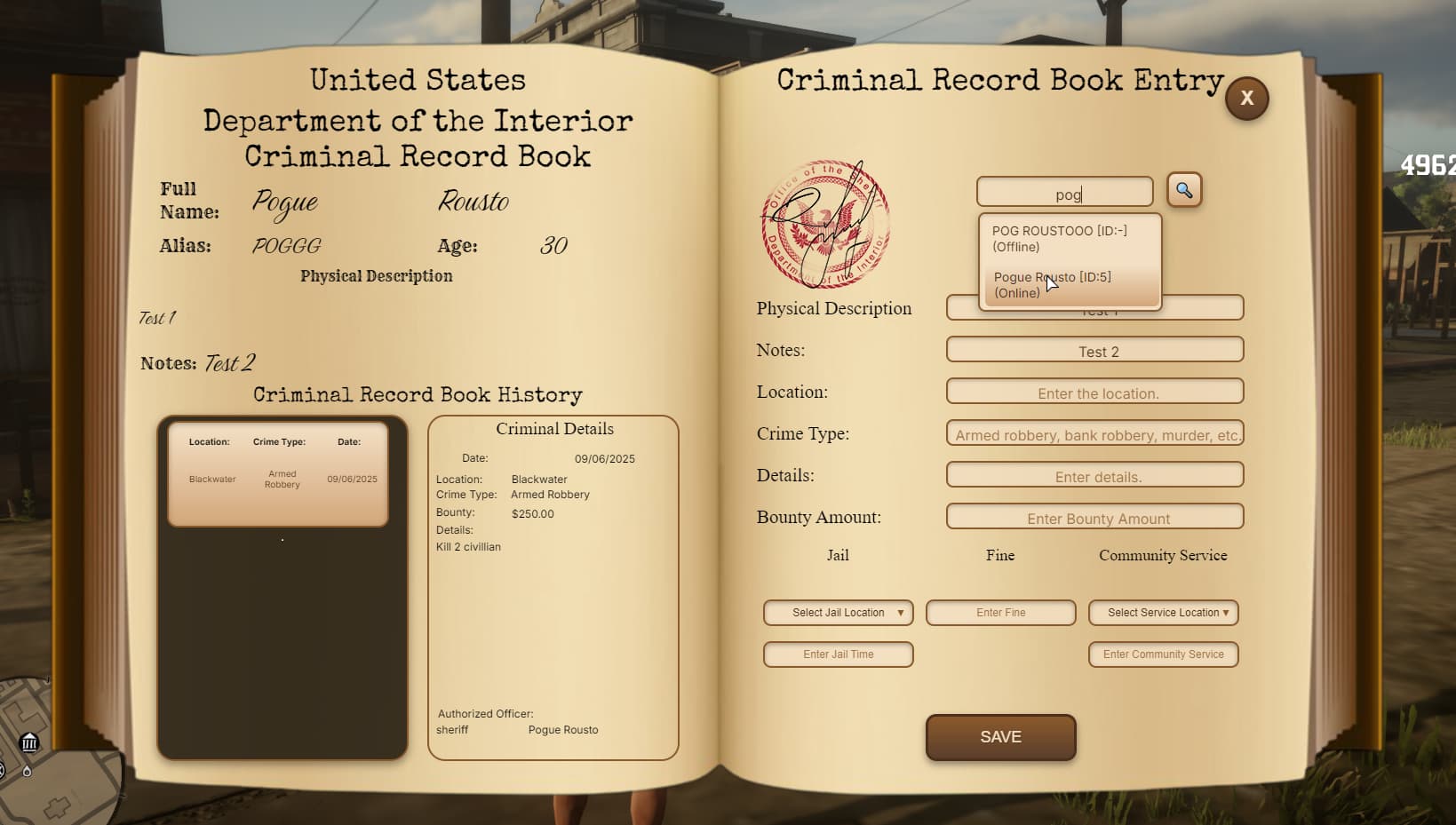
    Configure which jobs/grades may assign which community service locations (with clean UI + server checks).


Important Notes

  • Offline Players: You cannot assign jail or community service to offline players. For offline suspects, you may only create or delete criminal records.

:rotating_light: Pogue Police — Version 1.4.2 Update

What’s New?

  • :shield: You can now restrict which sheriff personnel are allowed to clock in at which town.

Quick Overview

  • Define off → on job mappings per cabinet so only authorized roles can Go On Duty in specific towns.
  • Optionally require players to be near the cabinet to clock in.

:star: Start using town-based duty restrictions with v1.4.2 today!
:key: Update via Keymaster and share your feedback.

:rotating_light: Pogue Police — AutoJail & Enforcement Exports Update (v1.5.0)

What’s New?

  • :dagger: Kill detection revamp (AutoJail) — Per-type toggles for NPC and player kills, with stricter “real killer” checks.

  • :police_car: Activation guard — AutoJail only runs when online law ≤ MinLawOnline.

  • :shield: NPC filters — Relationship blacklist, model blacklist, human-only, and ignore animals gates.

  • :satellite: Scanner tuning — Configurable radius & interval, plus per-source and per-character cooldowns.

  • :classical_building: Smart dispatch — Pick nearest allowed jail or force a specific jail; optional within-radius rule.

  • :toolbox: Inventory policyVORP-safe wipe for items (keep-list respected) and proper weapon+ammo purge through VORP Inventory API.

  • :electric_plug: New exports — Clean, reusable exports for Jail, Community Service, and Fines (+ client request helpers).


Quick Overview

  • Toggle which kill types trigger AutoJail via ConfigAutoJail.Victims.npc/player.

  • Gate AutoJail by law presence using Activation.MinLawOnline.

  • Filter protected NPCs using RelationshipBlacklist and ModelBlacklist.

  • Properly remove inventory items (keep-list) and weapons/ammo using VORP.


New Exports

Jail


-- server

exports['pogue_police']:JailByCharId(issuerSrc, targetCharId, minutes, jailId, cb?)

exports['pogue_police']:JailBySource(issuerSrc, targetSrc, minutes, jailId, cb?)

exports['pogue_police']:IsCharJailed(charId, function(isJailed) ... end)

-- client helper

exports['pogue_police']:RequestJailByCharId(charId, minutes, jailId)

Community Service


-- server

exports['pogue_police']:StartServiceByCharId(issuerSrc, targetCharId, location, amount, cb?)

exports['pogue_police']:StartServiceBySource(issuerSrc, targetSrc, location, amount, cb?)

exports['pogue_police']:IsCharOnService(charId, function(isOn) ... end)

-- client helper

exports['pogue_police']:RequestServiceByCharId(charId, location, amount)

Fines


-- server

-- opts = { account = 0|1, societyJob = "police", reason = "Disturbance" }

exports['pogue_police']:ApplyFineByCharId(issuerSrc, targetCharId, amount, opts?, cb?)

exports['pogue_police']:ApplyFineBySource(issuerSrc, targetSrc, amount, opts?, cb?)

-- client helper

exports['pogue_police']:RequestApplyFineByCharId(charId, amount)


Example Usage

Jail by CharID:


exports['pogue_police']:JailByCharId(issuerSrc, targetCharId, 15, 'valentine', function(r)

if not r.ok then print("Jail failed: "..tostring(r.reason)) end

end)

Start Community Service (by Source):


exports['pogue_police']:StartServiceBySource(issuerSrc, targetSrc, 'rhodes', 12)

Apply Fine (cash, with reason):


exports['pogue_police']:ApplyFineByCharId(issuerSrc, targetCharId, 50, { account=0, reason="Disturbance" })


Migration Notes

  • :wrench: New key ConfigAutoJail.Victims controls kill types. (Legacy IncludePlayerVictims/IncludeNpcVictims still respected if present.)

  • :boom: If you only want weapon purge (no item wipe), keep WipeOnJail = false and RemoveWeapons = true — make sure your wipeInventorySrv still calls the weapon purge regardless.

  • :file_folder: Ensure jail IDs used in EligibleJails exist in ConfigJail.Jails[id].entrance.

  • :scroll: Add the exports to your fxmanifest.lua (server/client) if your setup requires explicit export lists.


:star: Roll out the AutoJail + Exports upgrade today!

:key: Update your resource and ping us with feedback.

Pogue Police v1.6.0 – Update Notes

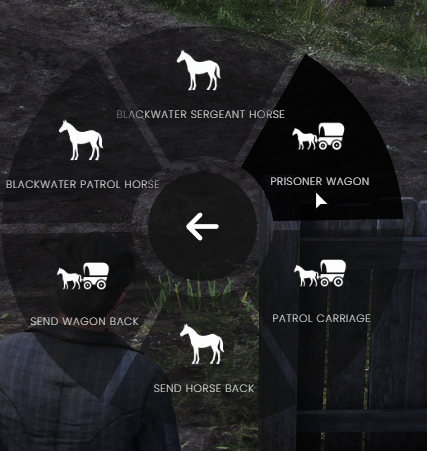
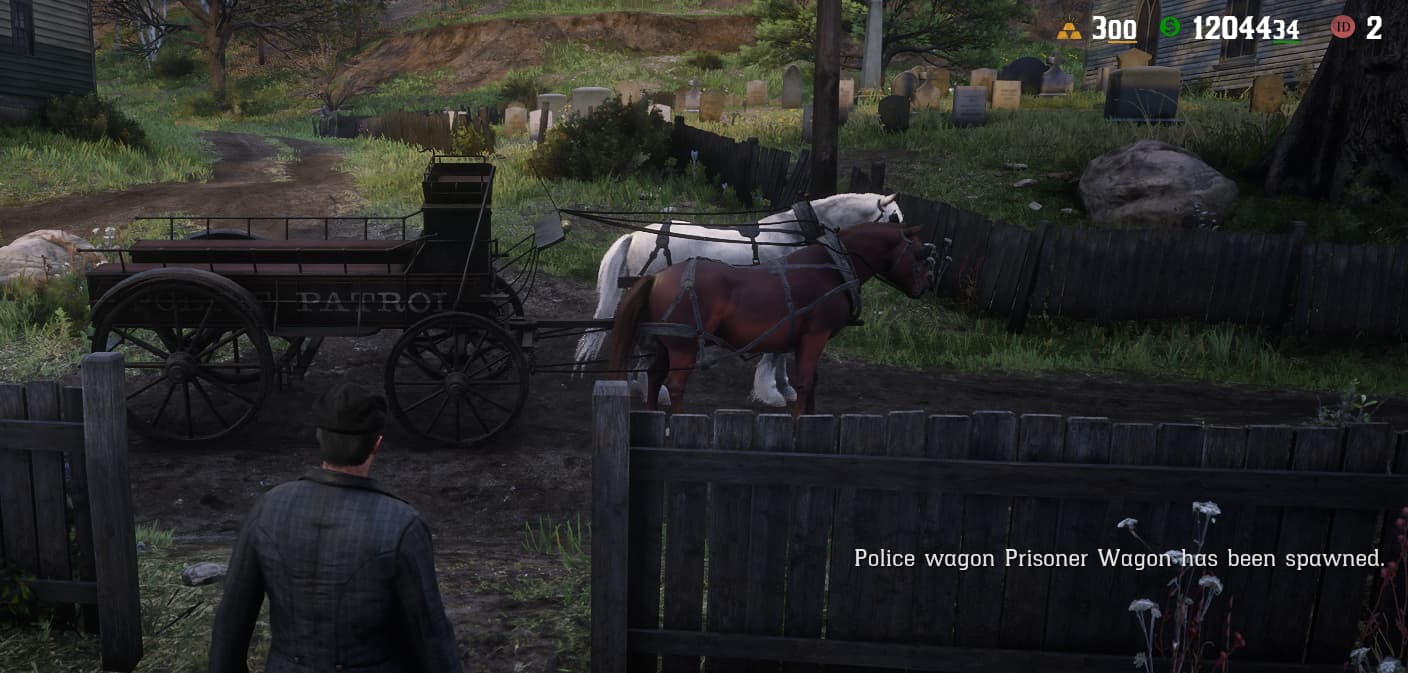
1. Sheriff & Police Stable Zones

You can now define dedicated stable areas for sheriff offices and police departments.

From these locations, authorized law enforcement can spawn patrol horses and wagons configured in ConfigPoliceMounts:

  • Location-based stable zones
  • Job and grade restrictions
  • Custom horse models, outfits, and components
  • Configurable wagon types for patrol and prisoner transport

2. Expanded Jail Configuration (Breakout & Radius Control)

The jail system configuration has been extended with two separate, configurable mechanics:

2.1 Per-Jail Breakout Settings

Each jail can now define its own breakout distance and check interval.
When a prisoner crosses that distance, a jailbreak is triggered.

2.2 Optional Jail Radius Enforcement

A new optional jail radius feature has been added:

  • If enabled, when a jailed player tries to escape and reaches a configured radius from the jail center,
  • They are teleported back to the jail area,
  • This continues until their sentence is fully served.

This allows you to fine-tune how strict each jail should be, from soft radius enforcement to hard breakout triggers.


3. Duty Requirement for Radial Actions

The police radial menu has been updated to enforce duty checks:

The following actions now require the officer to be on duty:

  • Handcuff / Escort (drag)
  • Put in / Take out of vehicle
  • Criminal Record Book (CRB) usage

If the character is off duty, the action is blocked and a notification is shown.


4. Language Tweaks & Bug Fixes

  • Minor localization / language improvements in prompts and notifications
  • General bug fixes and stability improvements across:
    • Jail system
    • Community service
    • CRB (Criminal Record Book)
    • Police interaction logic

Update all files.

Pogue Police v1.6.2 – Update Notes

  • Fixed a bug where a handcuffed player could become fully free if they were hogtied and another player cut the lasso.

:white_check_mark: To apply this update, it is enough to update only:

  • client.lua
  • fxmanifest.lua

Pogue Police – v1.6.3 Update

This update adds a simple, config-based way to control whether players are handcuffed when they are jailed, and guarantees they are always uncuffed when they leave jail.

  • New config option in ConfigJail.lua:
    ConfigJail.CuffModeOnJail = "uncuffed" -- "cuffed"   = player stays cuffed in jail
                                           -- "uncuffed" = player is uncuffed in jail
    
  • Players are always uncuffed on release (auto-jail, manual unjail command, or any other release path).
  • You can either:
    • Update all jail-related files to v1.6.3:
      • ConfigJail.lua
      • fxmanifest.lua
      • client.lua
      • server.lua
    • Or, keep your existing ConfigJail.lua and just add the ConfigJail.CuffModeOnJail line manually.

Pogue Police v1.6.4 — Update Notes

1) Suspect Seating Fix & Wagon Warning

  • Fixed an issue where detained suspects would sometimes enter the driver or front passenger seat. They will now correctly sit in the rear seats.
  • Important Note: Due to RedM mechanics, if you place a suspect inside a closed bounty wagon (locked doors), you may face issues trying to remove them.
  • We strongly recommend using open wagons or the default police wagon to avoid door-lock conflicts.

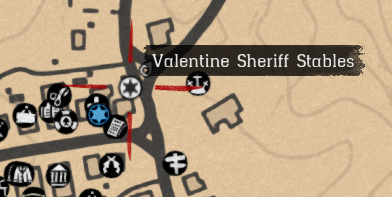
2) Sheriff Cabinet Blips

  • Added map blips for storage cabinets.
  • Sheriffs can now see the specific location of the cabinet assigned to their own town/jurisdiction on the map.

3) Updated Files

Please ensure you update the following files/folders for these changes to take effect:

- `client` (Folder)
- `server` (Folder)
- `fxmanifest.lua`

Pogue Police v1.6.5 Update

Changelog:

  • [FIX] Radial Menu Keybind: Resolved an issue where the menu would not open when assigned to different keys.
    • Note: Please ensure you enter the correct Input Hash in the config when changing keys.
  • [FIX] Community Service Props: Fixed a bug that caused multiple broom props to spawn and stack on the player after completing a task.
  • [OPT] Performance: Applied minor performance improvements and code optimizations.

Files to Update:

  • client/ (folder)
  • server/ (folder)
  • html/ (folder)
  • fxmanifest.lua
  • ConfigPoliceRadial.lua

Pogue Police v2 — Update Notes

1) Fully Configurable Gun Cabinet (Weapons + Ammo + Grades)

The new Gun Cabinet system lets you customize law enforcement access to weapons and ammo per department.

  • Example: Blackwater Sheriff may access the Carcano, while Valentine Sheriff may not.
  • The same access control applies to ammo types as well.
  • Access can also be restricted by job grade:
    • A Grade 5 Sheriff can unlock specific weapons/ammo,
    • while a Grade 1–2 deputy/new sheriff won’t have access to the same loadout.
  • Everything is fully configurable, and if you prefer, you can disable this restriction system entirely.

2) Custom Date Formatting + Custom Server Year (ConfigMain)

Date display is now fully configurable via ConfigMain.

  • Choose your preferred format:
    • MM/DD/YYYY
    • DD/MM/YYYY
    • or your own custom format
  • You can also set a custom server year for roleplay immersion.
    • Example: if your server story takes place in 1899, Criminal Record Book entries can display dates like 01.05.1899.
  • If you disable this feature, the system will continue using the current real-world date.

3) Separate Journals Per Department (Station-Based)

You can now add a dedicated Journal (notebook) for each law enforcement department and station.

  • Officers can write notes, view existing notes, and search/filter through them easily.
  • Configure:
    • Which departments can access each journal (per location)
    • Who can delete notes (by grade / permission level)

4) Wanted Poster System (Publish + Hunt + Deliver)

Law enforcement can now create and publish Wanted Posters.

  • Players can view wanted targets from the board, hunt them down, and deliver them to the sheriff.
  • Highly configurable system:
    • Customize the type of wanted notice and the information shown
    • Add detailed descriptions
    • Optionally publish posters with photos

:warning: Important Update Notes

Update Required

To ensure all new features work correctly, you must update all files.

  • Please backup your current config settings before updating.
  • After the update, you can re-apply your own settings by configuring the new files and continue using your preferred setup.

SQL Required

To activate this update, you must install two new tables from the included SQL file:

  • pogue_wanted
  • pogue_journal_notes