Pogue Posse & Territory War — Claim the Frontier, Paint the Map, Rule the Server 

“Crews, colors and contested land.”
This script brings leadership competition, territory grabbing, and economic pressure to your RedM server. Create posses, pick colors, capture AI-held regions, declare wars on rivals, and paint the map with your banner.
 Info
Info
 Video Preview: Watch the gameplay
 Need help? Ping us after for setup support.
 Discord: Join our Discord
 Get it on Tebex : Pogue Posse & Territory War
Screenshots
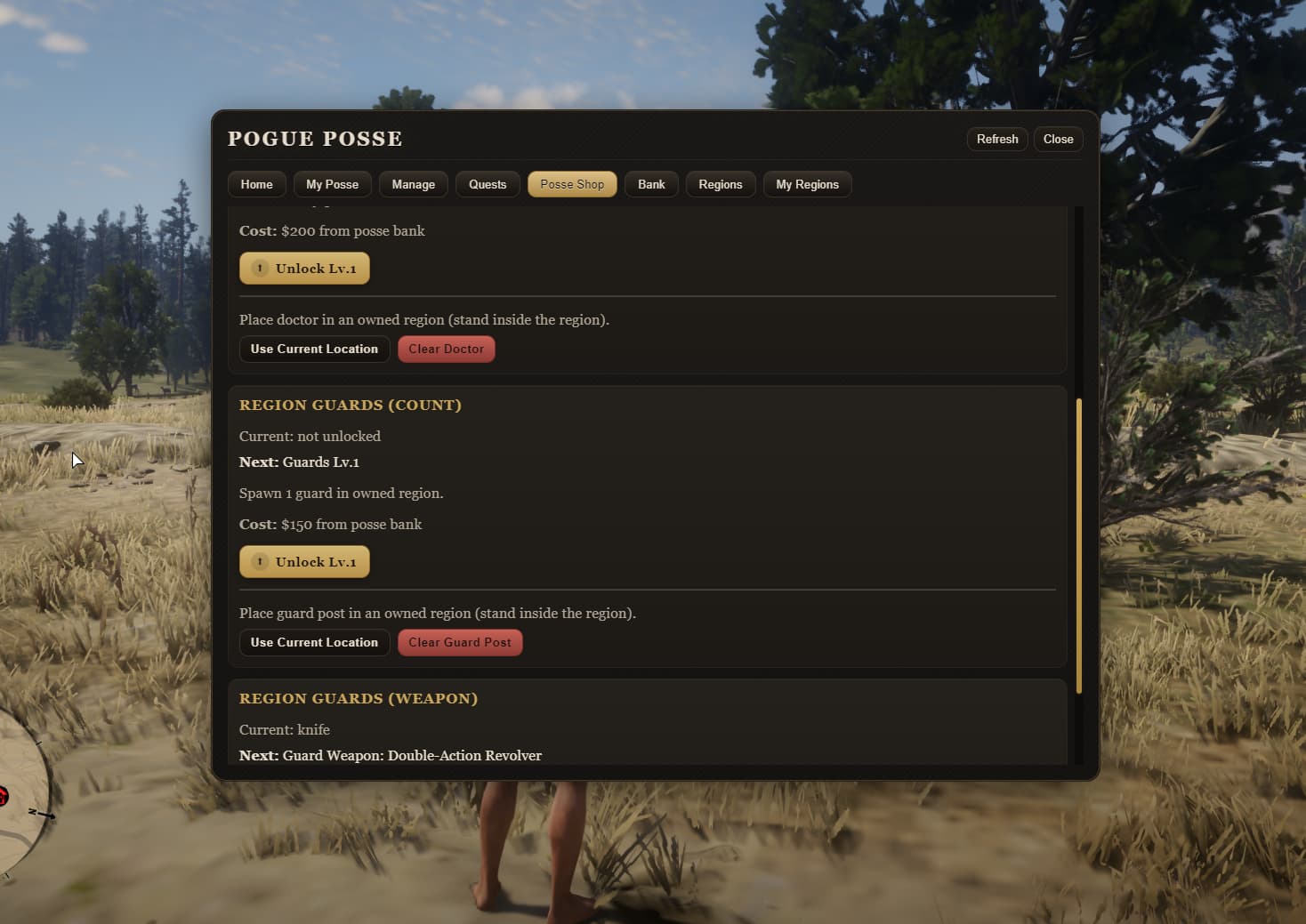
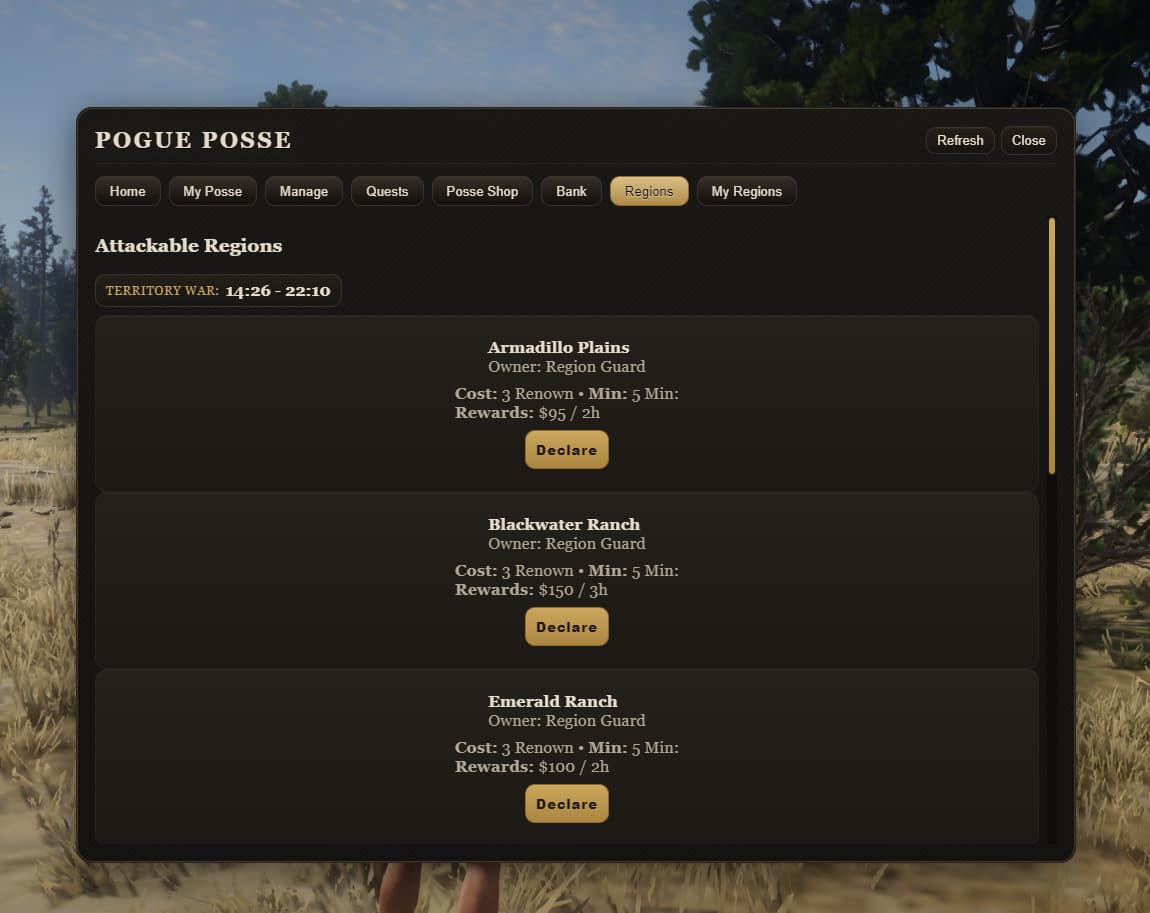
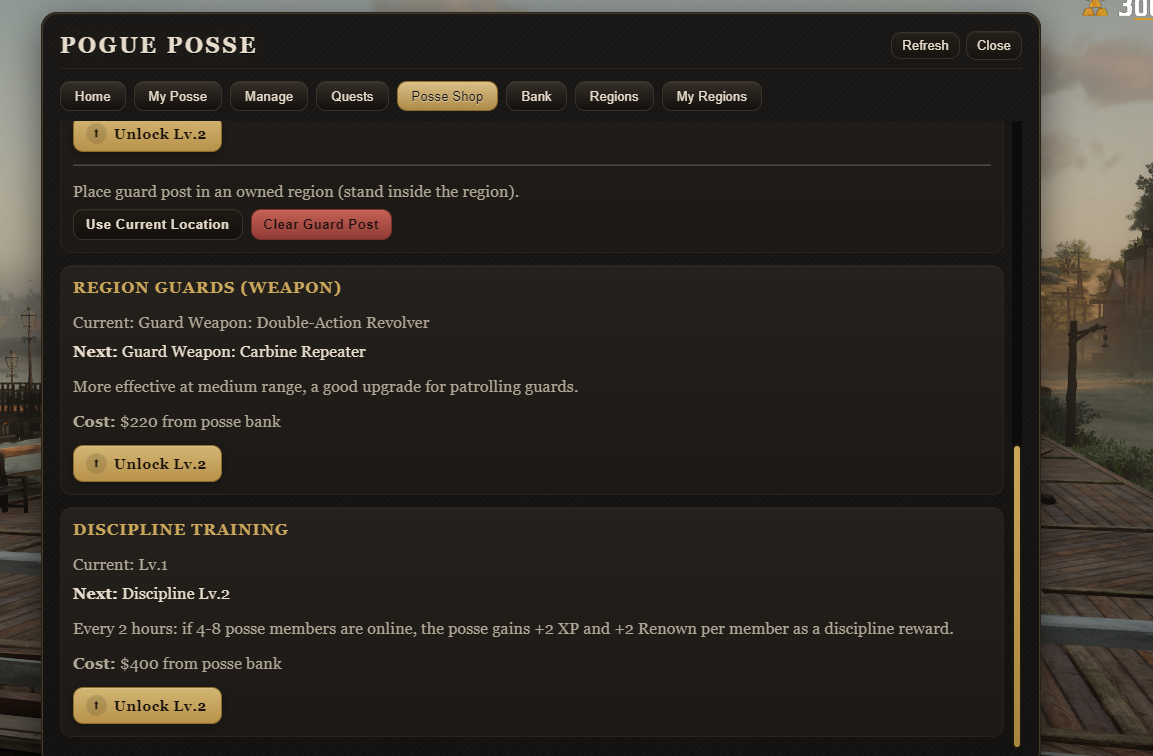
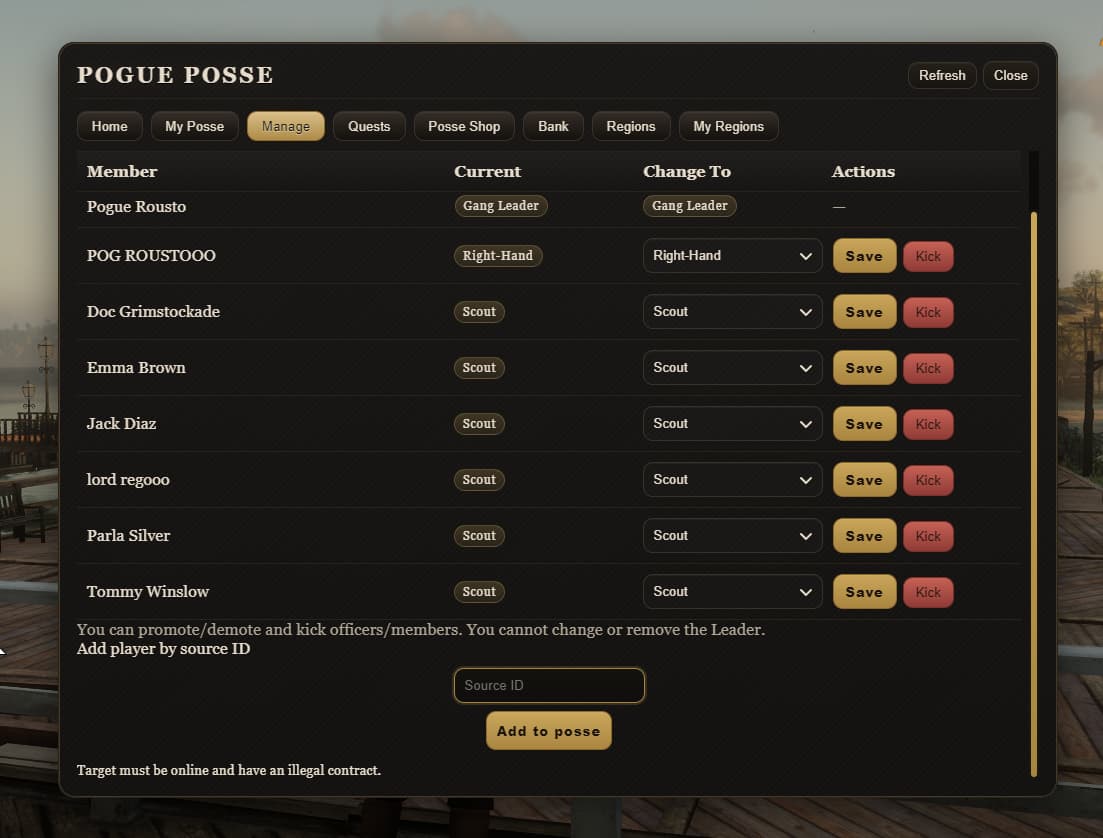
 What is this?
Pogue Posse & Territory War is a full posse management + territory control system for RedM. Players create posses, pick name/color, pay upkeep, run quests to gain renown and XP, buy doctors and bodyguards — and then use all of that to fight for regions on the map.
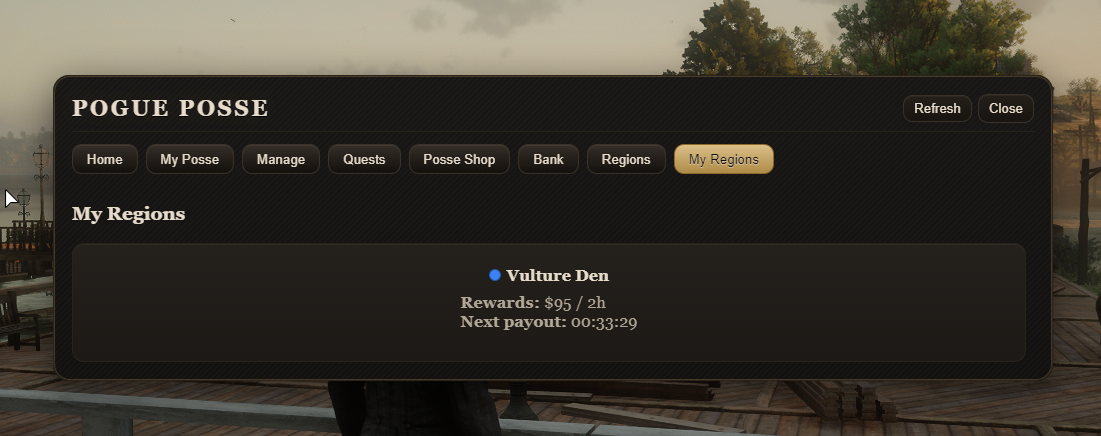
When a region is captured, its blip on the map instantly switches to the winner’s posse color and starts generating hourly income. If the region is lost, income is cut off and renown is lost as a penalty.
 Key Features
 1. Item-Gated Access (Optional)
-
The script ships with 2 optional items: one legal, one illegal.
-
If you don’t want everyone to open the posse panel, you can gate it behind these items.
-
Item names and usage are fully configurable.
 2. Posse Creation & Color Picking
-
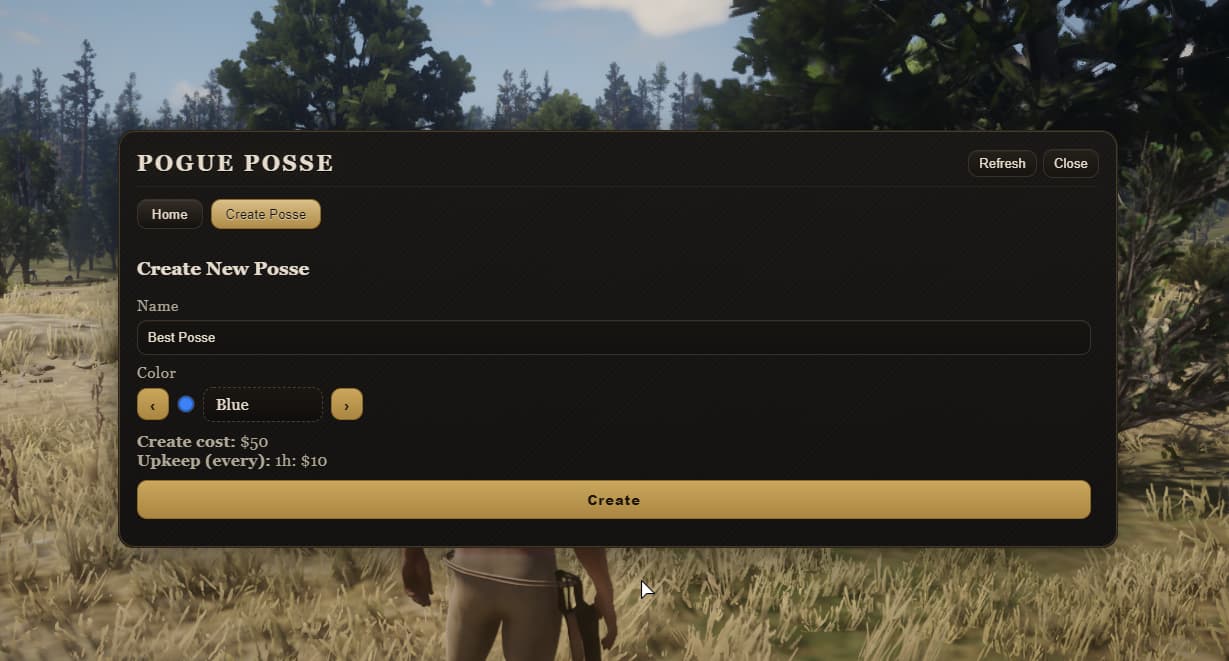
If the player doesn’t have a posse, the panel shows a create posse screen.
-
Players can see existing posses and their colors.
-
They can choose a name and a color for their posse.
-
You can require money, items, or both for creation — all via config.
 3. Map-Visible Territories
-
Created posses and their colors are reflected on the capturable territories.
-
Players can look at the map and instantly tell “which posse owns this area.”
 4. AI-Owned World (at start)
-
On first install, all regions are owned by AI / NPC.
-
Players must first beat those NPCs to claim the region for their posse.
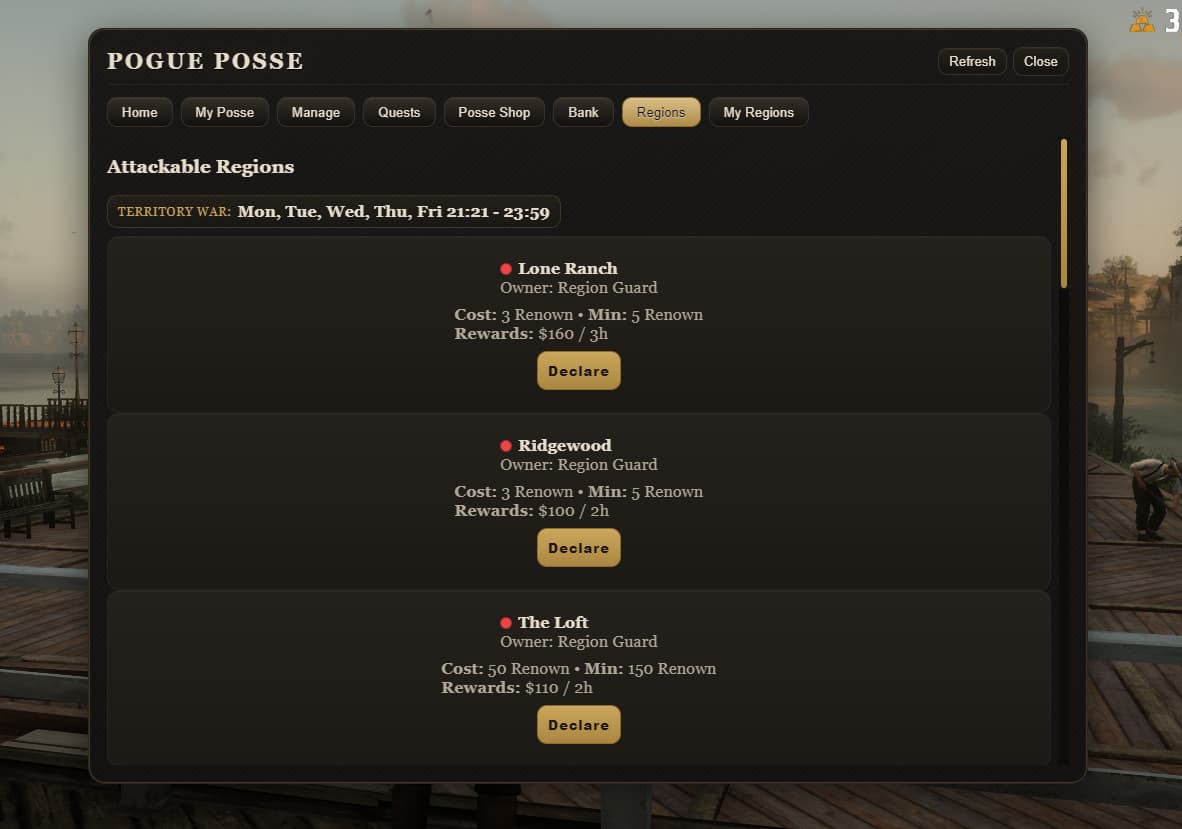
5. Territory War System
-
Only a posse leader or officer can declare war on a region.
-
And the posse must have enough renown to declare that war.
-
The war declaration is broadcast to other players, a prep/cooldown period starts,
-
Then the war becomes active and runs for the time you configured.
 6. Region Cooldown
-
If a region has just had a war, it goes into cooldown.
-
No one can declare war on it again until the cooldown ends.
-
Other posses can also attack a region you captured, under the same rules.
 7. Capture Bar Logic
-
The capture bar on the right side must be filled.
-
It fills only if:
-
there is no enemy alive inside the zone, and
-
you are alive inside the zone
-
If an enemy is alive in the zone, the bar pauses.
-
If you fill it before the timer ends, the region is yours.
 8. Instant Blip Color Change
-
If you successfully capture the region you attacked, the blip on the map instantly switches to your posse color.
-
From that moment on, you start earning hourly income from that region.
-
If someone else takes it from you, the blip switches to their color, your income stops, and you lose renown.
 9. Call Your Own Doctor to the Region
-
If you own a region, you can summon your posse doctor there.
-
Based on the doctor’s level, his revive cooldown gets shorter (from 5 minutes down to 1 minute).
-
Every upgrade increases posse upkeep.
 10. NPC Bodyguards
-
From the posse shop, you can buy NPC guards for your posse.
-
With upgrades you can:
-
increase their count
-
increase their weapon tier
-
These guards attack anyone who is not a member of your posse.
-
These features are available only if you actually own a territory.
 11. Posse Bank & Upkeep
-
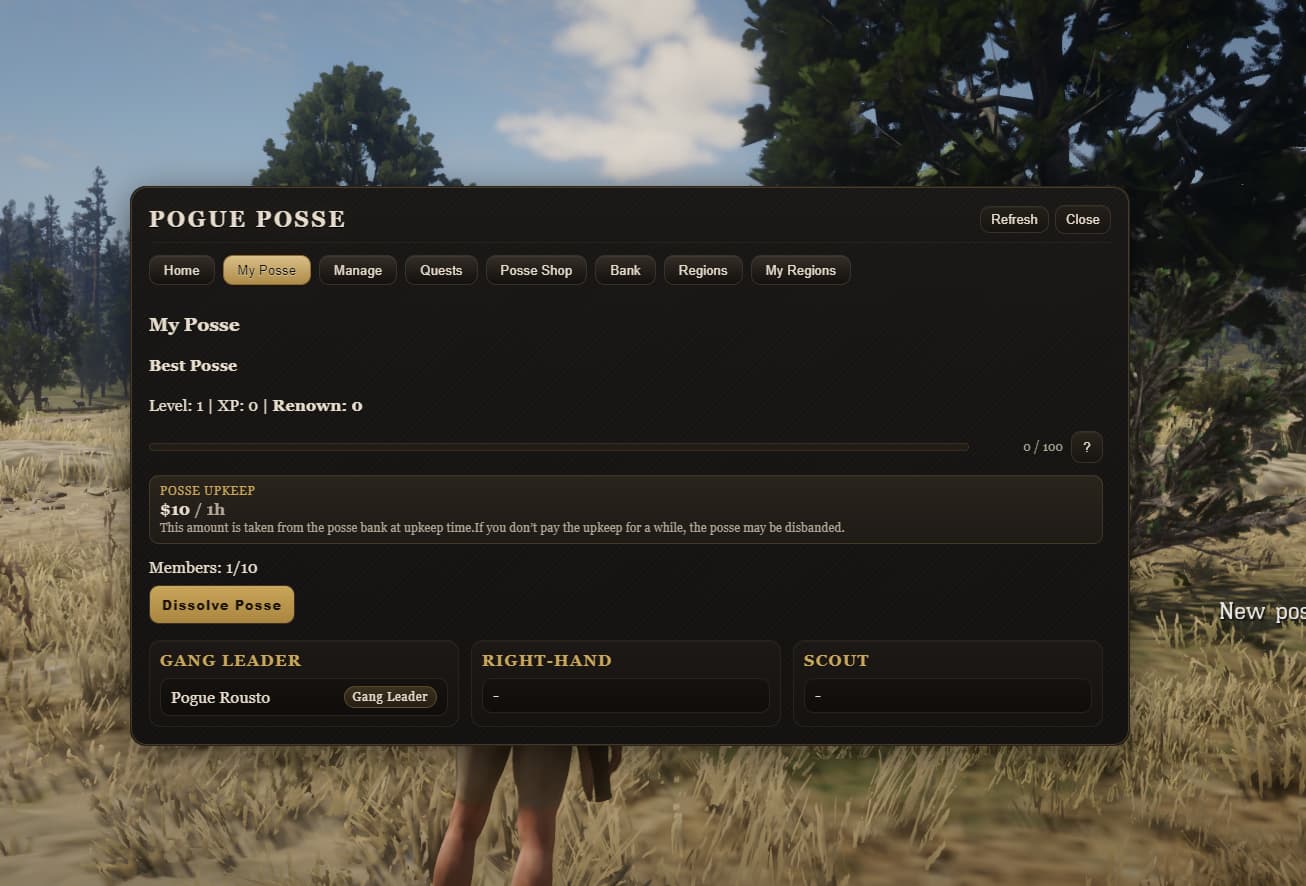
All players can deposit into the posse bank; only the leader can withdraw.
-
Posse expenses are automatically paid from this bank.
-
If a posse doesn’t pay upkeep for too long, it can be auto-disbanded.
-
This creates a natural “earn, or you won’t survive” loop.
12. Quest Tab (Easy → Medium → Hard)
-
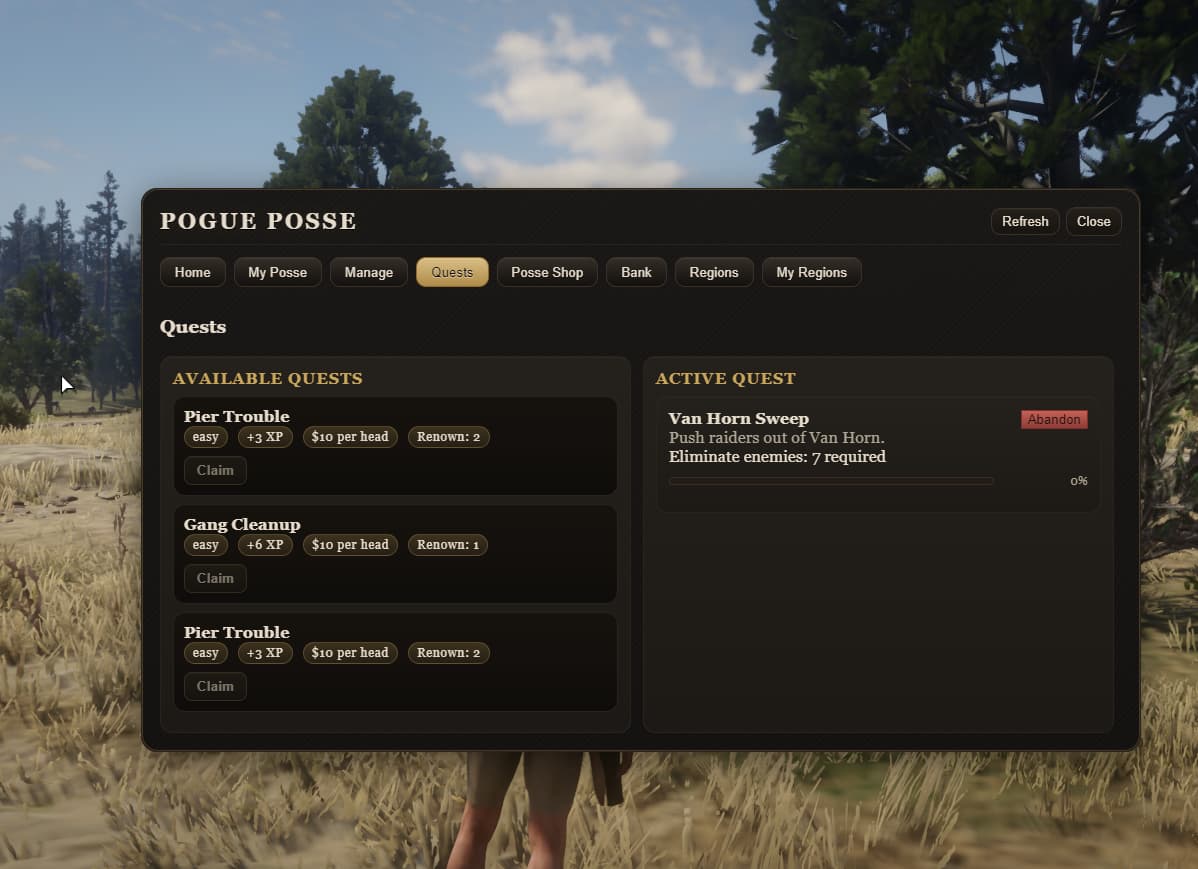
3 difficulty tiers of NPC combat missions.
-
Everyone who joins gets a per-player cash reward.
-
Missions give posse XP and renown.
-
Newly created posses only see easy; medium and hard can be unlocked from the posse shop.
 13. Central Territory Option
-
You can designate one region as a central territory and make NPC defenders there much stronger.
-
You can boost HP, weapon tier, and accuracy to make it a prestige zone.
-
This gives players a real server-wide target to fight over.
 Configurable via Config
-
Framework selection (VORP & RSG)
-
Language
-
Item-gated access (legal/illegal, required items)
-
Posse creation cost (money / item / both / mode)
-
Posse upkeep interval and amount
-
Upkeep multipliers (level, quest board, doctor, guards)
-
Posse rank names and member limit
-
War start/end times (war window)
-
War duration (fight time, capture time)
-
Required renown to declare war
-
Region cooldown duration
-
Per-region rewards (money, everyHours)
-
Per-region war settings (min defenders, notifyAll)
-
Per-region AI settings (models, count, weapons, HP, accuracy)
-
Global War AI defaults
-
War HUD / PvP rules
-
Region income engine (tick, catch-up)
-
Quest system (spawn distance, routes, enemy blips)
-
Quest board shop levels (easy/medium/hard unlock)
-
Doctor shop levels (revive cooldown, required posse level)
-
Guard count shop levels
-
Guard weapon shop levels (weapon, HP, accuracy)
-
Doctor/guard NPC model and interact key
-
Territory marker models
-
Posse color list (blip modifiers)
 What Players See (UI)
-
Posse create / list screen
-
Color selection
-
Territory list with colors
-
War notifications and countdown
-
Bank screen (deposit for all, withdraw for leader)
-
Quest screen (easy/medium/hard)
-
Shop screen (doctor, guards, upgrades)
-
Toasts/messages for “war started / defended / captured / cooldown”
 TL;DR
TL;DR
-
Create a posse
-
Pick your color
-
Clear AI-held territories
-
As leader/officer, declare war (with enough renown)
-
Fill the capture bar and take the region
-
Blip turns to your color
-
Earn hourly income
-
Pay upkeep or get disbanded
-
Take more regions for more power
Pogue Posse & Territory War turns your server into a living “who owns what?” map.
 Check Out My Other Scripts!
Looking for other high-quality scripts to enhance your server? Check these out:
 Pogue Police with MDT & Radial Menu (VORP): View it on the CFX Forum
Pogue BloodBet [VORP] RedM to MMORPG: View it on the CFX Forum
Pogue Witness with Dispatch [VorpCore]: View it on the CFX Forum
Pogue Telegram (VORPCore Framework): View it on the CFX Forum
Pogue Battleground [VorpCore]: View it on the CFX Forum
Pogue Saloon Job [VorpCore]: View it on the CFX Forum
Pogue AFK System — AFK Verification for RedM: View it on the CFX Forum
Pogue Stockmarket Version 2 VorpCore & RSG: View it on the CFX Forum
Pogue Paperworks (VORPCore Framework): View it on the CFX Forum
Pogue Stockmarket For RedM VorpCORE & RSG: View it on the CFX Forum
Pogue Bodyguard Release [STANDALONE]: View it on the CFX Forum
Pogue Liar’s Deck Game VorpCORE & RSG: View it on the CFX Forum
Pogue Boss Menu Script (VORPCore Framework): View it on the CFX Forum
Pogue Realistic Notepad Script (VORPCore Framework): View it on the CFX Forum
Pogue Excavation (Digging) Script (VORPCore Framework): View it on the CFX Forum
Pogue Redipedia [STANDALONE]: View it on the CFX Forum
Pogue High Ping Kick [STANDALONE]: View it on the CFX Forum
Pogue Safe Zone (VORP & RSG Core): View it on the CFX Forum
 Script Details
| Property | Information |
|---|---|
| Code is accessible | No |
| Subscription-based | No |
| Lines (approximately) | 14250+ |
| Requirements | oxmysql, VorpCore or RSGCore |
| Support | Yes |
 UI / Localization