YOUTUBE SHOWCASE VIDEO
What is this resource?
This dispatch script is a comprehensive and feature-rich solution for managing emergency services on your server. With its user-friendly interface and advanced features, the script provides players with an immersive and realistic experience.
The script includes a user-friendly interface that allows players to manage units, incidents, and callouts. The interface is customizable and provides real-time updates on unit locations and statuses, making it easy to coordinate and respond to emergencies.
One of the unique features of this dispatch script is that it allows players to take on different roles within the emergency services system, including dispatchers, police officers, and firefighters. This creates a more realistic and dynamic gameplay experience, where players must work together to manage emergencies and respond to calls.
Overall, it is an essential tool for any server that wants to provide a realistic and immersive emergency services experience for its players. Its comprehensive features and customizable options make it an excellent investment for any server owner looking to enhance their gameplay experience.
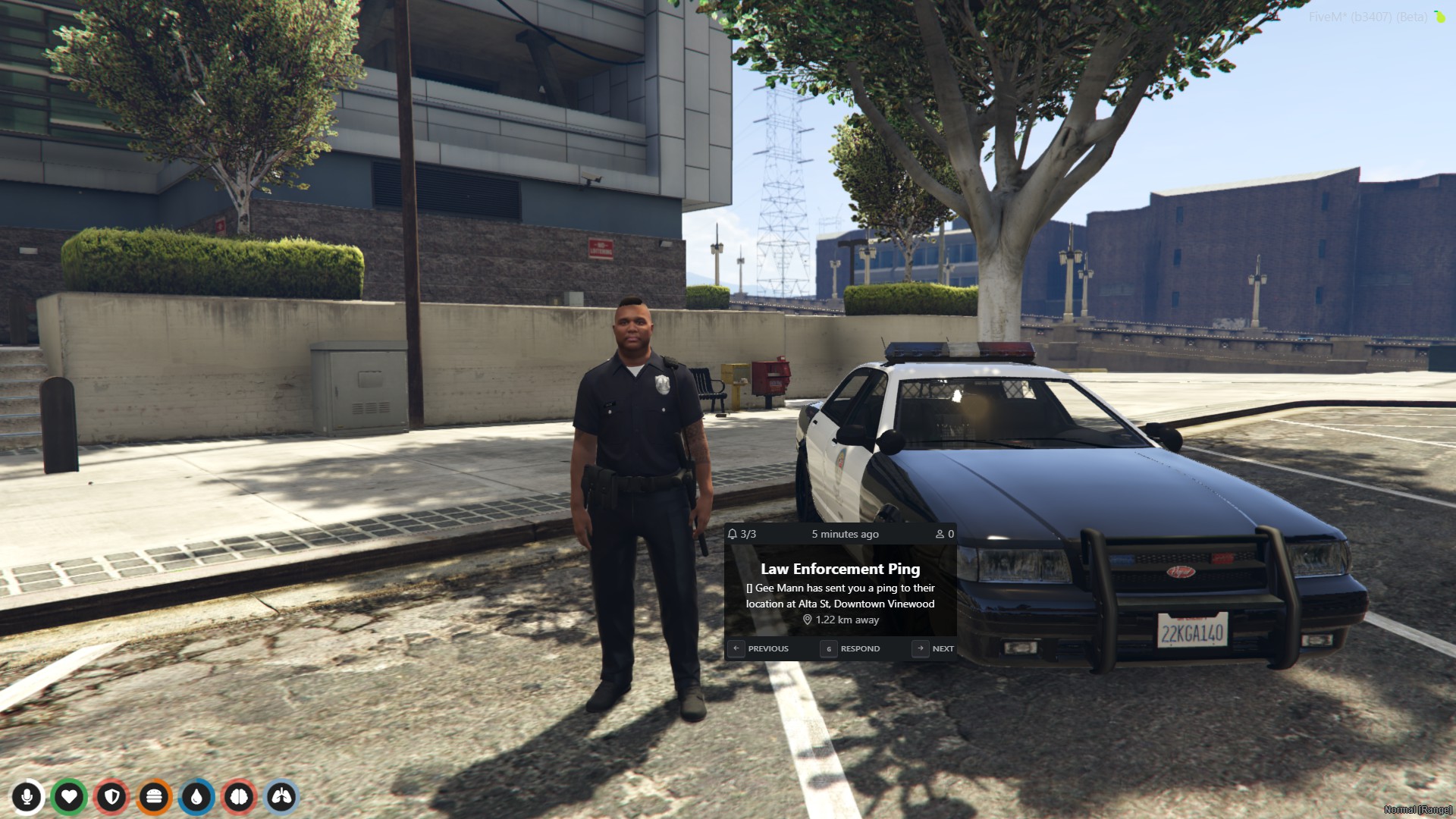
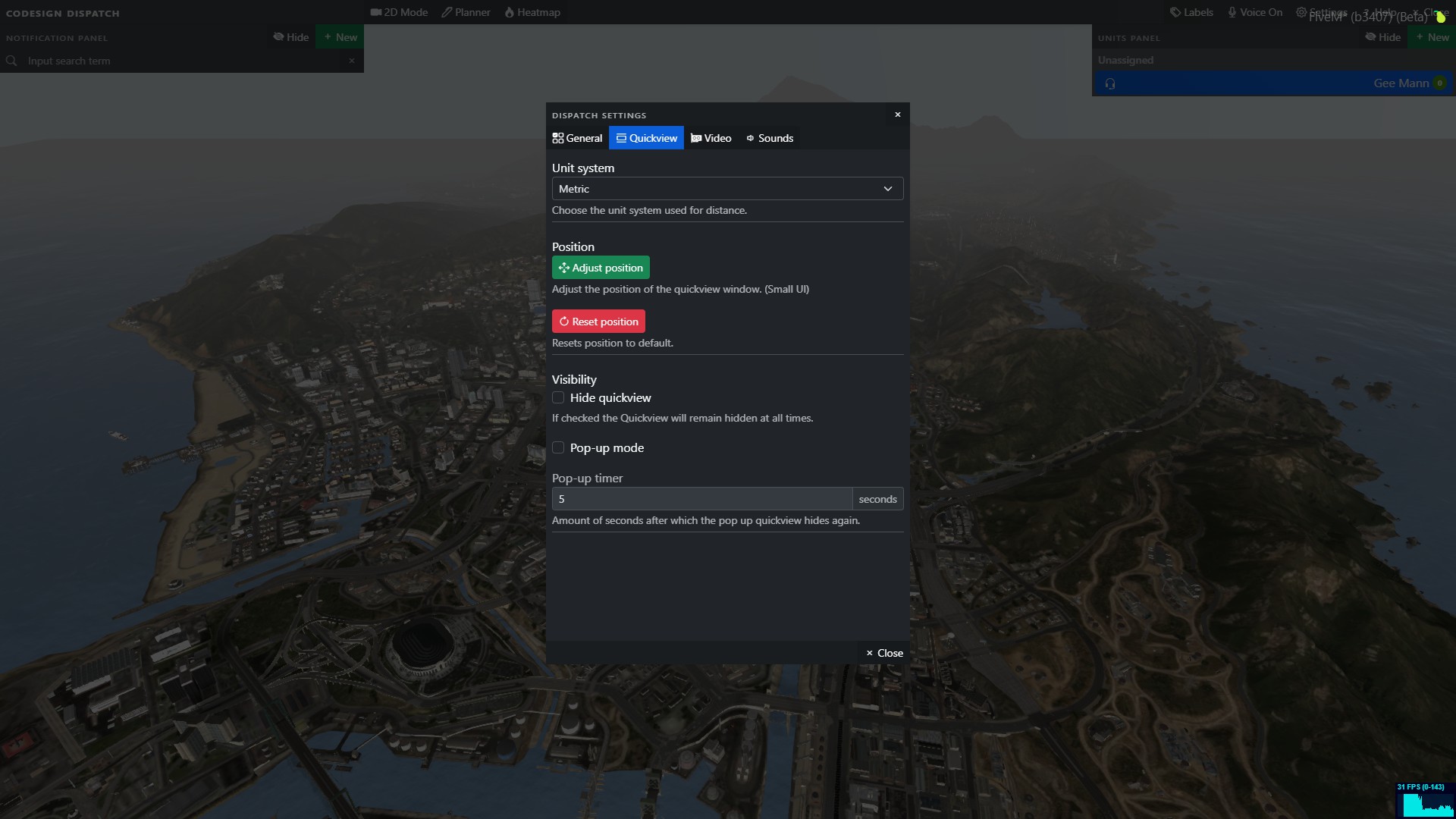
Small UI (Quickview)
This UI can be moved and placed wherever the player wants, so it will never interfere with other UI items. It displays the following information:
- Total number of calls
- Total players responding to the call
- Notification title & notification message
- Info on how to navigate the small UI and respond
- Navigation keys
- Quick respond and set a waypoint to calls
- Distance away from the call
Large UI (Map)
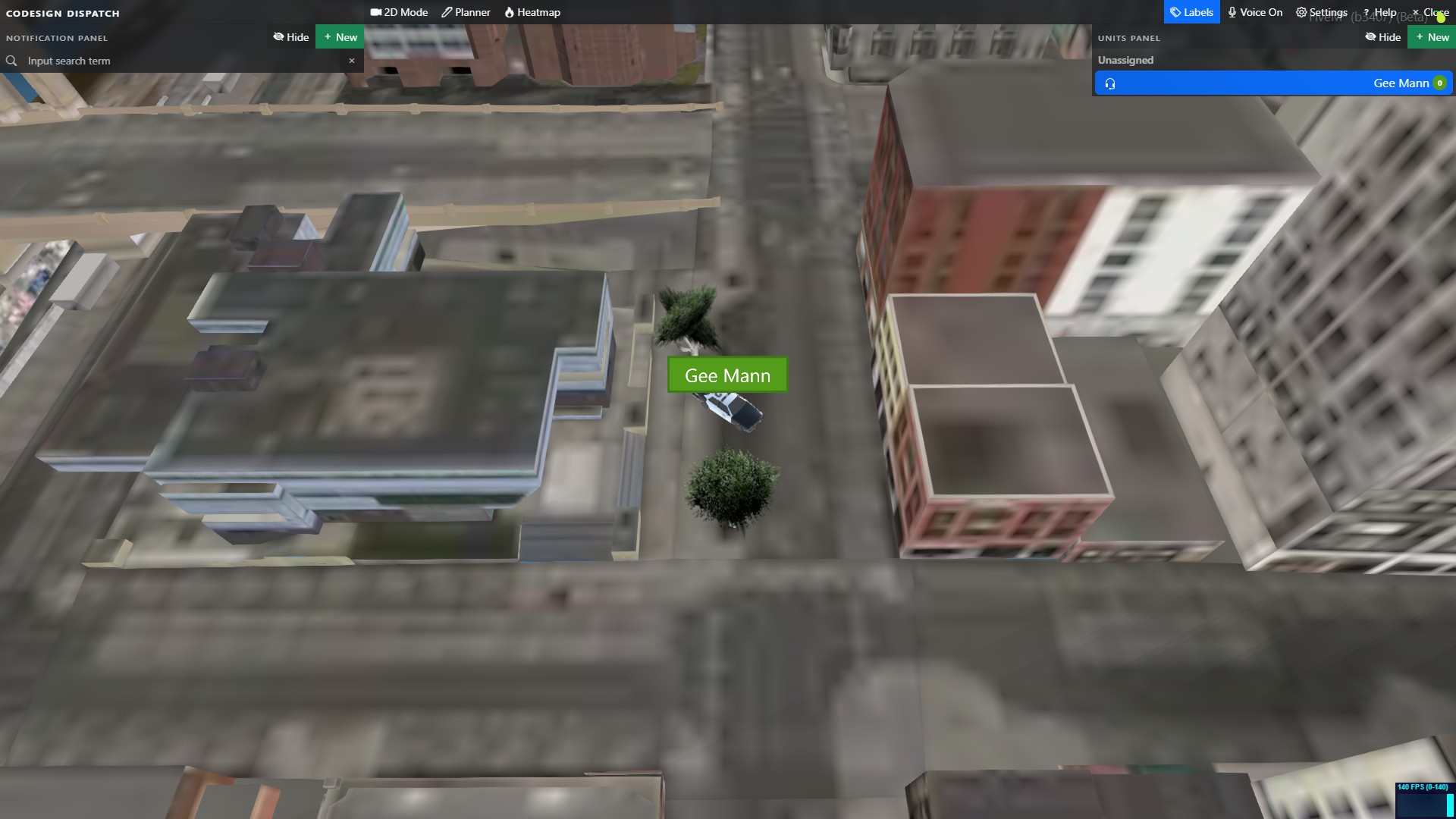
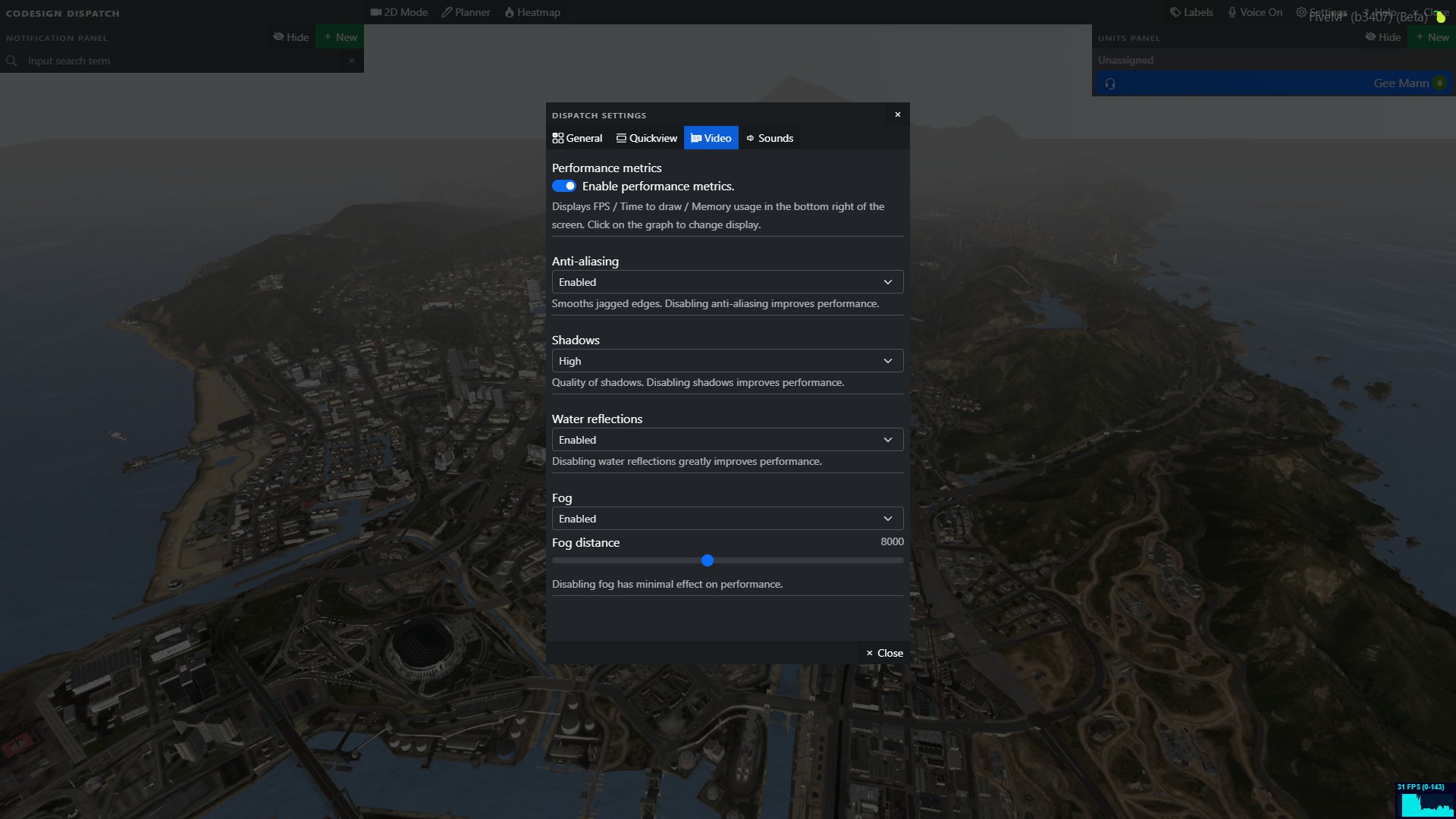
The large UI displays more information that can be useful for players such as:
- Full zoomable 3D GTA map.
- List of all received calls
- Player’s names are displayed when you are within range of the player’s model
- Player’s radio channels
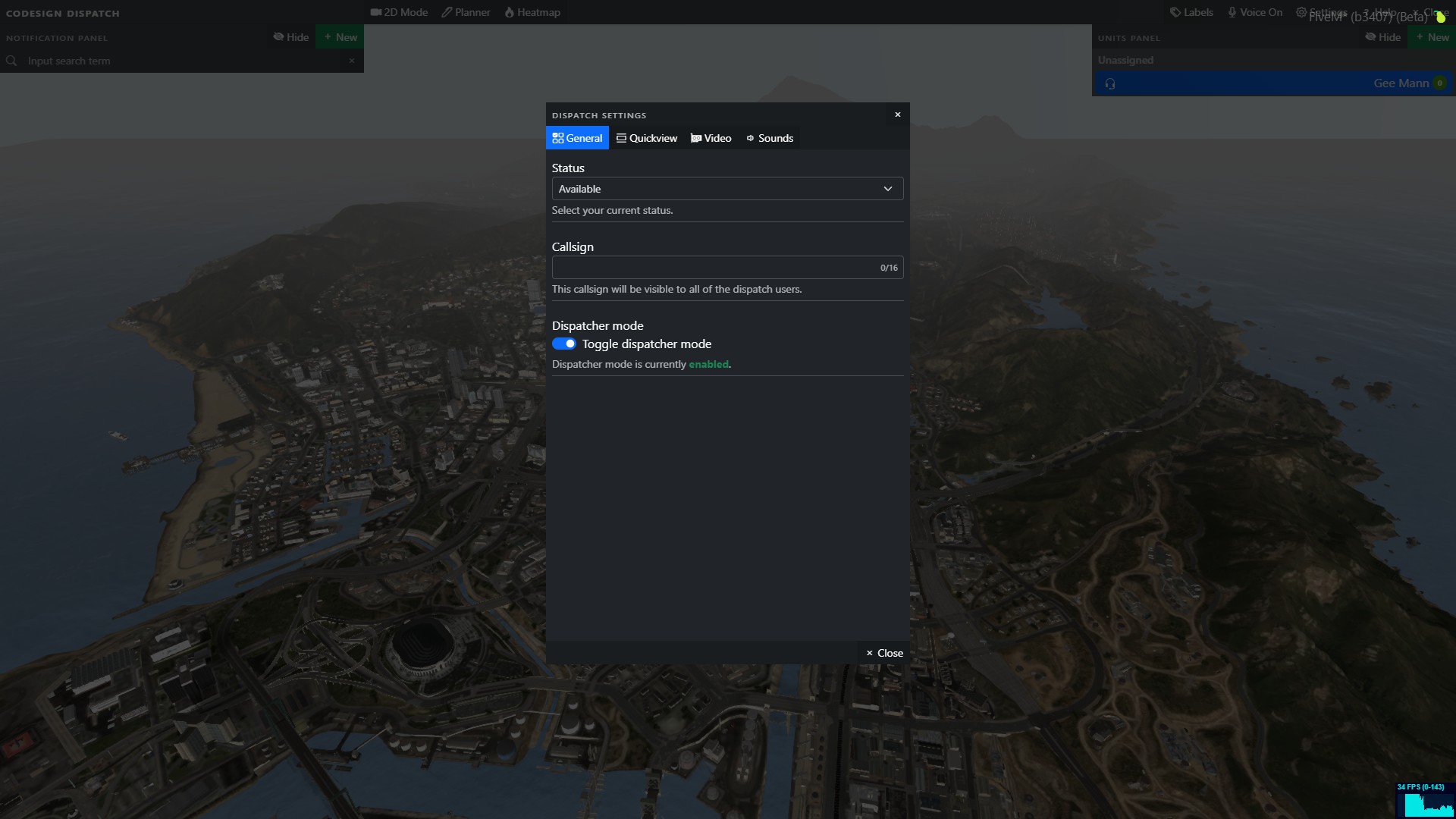
- Option to set your status, callsign and vehicle type
- Panic button which flashes when you receive a panic call
- Dispatcher mode
- Quick join radio channels
- Set a waypoint to a users location
- Name and callsign of units responding to calls
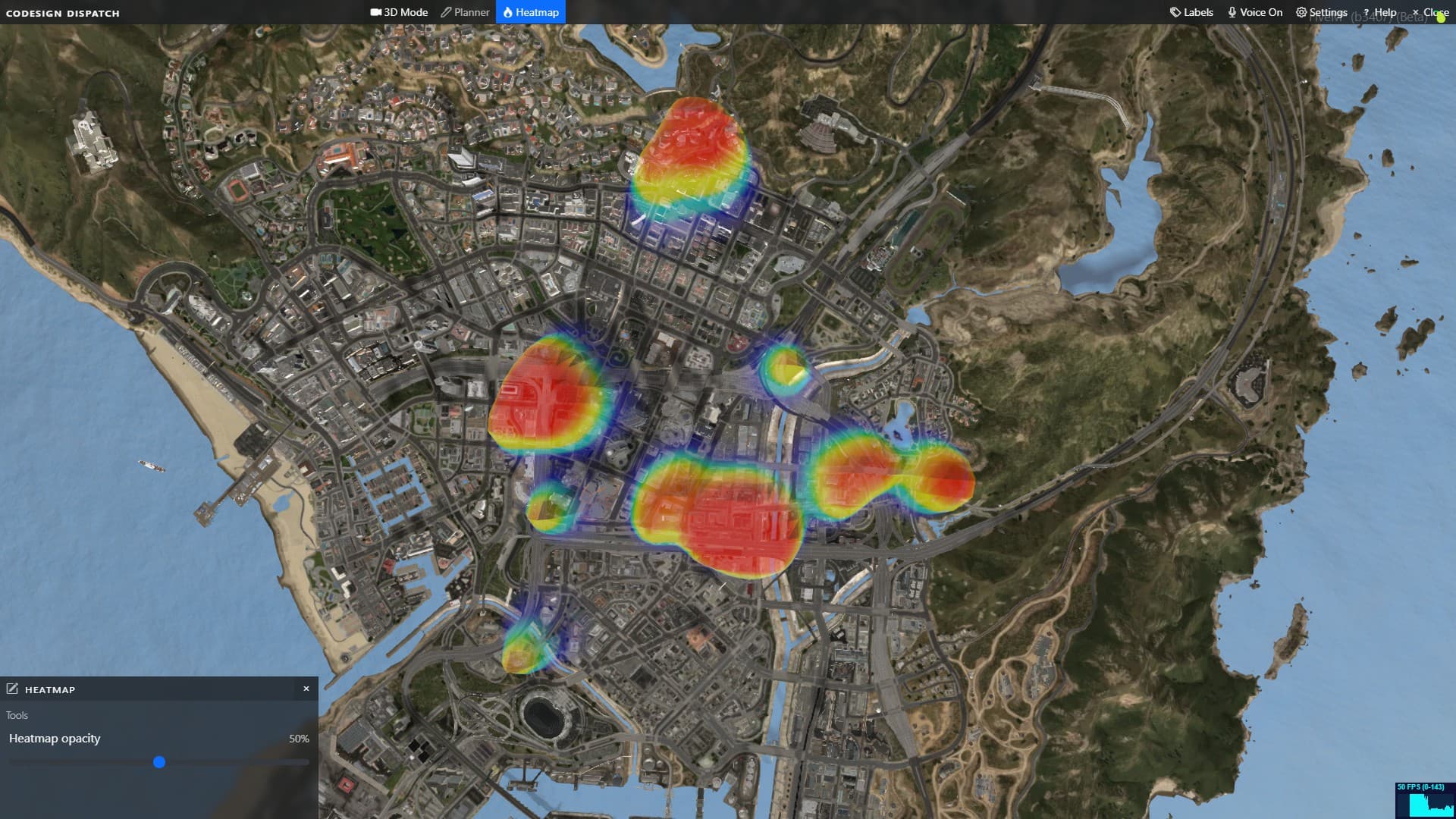
- Heat map for seeing the how ‘hot’ an area may be with dispatch notifications
- 3D models for players and vehicles. (Vehicle models are determined by job and if a player is in a vehicle)
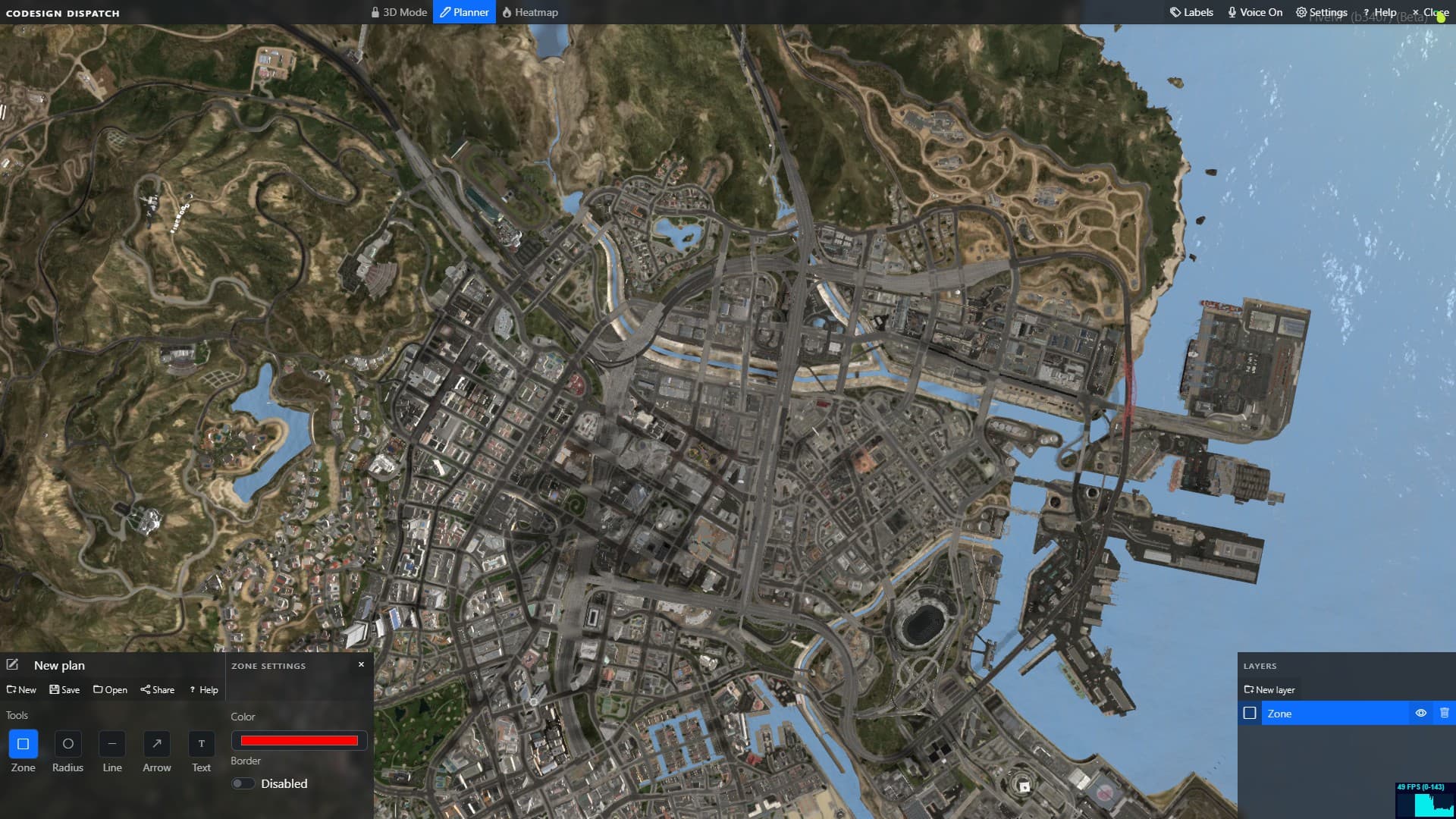
- Planner with shapes and text that can be saved and shared via large UI
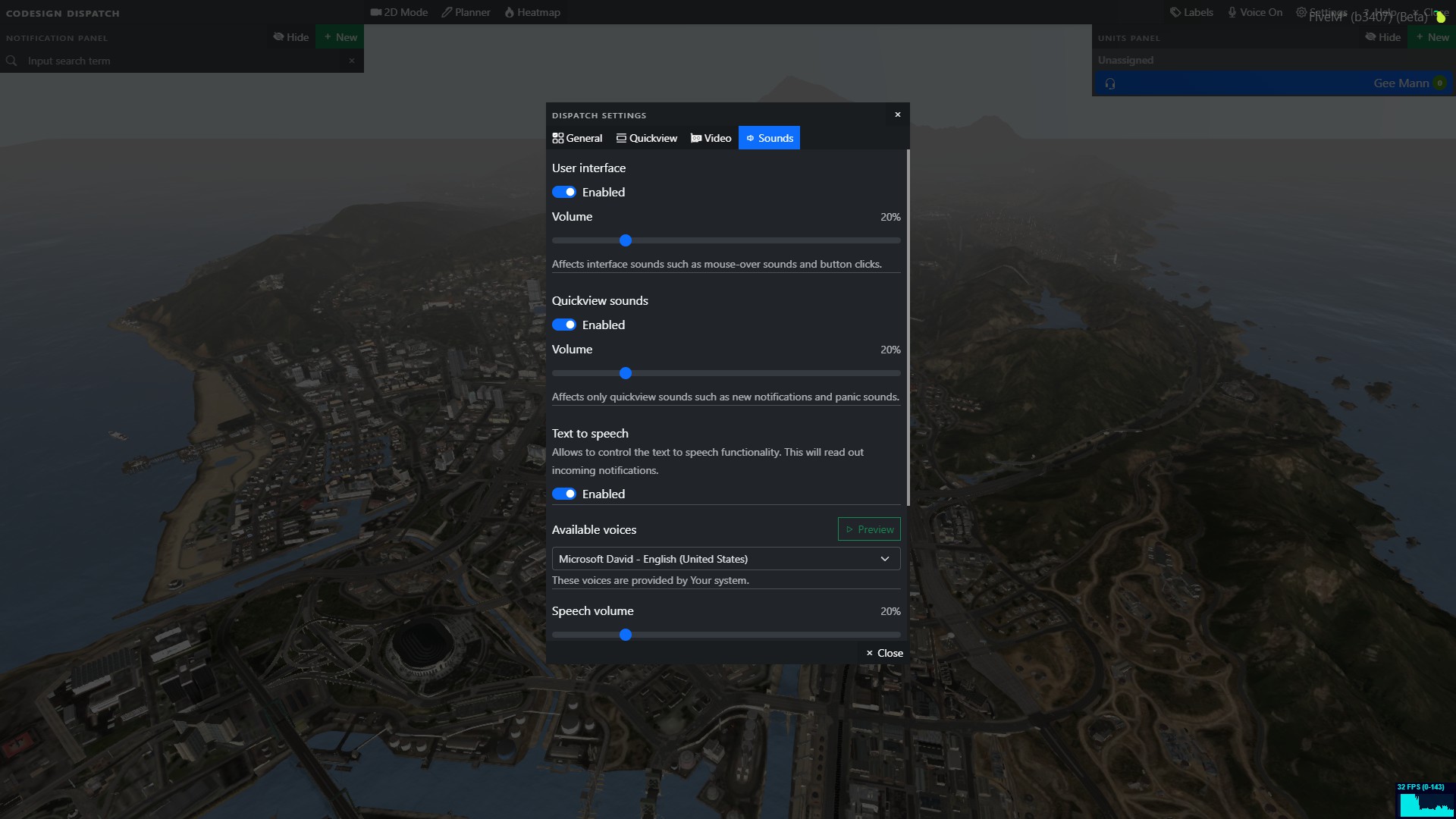
Dispatch Mode
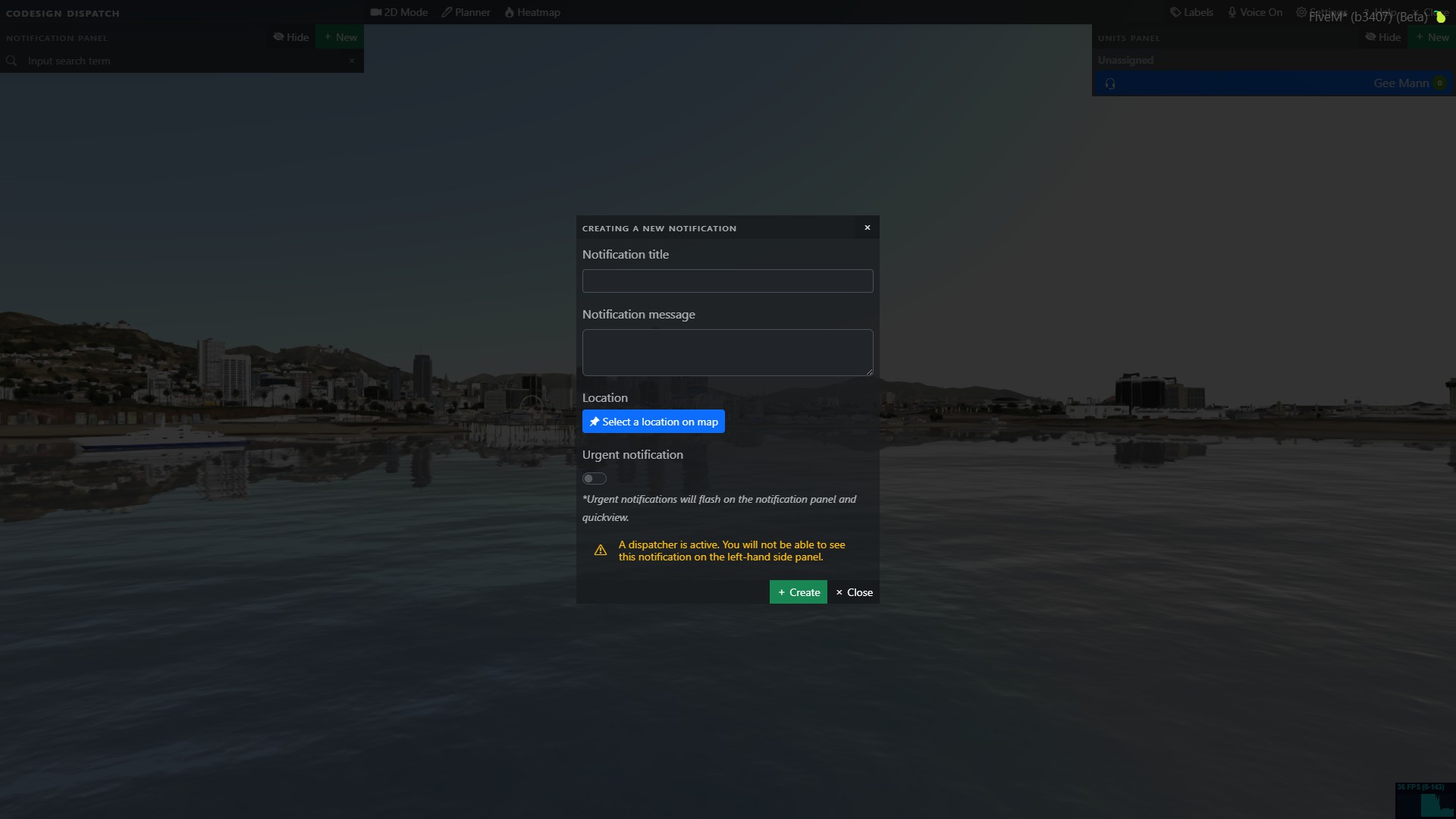
Enabling Dispatcher mode allows a player to become the heart of your emergency services with features like:
-
When a call is initially received, only the active dispatcher(s) can see the call. Dispatcher(s) can then assign the call to a certain officer or group of officers. If no dispatchers are in service, then the dispatch automatically functions like normal.
-
Dispatcher(s) can create groups inside the large UI and assign them a name. (This updates for all players using the dispatch)
-
Dispatcher(s) are able to move players to another radio channel in the large UI.
-
Dispatcher(s) can create a call (notification) in the large UI with a description and coordinates.
-
Dispatcher(s) can enable voice mode while the large UI is enabled to communicate over the radio to other officers to see who is available to take calls (the large ui can stay enabled the whole time and everything will be instantly updated on the UI).
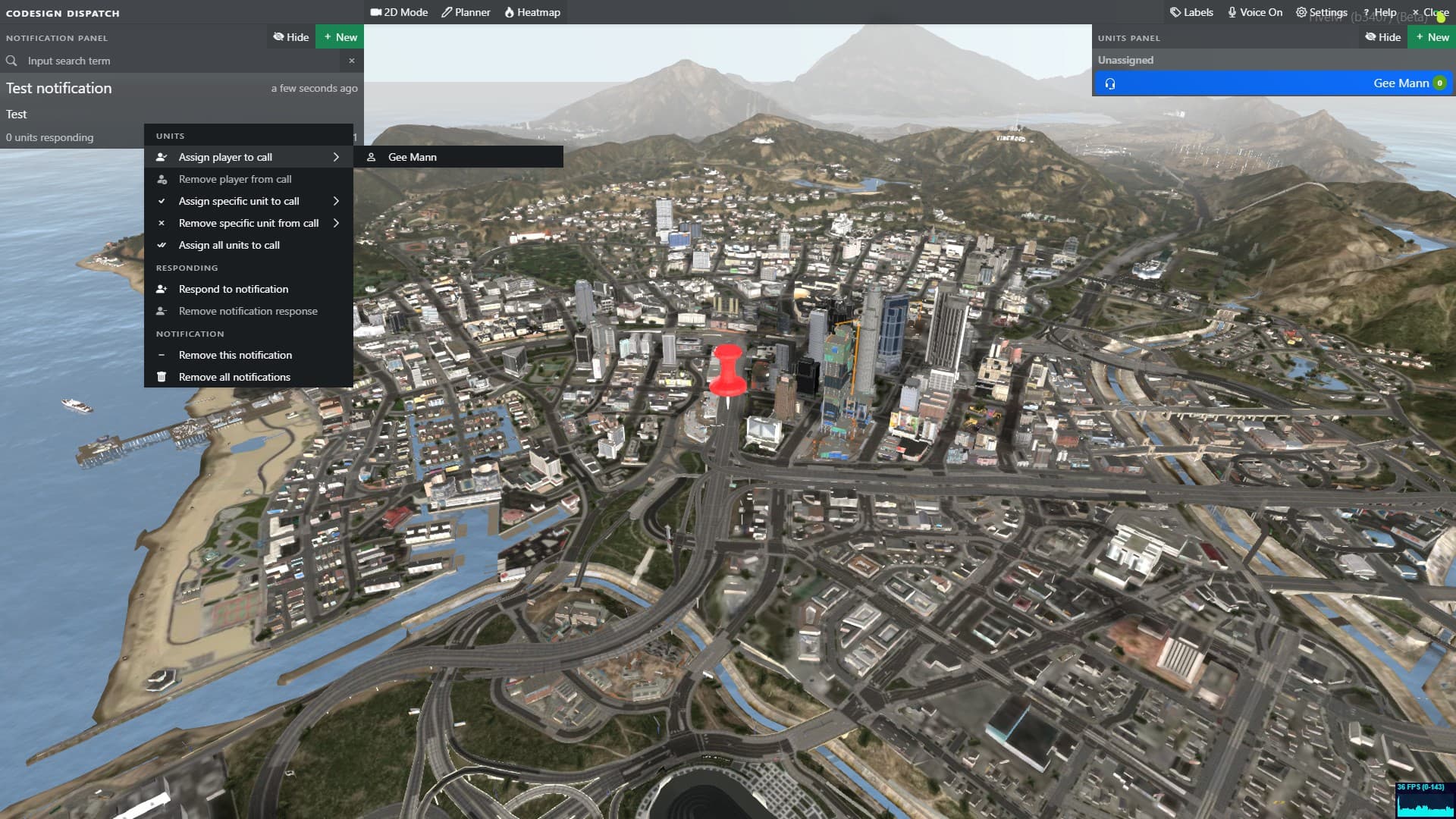
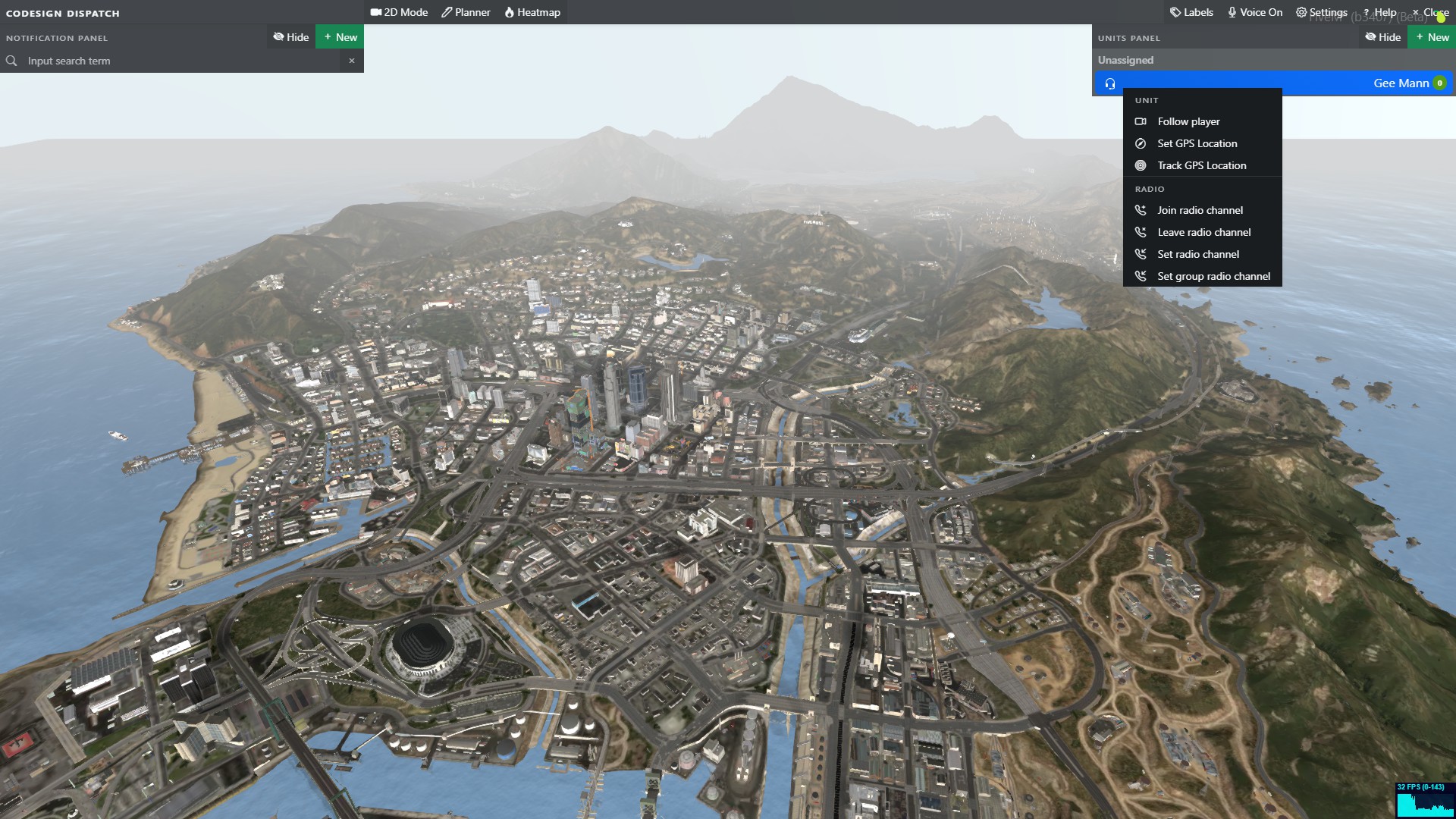
Additional Features
-
Item-based usability: Require players to have an item in the inventory before they can access the dispatch.
-
Multi-job compatibility: You can configure it so multiple jobs can see each other on the large UI and pause menu blips. So for example, if you have 2 police jobs (police and sheriff) or (police and ambulance), they will be able to see each other on the maps.
-
3D Map navigation: You can now fully interact with the 3D map using your mouse, as well as switching from 2D to 3D view…
-
Grouped units: Dispatchers can group units patrolling together making it easier to know which units have assigned calls.
-
Vehicle type status: The vehicle type model on the large UI units list will change depending on what vehicle type a player has set in the settings.
-
Player status: The player’s status on the large UI’s units list will be visible when you right-click a player’s name on the unit list. Also, the background of the radio channel is a quick way of viewing a player’s status as it will change colour when a player changes their status. You can configure add/remove/change statuses in the config, along with the colour of each status.
-
Quick join/leave radio channels: On the large UI, you can right-click a player’s name on the units list and have the option to join their radio channel or leave your radio channel.
-
Pause menu/mini-map player blips: We have added a built-in player blips system, which works on OneSync (legacy+infinity)/non-OneSync. Your blip icon will change depending on what you have set your vehicle type to on the large UI settings. When your vehicle’s emergency lights are on your player blip will flash (flashing colours are configurable for each job). Your current radio channel will also be displayed on your player blip. Everything is fully synced across all players. View preview here.
-
Built-in Police alerts: This dispatch includes 2 basic built-in police alerts: gunshots and speed cameras. You can require a witness (NPC/ped) to be nearby to notify the police. If you use cd_radar BOLOs will be added automatically if the player is in a vehicle when committing the crime.
-
View responding units: On the large UI, you can click on a notification and see which units are responding. It will show their name, callsign, how long ago they clicked respond etc.
-
Go to unit: You can double click a unit to move the map to their location.
-
Go to call: You can double-click a notification call to move the map to the call’s location.
-
Follow unit: You can right-click a unit and select the “follow unit” option. The map will start moving along with the selected unit.
-
Set GPS location: On the large UI, you can right-click a player’s name on the units list and it will set a waypoint to this player’s location on the pause menu/mini-map.
-
Live Map: Added the ability to enable the player 3D models on the large UI to auto-refresh while the UI is open.
-
Built-in Job Calls: When a civilian uses job call commands such as /911, a notification will be sent to the police. You can configure multiple jobs to use this system. After receiving a job call, players in said job can respond to the civilian using the /reply chat command. Calls can also be anonymous (it does not show the caller’s name or phone number and uses radius blips).
-
Radius Blips: If you don’t want to give the police an exact location, you can use a radius blip, which will randomize the centre of the blip and highlight a large area on the pause menu map/mini-map.
-
Heatmap: This option will allow you to preview where most of the notifications are coming from in a 3D heatmap view.
-
Planner: This large UI option allows you to create, edit and share action plans with other dispatch users.
-
Small UI can be turned off via overwhelming customer request
Documentation Website
We recommend that anyone interested in this resource checks out our Documentation Website. This documentation includes the following:
- Step-by-step installation guide
- Common issues & solutions
- Code snippets
- Error codes
- Full preview of the Configs, Locales/Translations & SQL
- Troubleshooting guide
Dependencies and Compatibility
Framework Dependencies
- Auto Detect Framework: This feature automatically identifies your framework and applies the appropriate default settings.
| Framework | Compatibility | Notes |
|---|---|---|
| ESX |  drag-and-drop compatible drag-and-drop compatible |
Supports esx 1.1, 1.2, 1.final, extendedmode and all legacy versions. |
| QBCore | drag-and-drop compatible |
Supports official QBCore only. |
| vRP |  not compatible not compatible |
|
| No-framework | not compatible |
|
| Other (custom framework) |  major changes required major changes required |
Framework functions etc need changing. |
SQL Resource Dependencies
- Auto Detect SQL Resource: This feature automatically identifies your SQL resource and applies the appropriate default settings.
- Auto Insert SQL Queries: This feature automatically inserts all SQL queries into your database.
| SQL Resource | Compatibility |
|---|---|
| mysql-async | drag-and-drop compatible |
| ghmattimysql | drag-and-drop compatible |
| oxmysql | drag-and-drop compatible |
Resource Dependencies
This resource has no resource dependencies.
Locales/Translations
| Locale Type | Translatable |
|---|---|
| UI | |
| Notifications | |
OneSync Compatibility
| State | Compatibility |
|---|---|
| Infinity | |
| Legacy | |
| Disabled | |
| Code is accessible | No (however majority is accessible) |
| Subscription-based | No |
| Lines (approximately) | 21k+ (not including locales & libraries) |
| Requirements | Dependencies listed above |
| Support | Yes |
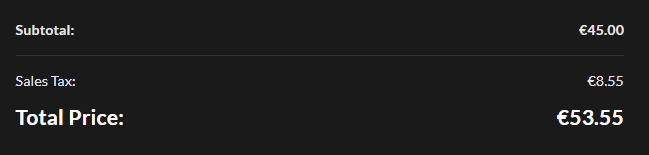
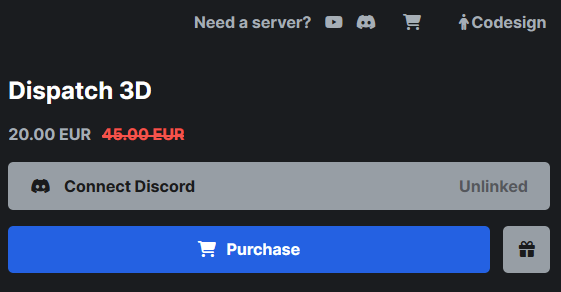
**BUY HERE - €45 **
*VAT may be applied to certain customers depending on the country
Check out our Tebex store at https://codesign.pro
Check out our other paid scripts:
Expand
[PAID] Codesign Arm Wrestling
[PAID] Codesign Highly customisable Car HUD
[PAID] Codesign Police Dispatch
[PAID] Codesign Darts
[PAID] Codesign VIP Shop
[PAID] Codesign Door Lock
[PAID] Codesign Vehicle Garage
[PAID] Codesign Identity
[PAID] Codesign Multicharacter
[PAID] Codesign Player HUD - Smartwatch
[PAID] Codesign Prop placer
[PAID] Codesign Police ALPR Radar
[PAID] Codesign Spawn selector
[PAID] Codesign Terminal Hacker - Minigame
[PAID] Codesign Vehicle Control
Check out our free scripts:
Expand
[FREE RELEASE] Easytime - Time and weather management by Codesign
[FREE RELEASE] Devtools - LUA / JSON Table viewer by Codesign
[FREE RELEASE] Draw text UI
[FREE RELEASE] Keymaster minigame by Codesign




 Testing Note
 .
.