As of monday the 12th the steam overlay has stopped working correctly
steam overlay is enabled & on but when im ingame on fivem the cursor changes as if the overlay is there, but my screen doesn’t dim & none of the buttons show up such as friends, notes, & browser
What have you tried already to fix the issue?
Everything that shows up when searching for this, but it’s all for if the overlay was already off or not working at all
Hello, this is a friendly reminder because this is your first time creating a topic (or it has been a while since your last topic) in this category.
Please note that most of the support is provided by the Cfx.re community on a voluntary basis. We ask you to be patient; there is no guarantee we have a solution to your problem(s). To avoid unnecessary/duplicate topics, please browse the forums before creating a topic.
To improve your chances of your issue(s) being solved, please provide as much information as possible about the issue(s) you are having. Also —whenever possible— please use the template given to you when creating a topic.
Hello FiveM deployed some changes yesterday to properly integrate with Steam as its own app (https://steamdb.info/app/2676230) instead of using the old hacky solution.
As a result of that for the integration to work, Steam needs to not be running as Admin. You can check if it currently is running as admin like this:
Make sure Steam is running
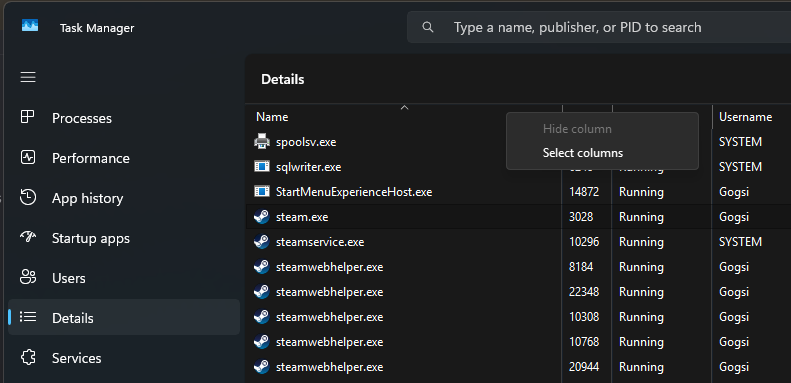
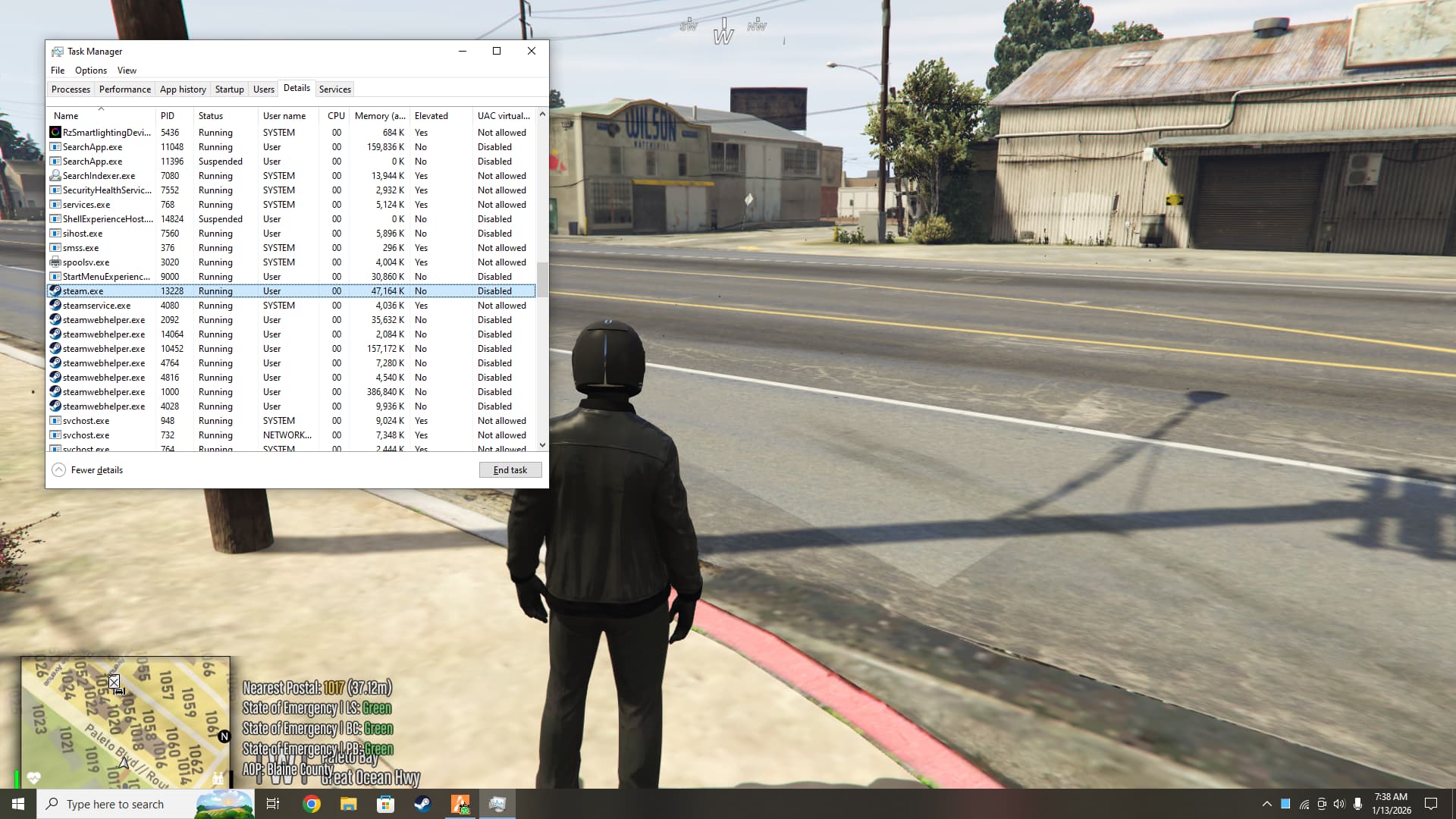
Then open Task Manager and go to the “Details” tab
Right click on the columns (Name, PID, Status, etc) and select “Select columns”
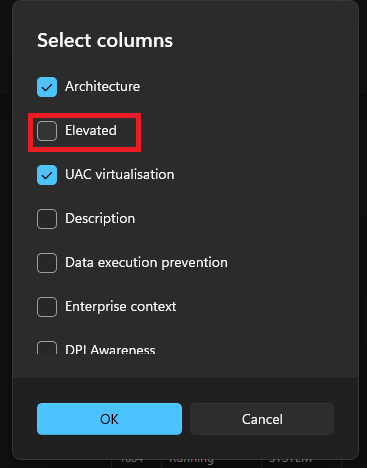
Scroll down until you see “Elevated” and enable it then press “Ok”
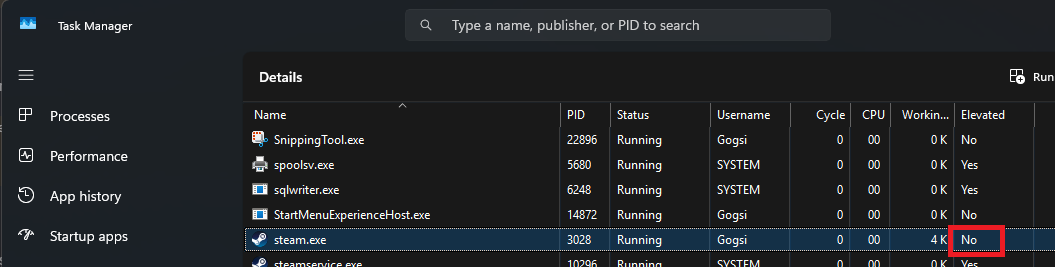
Scroll down until you find Steam and see what “Elevated” is (Yes or No)
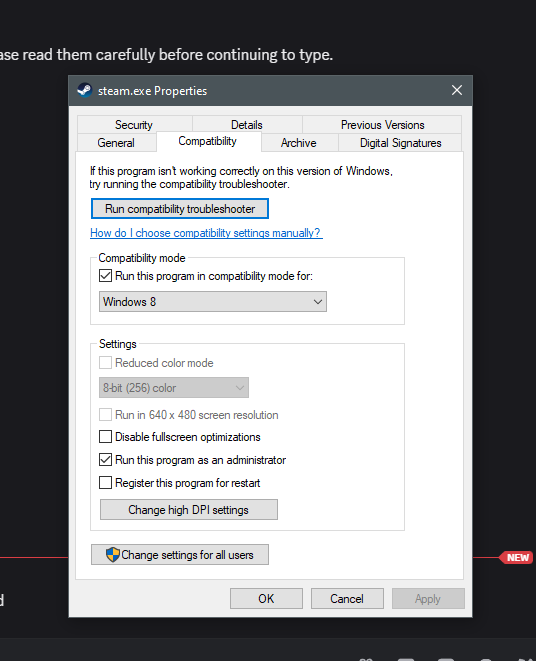
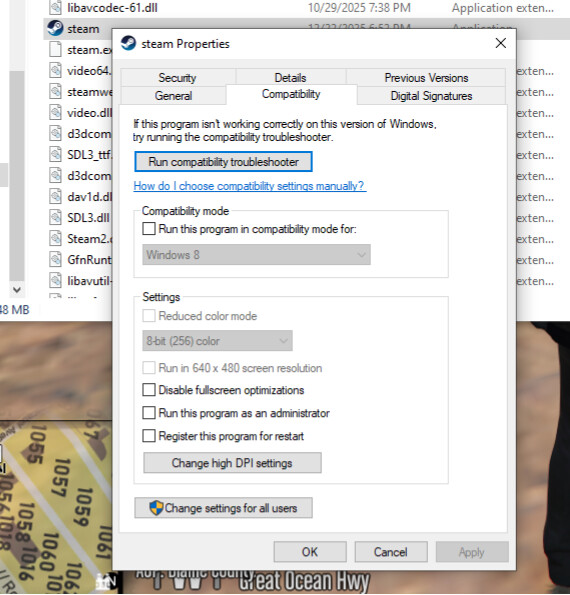
If Steam is marked as “Elevated: Yes” then it’s running as admin, which you will need to disable. Go to your Steam installation folder (probably C:\Program Files (x86)\Steam right click on steam.exe, click Properties, then select the Compatibility tab and uncheck “Run this program as an administrator”
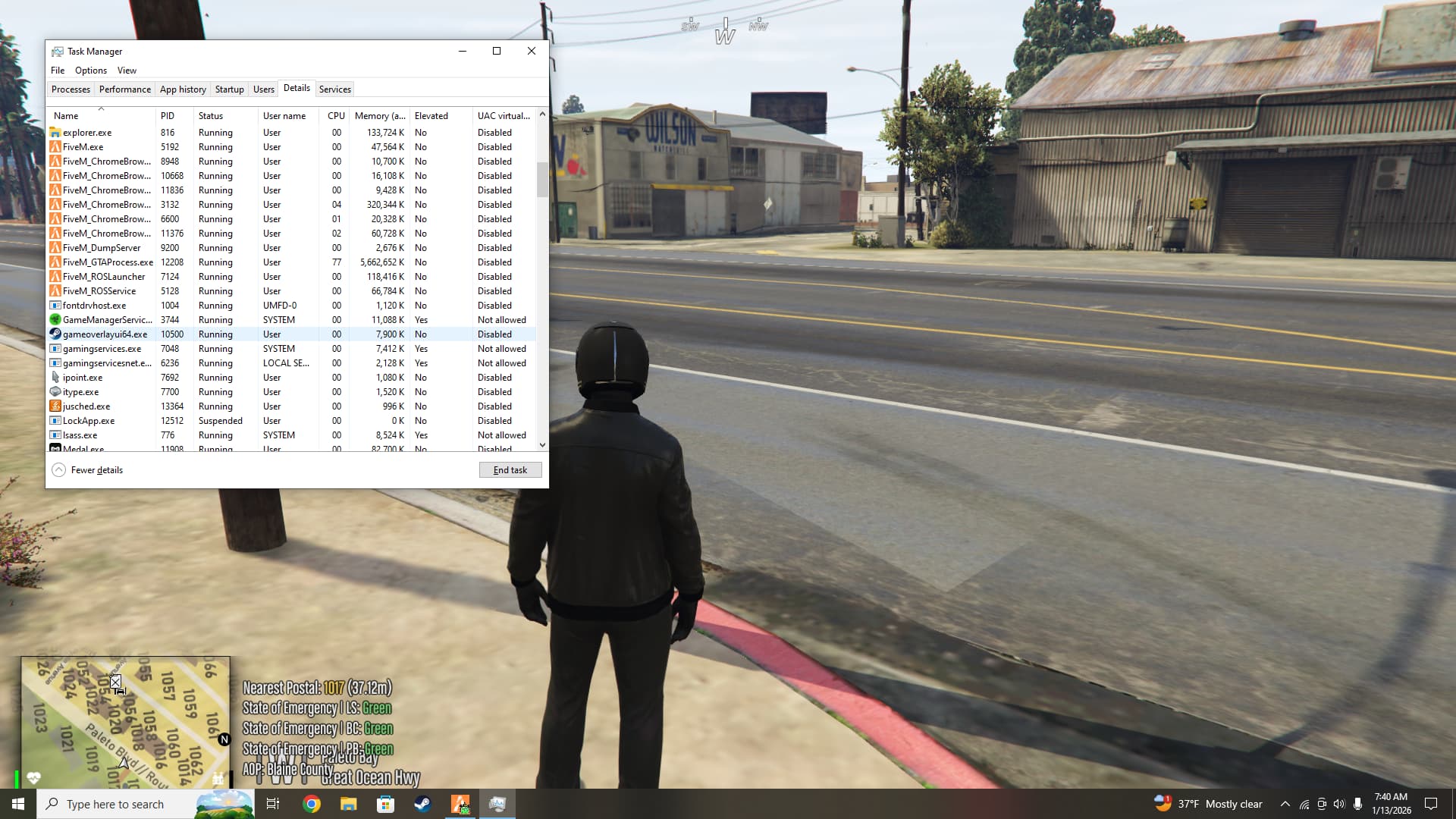
I see you have more apps that interact with the game’s screen, for example Medal is capturing it. Sometimes multiple “overlay” apps can interfere with one another. Just for the test, can you try fully quitting Medal?
Ok so both Steam Input and the Steam Overlay currently do not work because the Steam API changes were only deployed client-side. When you connect to an outdated server (which is currently every server) FiveM “downgrades” from using the FiveM Steam app back to using Source SDK Base 2007 and it seems that Steam Input and the Overlay don’t like that When I was testing these changes I was using a test “upgraded” server (not available yet) so I didn’t experience it.
Soon the changes should also be deployed for server artifacts and when servers update to that artifact both features will resume working as normal. In the meantime you can use DS4Windows or a similar app. Apologies for the inconveniences.

 When I was testing these changes I was using a test “upgraded” server (not available yet) so I didn’t experience it.