Hi there!
This entire process can be made incredibly quick and simple using a tool called rpf2fivem, which allows you to quickly convert GTA5-Mods vehicles from just their links to ready-to-use FiveM resources.
Installation
Follow the installation instructions in the rpf2fivem thread here,
Process
-
Step 1, finding a vehicle, or vehicles we’d like to convert
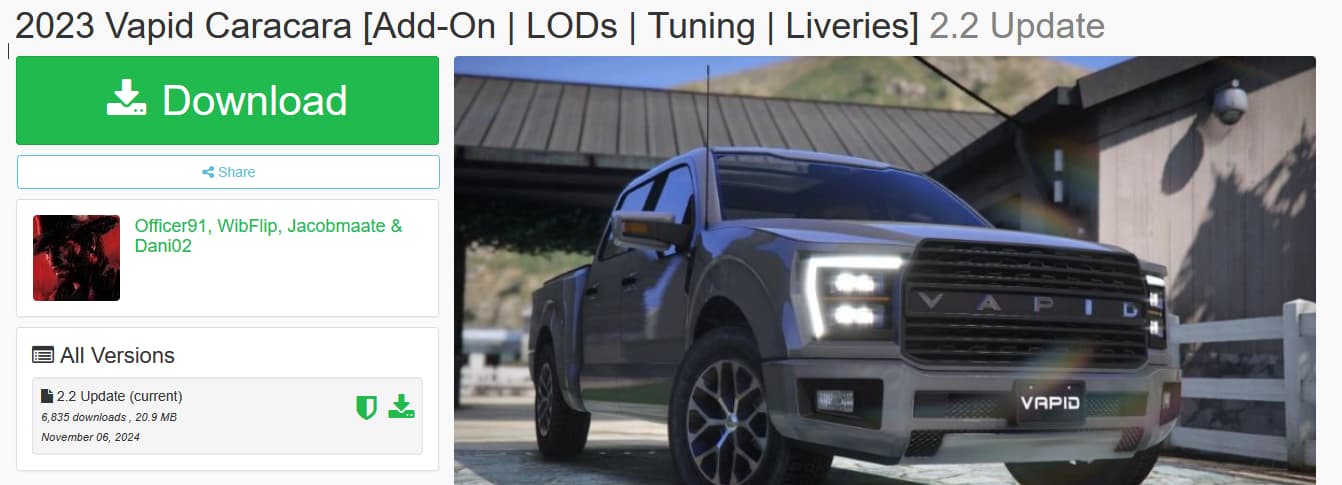
Starting out, let us find a vehicle on GTA5-Mods that we’d like to convert, I’ll be using this vehicle for this example,
2023 Vapid Caracara [Add-On | LODs | Tuning | Liveries] - GTA5-Mods.com -
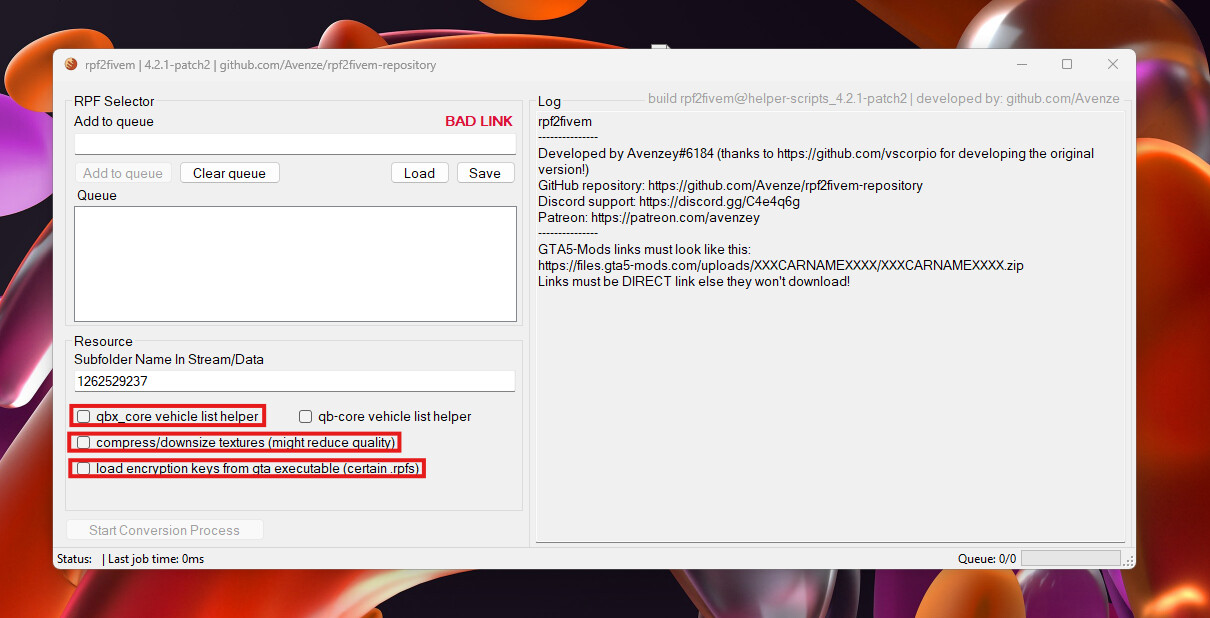
Step 2, setting up rpf2fivem for the optimal usage:
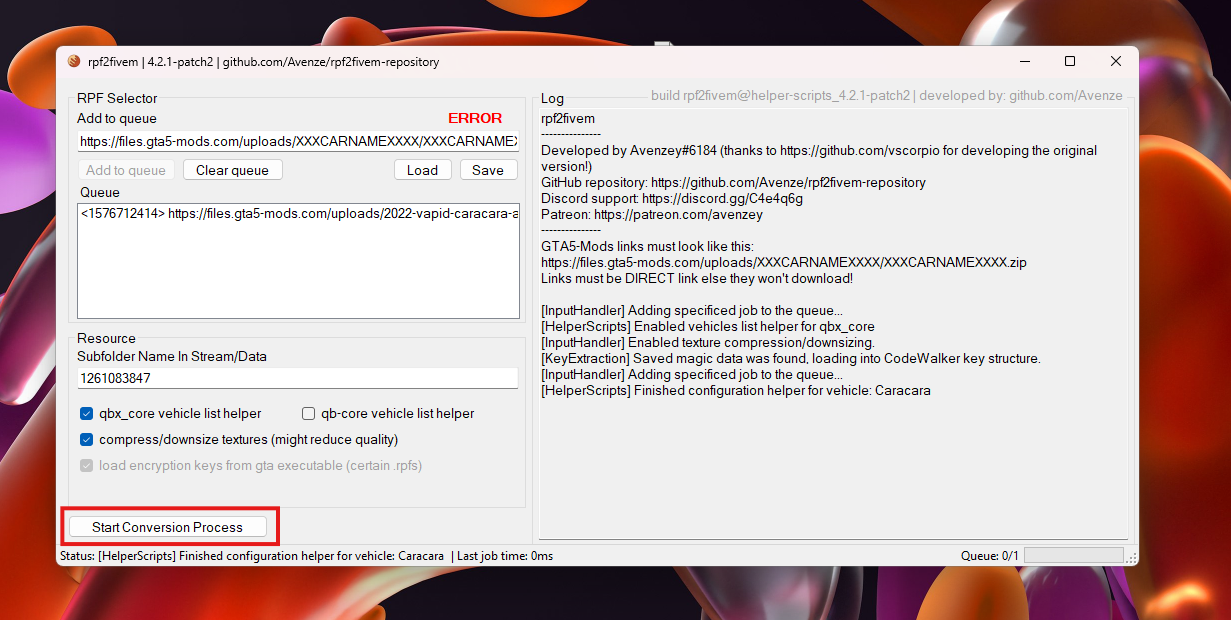
First of all, I’d recommend turning on “load encryption keys from gta executable”
Secondly, I’m turning on both the qbx_core helpers and the texture compression. -
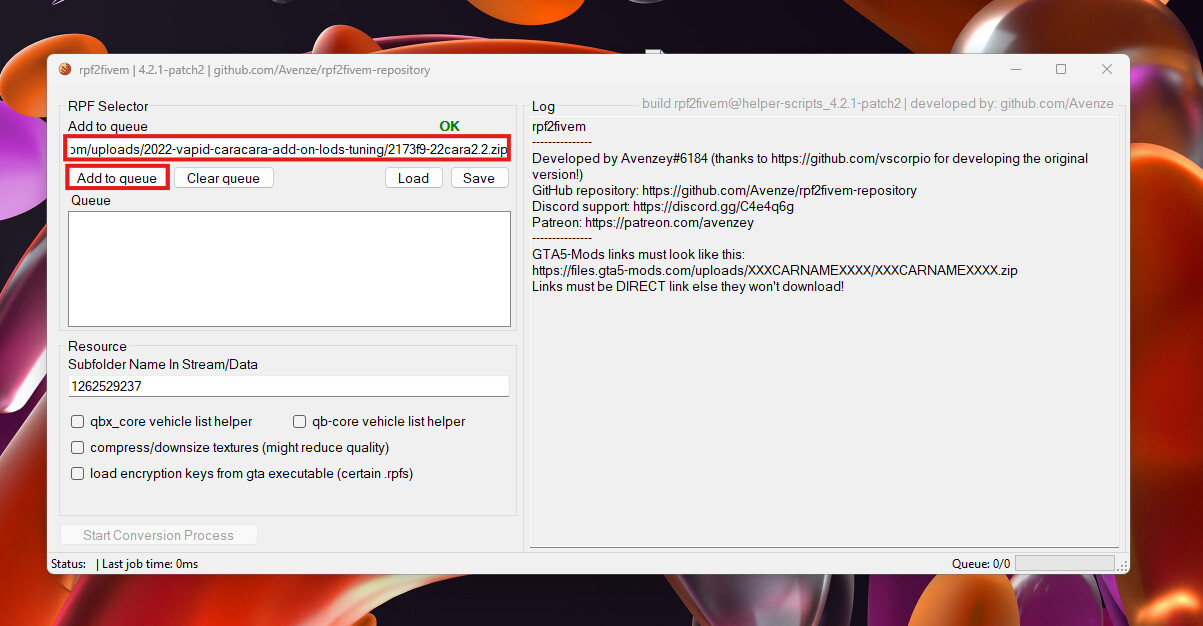
Step 3, adding the vehicle to the processing queue,
Paste the direct download link into the textbox above the add to queue button,
After you’ve added the link, press “Add to queue” -
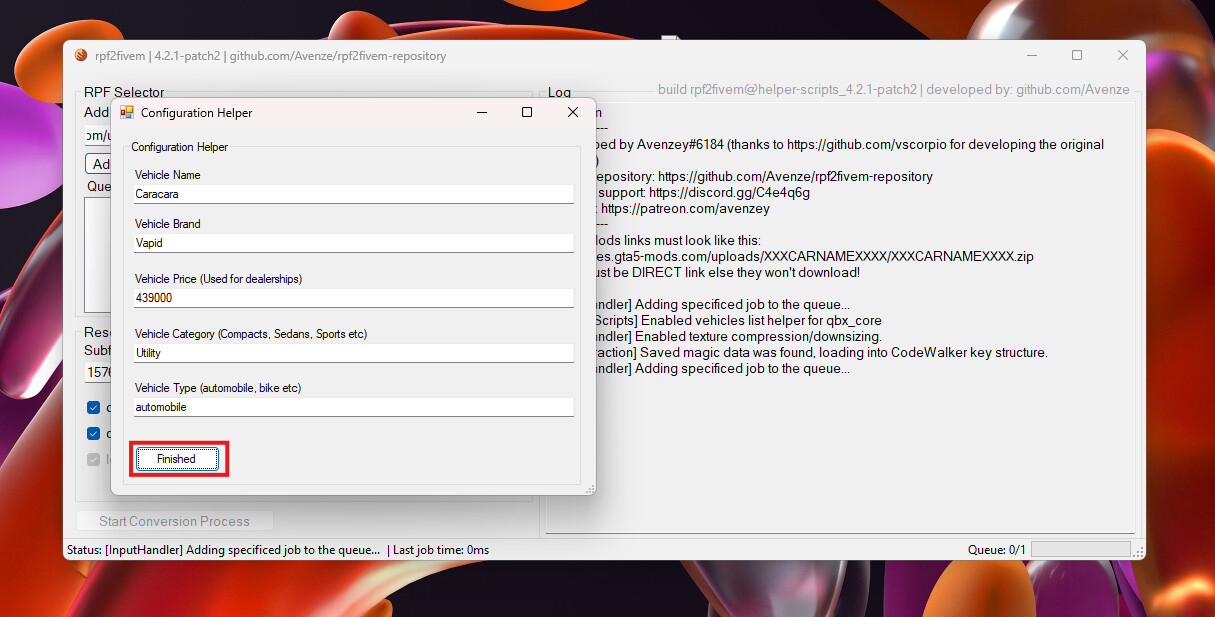
Step 4, adding the helper information for the qbx_core vehicles,
After inputting all relevant information into the Vehicle Name, Brand, Price, Category and Type, you’ll press “Finished” to add everything to the queue. -
Step 5, starting the process,
Now you are ready to start the conversion process, to do this, simply press the “Start Conversion Process” button on the bottom. -
Step 6, enjoy the results,
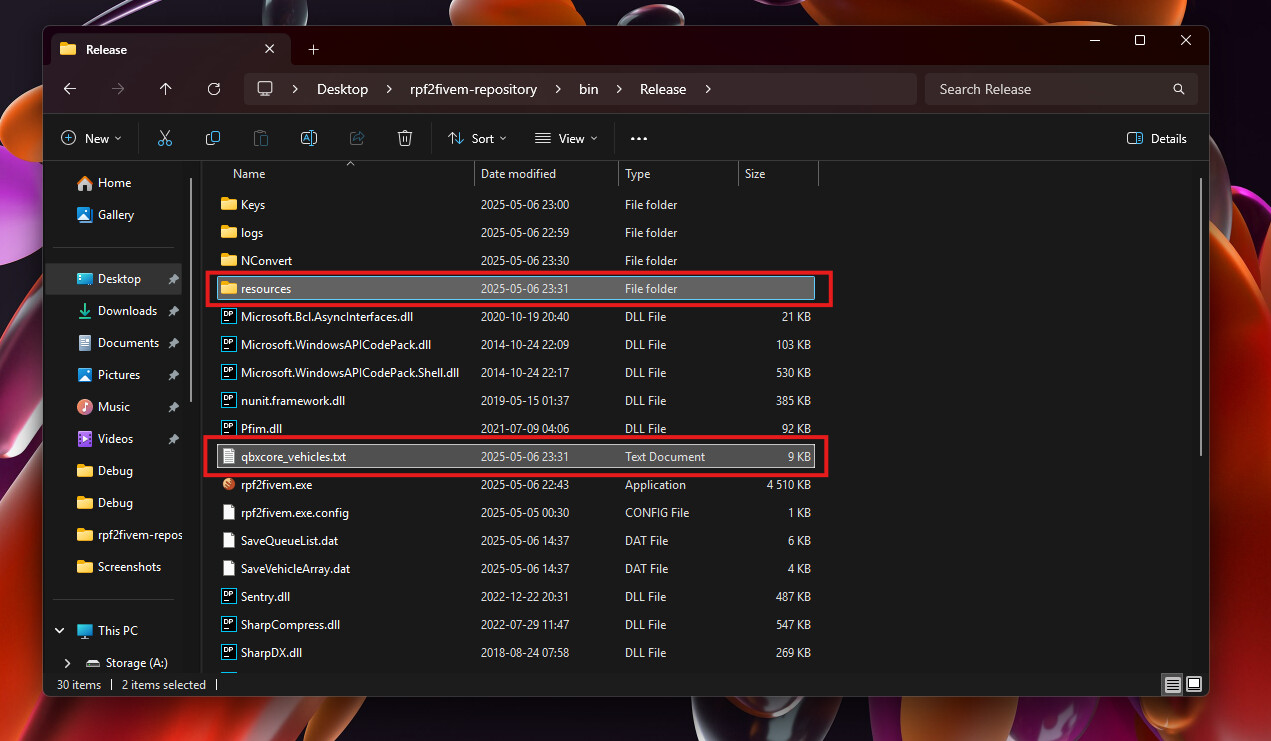
Within the “resources” folder, you’ll find your finished converted vehicle, ready to be added to your FXServer resources directory and started!
And within the “qbxcore_vehicles.txt” file is the configuration which you can add to the qbx_core vehicles.lua list!
Summary
Thank you for reading this quick guide on how to use rpf2fivem, this tool is simple and intuitive in order to help you convert the vehicles you want within your server!
See you later! 