This script is a powerful and intuitive tool designed for seamless object and prop management within your FiveM server. With a user-friendly interface, it allows server owners and admins to easily create, modify, and organize objects, enhancing the gameplay experience with a well-structured and dynamic environment.
Easily create and manage groups of objects to categorize your unique creations. Use filters and search tools to find specific props, toggle visibility to hide or reveal areas, and enable props for events with just a click.
Performance-Oriented → Optimized code ensures NO server lag or performance drops.
Regular updates and dedicated support.
As a new store, we are committed to delivering top-notch quality and efficiency.
Thank you for trusting us on this exciting journey.Your support means the world to us, and we’re always here to provide any assistance you may need.
It would be wise to create exports for this resource so functions can be called from other resources for object permanence and deletion. This could help bring some added depth with existing server permissions in use scripts for things like jobs and what not.
Yes we also like the gizmo, it is planned for a future release, along with the ability to change the coords directly on the UI , thanks for the suggestion !
Thank you so much! We really appreciate your kind words. We’re glad to know that the Chinese community enjoys our work.
If there’s anything we can do to improve the translation or add more content, feel free to let us know!
Haha, you’re welcome. This is the compliment you deserve. We respect every author who provides translation for Chinese players, because we also get the corresponding respect! Your script runs well on our server and there is no problem that needs your improvement! You really did a great job!
The best script, especially for organizing all kinds of events and having them ready, or simply for decorating businesses. I used it to fix a hole in Bennys and put more lights in other businesses, and to have police controls set up, since you can do them whenever you want!


What Does This Script Do?
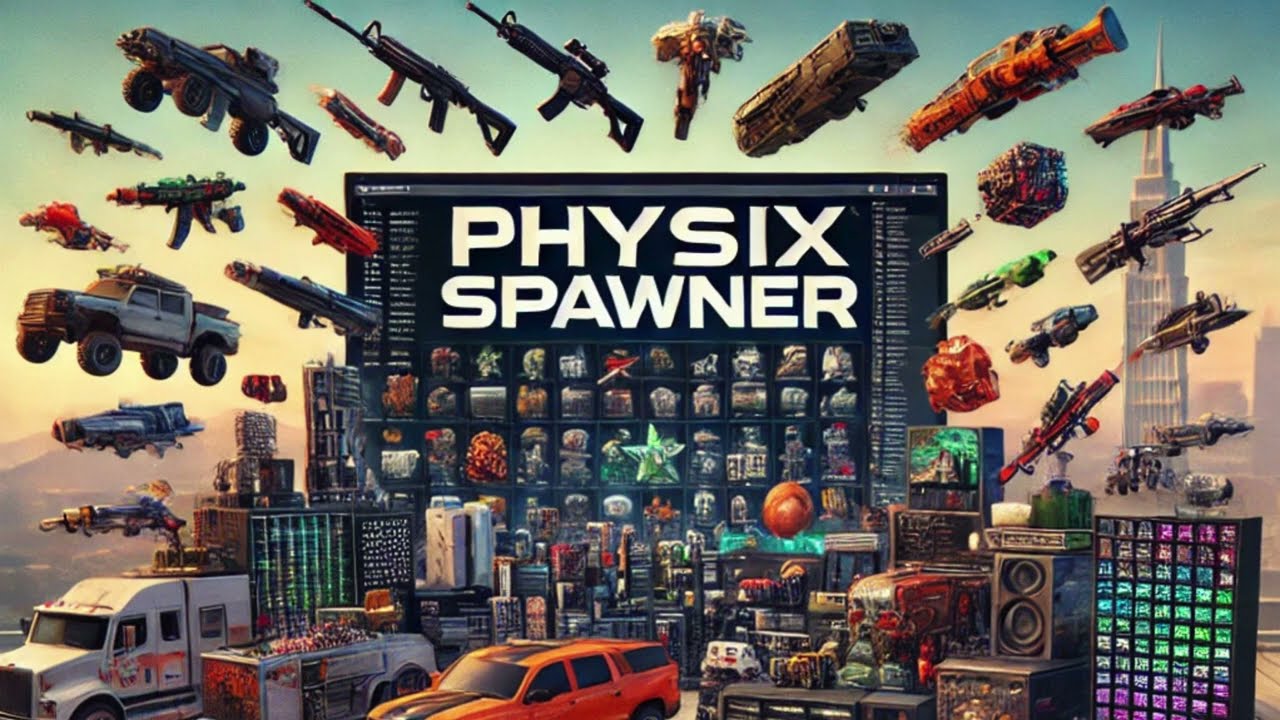
Key Features:
 Group Organization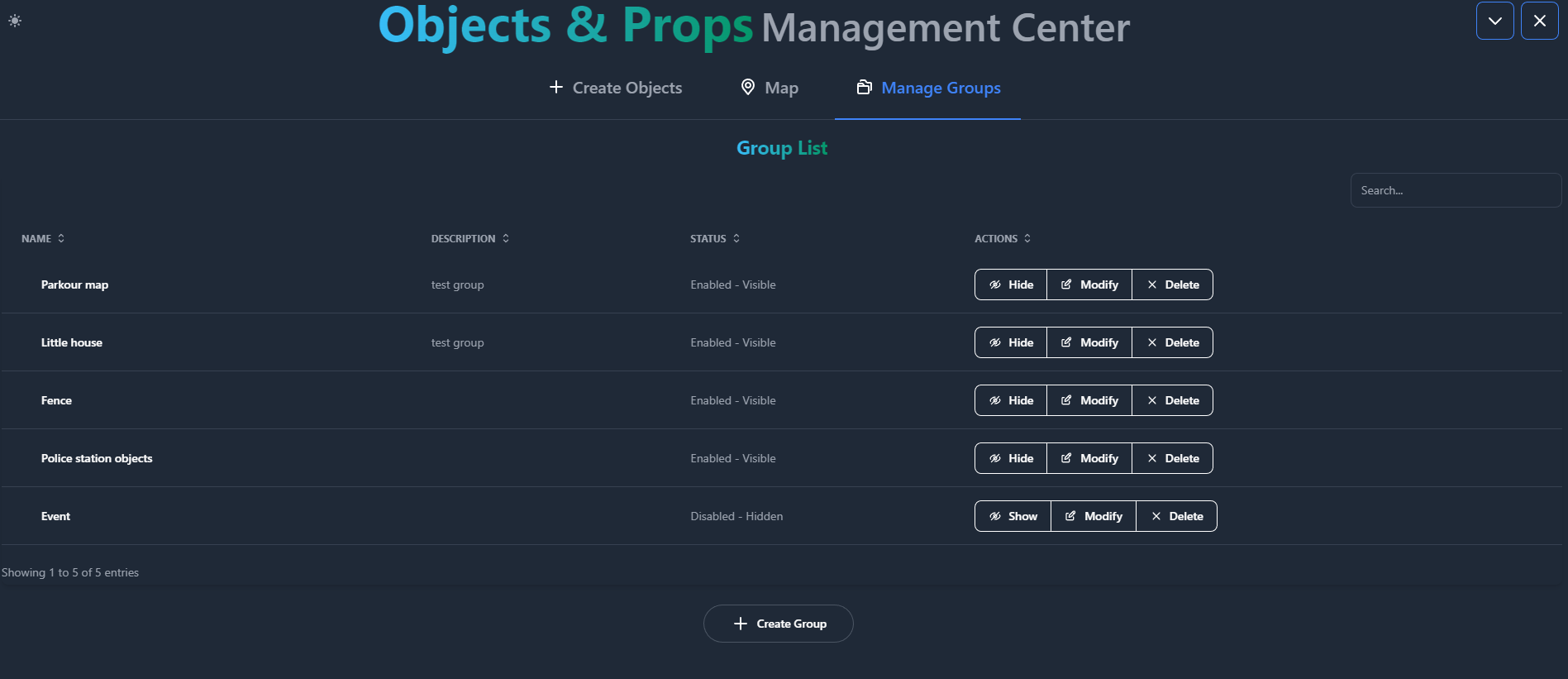
 Advanced Prop Creation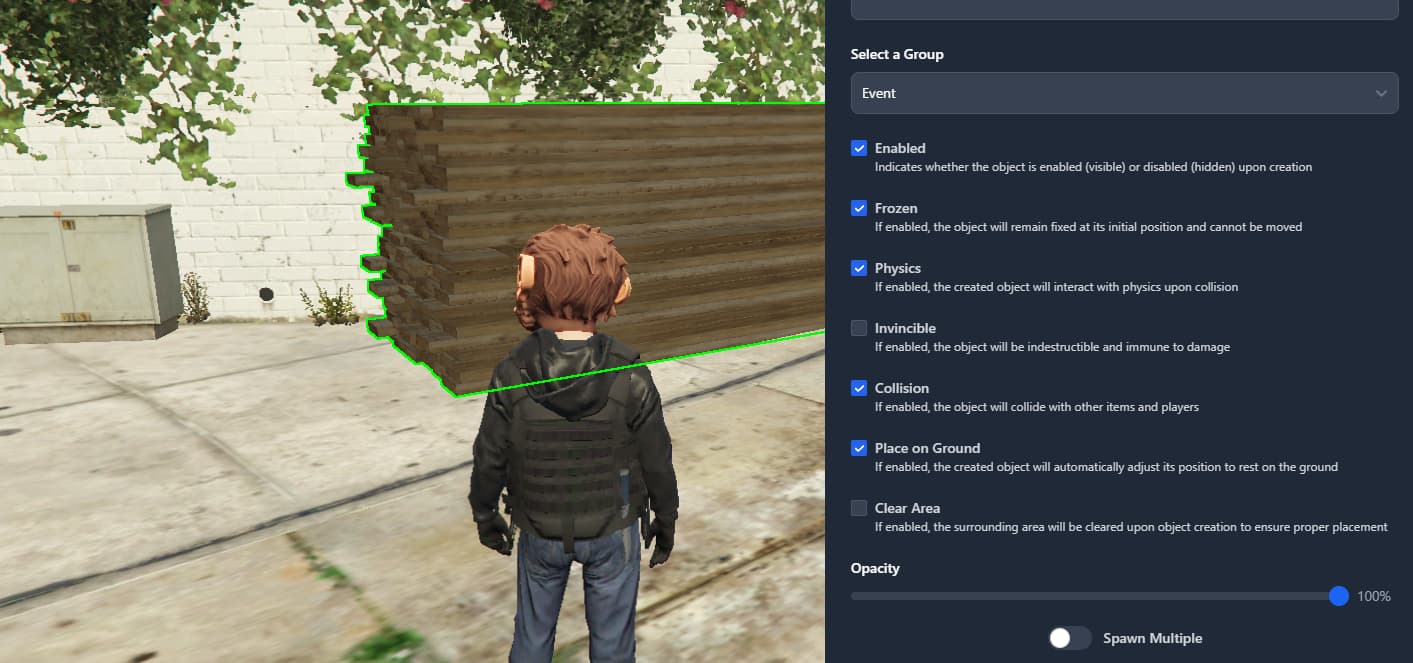
 Collision, physics, and freezing
 Invisibility & opacity settings
 Ground placement to prevent floating
 Auto-clear nearby areas before spawn
 Multispawn mode for rapid object duplication
 Dynamic Management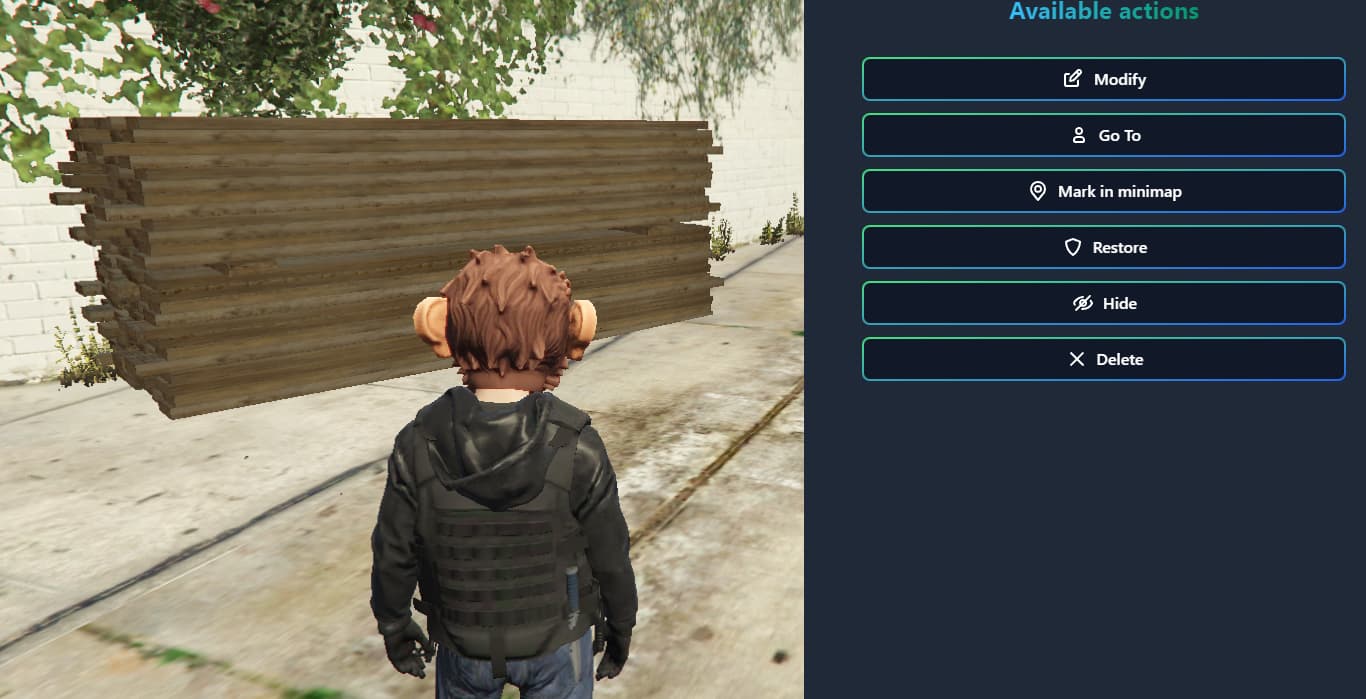
 Teleport to object coordinates or mark them on the map
 Restore original positions and settings
 Enable/disable spawns instantly
 Delete objects effortlessly
 Interactive Map View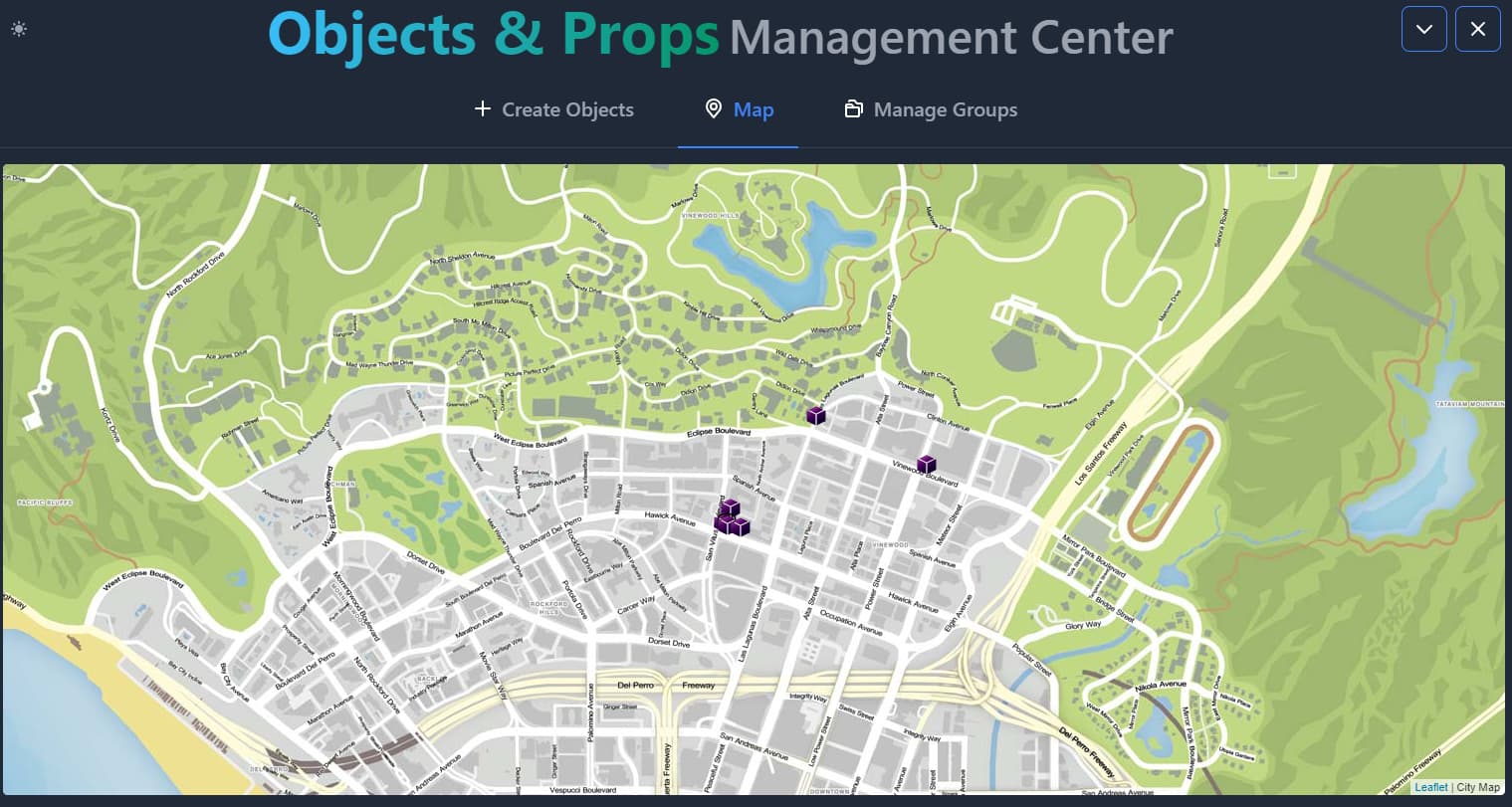
 Perform quick actions by clicking on them
 Customize prop categories or create your own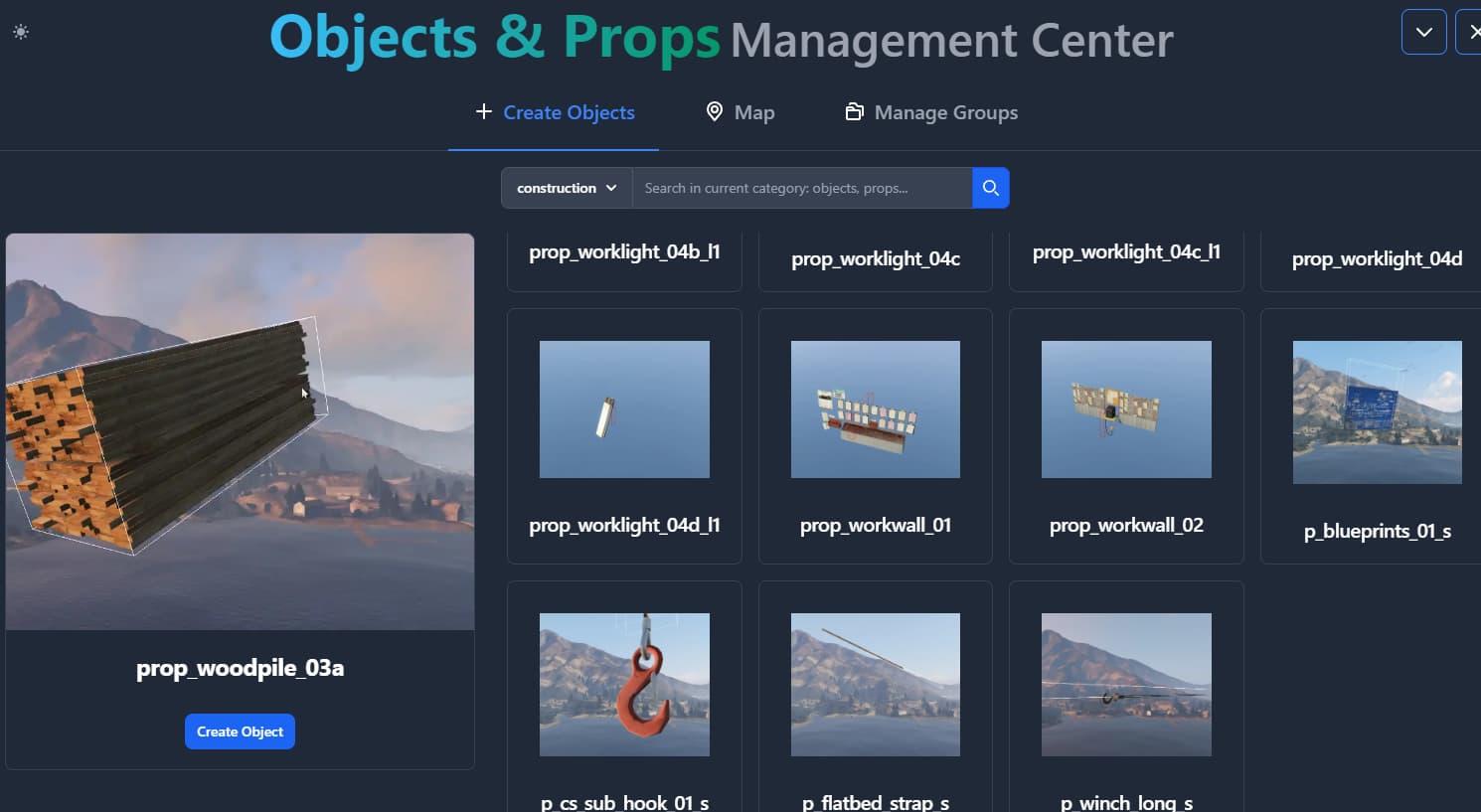
 All created objects sync across all players
Requirements
 Frameworks (Choose one):
 Database
 Compatible with ESX and QBCore
 Multilingual Support
 Complete Documentation
 24/7 Discord Support
Why Choose Our Script?
 Performance-Oriented → Optimized code ensures NO server lag or performance drops.
As a new store, we are committed to delivering top-notch quality and efficiency.


