> endpoint_add_tcp "0.0.0.0:30120"
> endpoint_add_udp "0.0.0.0:30120"
>
> set sv_listingIpOverride "---"
>
> set es_enableCustomData 1
> set mysql_connection_string "---"
>
> #set onesync_enableInfinity on
> # Server player slot limit (must be between 1 and 32, unless using OneSync)
>
>
> #enable OneSync (required for server-side state awareness)
> ## [txAdmin CFG validator]: onesync MUST only be set in the txAdmin settings page.
> ## [txAdmin CFG validator]: onesync MUST only be set in the txAdmin settings page.
> ## [txAdmin CFG validator]: onesync MUST only be set in the txAdmin settings page.
> # set onesync on
> #set onesync legacy
> #set onesync_enabled 1
>
> sv_maxclients 48
> net_tcpConnlimit 100
> # Steam Web API key, if you want to use Steam authentication (https://steamcommunity.com/dev/apikey)
> # -> replace "" with the key
> set steam_webApiKey "---"
>
> # License key for your server (https://keymaster.fivem.net)
> sv_licenseKey ---
>
>
> sv_requestParanoia 0
>
> set mysql_ui true
>
> setr esx:locale "en"
>
> # These resources will start by default.
>
> ensure spawnmanager
> ensure mapmanager
> ensure sessionmanager
> ensure hardcap
>
> # This allows players to use scripthook-based plugins such as the legacy Lambda Menu.
> # Set this to 1 to allow scripthook. Do note that this does _not_ guarantee players won't be able to use external plugins.
> #sv_master1 ""
>
> sv_scriptHookAllowed 0
> #sv_pureLevel 1
>
> # A comma-separated list of tags for your server.
> # For example:
> # - sets tags "drifting, cars, racing"
> # Or:
> # - sets tags "roleplay, military, tanks"
> sets tags "action, racing, drift, challenge, fun, PvP"
>
> # A valid locale identifier for your server's primary language.
> # For example "en-US", "fr-CA", "nl-NL", "de-DE", "en-GB", "pt-BR"
> sets locale "ru-RU"
> # please DO replace root-AQ on the line ABOVE with a real language! :)
>
> # Set an optional server info and connecting banner image url.
> # Size doesn't matter, any banner sized image will be fine.
>
> # Set your server's hostname
> sets sv_hostname "Server"
> sets sv_projectName "Server"
> sets sv_projectDesc ""
> sv_enforceGameBuild 3095
Does anyone know what might cause this? Any help or ideas would be really appreciated
I had to remove the # from sv_master1 and reboot the server,
then add the # and reboot and then it showed in the listing
takes about 20 minutes from memory
(only way I could get it to work)
I tried uncommenting sv_master1, and while it was active, the server did show up in the server list but it was private.
After commenting it disappear from servers list again
sv_listingIpOverride already used. Tried ip with port and without - didn’t help.
basic server.cfg (w/o plugins) didn’t help also.
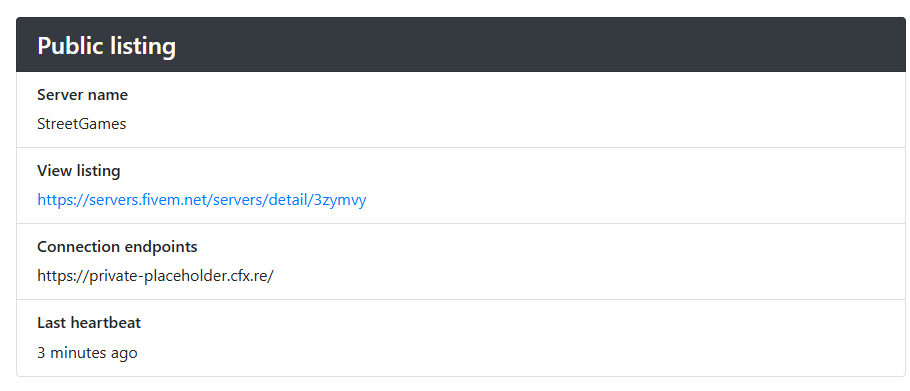
It’s strange that it works (shown in the list, link servers/detail/3zymvy works, and server is ‘private’. as it should be) with uncommented sv_master1, but disappears from the list with commented.
Also, just to clarify — the server used to run on Linux before (same OS) and everything worked fine back then.
This issue only started happening after switching to a new host, even though it’s the same Linux setup as before.
However, it’s worth mentioning that about six months have passed since it last worked correctly.
I might’ve suspected something like a firewall issue, but all relevant ports are open and working:
30120 for clients
30110 (not sure why, but it’s open too just in case)
40120 for txAdmin
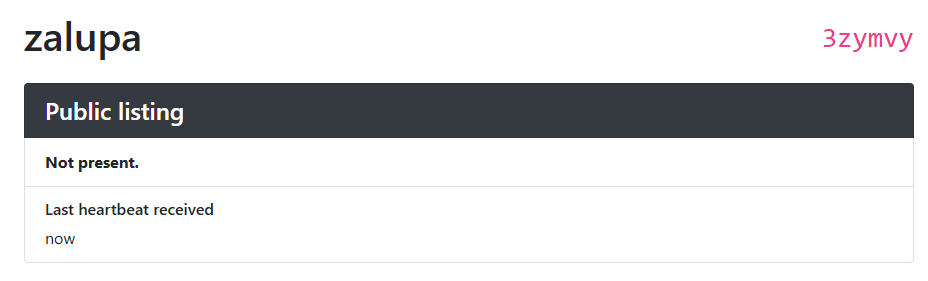
Also, judging by what I see in keymaster, the heartbeat is being received, so it seems like the server is communicating correctly on that end.
One more thing I noticed:
I used a discord bot to count online players.
The old info.json endpoint (e.g. http://<server_ip>:30120/info.json) does return server info just fine when accessed from a browser — so the server is clearly running and responding correctly.
However, the new FiveM endpoint (https://servers-frontend.fivem.net/api/servers/single/3zymvy) does not return any data (get 404 error)
Also, if I open the direct IP and port in a browser (e.g. just entering ip:30120), it correctly redirects me to the https://cfx.re/join/3zymvy link — so the server is clearly registered and the join link exists.
But when I try to use that link to connect via FiveM, I get an error saying the server is unavailable.
Ok. “new” or “old” not so important now. I just expressed it that way. I saw this info somewhere.
The point is that one of them worked, but now it doesn’t
The issue was caused by mapmanager being blocked by ESX Legacy.
And there were no config options in the ESX setup to disable this restriction, so the solution was to modify the ESX code (server/main.lua) directly and remove the block for mapmanager
local DoNotUse = {
    ["essentialmode"] = true,
    ["es_admin2"] = true,
    ["basic-gamemode"] = true,
    ["mapmanager"] = false, --changed this
    ["fivem-map-skater"] = true,
    ["fivem-map-hipster"] = true,
    ["qb-core"] = true,
    ["default_spawnpoint"] = true,
}

AddEventHandler("onResourceStart", function(key)
    if DoNotUse[string.lower(key)] then
        while GetResourceState(key) ~= "started" do
            Wait(0)
        end
		if DoNotUse[key] == true then ---added new condition
			StopResource(key)
			print(("[^1ERROR^7] WE STOPPED A RESOURCE THAT WILL BREAK ^1ESX^7, PLEASE REMOVE ^5%s^7"):format(key))
		end ---
    end
end)

for key in pairs(DoNotUse) do
    if GetResourceState(key) == "started" or GetResourceState(key) == "starting" then
		if DoNotUse[key] == true then ---and this
			StopResource(key)
			print(("[^1ERROR^7] WE STOPPED A RESOURCE THAT WILL BREAK ^1ESX^7, PLEASE REMOVE ^5%s^7"):format(key))
		end ---
    end
end