[Release] Ultimate HUD Scripts (Hud Maker) [Standalone] [QBCore] [Qbox] [ESX] | Insane Scripts

[Release] Ultimate HUD Scripts (Hud Maker) [Standalone] [QBCore] [Qbox] [ESX] - Advanced, Dynamic & Fully Customizable

Welcome to HUD Maker – a complete interface solution designed to give you and your players total control. Whether you run a serious roleplay server or a high-octane racing community, this system adapts to your needs instantly.

From an integrated Underwater Tactical Sonar to Smart EV Detection and a Live Visual Editor, this isn’t just a UI; it’s a game-changer.

:movie_camera: WATCH THE SHOWCASE


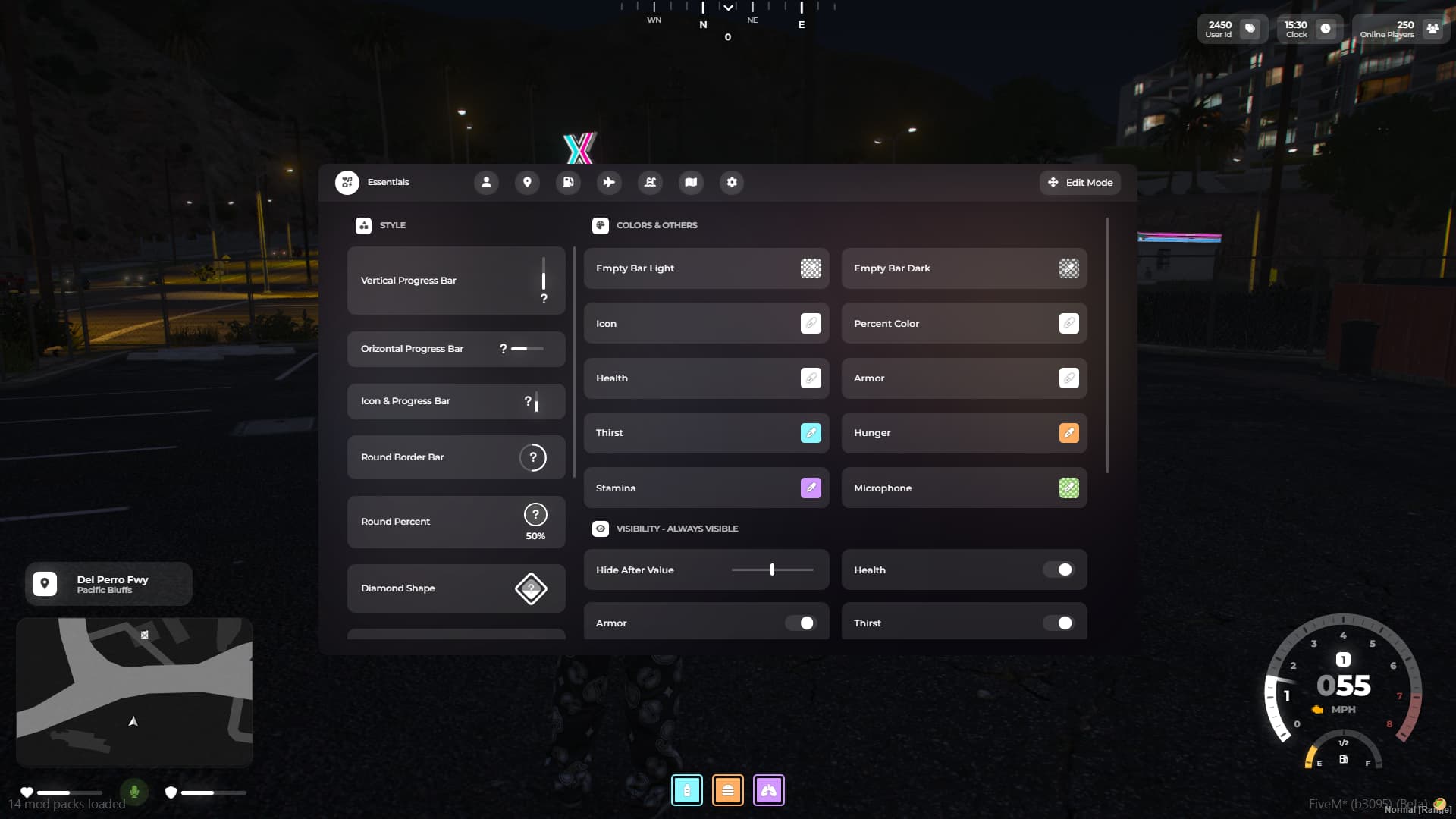
:hammer_and_wrench: Live Visual Editor

With our Edit Mode, you can:

  • Drag & Drop any element anywhere on the screen.
  • Snap Lines for perfect alignment.
  • Individual Mode: Detach elements and style them separately.

:ocean: Tactical Sonar System

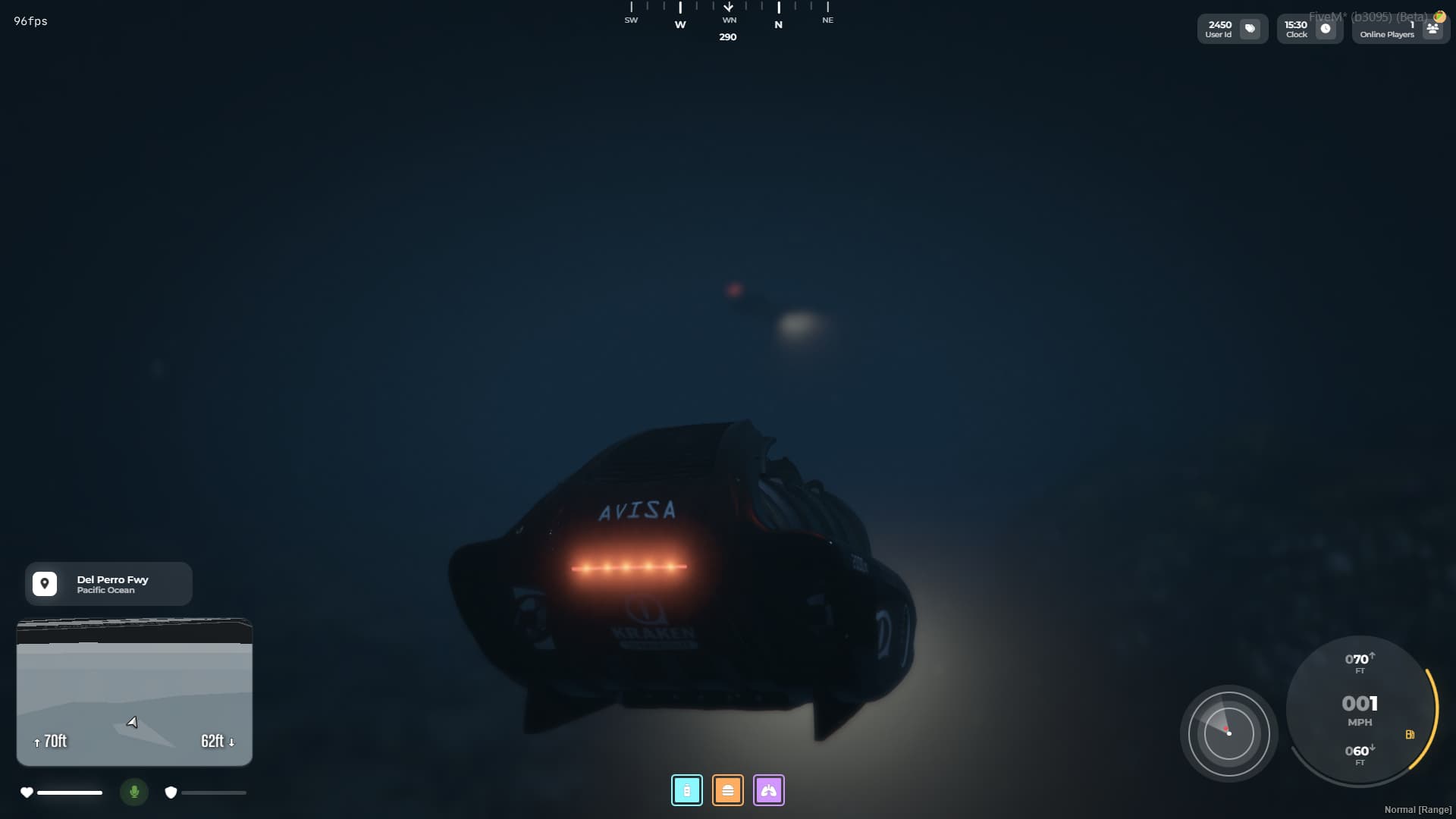
A unique feature for submersible vehicles. When underwater, the HUD transforms into a tactical interface with a functional scanning sonar, complete with depth and range indicators.

:zap: Smart Vehicle System

  • Auto-Detection: The HUD automatically recognizes Electric Vehicles and switches the fuel gauge to a Battery indicator.
  • Dynamic Speedometers: Choose from 5 distinct styles (Minimal, Classic, Performance, etc.).
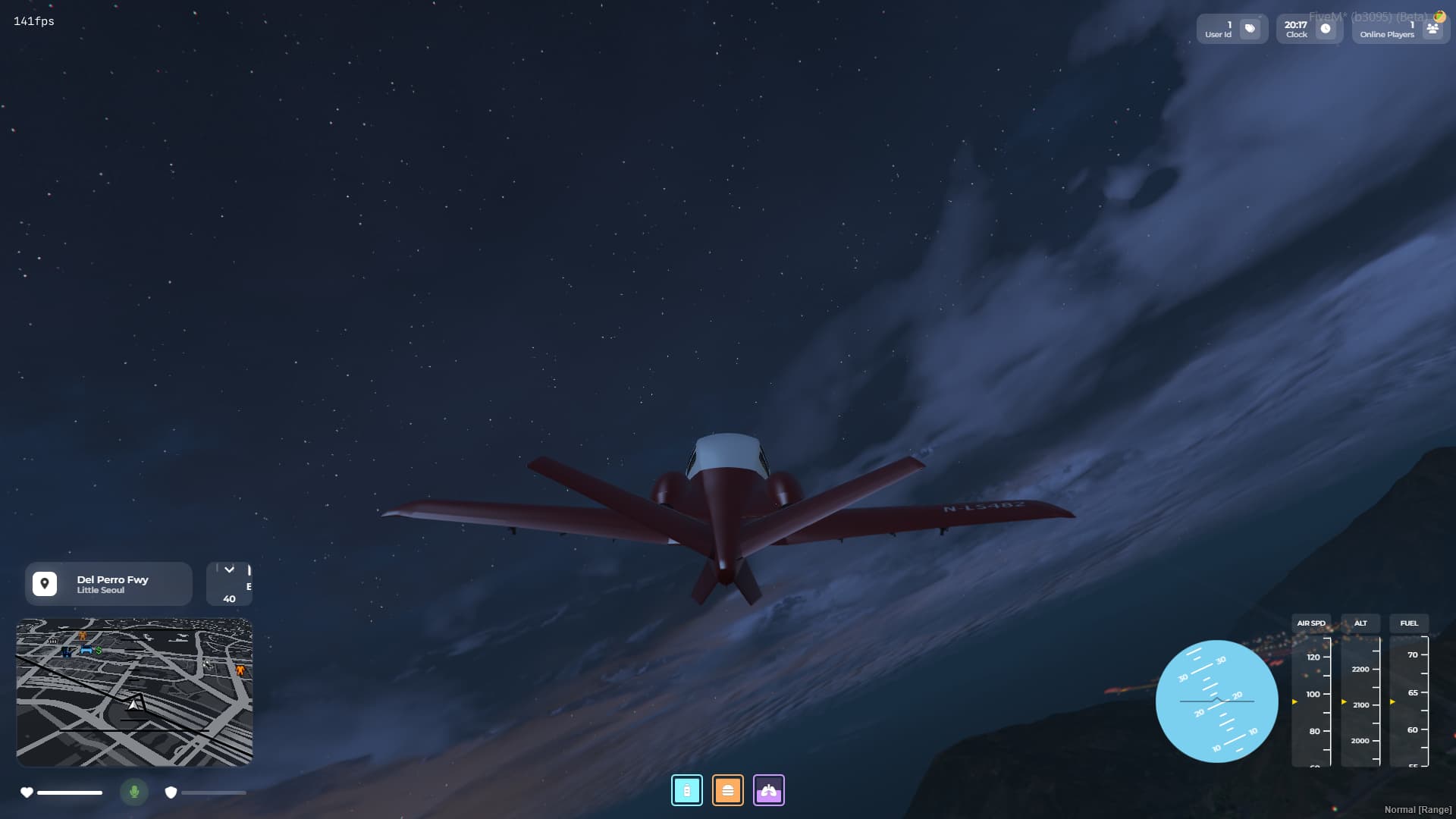
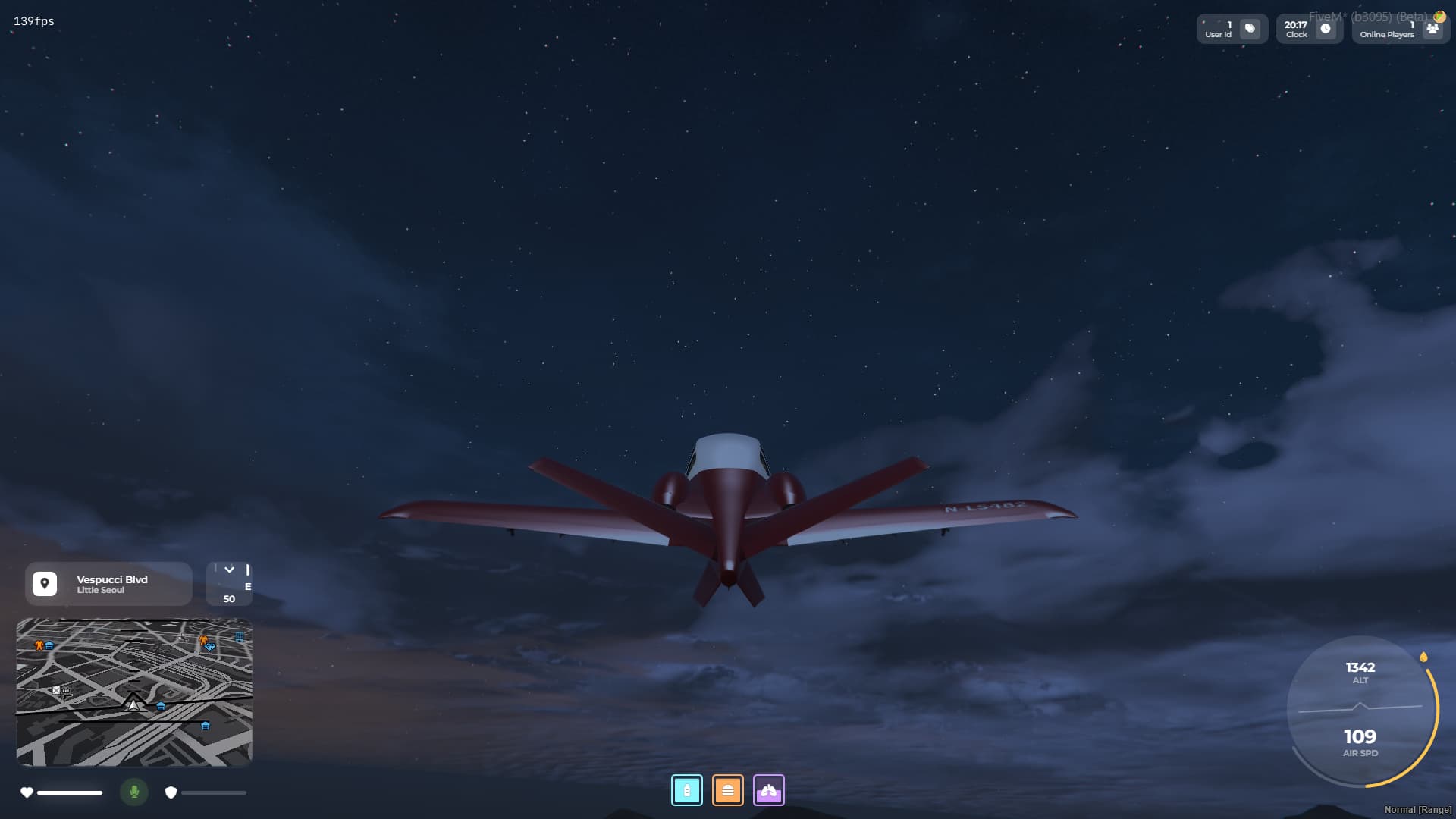
  • Aircraft HUD: Dedicated altitude and speed units for planes and helicopters.

:globe_with_meridians: Universal Compatibility

Works out of the box with:

  • QBCore
  • ESX
  • Qbox
  • Standalone (Open bridge functions included for custom frameworks).
  • Ultra-Wide Support: Scales perfectly on any resolution.

:gear: Customization Deep Dive

  • 11+ Styles for Health/Armor/Stamina.
  • Dynamic Stats: Easily add custom stats like Stress, Hygiene, or Drunk status via Config file.
  • Colors: Change every single color of the HUD to match your server’s branding.

:shopping_cart: Purchase & Links

Get it on Tebex

View Documentation

Join Discord


:camera: Screenshots


Code is accessible escrowed
Subscription-based No
Lines (approximately) 3500+
Requirements ox_lib, oxmysql
Support Yes
2 Likes

Hud Maker - v1.0.7

Patch Notes:

  • Js Optimization.
  • Bug Fixes.
  • Configuration for player stats, now they are in your hands, you can disable them or add custom ones if needed.
  • Integration for custom maps.
  • Qbox problems have been resolved
    config.js
window.cfg.playerStatsEleme
nts = {
    horizontal : {
    playerId : {
        state : true,
        label : 'Player Id',
        icon : '<i class="fa-solid fa-tags"></i>'
    },
    playerCount : {
        state : true,
        label : 'Online Players',
        icon : '<i class="fa-solid fa-users"></i>'
    },
    date : {
        state : true,
        label : 'Clock',
        icon : '<i class="fa-solid fa-clock"></i>'
    },
    },
    vertical : {
    userFaction : {
        state : true,
        label : 'Faction',
        icon : '<i class="fa-solid fa-user-gear"></i>'
    },
    userJob : {
        state : true,
        label : 'Job',
        icon : '<i class="fa-solid fa-briefcase"></i>'
    },
    bank : {
        state : true,
        label : 'Bank',
        icon : '<i class="fa-solid fa-building-columns"></i>',
        currency : '$'
    },
    wallet : {
        state : true,
        label : 'Wallet',
        icon : '<i class="fa-solid fa-wallet"></i>',
        currency : '$'
    },
    weapon : {
        state : true,
        label : 'Weapon'
    },
},

}
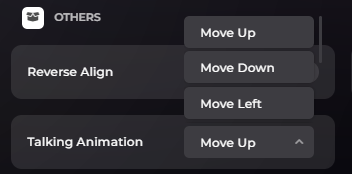
  • More animations, now you can choose your animation for the microphone container, the animation when using voice chat.

Files you should replace during installation:

  • client.lua
  • server.lua
  • client/functions.lua
  • All .js files.

Hud Maker - v1.1.0

  • Bug fixes.
  • Now you can decide if you want players on the server to be able to access edit mode or the command to open the menu. 2 lines have been added to config.lua.
cfg.onlyOwnersCanUseOpenCommand = false -- if this value is set to true only owners will be able to use the command.
cfg.onlyOwnersCanUseEditMode = false -- if this value is set to true only owners will be able to use the Edit Mode.
  • In essentials, on the hide elements side, we added a customization, you can choose what role the value plays, whether the elements are hidden after they exceed the set value or if they fall below the set value.
  • If you use the round microphone style, you can now see what talking range you have.
    Files you should replace during installation:
  • main.js
  • menu.js
  • editMode.js
  • data.js
  • index.html
  • style.css
  • menu.css
  • config.lua / or add both lines above
  • client.lua
  • server.lua

Hud Maker - v1.1.1

window.cfg.langAndVisibility = {
menuCategory : {
    expandWidth : '15vh',
    essentials : {
        state : true,
        label : 'Essentials', 
        icon : '<i class="fa-solid fa-icons"></i>'
    },
    statsClock : {
        state: true, 
        label : 'Stats & Clock',
        icon : '<i class="fa-solid fa-user"></i>'
    },
    locationCompass : {
        state: true, 
        label : 'Location & Compass',
        icon : '<i class="fa-solid fa-location-dot"></i>'
    },
    vehicle : {
        state : true, 
        label : 'Vehicle',
        icon : '<i class="fa-solid fa-gas-pump"></i>'
    },
    aircraft : {
        state : true, 
        label : 'Aircraft',
        icon : '<i class="fa-solid fa-plane"></i>'
    },
    submarine : {
        state : true, 
        label : 'Submarine',
        icon : '<i class="fa-solid fa-water-ladder"></i>'
    },
    minimap : {
        state : true, 
        label : 'Minimap',
        icon : '<i class="fa-solid fa-map"></i>'
    },
    settings : {
        state : true, 
        label : 'Settings',
        icon : '<i class="fa-solid fa-gear"></i>',
        configEditor : true
    }
},
essentials : {
    styles : {
        verticalProgressBar  : {
            state : true,
            label : 'Vertical Progress Bar'
        },
        horizontalProgressBar : {
            state : true, 
            label : 'Horizontal Progress Bar'
        },
        iconProgressBar : {
            state : true, 
            label : 'Icon & Progress Bar'
        },
        circleBorderBar : {
            state : true,
            label : 'Circle Border Bar'
        },
        circlePercent : {
            state : true, 
            label : 'Circle Percent'
        },
        diamondShape : {
            state : true,
            label : 'Diamond Shape'
        },
        squareBorderBar : {
            state : true, 
            label : 'Square Border Bar'
        },
        square : {
            state : true,
            label : 'Squre'
        },
        hexagonBorderBar : {
            state : true,
            label : 'Hexagon Border Bar'
        },
        hexagon : {
            state : true, 
            label : 'Hexagon'
        },
        triangleBorderBar : {
            state : true, 
            label : 'Triangle Border Bar'
        }
    },
},

}

Now you can change the label of each style or disable it if you wish, the same goes for categories, the categories will only be disabled for players who do not have ownership, this is in case you do not want them to have access to the entire menu.

I added some exports: (client side)

  • showHud
  • hideHud
  • toggleHud
  • openHudMenu

Can I have standard HP/Armor hud elements and other stuff with your script? Since HP/Armor is very responsive of standard GTA hud, so that’s why we want to keep that.

You can t, but our script is very responsive as well.

Hud Maker | v1.1.2
Patch Notes:

  • Now you can translate your entire HUD into any language you want, I put all the menu text in config.js, besides that, you can disable any style you want, normal speedometers, aircraft speedometer, essentials etc. Now you also have access to all the icons in the menu, you can change them if you don’t like them.
  • A new export, mapVisibility [actionId] [bool], if you have external resources that use the native DisplayRadar you can now use our export so that the map visibility doesn’t bug anymore.

Hud Maker | v1.1.3
Patch Notes:

  • Debugging tools

config.lua

cfg.devMode = false -- Developer Mode.
cfg.debuggingMode = false -- Set to true to enable debug prints in the F8 console.
cfg.radarVisibilityDebuger = false -- Set to true ONLY if the minimap disappears or flickers due to conflicts with other resources.```

Hud Maker | v1.1.4
Patch Notes:

  • Logo option, you can add your logo on the screen.
  • Optimizations and bug fixes.
config.js
window.cfg.logo = {
state : false, 
src : `../dist/img/logo.webp`,
letPlayersMoveAndResizeTheLogo : true,
letPlayersDisableTheLogo : true
}

Hud Maker | v1.1.5
Patch Notes:

  • The problem with the fix-skin has been resolved.
  • Information in the console about the resource version and whether there is a new update.

Is it possible to only have the minimap shown for all players and hide the rest of it?

Hud Maker | v1.1.6
Patch Notes:

  • A new debugging option. (for the bug when the big map appears instead of the normal map texture.)

config.lua

cfg.bigMapDebugger = false

Hud Maker | v1.1.7
Patch Notes:

  • Bug fixes

yes, you can do that.

Hud Maker | v1.1.8

Patch Notes:

  • Money Indicators: Added a new animation for balance changes. It now visualizes income and expenses (e.g., +500$ or -200$).
  • Advanced Configuration: ‘Threshold’ and ‘Type’ values are no longer global. You can now configure them individually for each status element.
  • UI Update: Added an Exit/Close button.
  • Bug Fixes: minor fixes (weapon container / circle map stretch rezolution problems).

Hud Maker | v1.1.9

Patch Notes:

  • Bug fixes: Better integration for ESX.

Hud Maker | v1.2.0

Patch Notes:

  • Configuration : Two more configuration options were added to config.lua, cfg.showSpeedometerOnlyAsDriverand cfg.weapons.
  • Functions: A new function has been added to client/functions.lua:
function getVehicleFuel(vehicleId)
if (not DoesEntityExist(vehicleId)) then return 0 end
return GetVehicleFuelLevel(vehicleId)
end

Documentation

  • The documentation has been updated.

Hud Maker | v1.2.1

Patch Notes:

  • Bug fixes.