[Release] LiveMap

Exactly. I have written a couple of Python files that are used to extract PNGs from the YTD format. You can find them at live_map-interface/images/tiles at master · TGRHavoc/live_map-interface · GitHub

To use:

  1. Download the YTDs you want to use. Make sure they’re the minimap_sea ones for best result.
  2. Move them into a folder with the python scripts
  3. Run the extract_png script.
  4. Wait until done (shouldn’t be too long).
  5. You should now have PNGs in the folder.
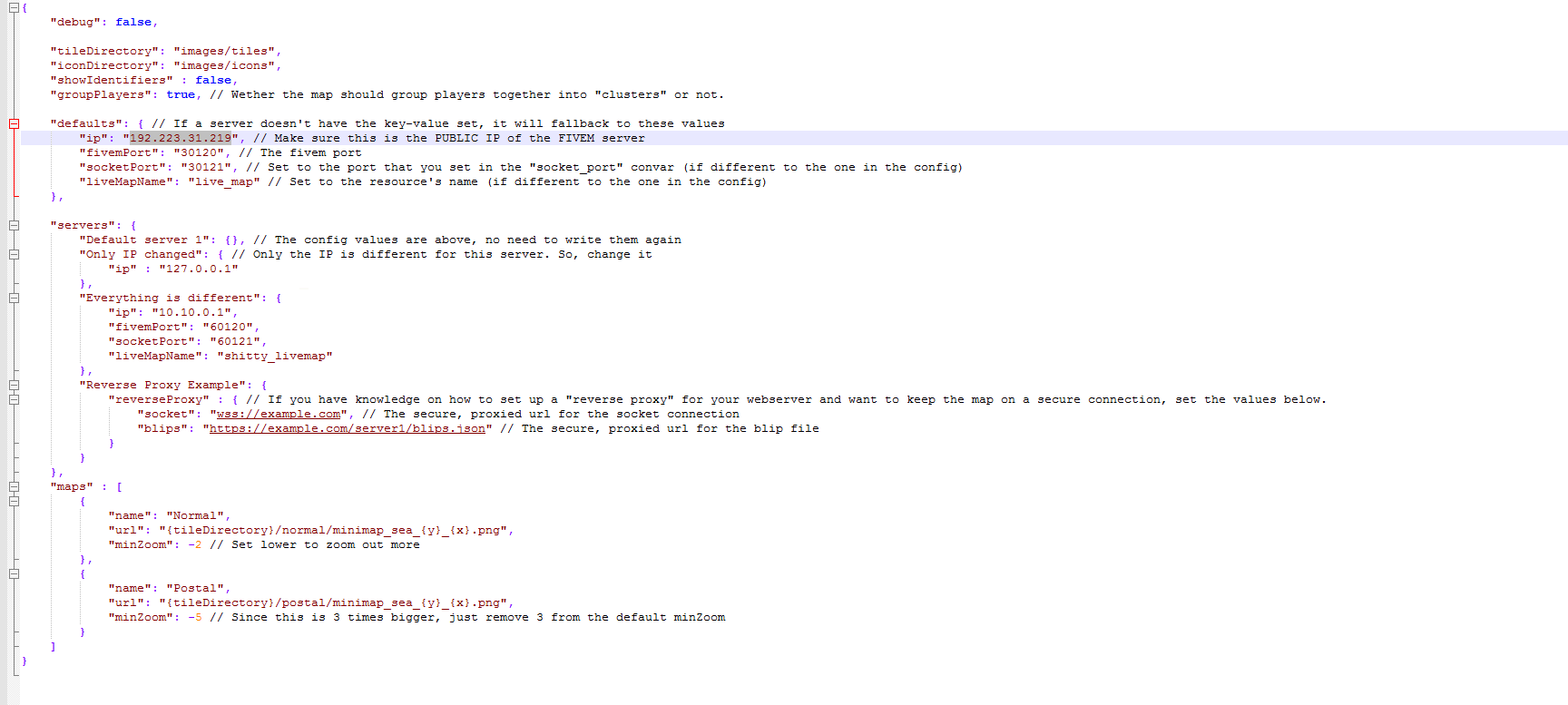
  6. Update config to add new PNG files.

Note: Make sure you use Python 3.x

Edit: totally forgot you will need Pillow installed: Installation - Pillow (PIL Fork) 10.3.0 documentation

1 Like

impresive work in my opinion!

thank you

is anyone using this with zap. i’m having issue i got everything installed correctly but players don’t show on the map.

PM me a link to the map and I’ll have a looks at your config to make sure everything is set up properly.

so, i want to use just the web base side and cant seem to get it to load, plus is there a way i can overlay street name and postals

Edit: I should have mentioned I tried a couple different ports aswell with no luck. Any port you would recommend to test it on?
I am using NFOServers for hosting this, the older version of livemap worked. My map blips showed up no problem but the player blips do not. Would you mind looking at my config? I am getting a connection refused error for the web socket.
image


has anyone got this to work with zap. i am having issues getting it to work. i am just curious what socket port worked for you.

This is how my server config is setup

set socket_port 30121
set livemap_debug 0
set blip_file "server/blips.json"
set livemap_access_control "*"
start live_map

Yes. The default socket port worked. The config just needs to be adjusted or that’s what worked for me.

you mind sharing your config. i tried using the default port and it wont work i contacted zap they spent a week trying fix it they said to go to the original author and see if he can help. he tried so maybe i doing something wrong.

Yes. You/a developer would have to learn Leaflet and modify the scripts to add “overlays”.

If you have the YTD files with the street names on it, you can always extract them and use the PNGs.

Some people have been having issues with server providers. As far as I can tell, it’s to do with their firewall. You would have to contact your server provider and ask if they have a firewall and, if they do, to provide an exception for the socket port.

Read above. I believe this to be a firewall issue.

@Dragon_Busters please stop telling people to email you. It doesn’t help at all. All this does is hide information that can potentially help others.

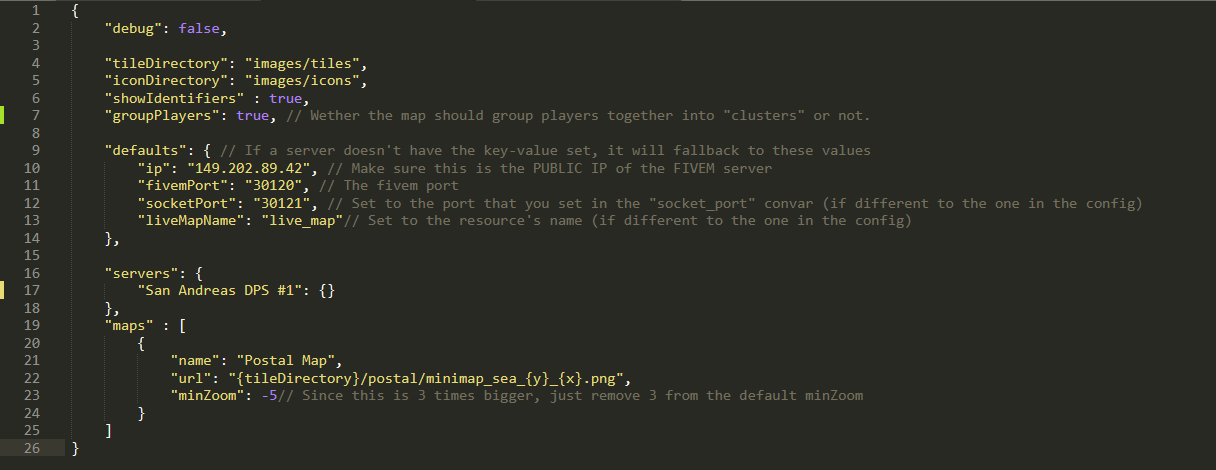
Alright, so if anyone is having problems with their config file this should help.

how would i change the postals on the map?

Hello ThxRealCake,

Regarding your question you can find information about changing postal maps on Havoc’s website. I have linked it below.

https://docs.tgrhavoc.me/livemap-interface/custom-images/

brilliant thank you,

You are welcome.

do you have a link to a preview as the links in the post dont work?

I’ve got the Live Map working… for the most part. I’ve got it showing the blips on the map. But I can’t seem to get it to show me where players are to allow me to track them.


Anyone have a solution?

Same. All blips got generated, but no players. I’m getting another error too: " Error latest version for check! error". Maybe someone can help?