[Release] BlackMarket — black market tablet
Standalone NUI • ox_inventory (stash + images) • ox_target / qtarget / ox_lib (E) • Canvas UI • Public crates
 Links
Links
 STORE (Tebex): https://luamaster-scripts.tebex.io/
 VIDEO (YouTube):
 What is it?
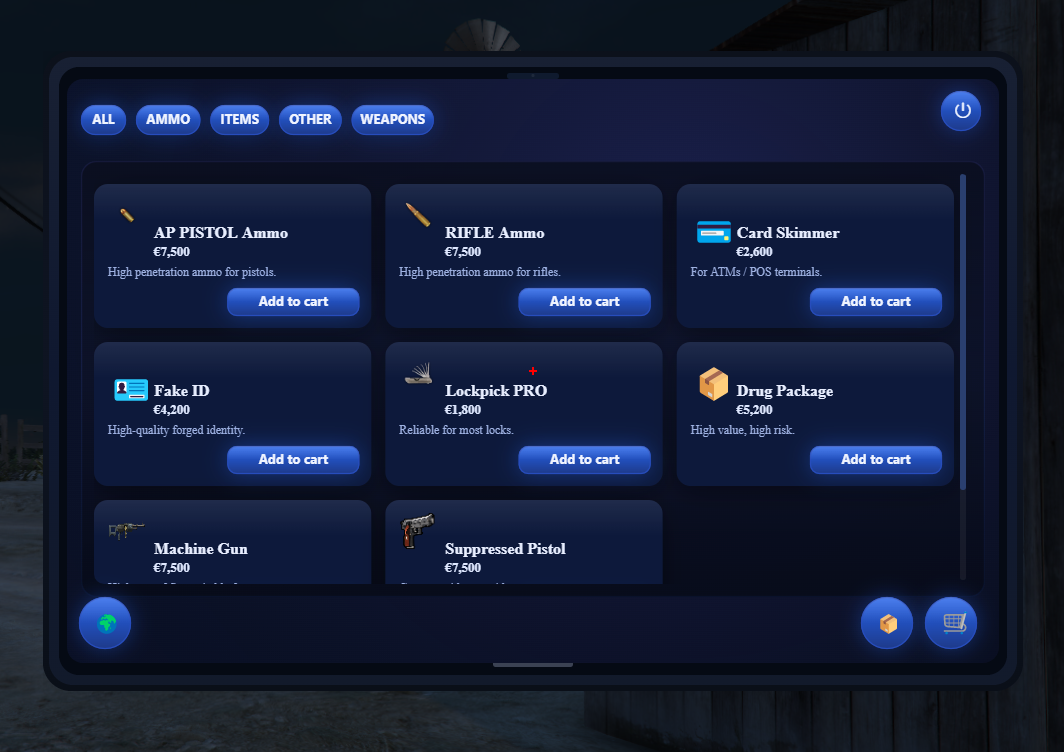
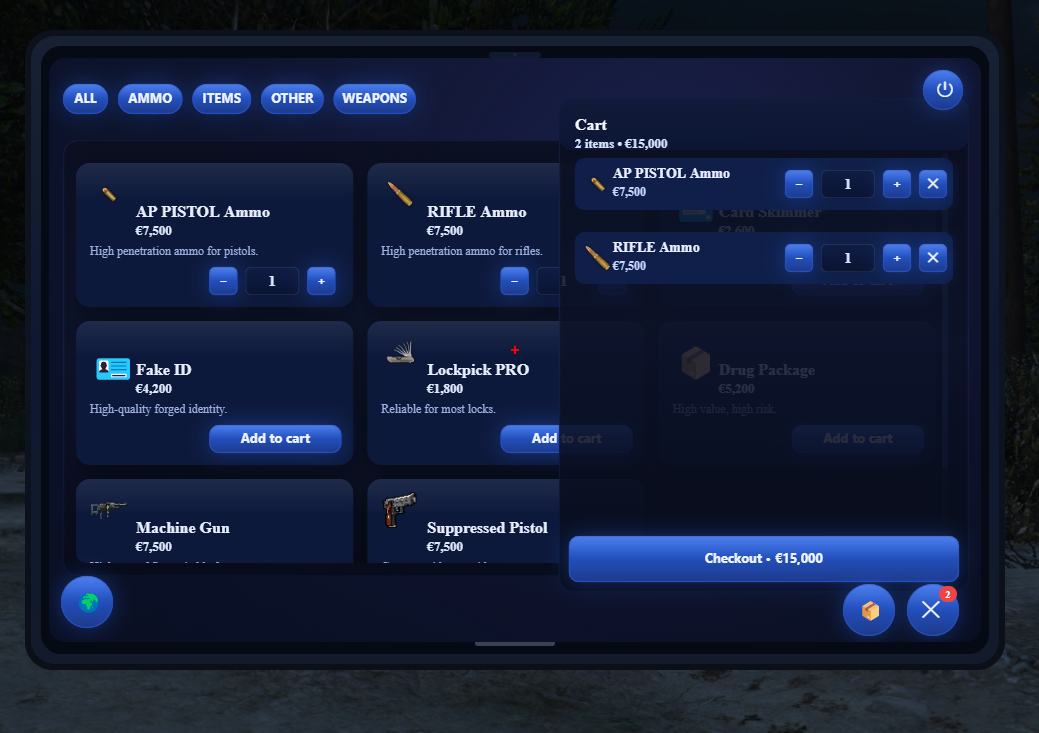
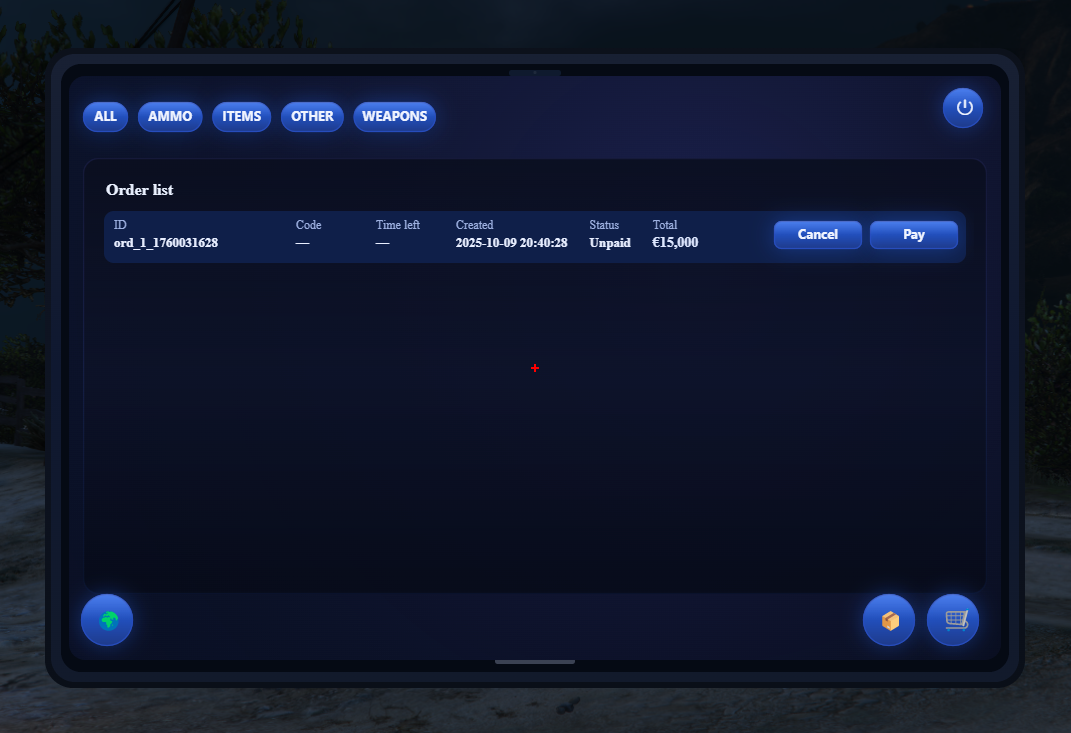
BlackMarket is a lightweight, canvas (<canvas>) NUI for FiveM that delivers a clean “black market” purchase → pickup loop:
 Cart → Checkout
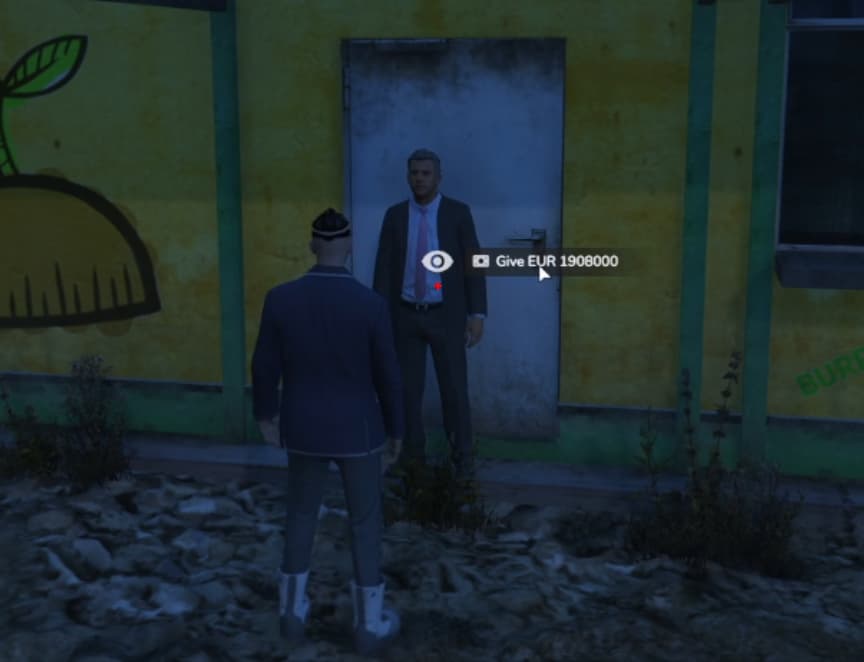
 Pay at an NPC (dynamic positions)
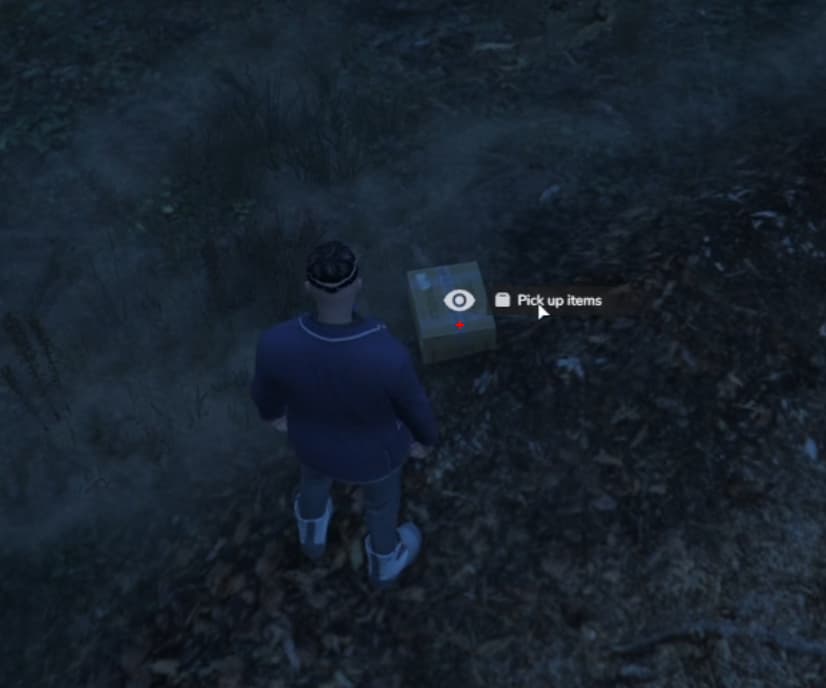
 World crate with a code
 Auto-public after a set time — anyone can claim the crate
 Blips, waypoints, interactions via ox_target, qtarget, or simple E (ox_lib)
One canvas = fewer DOM elements, smooth animations, and consistent visuals.
 Features
- Full flow: cart → order → payment → pickup → auto “public.”
- Ownership & code: before it goes public, only the owner (or anyone with the code) can open the crate.
- Public tab: a dedicated Public tab on the tablet to browse public orders.
- Interaction adapter: ox_target, qtarget, or minimalist E (ox_lib) — auto-detected or forced via
Config.Interaction. - OX integration: separate stash per crate (e.g.
bm_crate_<id>), item icons fromox_inventoryweb. - Persistence: orders saved to
orders.jsonand restored on restart. - Localization:
Config.Locale+Config.UIStrings. - Single UI file: everything rendered in one
<canvas>(crimepad.standalone.js).
Requirements
| Code is accessible | Yes/No |
| Subscription-based | No |
| Lines (approximately) | ABOUT 2000 |
| Requirements | ox_inventory ox_lib |
| Support | Yes |
Works standalone (framework-agnostic). Compatible with ESX/QBCore via ox_inventory.
 Configuration (snippet)
config.lua
-- Language and locales
Config.Language = 'en'

-- How the UI opens (item / command)
Config.UIOpen = { Item = 'blackpad', Command = 'blackmarket' }

-- Time until public (seconds)
Config.PickupAccess = { PublicAfterSeconds = 600 }

-- Interaction method: 'ox_target' | 'q_target' | 'ox_lib'
Config.Interaction = 'ox_target'
Config.InteractionDistance = 2.0

-- Currency and UI buttons (via UIStrings)
Config.UIStrings = { ['en'] = { currency = '€', buttons = { pay = 'PAY', claim = 'CLAIM' } } }

-- NPC / Pickup spawns
Config.NpcSpawns = { vec4(1546.20, 1711.10, 109.79, 130.39) }
Config.PickupSpawns = { vec4(1542.26, 1707.79, 109.88, 161.57) }

-- Items (categories: items, weapons, other, ammo)
Config.Items = {
  items = {
    { item = 'fakeid',     name = 'Fake ID',      price = 4200, illegal = true, emoji = '🪪' },
    { item = 'lockpick',   name = 'Lockpick PRO', price = 1800, illegal = true, emoji = '🗝️' },
  },
  other = {
    { item = 'rope', name = 'Rope', price = 400, illegal = false },
  }
}
 Commands / Opening
- By item: give the player
blackpad(or your custom item) – opens the UI. - By command:
/blackmarket(if enabled viaConfig.UIOpen.Command).
 Interaction adapter
Unified API in client/interactions.lua:
- If
ox_targetis present →exports.ox_target:addLocalEntity. - If
qtargetis present →exports.qtarget:AddTargetEntity. - Otherwise — E TextUI via
ox_libwithcanInteractand distance checks.
The prompt label reflects the active mode: ox_target / q_target / E.
Item icon paths
The UI reads nui://ox_inventory/web/images/<item>.png|.webp when present. You can also specify a custom icon per item for the grid.
 Tips
Tips
- Need fast testing of the “public” state? Set
Config.PickupAccess.PublicAfterSeconds = 30. - Using only E interactions? Set
Config.Interaction = 'ox_lib'. - Want variety? Add multiple
vec4positions for NPCs and pickups.
 FAQ / Troubleshooting
Q: I don’t have ox_target, but I want interactions.
A: Use qtarget or simple E (ox_lib). The adapter auto-picks if Config.Interaction doesn’t match what’s available.
Q: The crate won’t open.
A: Ensure the order is paid and hasn’t gone public yet. The owner doesn’t need the code.
Q: Icons don’t show.
A: Make sure ox_inventory has web/images/<item>.(png|webp) or set an icon manually.
 Screenshots

More Scripts

 Feedback / suggestions
Drop your ideas or issues below. Enjoy! 