Before you begin, please read the Client FAQ and Common Questions topic.
If you did not find a solution, fill out the following template and remove this top text.
RDR2 version? 1.0.1232.13
Up to date? Yes
Legit or Pirate copy? Legit
Steam/Epic Games/Social Club? Steam
Windows version? 10, Version 1909
Did you try to delete caches.xml and try again? No
Error screenshot (if any)
System specifications
What did you do to get this issue? Error happens when trying to launch RedM
What server did you get this issue on?
Latest CitizenFX_log fileCfxCrashDump_2019_12_17_22_36_49.zip (42.2 KB)
.dmp files/report IDs
If an issue with starting:
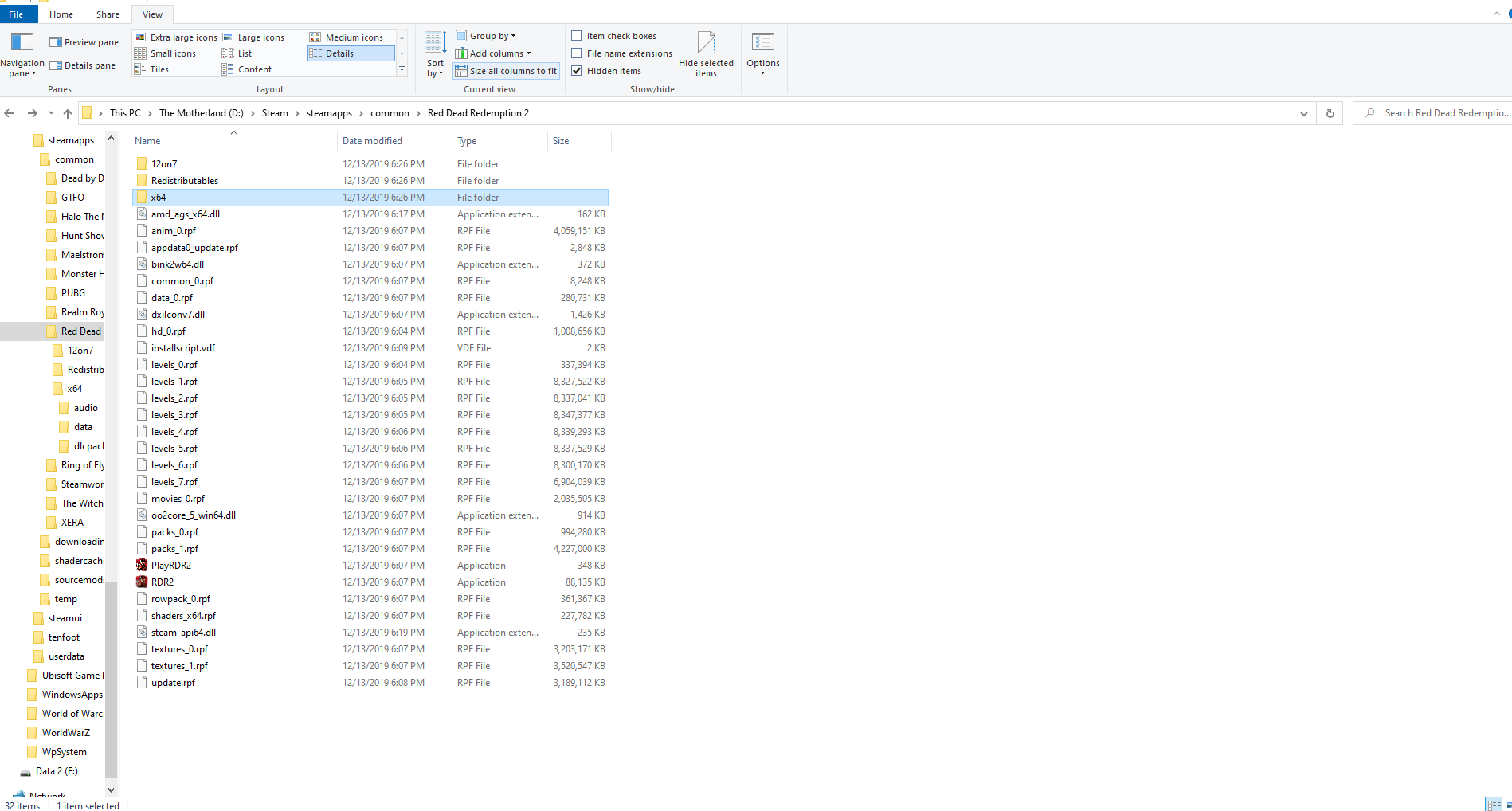
RDR2 folder screenshot
RDR2/x64/dlcpacks screenshot

Filepath to RedM folder C:\Users\KevThulhu\AppData\Local\RedM\RedM.exe
RedM client folder screenshot
**Did you try to disable/uninstall your Anti-virus?**Yes
**Did you start Rockstar Games Launcher not as admin?**No
Also add what you already tried so far. Uninstalling and reinstalling.