[FREE RELEASE] cr-3dnui - Interactive 3D DUI panels for FiveM —( real web apps rendered on in-game surfaces)

asdas

cr-3dnui

Interactive 3D DUI/NUI panels for FiveM — real web apps on in-game surfaces

This is a API designed for developers to render menus / games / nuis / duis …on any surface within fivem and have them interactable.

Features

  • Live DUI rendering (CreateDui) using nui://...
  • World-space quad rendering (position + normal)
  • Camera raycast → UV mapping (0…1)
  • Two interaction styles:
    • Message-based input (simple menus)
    • Native mouse injection (hover/drag behavior)
  • Example includes:
    • Brush + eraser drawing (drag)
    • Text placement (onscreen keyboard commit)
    • DUI-safe custom font dropdown

Usage (high level)

  • Create a panel with a nui://resource/html/page.html URL
  • Draw it on a world quad
  • Raycast to the panel, convert hit point → UV
  • Forward input to the DUI page
  • Use RegisterNUICallback for actions back into Lua

Notes / limitations

  • DUI is not fullscreen NUI; some browser UI features behave differently.
  • Native <select> dropdowns often don’t work in DUI. Use a custom dropdown.

Demos (Whiteboard/Snake/Car)

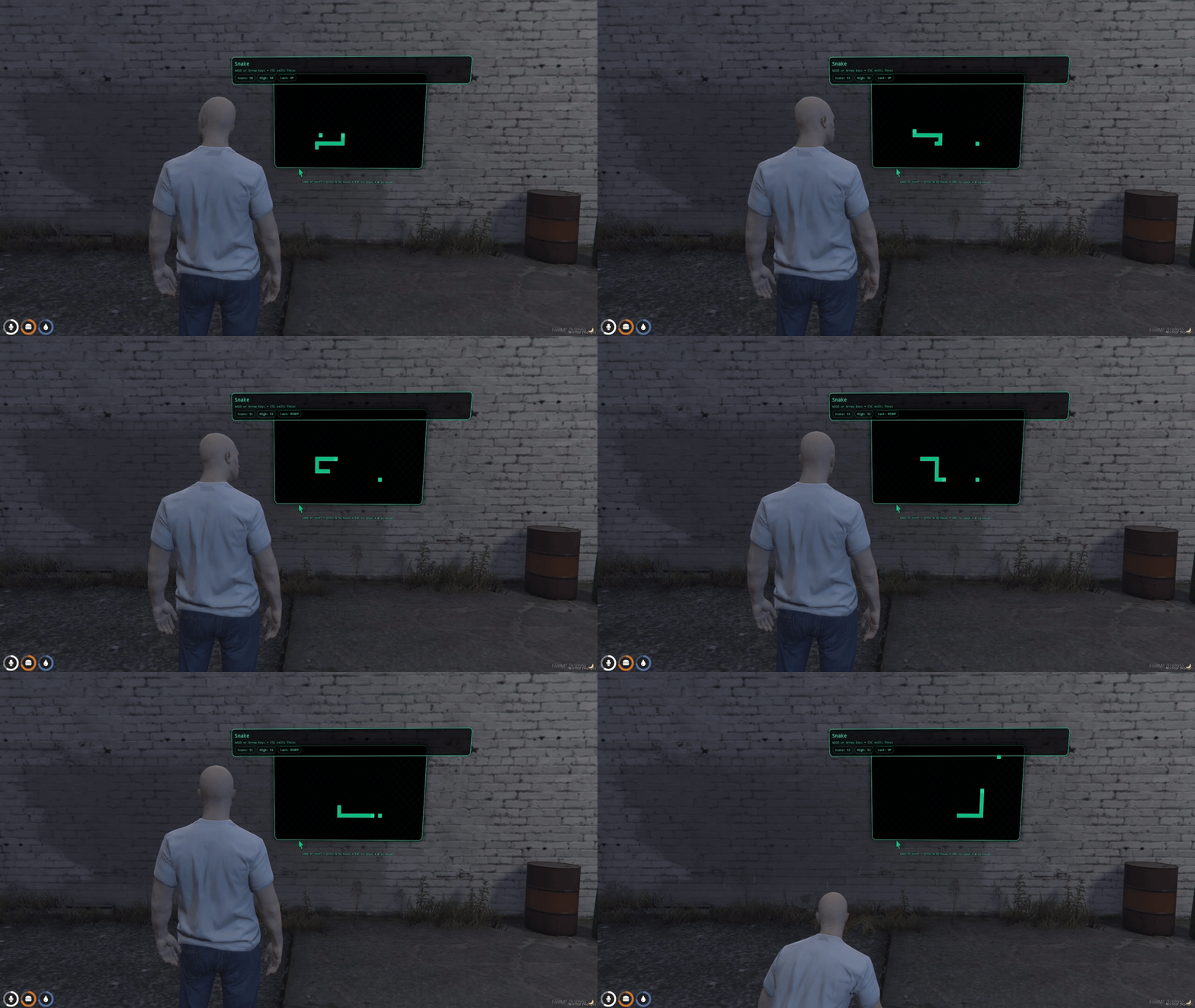
This repo includes cr-3dnui_whiteboarddemo cr-3dnui_snakedemo and cr-3dnui_cardemo as optional example resources.

Start after the library:
(one or the other)

ensure cr-3dnui

# Choose ONE demo at a time:
ensure cr-3dnui_whiteboarddemo
# OR
ensure cr-3dnui_snakedemo
#OR
ensure cr-3dnui_cardemo

Demo Controls… ( whiteboard / snake )

  • Use F7 to enter placement mode.
  • Press E to place.
  • Press G to interact with board

Demo Controls… ( cardemo )

  • Use /nuiroofto create panel roof while seating a vehicle.
  • Use /nuioff to remove panel.
  • Use F6 to enter/leave interaction with panel via KEY2DUI input

Demo Controls… ( DEBUG TOOL cardemo )

  • Use /nuiroofto create panel roof while seating a vehicle.
  • Use /nuioff to remove panel.
  • Use /nuidash to place prop and interactive panel on dash
  • Use /nuidashprop to bind the panel to prop (this is REQUIRED to be used BEFORE /dashprint)
  • Use /dashtune allows scrollwheel to modifty X/Y/Z/ROT when enabled (for small adjustments hold CTRL…for big adjustments hold SHIFT)
  • Use /dashaxis <x|y|z|rx|ry|rz> change axis
  • Use /dashprint outputs your offsets/normals/XYZ/ROT in F8 Console

The demos are meant to be a reference implementation showing how to:

  • create a world-space DUI panel
  • raycast it for UV coords
  • forward mouse / keyboard input into the web UI
  • call back into Lua from the page
  • attach to entity

DOWNLOAD LINK VIA GITHUB

Code is accessible Yes
Subscription-based No
Lines (approximately) ~638
Requirements none
Support Yes (via cfx thread replies)
28 Likes

Free release too! You’re too kind. This is amazing!

2 Likes


API now supports keyboard input

Update 2.1 Available
MAJOR thanks to RobiRoberto and the detailed write up they provided we have improved the performance of the API (OPEN SOURCE FTW!)

Before performance updates
Image

After performance updates
Image

Core Library (cr-3dnui/client/main.lua)

Issues Fixed

Issue Impact Solution
Rendering all panels every frame regardless of distance High CPU/GPU usage Added distance-based culling (50m default)
Player position calculated every frame Unnecessary overhead Cached position, updated every 500ms
Focus loop running at 0ms interval when inactive Wasted CPU cycles 100ms sleep when focus is disabled
Using #() operator for distance checks Expensive sqrt calculations Replaced with squared distance comparisons

New Configuration Options

local CONFIG = {
  renderDistance = 50.0,      -- Maximum distance to render panels (meters)
  renderCheckInterval = 500,  -- Player position update interval (ms)
  idleWait = 100,             -- Sleep duration when no panels nearby (ms)
  activeWait = 0,             -- Sleep duration when actively rendering (ms)
}

Performance Improvements

Scenario Before After
No panels in world ~0.5ms/frame ~0.01ms/frame (500ms sleep)
Panels exist but far away ~0.3ms/frame ~0.05ms/frame (100ms sleep)
Focus mode inactive 0ms loop 100ms sleep

New Helper Function

-- Fast squared distance calculation (no sqrt)
local function vecDistSq(a, b)
  local dx, dy, dz = a.x - b.x, a.y - b.y, a.z - b.z
  return dx * dx + dy * dy + dz * dz
end

Whiteboard Demo (cr-3dnui_whiteboarddemo/client/main.lua)

Issues Fixed

Issue Impact Solution
Raycasting all boards every frame Performance drops with many boards Nearby boards cache + raycast throttling
No distance filtering Processing boards player can’t see 25m render distance filter
Placement loop always at 0ms CPU waste when not placing 200ms sleep when inactive
Interaction loop always running CPU waste when not interacting 100ms sleep + throttled raycasts

New Configuration Options

local RENDER_DISTANCE = 25.0   -- Only process boards within this range
local RAYCAST_THROTTLE = 50    -- Milliseconds between raycasts (when not drawing)
local IDLE_WAIT = 100          -- Sleep duration when no boards nearby

Optimization Features

1. Nearby Boards Cache

  • Maintains a cached list of boards within RENDER_DISTANCE
  • Cache refreshes every 250ms (not every frame)
  • Dramatically reduces iterations when many boards exist
local function getNearbyBoards()
  -- Only recalculates every 250ms
  -- Returns cached list of boards within RENDER_DISTANCE
end

2. Raycast Throttling

  • When not actively drawing, raycasts are throttled to every 50ms
  • During drawing (mouse down), raycasts run every frame for accuracy
  • Reduces CPU load by ~95% during idle interaction mode

3. Adaptive Wait Times

State Wait Time
Placement mode OFF 200ms
Interaction mode OFF 100ms
No boards nearby 100ms
Text entry inactive 100ms
Actively drawing 0ms (full speed)

Performance Improvements

Scenario Before After
Not in any mode 0ms loops 100-200ms sleep
Interact mode, not drawing 0ms + raycast all 50ms throttle + nearby only
Interact mode, drawing 0ms + raycast all 0ms + nearby only
10 boards, 5 nearby 10 raycasts/frame 5 raycasts/50ms

Backward Compatibility

All changes are fully backward compatible. The API exports remain unchanged:

  • CreatePanel(opts)
  • DestroyPanel(panelId)
  • RaycastPanel(panelId, maxDist)
  • SendMouseMove/Down/Up(panelId, ...)
  • BeginFocus/EndFocus(panelId, opts)
  • All other exports

Installation

Simply replace the existing files:

  1. cr-3dnui
  2. cr-3dnui_whiteboarddemo
  3. cr-3dnui_snakedemo

No configuration changes required. Default values are tuned for optimal performance.


Recommended Settings

For high-performance servers with many panels:

-- In cr-3dnui/client/main.lua
CONFIG.renderDistance = 30.0  -- Reduce render distance
CONFIG.idleWait = 200         -- Increase idle sleep

For low-latency interaction (arcade games, etc.):

-- In cr-3dnui_whiteboarddemo/client/main.lua
RAYCAST_THROTTLE = 16  -- ~60 raycasts/second when idle

Technical Notes

Why Squared Distance?

The standard distance formula uses sqrt():

local dist = math.sqrt(dx*dx + dy*dy + dz*dz)  -- Expensive!

We compare squared distances instead:

local distSq = dx*dx + dy*dy + dz*dz
if distSq <= maxDistSq then  -- No sqrt needed!

This is mathematically equivalent for comparison purposes and significantly faster.

Why Cache Player Position?

GetEntityCoords(PlayerPedId()) is not free. Called 60+ times per second across multiple loops, it adds up. Caching with 500ms refresh maintains accuracy while reducing overhead.


2 Likes

this is really impressive. Such amazing work! Thank you! Can’t wait to use it!

2 Likes

Thank you kind sir!

It is exciting to have a new native to tinker with…

the funny thing is this was all discovered by accident :grinning:

1 Like

Is it possible for this to be attached to a moving object like a vehicle?

1 Like

Yes!
Panels can be attached to moving entities (vehicles, peds/NPCs)…by updating the panel transform from the entity each tick, and it works best for interior screens or slower/constrained movement; fast exterior vehicle use is possible but can be jittery due to raycast + camera limits.

for moving entities i think attaching a prop with a render texture would be the best move here, but then again you get the problem of fighting texture ids, as you asign them.
The real question is, for what instance would you need it on a moving entity?

1 Like

There are tons of reasons to attach panels to moving entities (cars).

Think things like a 3D speedometer HUD physically attached to your vehicle, dirt/grime layers that players clean with a power washer, or mechanic inspection panels where you actually look at the engine and interact with it to repair parts.

You could have LED window signage controlled from a phone (similar to Uber/Lyft drivers IRL), custom PD call signs rendered directly on patrol cars, license plate readers attached to marked vehicles that flag BOLO or stolen cars, or even dynamic stickers/decals driven by live data using the 3D-NUI API.

Like anything, there are limits to what panels can do — but those limits are exactly what breed creativity.

1 Like

Your write there but I think for moving objects an dui handle with an attached Entity would work better due to the nature of 0 tick resources especially with 0 tick Export calls, being quite expensive in the resource monitor, and do hit performance quite a bit.

Would be awesome to see a “Physical” panel handler to avoide those or work around it, to “combat” those problems

The Engine bay thing is one where my point is valid, moving entitys for the engine bay interaction you would not need it moving, same for “crafting” for example.

LED Sinage would provite from the “physical attached” one for better performance, and not being “jumpy” or lagging behind.
For dynamic Stickers / decals there are other resources that use the “Decal” feature of GTA for that.

But still Love the project so far, just wanted to point a little “flaw” in the moving entity stuff.

1 Like

Thanks to your suggestions ive created a new helper and demo.

Update 2.2 new demo added: cr-3dnui_cardemo

The helper owns the update loop, so consumers don’t need to run their own Wait(0) transform loops or spam transform exports.

Minimal usage example

local id = exports['cr-3dnui']:AttachPanelToEntity({
  entity = veh,
  url = "nui://myres/ui/index.html",

  resW = 1024,
  resH = 512,

  width = 1.65,
  height = 0.45,

  -- entity-space placement
  localOffset = vector3(0.0, 0.10, 1.70),
  localNormal = vector3(-1.0, 0.0, 0.0),
  rotateNormal = true,

  -- performance + stability knobs
  updateInterval = 0,        -- 0 = per-frame transform updates (smooth “welded” look)
  updateMaxDistance = 110.0  -- skip transform updates when far
})

How we achieve 0ms refresh without the usual problems

What “0ms refresh” means here

updateInterval = 0 means the helper updates the attached panel every frame (per-frame cadence), which produces the smoothest result for fast-moving entities.

Why this remains performant

The key is where the updates happen and who controls them:

  • Before: each consumer script runs its own loop and calls transform exports continuously
  • Now: a single CR-3DNUI-owned attachment handler performs the update logic consistently

This avoids “export spam by design” and enables CR-3DNUI to apply shared safeguards (like distance gates) in one place.


Concern: “0-tick exports are expensive”

Fix: The helper centralizes transform updates inside CR-3DNUI.

  • Consumers no longer need a 0-tick loop calling SetPanelTransform().
  • CR-3DNUI can manage updates consistently and apply global/standard mitigations.
  • Cost is controllable with:
    • updateMaxDistance (skip transform updates when far)
    • updateInterval (tune cadence if you want cheaper-than-per-frame)

Concern: “Panels on moving entities jitter / lag behind”

Fix: The helper updates from the entity transform directly with a consistent cadence.

  • updateInterval = 0 gives per-frame transform updates (smooth, “welded” look).
  • Removes stepping/jitter caused by consumer code that updates at 20Hz/5Hz or switches wait times based on distance.
  • Entity-local placement reduces “world-space math noise” in user scripts.

This helper is specifically for **moving** attachments (LED signage, roof screens, dashboard screens, etc.).


What the helper does internally (high level)

On each update (based on updateInterval):

  1. Reads the entity transform
  2. Converts localOffset → world position
  3. Converts localNormal → world normal
    • If rotateNormal = true, normal rotates with the entity
  4. Applies the transform to the panel
  5. If beyond updateMaxDistance, skips transform updates (CPU saver)

Migration guidance (from manual loops)

If you currently do this in your scripts:

  • Wait(0) loop
  • compute GetOffsetFromEntityInWorldCoords(...)
  • call SetPanelTransform(...)

Replace it with:

AttachPanelToEntity({ entity=..., localOffset=..., localNormal=..., updateInterval=..., updateMaxDistance=... })

…and keep your UI updates (SendMessage) throttled separately.


Summary

AttachPanelToEntity() is the “physical attached panel handler”:

  • Easy: entity-local placement (no transform math required)
  • Smooth: updateInterval = 0 provides per-frame “welded” attachments
  • Performant: distance gates + centralized update ownership reduces consumer-side 0-tick export spam
  • Addresses concerns: jitter + performance are mitigated by design
2 Likes

I like the new feature, the one thing i see is with the single dui instance the ms is at 0.1ms
and what ive seen is that the rotation only applies to the Heading ( when the car was standing sloped the Panel was aligned to the “horizon”)

Other than that, its already realy usable

1 Like

Yep!!!.. that’s intentional in the demo.

The car demo only applies heading (yaw) on purpose so the panel stays readable from behind the vehicle and doesn’t start tilting with suspension pitch/roll on slopes or bumps. That makes it easier to read while driving and avoids the panel “flapping” visually with vehicle physics.

The helper itself doesn’t restrict that at all … you can fully align to entity pitch/roll if you want. The demo just chooses a readability-biased orientation so people can clearly see and test the attachment behavior.

If you want it to fully follow vehicle pitch/roll (for things like true “mounted” props, instruments, or physically accurate screens), you can do that by changing the normal handling… the helper will happily drive whatever transform you give it.

So it’s not a limitation, just a presentation choice for the demo.


That ~0.1ms is basically the floor cost of a visible live DUI surface (browser + texture + draw), not something the helper itself introduces. Even a static CreateDui quad with no movement or input sits around that range.

There’s a bit of room to shave it down in specific cases (lower DUI resolution, very simple/static UI, disabling the panel when out of range), but you won’t realistically get it to 0 while it’s visible because you’re always paying for the browser surface and the draw call.

So the goal of the helper isn’t to make panels “free,” it’s to make the cost:

  • bounded,
  • predictable,
  • and linear with the number of panels,

and to prevent accidental multipliers from per-script 0-tick loops and inconsistent update cadences.

If someone attaches a lot of panels and keeps them all in view, the cost will scale linearly — there’s no magic there — but at least it scales cleanly and doesn’t spike or jitter.

Is there a demo of Multiple Panels to see how the performance scales?
I think that would be interesting for potential users of your “framework” for DUI-Panels

1 Like


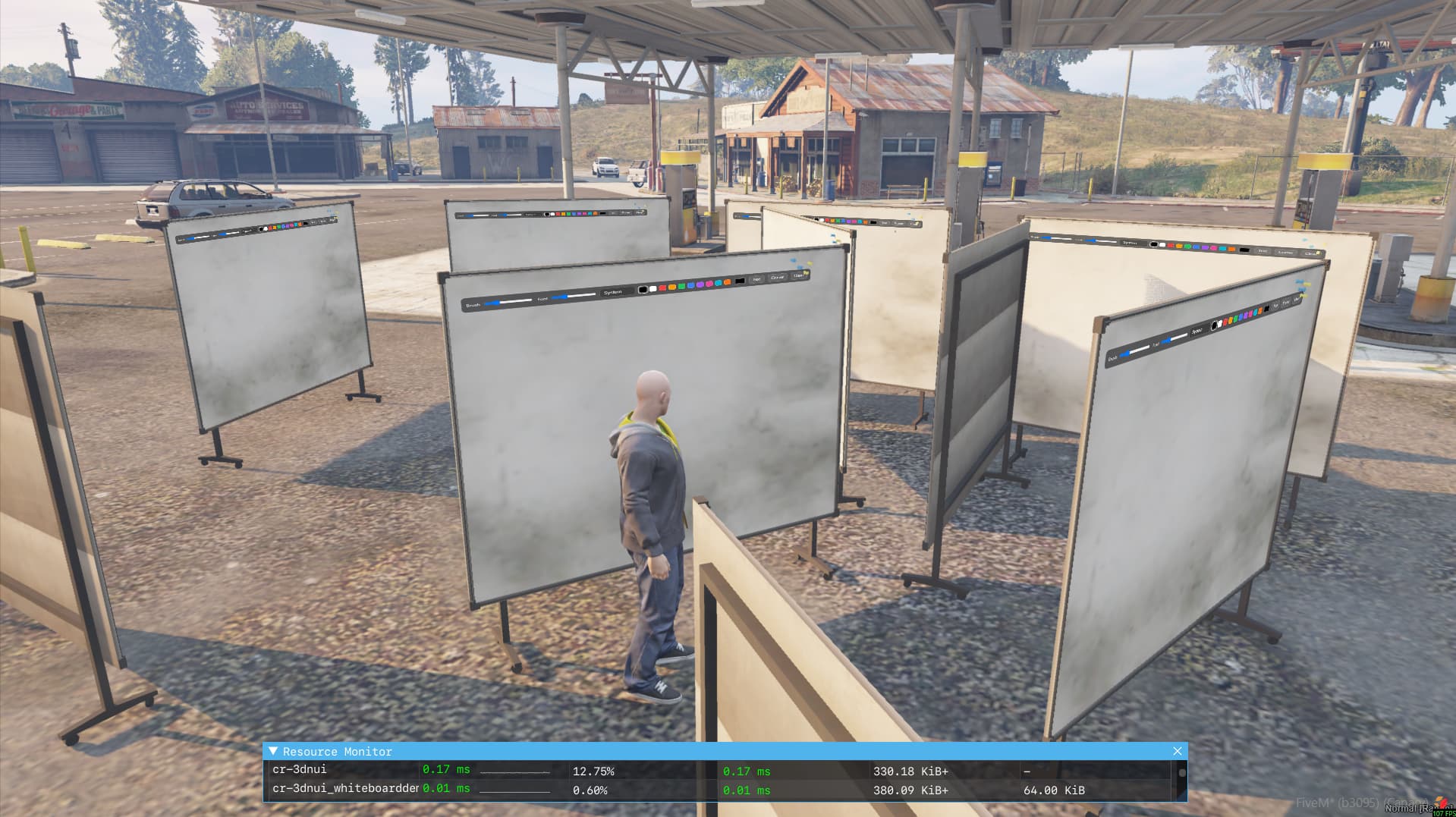
Picture A:
20 live panels in render distance


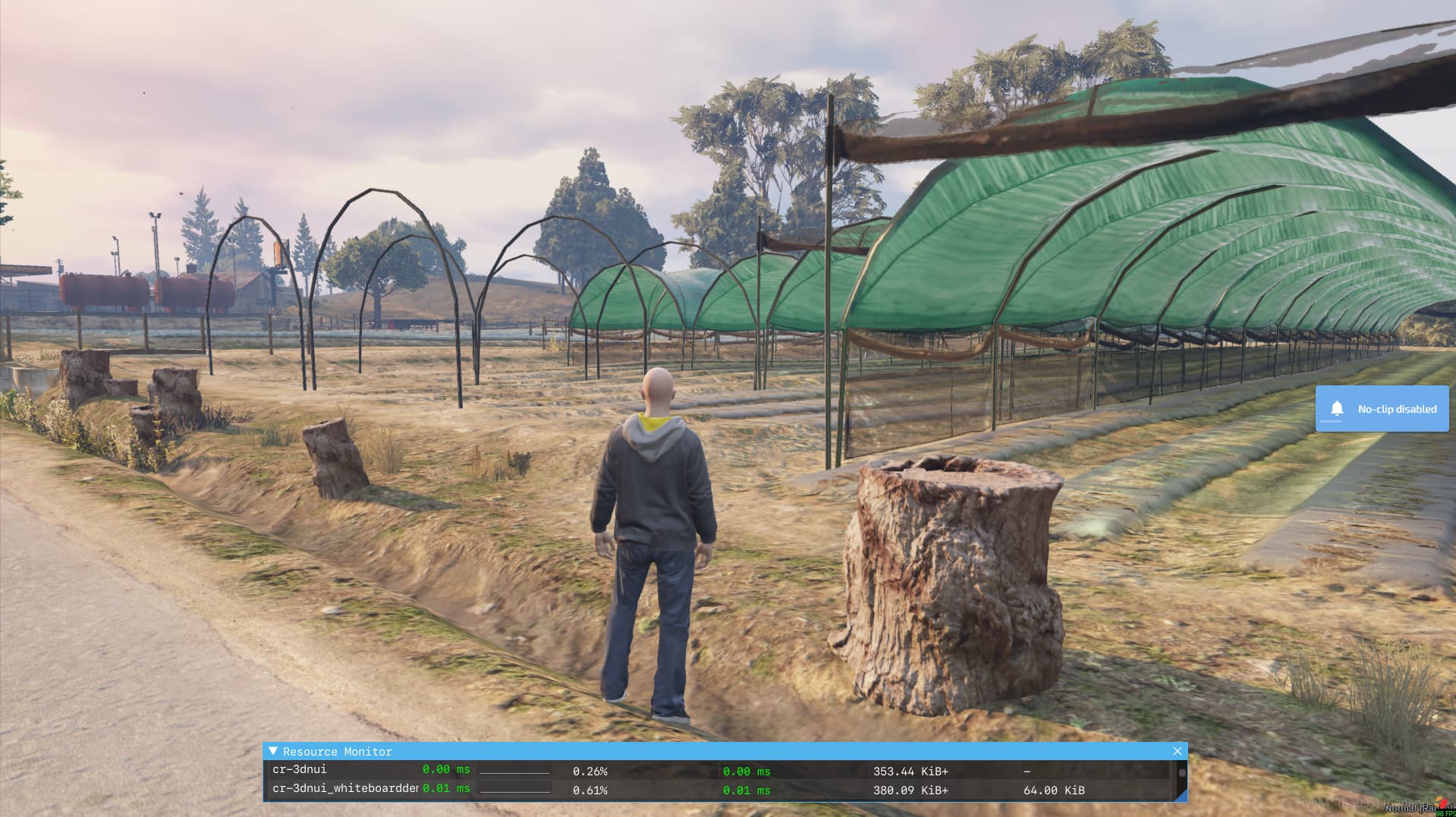
Picture B:
20 panels outside render distance

Yeah … the whiteboard demo already acts as a multi-panel scenario.

You can place as many boards as you want and each one is a live interactive DUI surface (browser + draw + raycast + input).

I tested it locally with ~20 boards placed in one area and watched the scaling in resmon. With all of them visible it sits around ~0.17 ms total, and when you walk away it drops back to ~0 thanks to distance gating.

That’s already a more extreme case than typical gameplay usage, so I didn’t add a synthetic “spawn N panels” benchmark — the whiteboard demo effectively covers that case in a real context.

If you want to reproduce it yourself: just load the whiteboard demo, place a bunch of boards, and watch resmon while walking in and out of range.

2 Likes

nice work, buddy

1 Like

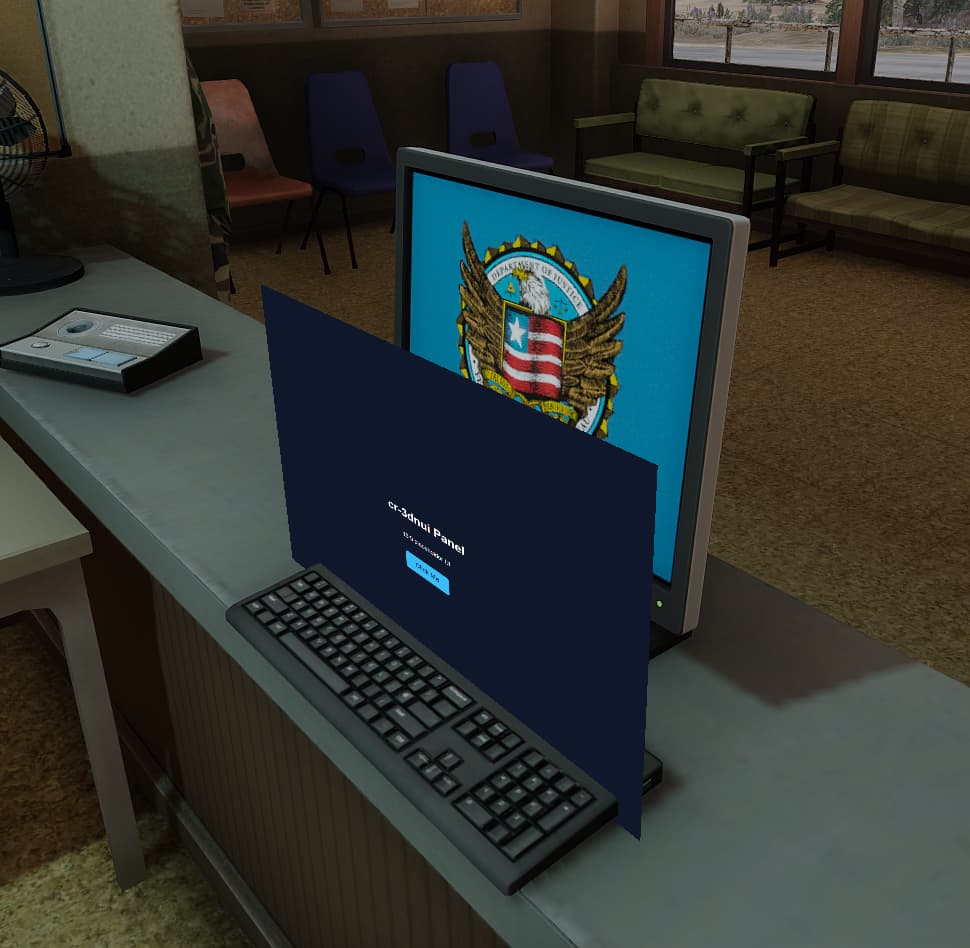
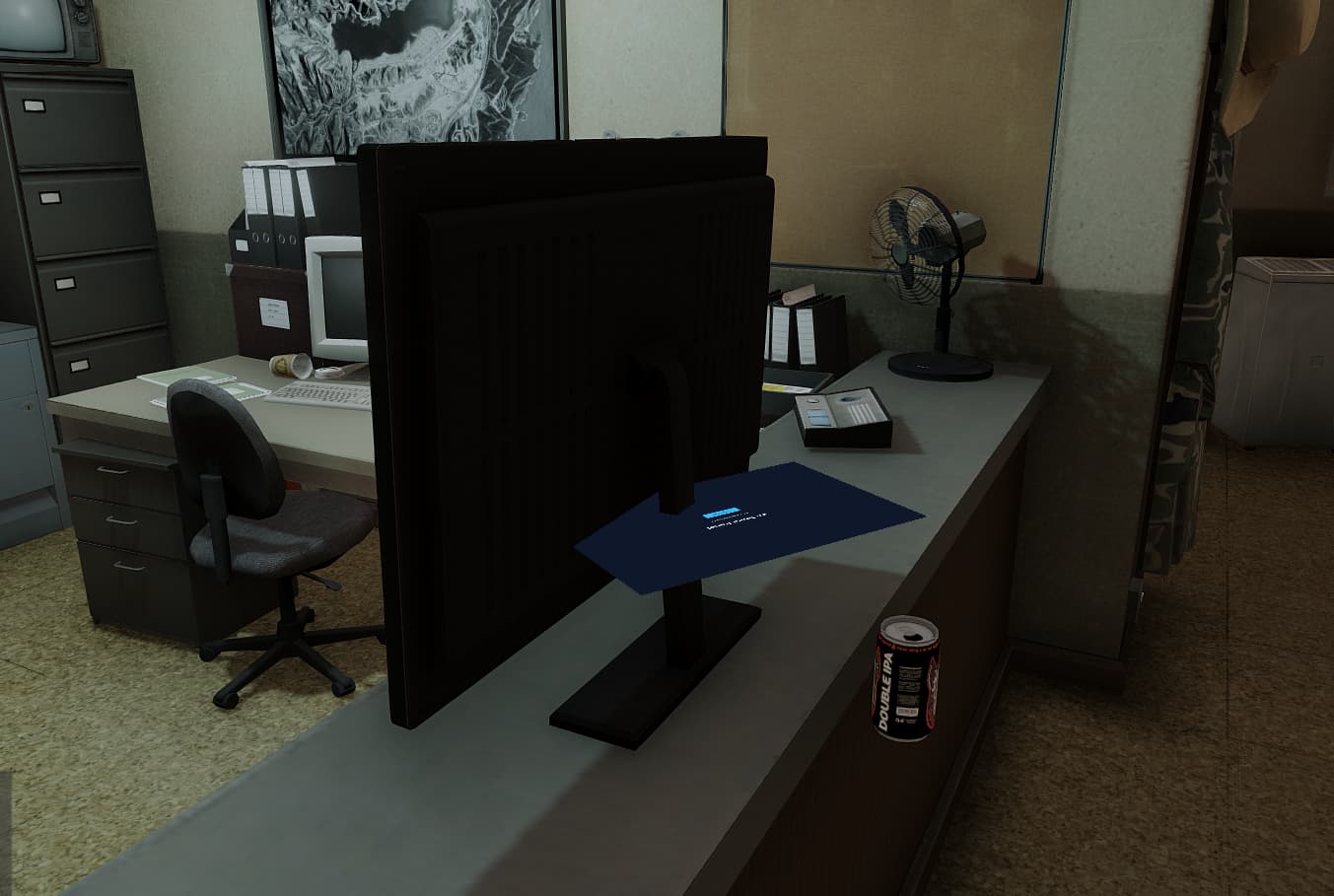
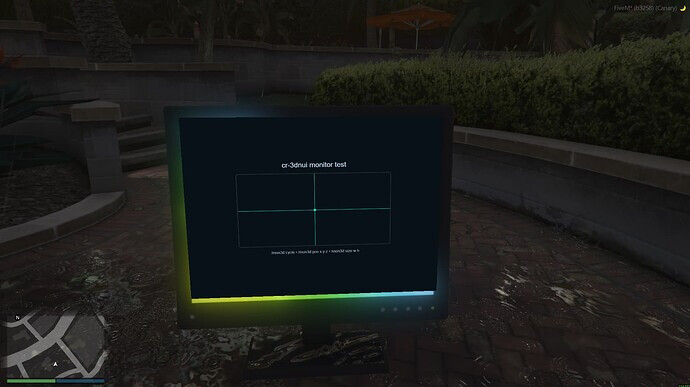
So im experimenting with stuff, and i cant figure out a way to make it rotate to sit at the same angle as the screen.

edit: i am still truely lost and cant figure this out. been trying to make the script calculate the models normals and whatnot so i can make the panel get placed on the screen like how the snake demo works on the world mesh, but i cant figure it out

1 Like

3D-NUI and offsets


The issue wasn’t actually with calculating mesh normals or doing anything fancy with model geometry.

Most GTA/FiveM monitor props are slightly tilted back, so when you project a perfectly flat panel onto them, the corners can appear to clip even if the rotation is technically correct.

The fix ended up being:

  • Align the panel’s localNormal to the screen face (with a small Z component to account for tilt)
  • Keep the panel flush to the surface
  • Apply a small positional offset to compensate for the tilt
  • Add a tiny zOffset to avoid z-fighting

Different monitor props will need slightly different offsets, but the pattern is the same.

localOffset = vector3(0.0000, -0.0650, 0.3200)
localNormal = vector3(-0.9982, 0.0000, 0.0600)
zOffset     = 0.0040

width  = 0.43
height = 0.31

Once rotation and offset are tuned together, the panel sits correctly inside the bezel.

Also worth noting: the library already does distance-based culling and input throttling, so unused panels don’t meaningfully impact MS. Cost scales with active interaction, not panel count.

Happy to answer follow-ups if anyone else runs into similar alignment or performance questions.

Update 2.3

Refactored monolithic client/main.lua into smaller modules.


  'client/config.lua'
  'client/state.lua'

  'client/util/vec.lua'
  'client/util/time.lua'

  'client/render/basis.lua'
  'client/render/draw.lua'

  'client/input/raycast_uv.lua'
  'client/focus/focus.lua'

  'client/main.lua'

New helpers:

  • Screen depth compensation so panels on tilted monitor props sit flush without the corners clipping through the bezel
  • Front-only facing option so panels only render and accept input when you’re actually looking at the front of the screen (prevents backside clipping / interaction)
  • A small internal refactor to make this stuff easier to extend going forward (no API breakage)

Existing setup should keep working as-is, but if you want the “monitor behaves like a real screen” behavior, you can now just enable:

  • depthCompensation = "screen"
  • frontOnly = true

I haven’t shipped the focused cursor / MDT interaction mode yet — that one needs a bit more care, but it’s on the roadmap…


Example: using the new helpers (recommended)

Option A: set it when you create/attach the panel

panelId = exports['cr-3dnui']:AttachPanelToEntity({
  entity = monitorEnt,
  url = url,

  width  = 0.43,
  height = 0.31,

  localOffset = vector3(0.0000, -0.0650, 0.3200),
  localNormal = vector3(-0.9982, 0.0000, 0.0600),

  rotateNormal = true,
  faceCamera   = false,        -- keep it behaving like a real screen

  -- NEW HELPERS:
  depthCompensation = "screen", -- safer depth bias for tilted screen props
  frontOnly         = true,     -- no render/input from behind the screen
  frontDotMin       = 0.0,      -- optional strictness (0.1–0.2 = stricter)
  zOffset           = nil,      -- let screen mode choose a safe default
})

Option B: apply helpers after the panel already exists

-- make it front-only (prevents backside clipping / interaction)
exports['cr-3dnui']:SetPanelFacing(panelId, true, 0.0)

-- enable screen-style depth behavior (tilt/bezel friendly)
exports['cr-3dnui']:SetPanelDepthCompensation(panelId, "screen")

-- optional manual override if you want
exports['cr-3dnui']:SetPanelZOffset(panelId, 0.004)