Feron Loading Screen Creator — Drag & Drop Editor for FiveM
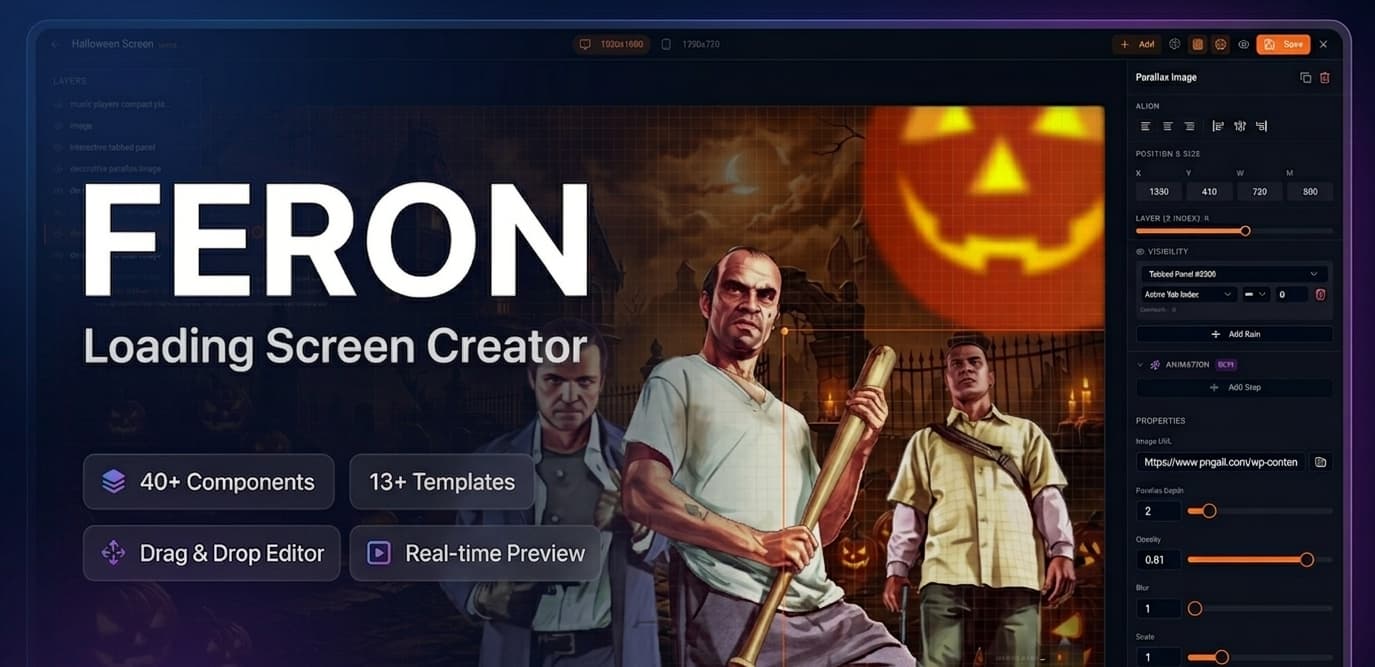
Every loading screen on this forum works the same way: you get a template, edit a config, swap some images. If you want something different, you write HTML from scratch.
I built something different. Feron Loading Screen Creator is a visual editor that runs inside FiveM. You open it in-game with /screen-creator, drag components onto a canvas, and your loading screen is ready. No HTML. No CSS. No config files.
Preview Video

Screenshots
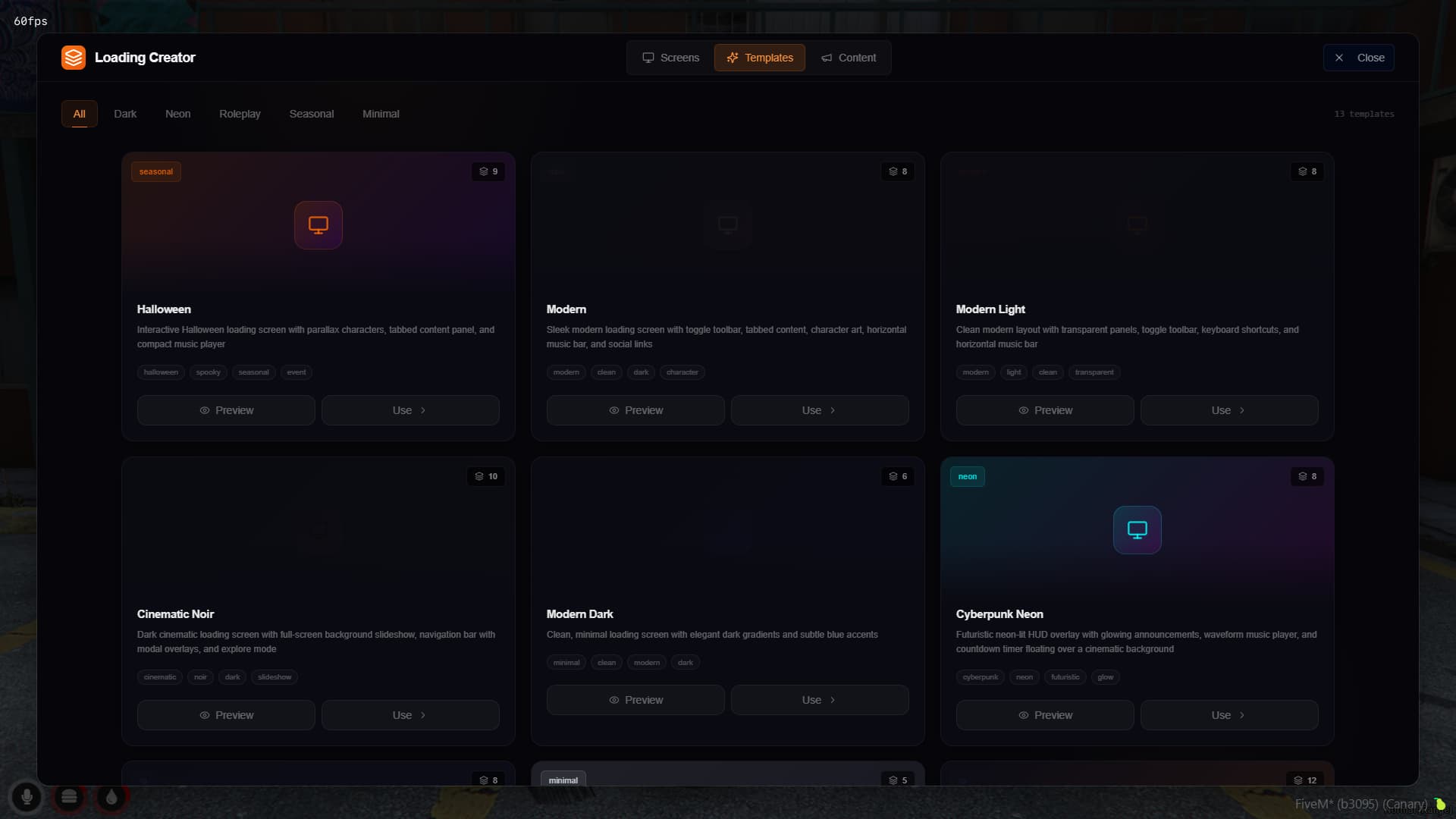
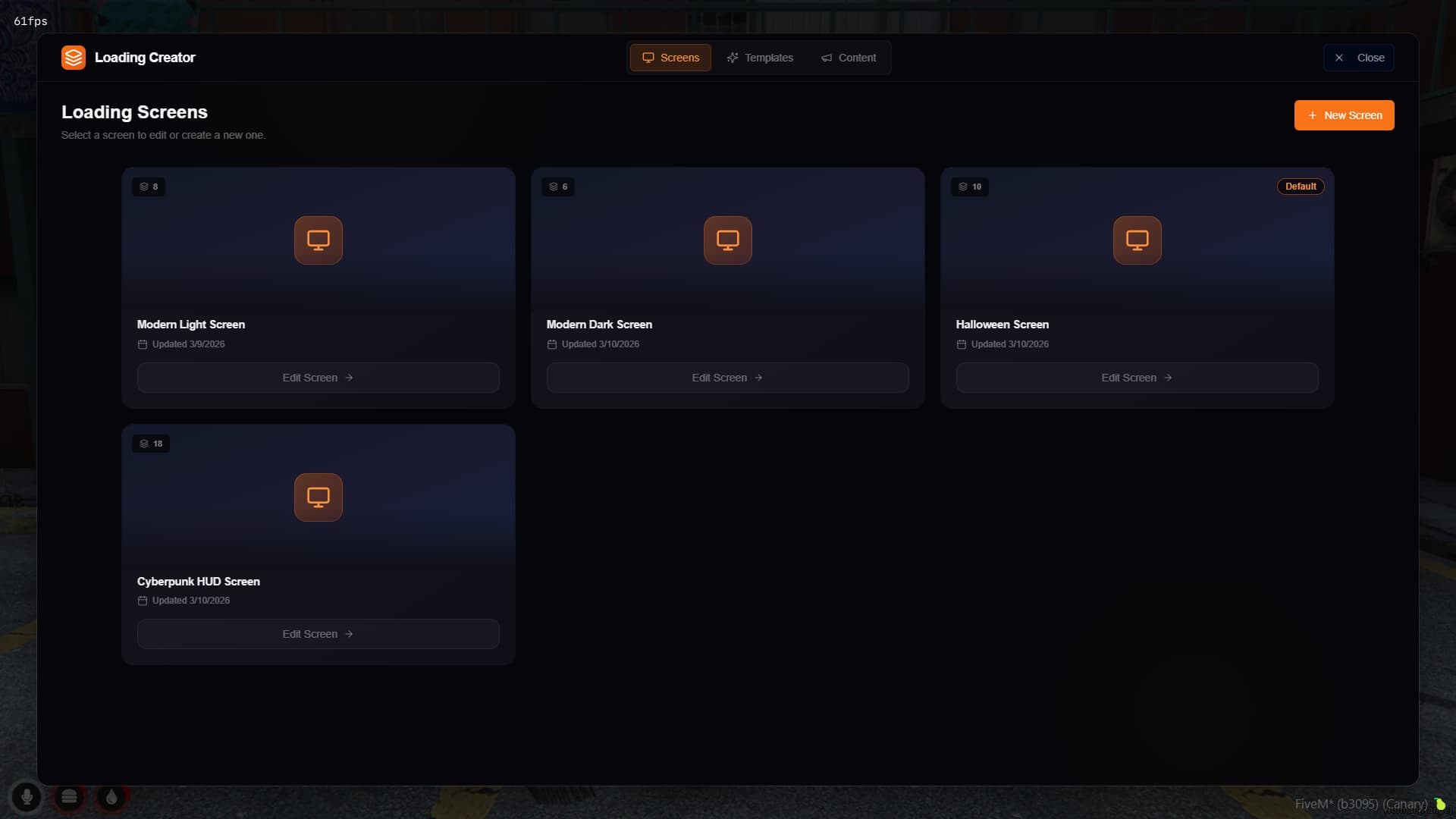
What you get
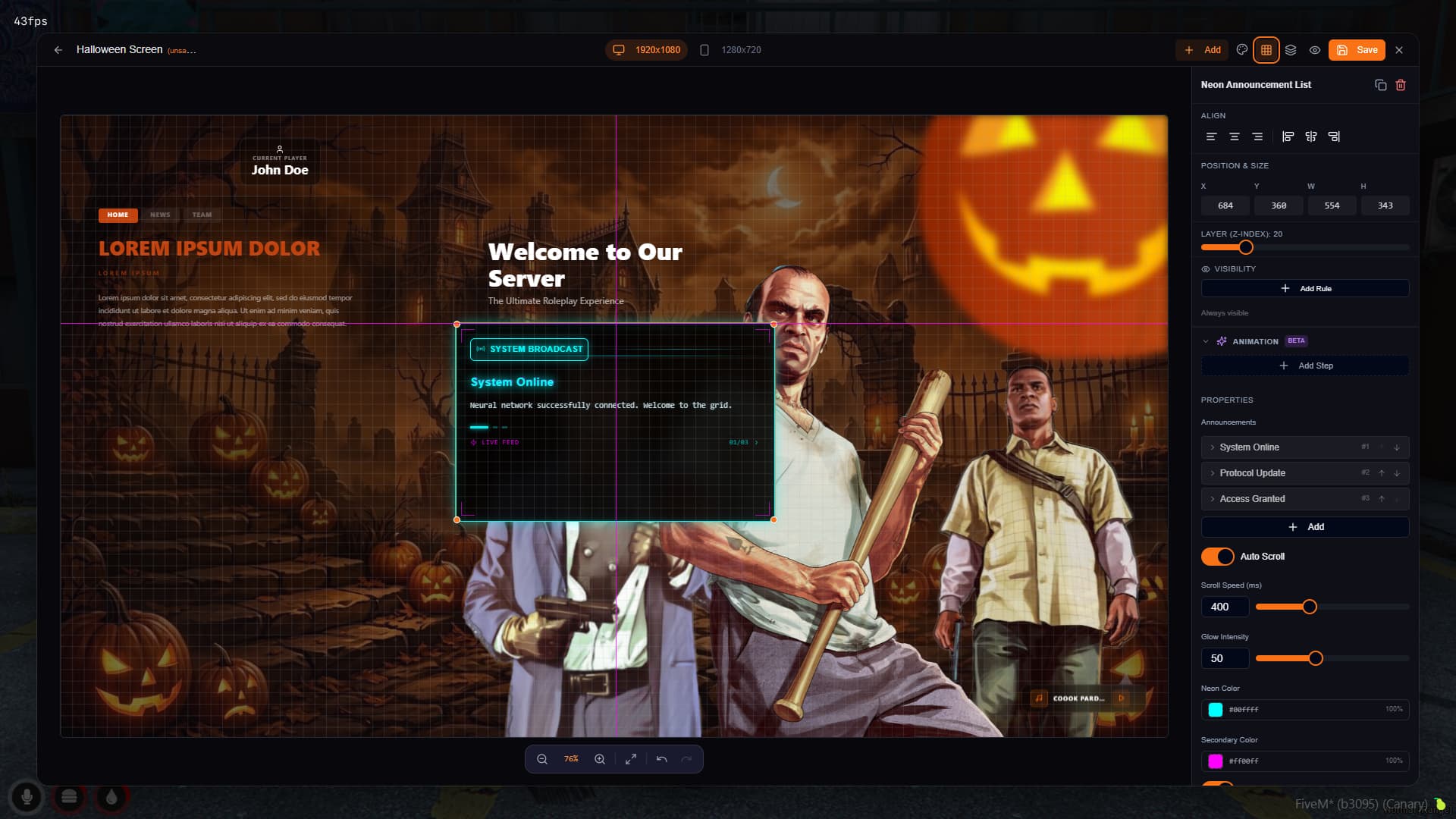
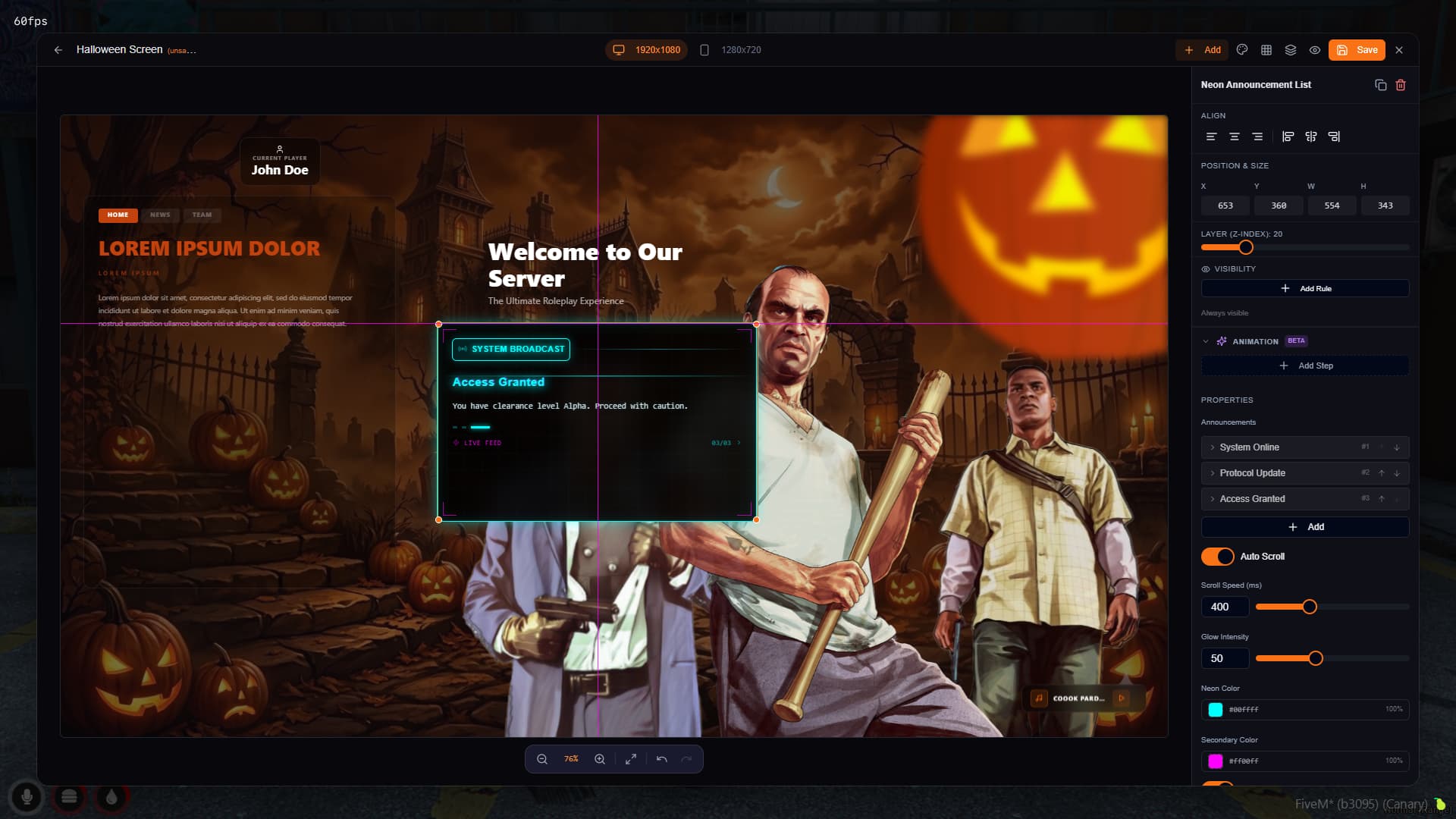
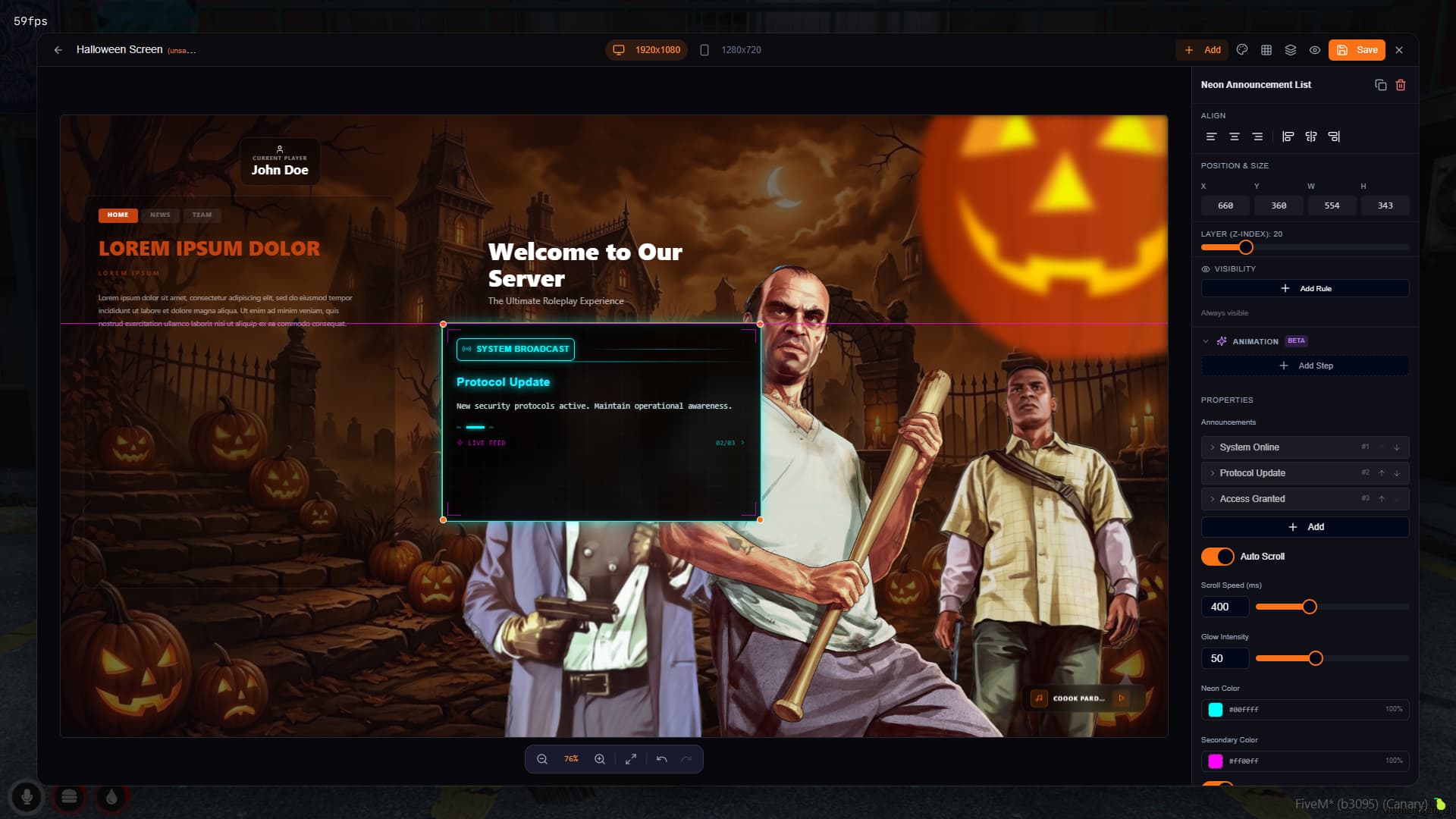
A real editor, not a config file. 1920x1080 canvas with grid snapping, resize handles, layer ordering, and live preview. Everything updates in real time as you work.
40+ components you can drag onto the canvas:
- 6 music player styles — glass, box, horizontal bar, neon, compact, minimal. All support YouTube and direct audio URLs
- Interactive elements — nav bars, tabbed panels, modal overlays, toggle toolbars. Components can show/hide based on which tab is active
- Content blocks — rich text, flex containers, server rules cards, staff showcase, social links (Discord, YouTube, TikTok, Twitter, Instagram, etc.)
- Visuals — background slideshows (image + video), parallax images, particle effects, decorative elements, progress bars
13+ templates if you don’t want to start from scratch — dark, neon, minimal, modern, seasonal, roleplay themes. Pick one and customize it.
Shared content system — set your server name, logo, and social links once. Every component using shared content updates across all screens automatically.
Image upload — drag images into the editor, they’re stored in the resource. No external hosting needed.
This is just the beginning
40+ components and 13+ templates is what we’re shipping today. More components, more templates, and more features are actively being developed. The goal is simple: true no-code. You shouldn’t need to touch a single line of code to build the loading screen you want — and that’s exactly where we’re headed.
Installation
- Drop
feron_loadingScreenCreatorinto your resources folder ensure feron_loadingScreenCreatorin server.cfg- Join and type
/screen-creator
Standalone — works with QBCore, ESX, or anything else.
Performance
- Idle (loading screen displaying): 0.00ms
- Editor open: ~0.01ms client-side
- No server-side tick — data saves only on user action
What’s not encrypted
All your design data (JSON databases) and uploaded images stay accessible. Your work is never locked.
Purchase
 You can buy this script from feron.tebex.io
Escrow: 50€ + Tax
Store: https://feron.tebex.io/package/7329925
Discord: Feron Scripts
Note: We recently rebranded from Dockerize Scripts to Feron. Same team, same quality — just a new name that’s easier to find and remember.
Our Scripts
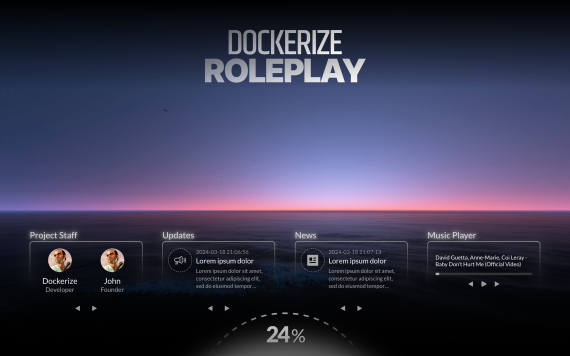
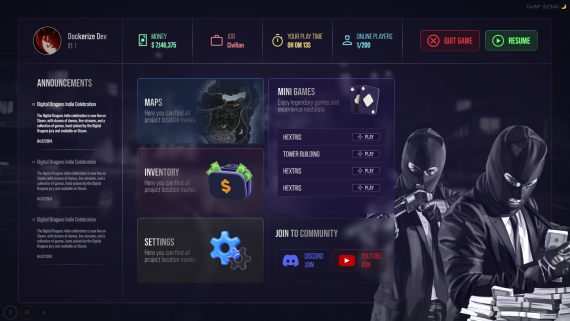

 More scripts coming soon — join our Discord to stay updated.
| Code is accessible | No (Escrow) |
| Subscription-based | No |
| Lines (approximately) | ~8,000+ |
| Requirements | None (Standalone) |
| Support | Yes |