Getting the same errors
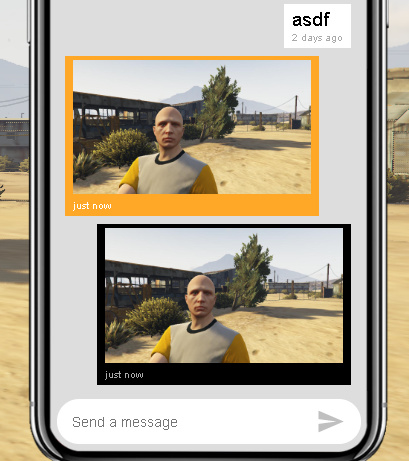
after last fivem updates (client / server) all the screenshots are black. Any solution?
3 Likes
Have the script restart every time a player has connected to your server.
mmhh maybe i will be wrong, but i guess restarting the resource everytime a player joins my server means restart the resource 1-10 times per minute and it will be blocked into a restart loop
1 Like
Same problem - Black screen all of a sudden after FiveM last update - no solution yet
Same for me, if you found something tell the fix here pls
New updates!
(should build cleanly from scratch now)
(if combined with the latest client, will correctly resize screenshot window if the client resolution changes)
In addition to that, client got a few bug fixes that’ll be pushed to GA shortly:
(fixes a black screenshot if other WebGL users are active, such as the cfx-ui backdrop or the default WebGL loading screen)
(allows resizing to work!)
3 Likes
greaaat thanks!
1 Like
Is anyone able to kindly explain what files I need to configure and where to put what links to get screenshot-basic working (not gcphone, just to screenshot clients screens). I have tried for days now to get it working but still can not figure out how to set it up. Also if I need to use Imgur to export the photos to, how is that set up? Like I said not sure how to do this.
With what I have edited (a portion of the requestScreenshotUpload section in client.ts) with my discord webhook, when the photo uploads to the discord channel, it sometimes sends the correct image, but 90% of the time sends an old image and comes up with this:
Azzura took a Screenshot of Azzura 's Screen: {“id”: “714698846147706910”, “type”: 0, “content”: “”, “channel_id”: “713694207067422720”, “author”: {“bot”: true, “id”: “713694226247974923”, “username”: “Server Bans/Kicks”, “avatar”: “3b134601d871d619685f904905c154cf”, “discriminator”: “0000”}, “attachments”: [{“id”: “714698844918513754”, “filename”: “screenshot.png”, “size”: 2762648, “url”: “https://cdn.discordapp.com/attachments/713694207067422720/714698844918513754/screenshot.png”, “proxy_url”: “https://media.discordapp.net/attachments/713694207067422720/714698844918513754/screenshot.png”, “width”: 1920, “height”: 1080}], “embeds”: [], “mentions”: [], “mention_roles”: [], “pinned”: false, “mention_everyone”: false, “tts”: false, “timestamp”: “2020-05-26T04:38:03.384000+00:00”, “edited_timestamp”: null, “flags”: 0, “webhook_id”: “713694226247974923”}
Much appreciated if someone is able to help with some decent detail to make it fairly simple 
i dont know what this is but hi austin 
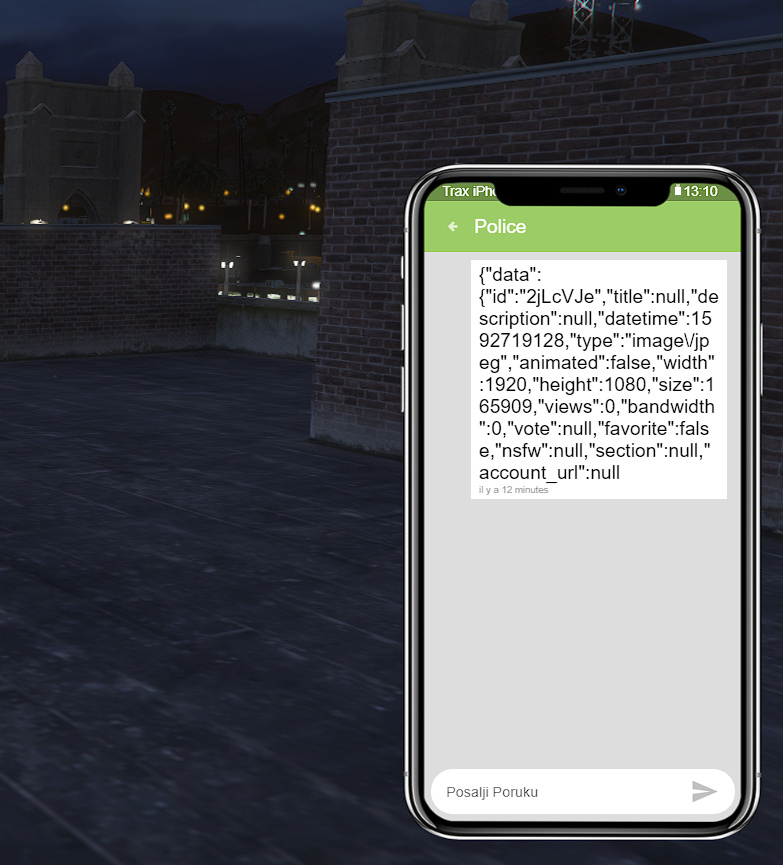
Hello! I followed your instructions and I made my own Client ID for imgur. But this is what happens when I try to take a photo and send it to someone:
And this is what I get in my console after that:

Any idea? I’m using gcphone v3. Thanks a lot!
1 Like
how do i install into windows
do you fixed it?
do you fixed it? i using gcphone v3 too, and i have the same problem
Anyone managed to fix this? 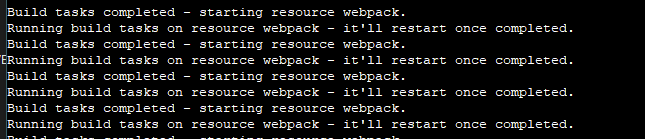
I’m having troubles with screenshot-basic



C:\FSXServer\cfx-server-data\resources[admin]\screenshot-basic\ui\src\main.ts
[tsl] ERROR in C:\FSXServer\cfx-server-data\resources[admin]\screenshot-basic\ui\src\main.ts(87,23)
TS2554: Expected 4 arguments, but got 2.
C:\FSXServer\cfx-server-data\resources[admin]\screenshot-basic\ui\src\main.ts
[tsl] ERROR in C:\FSXServer\cfx-server-data\resources[admin]\screenshot-basic\ui\src\main.ts(92,26)
TS2554: Expected 1 arguments, but got 0.
C:\FSXServer\cfx-server-data\resources[admin]\screenshot-basic\ui\src\main.ts
[tsl] ERROR in C:\FSXServer\cfx-server-data\resources[admin]\screenshot-basic\ui\src\main.ts(94,18)
TS2554: Expected 3 arguments, but got 2.
Error: webpack got an error
how to fix ps
2 Likes
Same wat do?
in the github there is an issue for this
1 Like