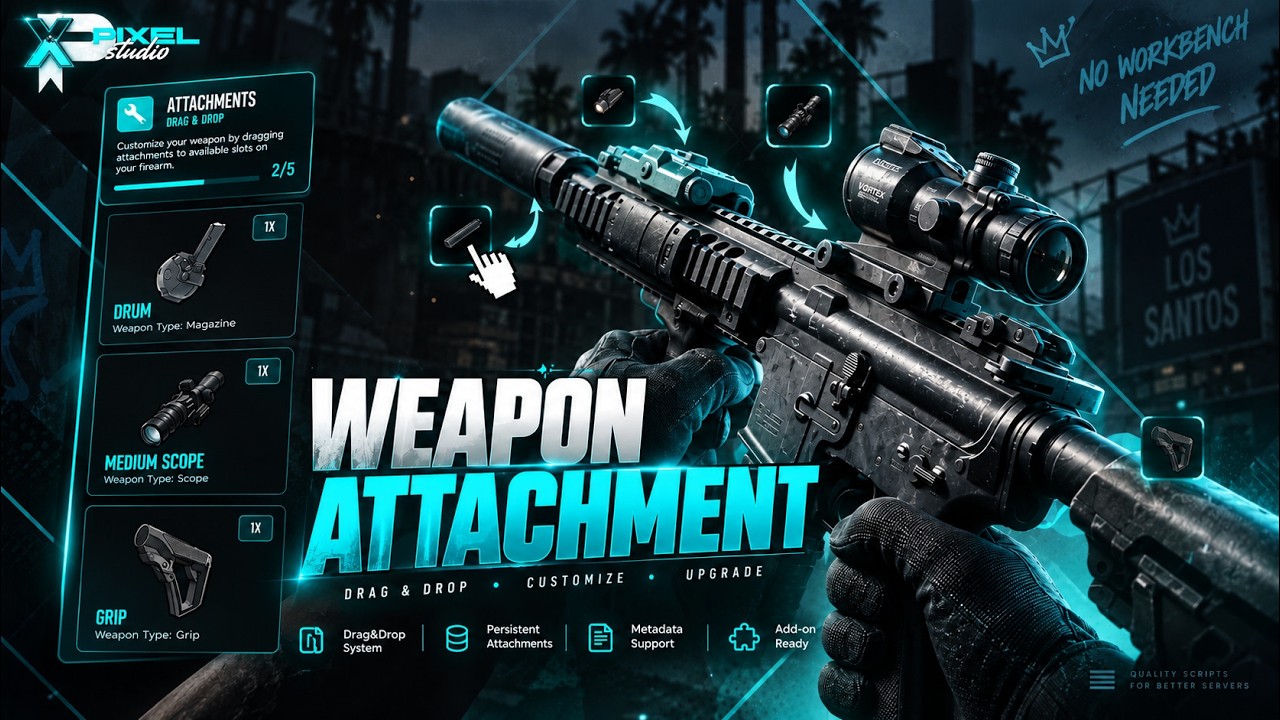
 Pixel Attachments — Instant Weapon Attachment System
Instant adaptation to the situation, No workbench no wasted time.
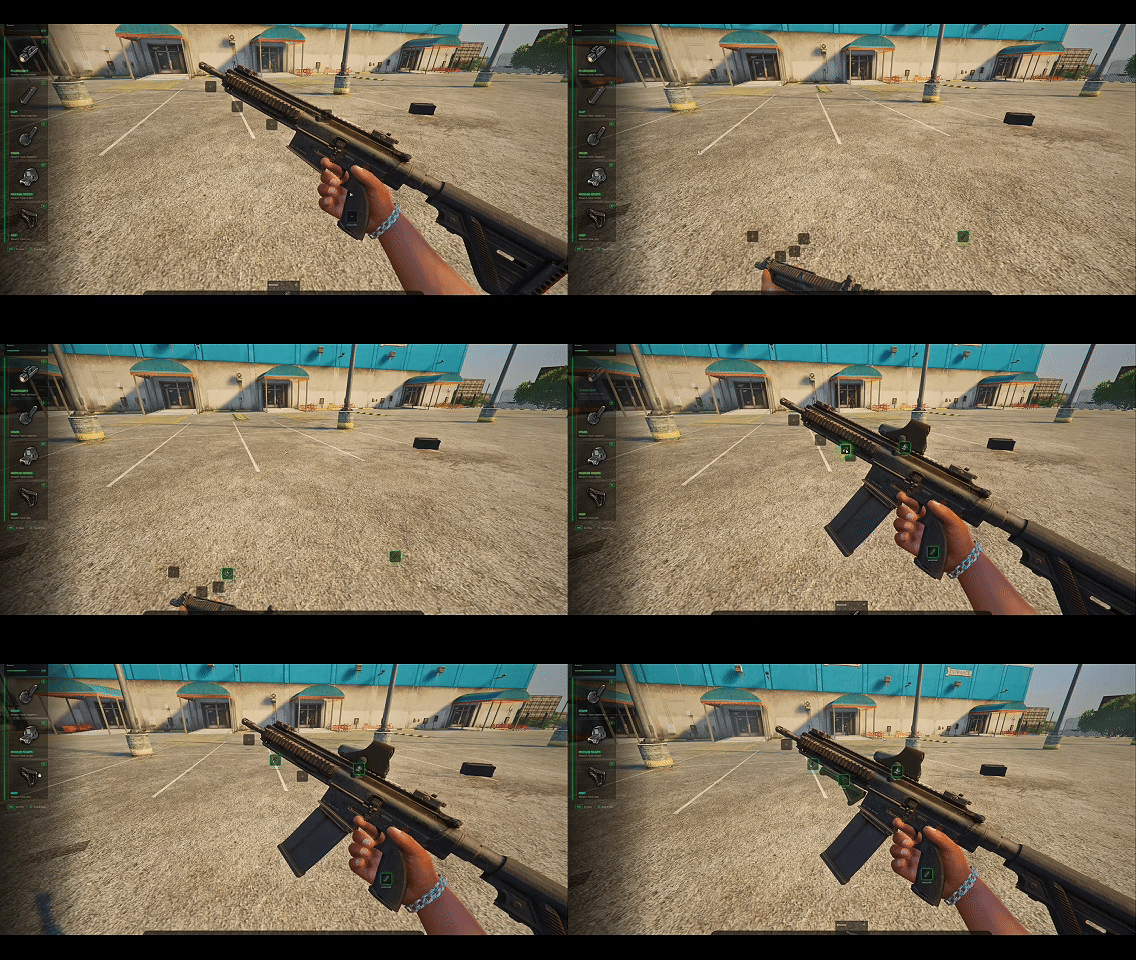
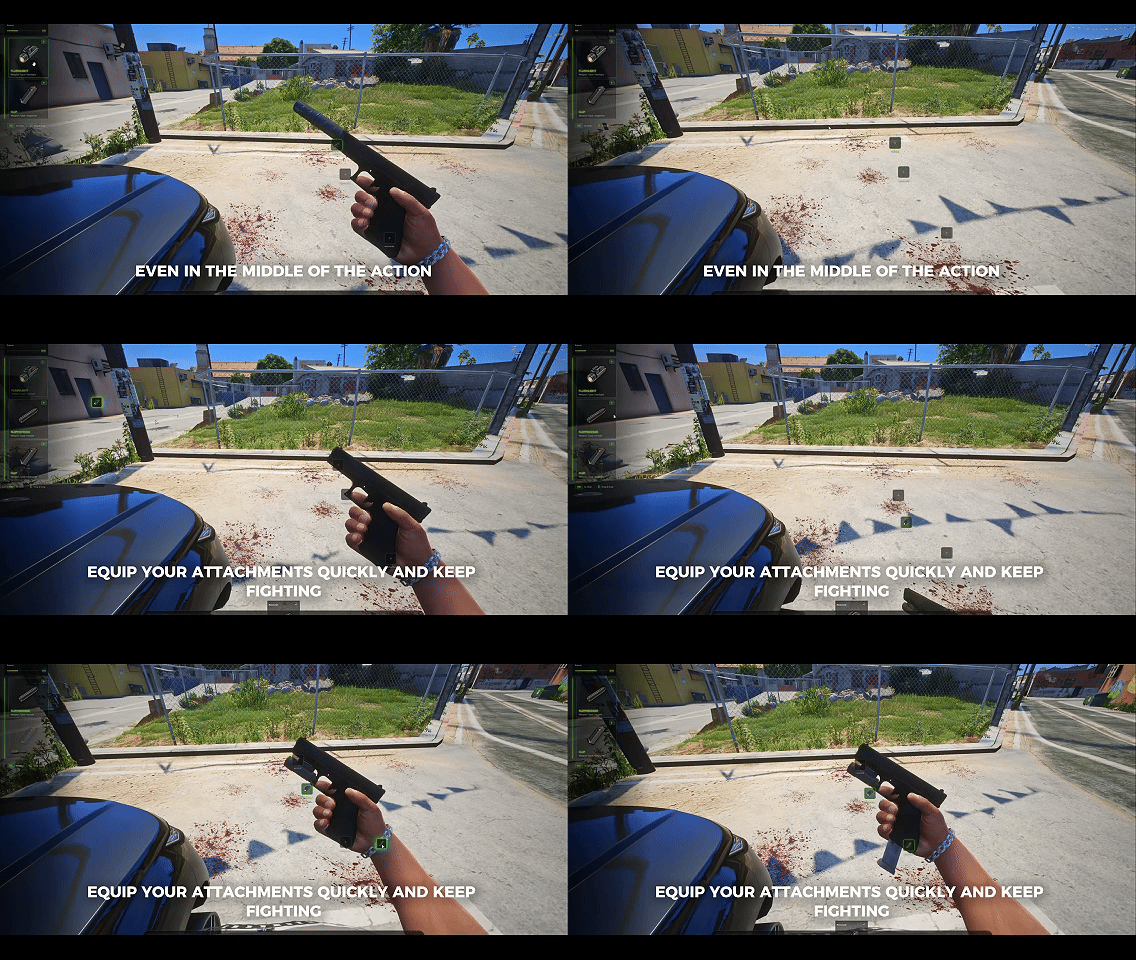
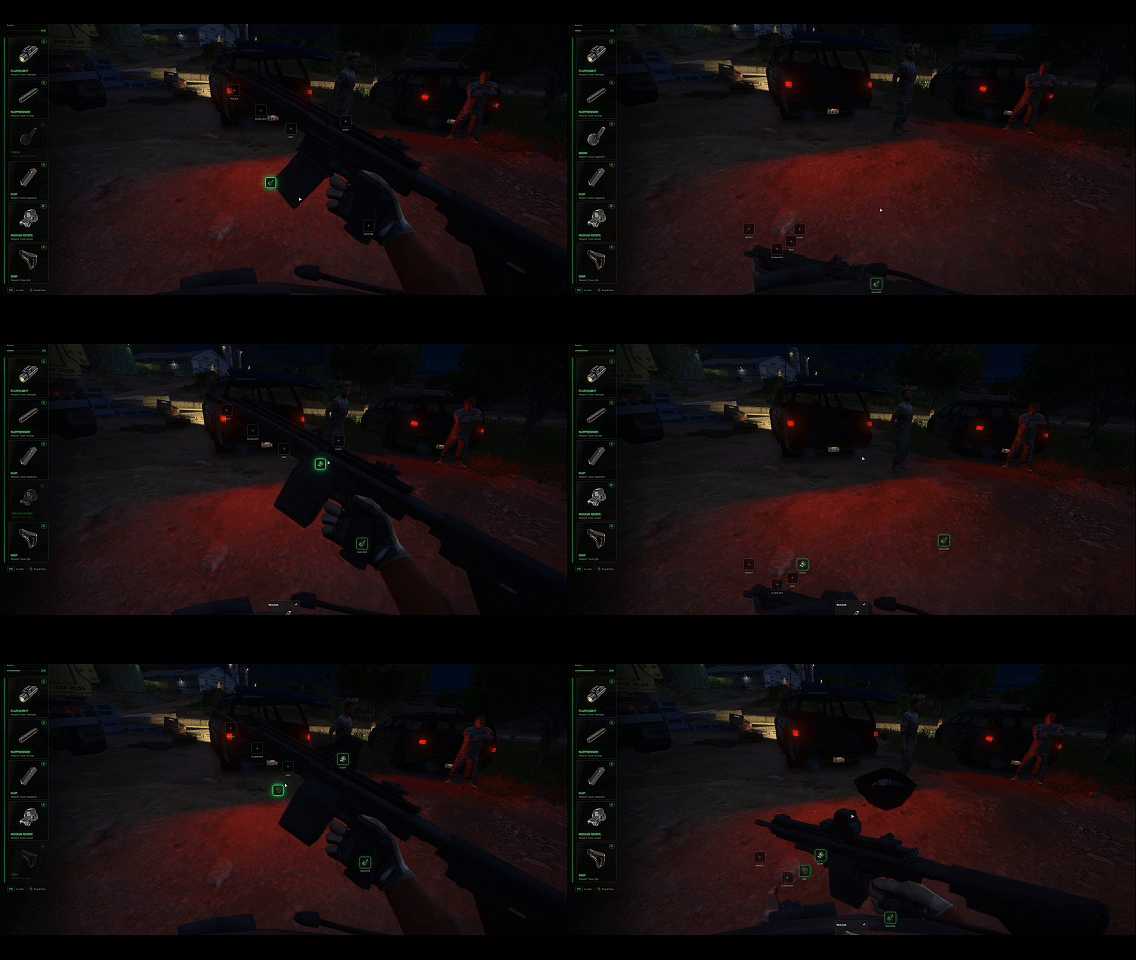
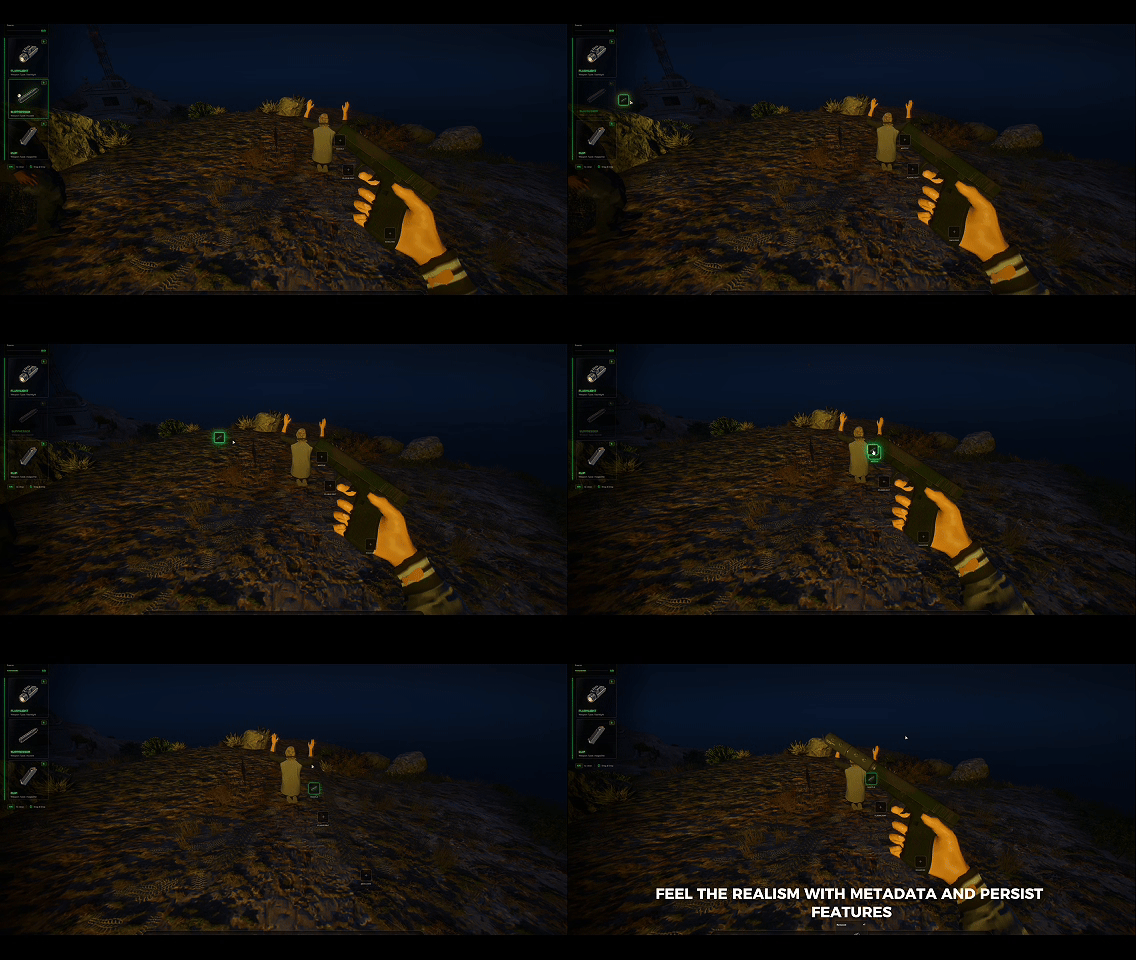
 HOW IT WORKS?
No workbench. No waiting. Attachments whenever you need them.
If you own a weapon and have a compatible attachment, you can instantly equip it without using a workbench.
- Use
/attachment - Or take a compatible weapon in your hands and press H — Attachments
- Drag & Drop the attachment you have onto the appropriate part of your weapon.
- The attachment is applied instantly and synchronized for everyone
The entire process is designed to feel natural, fast and immersive.
 : Preview - Click Me!
 TEBEX - Escrowed | LAUNCH SALE
TEBEX Open Source | LAUNCH SALE
 Documentations & Support
 FEATURES
Instant Attachments — No Workbench Required
- No workbench dependency.
- Equip attachments directly from the weapon.
/attachmentcommand support.- H — Attachments interaction when a compatible attachment is available.
- Instant and synchronized attachment application.
 Immersive Attachment Experience
- Weapon is held naturally while modifying.
- Automatic First Person transition.
- Clean and responsive UI.
- Realistic and satisfying sound effects.
- Smooth attachment installation feedback.
 Permanent Database Persistence
- Equipped attachments are permanently saved.
- Attachments remain after reconnecting.
- Weapon configuration is not lost when leaving the server.
- All installed attachments are stored in the database.
 Metadata Support
Attachments stay with the weapon itself.
- Give your weapon to another player.
- Drop it on the ground.
- Another player can pick it up.
The weapon will retain its installed attachments thanks to metadata support.
 Attachment Durability (Optional)
If your inventory system supports item durability, attachment durability can also be configured individually.
 Customizable UI
- UI colours can be customized.
- Clean and minimal interface.
- Immersive interaction and sound feedback.
 Gameplay-Based Attachments
Attachments are not purely visual.
Installed attachments can provide their intended gameplay effects and change how the weapon behaves.
 Add-On Weapon Support
Designed to work seamlessly with add-on weapons and custom weapon setups.
Lightweight & Optimized
- Lightweight resource.
- Low resource consumption.
- Optimized for real server environments.
- Designed to stay responsive without unnecessary background processing.
 HOW TO USE?
01 — HAVE A WEAPON
Equip a weapon that supports attachments.
02 — GET A COMPATIBLE ATTACHMENT
Have the required attachment available in your inventory.
03 — OPEN ATTACHMENTS
Use:
/attachment
or equip the compatible weapon and press:
H — Attachments
04 — INSTALL
Your character enters the attachment interaction and the selected attachment is instantly installed.
05 — DONE
The attachment is synchronized and permanently saved to the weapon.
METADATA & DATABASE SUPPORT
Your weapon keeps its installed attachments even when:
- You reconnect to the server
- You give the weapon to another player
- You drop the weapon
- Another player picks it up
The attachment configuration travels with the weapon through its metadata.
 WHY PIXEL ATTACHMENTS?
 No Workbench Required
- Instant Attachment System
- First Person Interaction
 Fully Synchronized
- Database Persistence
- Metadata Support
- Attachment Durability
- Customizable UI
- Gameplay-Based Effects
- Add-On Weapon Support
- Lightweight & Optimized
 FAQ
Q: Do I need a Workbench to install attachments?
A: No. Pixel Attachments works completely without a Workbench. Compatible attachments can be installed instantly through the /attachment command or the H — Attachments interaction.
Q: Will my attachments remain on the weapon if I drop or give it to another player?
A: Yes. Thanks to Metadata Support, installed attachments remain attached to the weapon even when it is dropped, transferred to another player, or picked up by someone else.
Q: Are attachments synchronized and saved permanently?
A: Yes. Attachments are instantly synchronized and permanently saved to the database, so they remain on the weapon even after reconnecting to the server.
Other Resources of Pixel Studio!

| Code is accessible | No |
| Subscription-based | No |
| Lines (approximately) | +4800 |
| Requirements | Any Framework |
| Support | Yes |
