 ZONE WEATHER SYSTEM v2.0
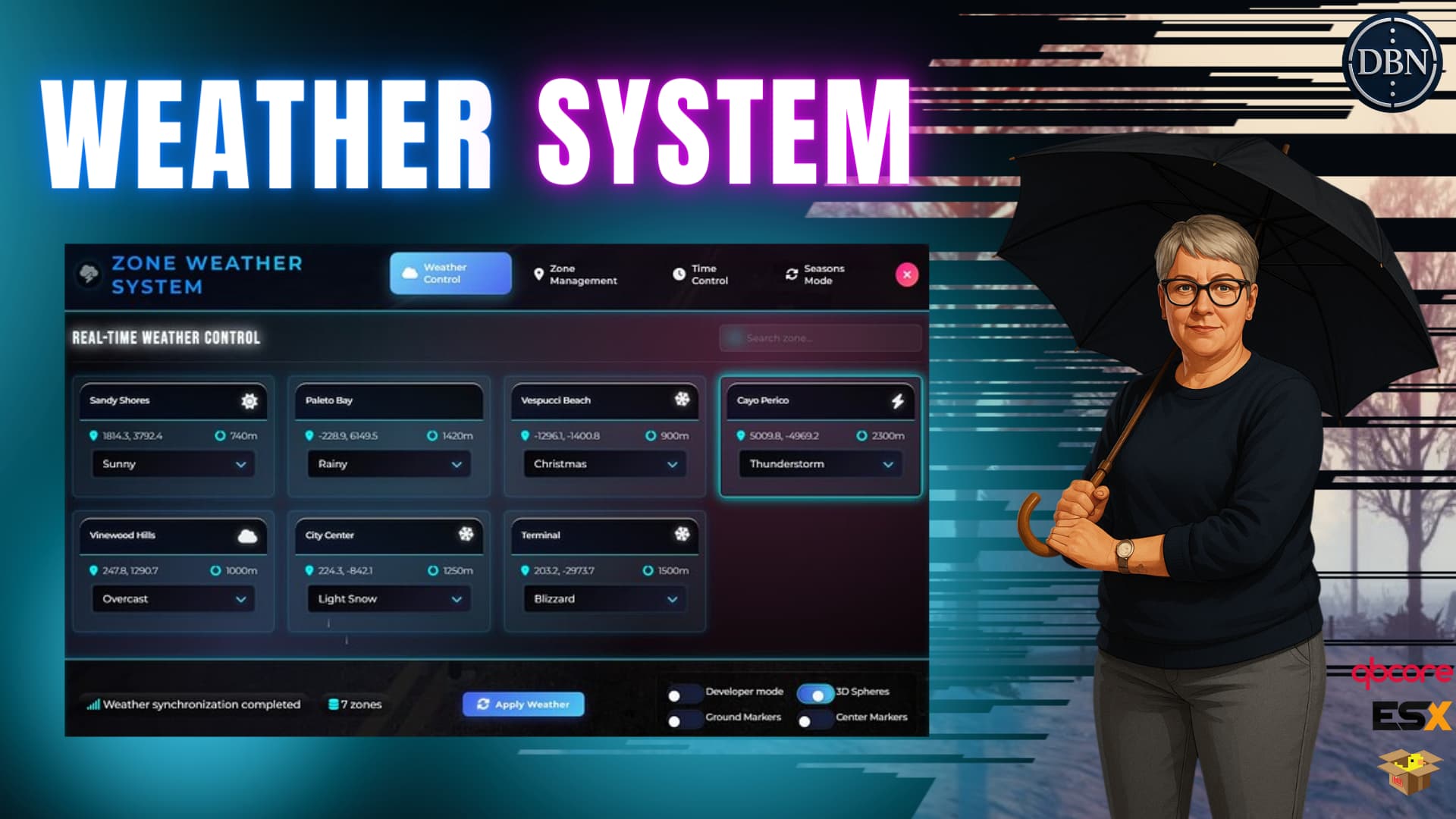
Advanced Zone-Based Weather System for FiveM
ZONE WEATHER SYSTEM v2.0 is a revolutionary, feature-rich weather system designed for FiveM servers. With dynamic zone-based climates, seamless transitions, advanced time control, realistic time system, and an intelligent seasons mode, it brings immersive and realistic weather control to your RP environment.
Watch the Video: YouTube Preview
Buy It Here: Tebex Store
Discord: Join Our Community
 NEW IN V2.0 - MAJOR UPDATES
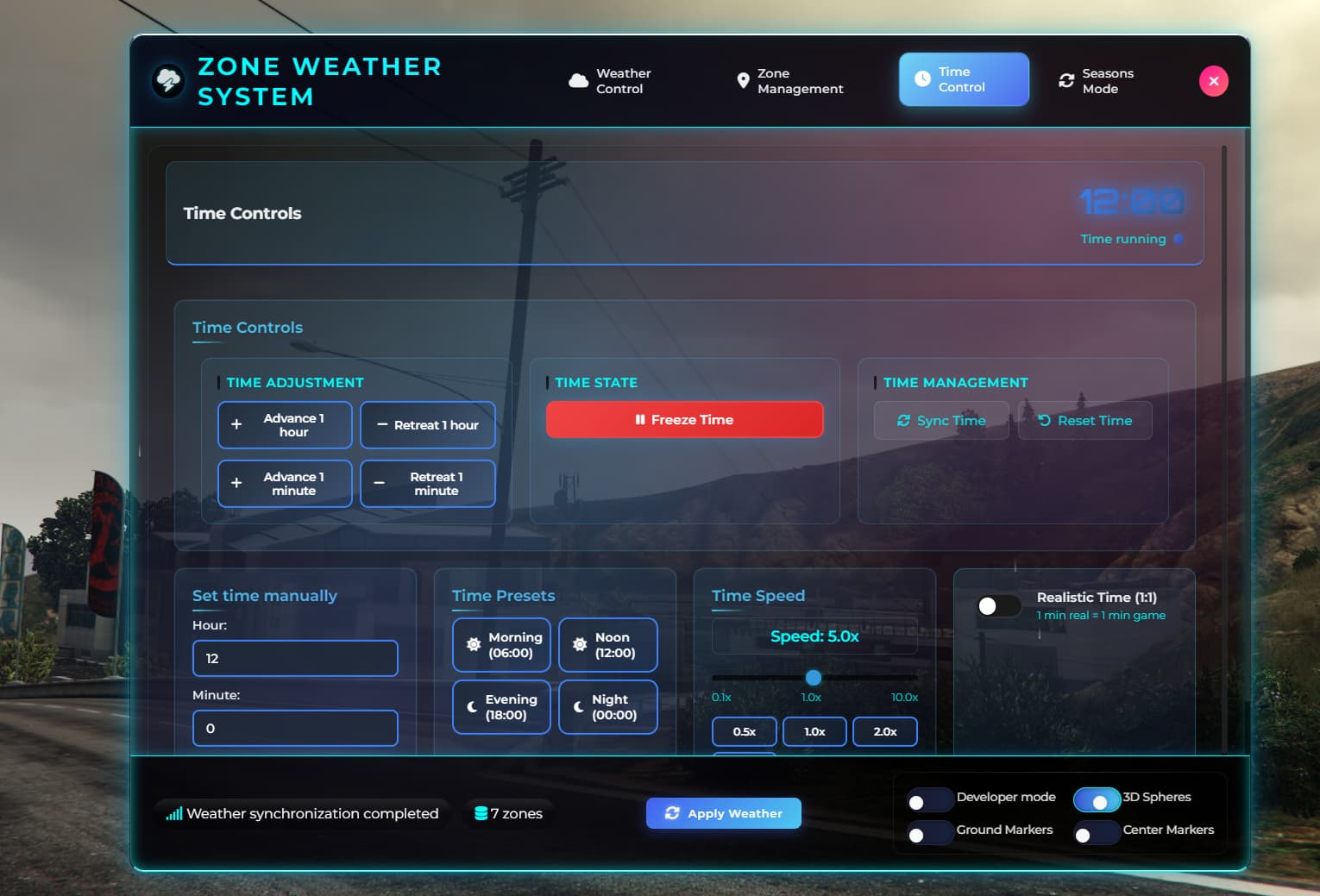
 Advanced Time Control System
-
Realistic Time Mode: 1:1 real-time to game-time ratio
-
Customizable Time Speed: From 0.1x to 10x speed
-
Time Freeze/Unfreeze: Complete time control
-
Manual Time Setting: Set specific hours and minutes
-
Time Presets: Quick access to morning, noon, evening, night
-
Persistent Time: Time settings saved between server restarts
 Intelligent Seasons Mode
-
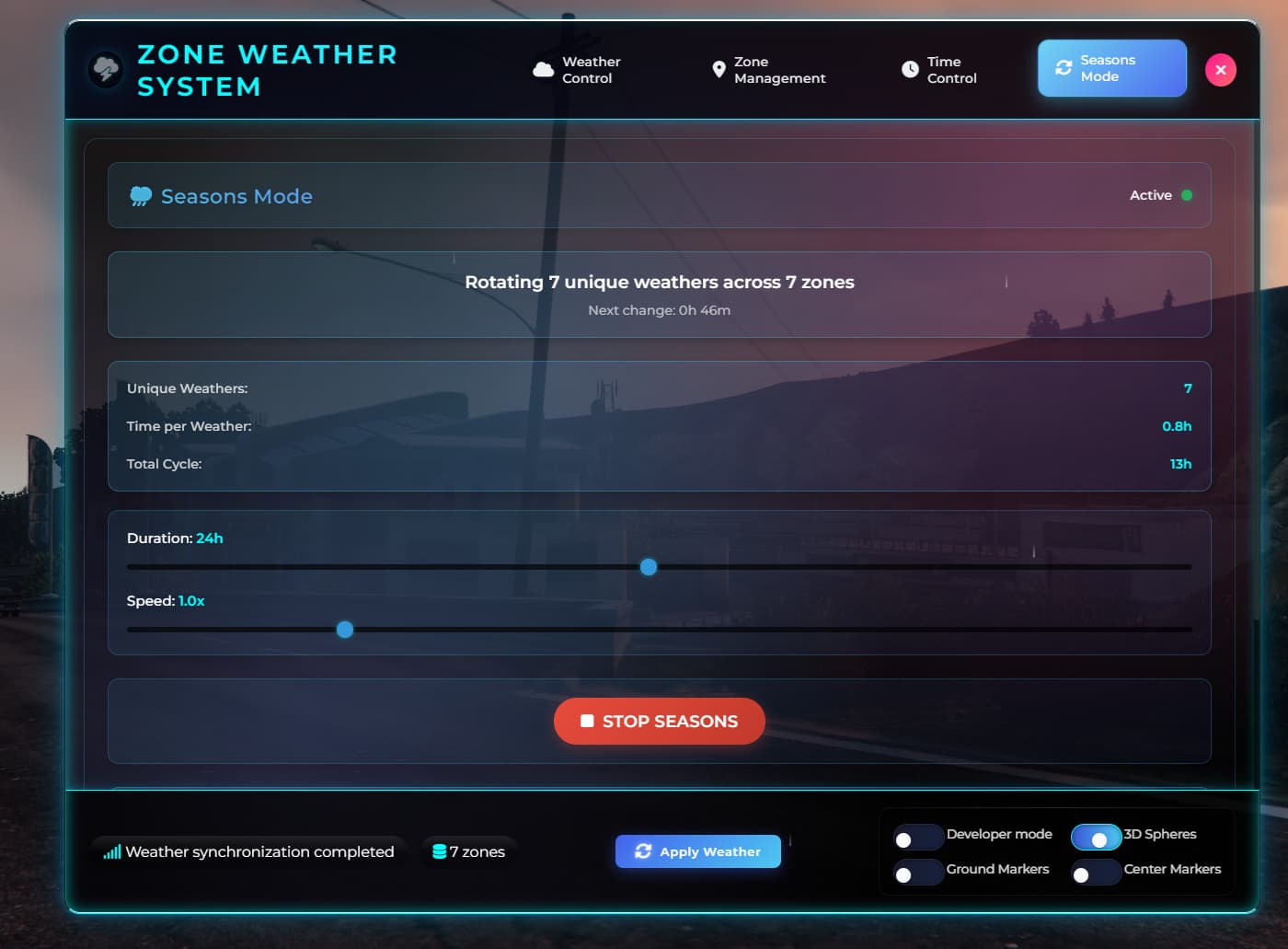
Automatic Weather Rotation: Cycles through unique weathers in zones
-
Customizable Cycle Duration: 1-48 hours per complete cycle
-
Transition Speed Control: 0.5x to 3.0x speed multiplier
-
Smart Weather Detection: Automatically detects unique weathers across zones
-
Real-time Progress Tracking: Shows time remaining until next change
-
Pause/Resume Functionality: Full control over seasons system
 Enhanced Zone Management
-
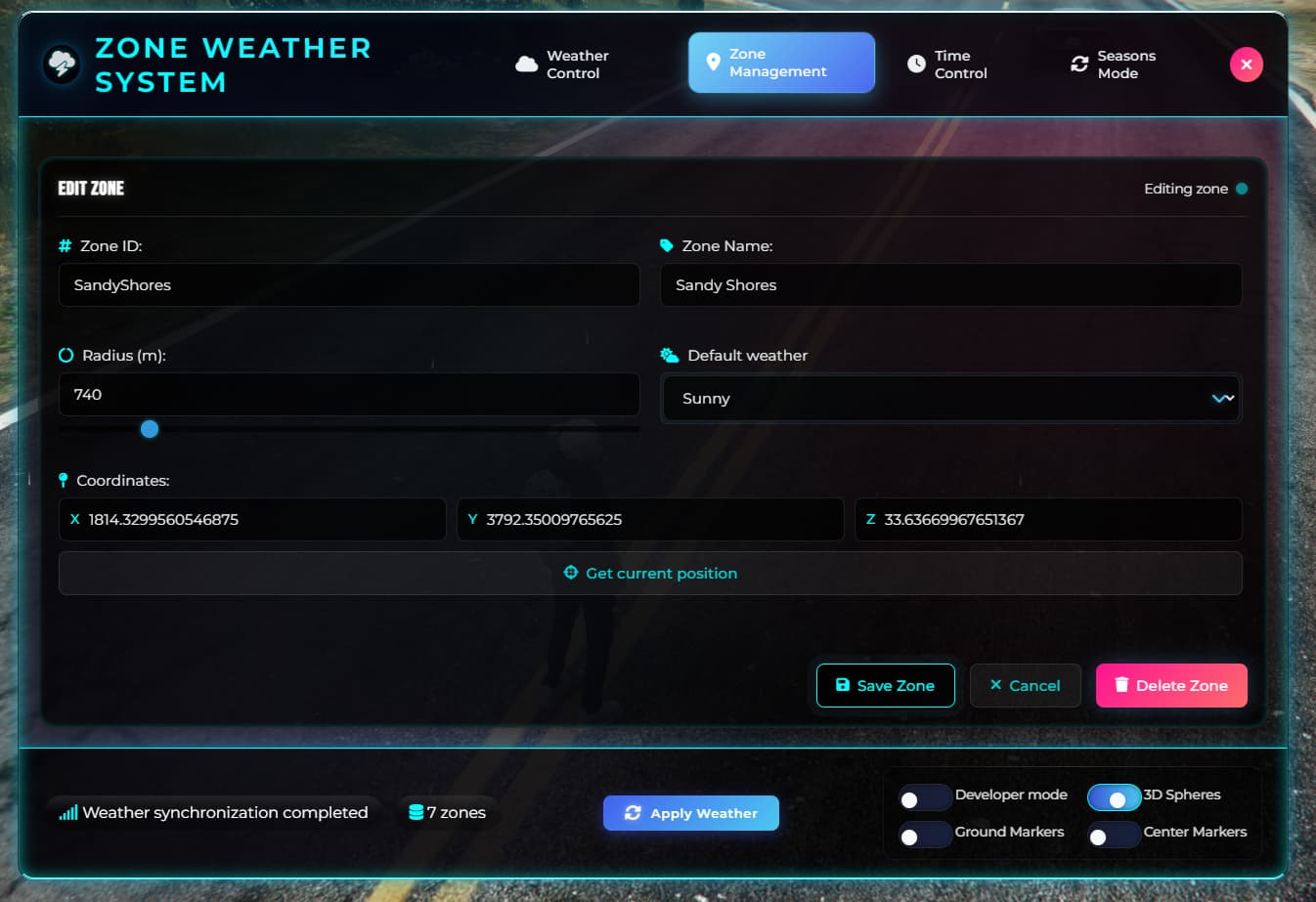
Visual Zone Editor: Create, edit, and delete zones with ease
-
Real-time Zone Preview: See zone effects before applying
-
Teleport to Zones: Quick navigation to any zone
-
Zone Search & Filter: Find zones quickly
-
Developer Mode: Visual debugging with 3D spheres and markers
-
Zone Conflict Detection: Automatic overlap detection and resolution
 Framework Compatibility
-
ESX Legacy: Full compatibility with ESX framework
-
QBCore: Complete QBCore integration
-
Qbox: Native Qbox support
-
Standalone Mode: Works without any framework
-
Auto-Detection: Automatically detects your framework
🌤️ Core Weather Features
Zone-Based Weather System
-
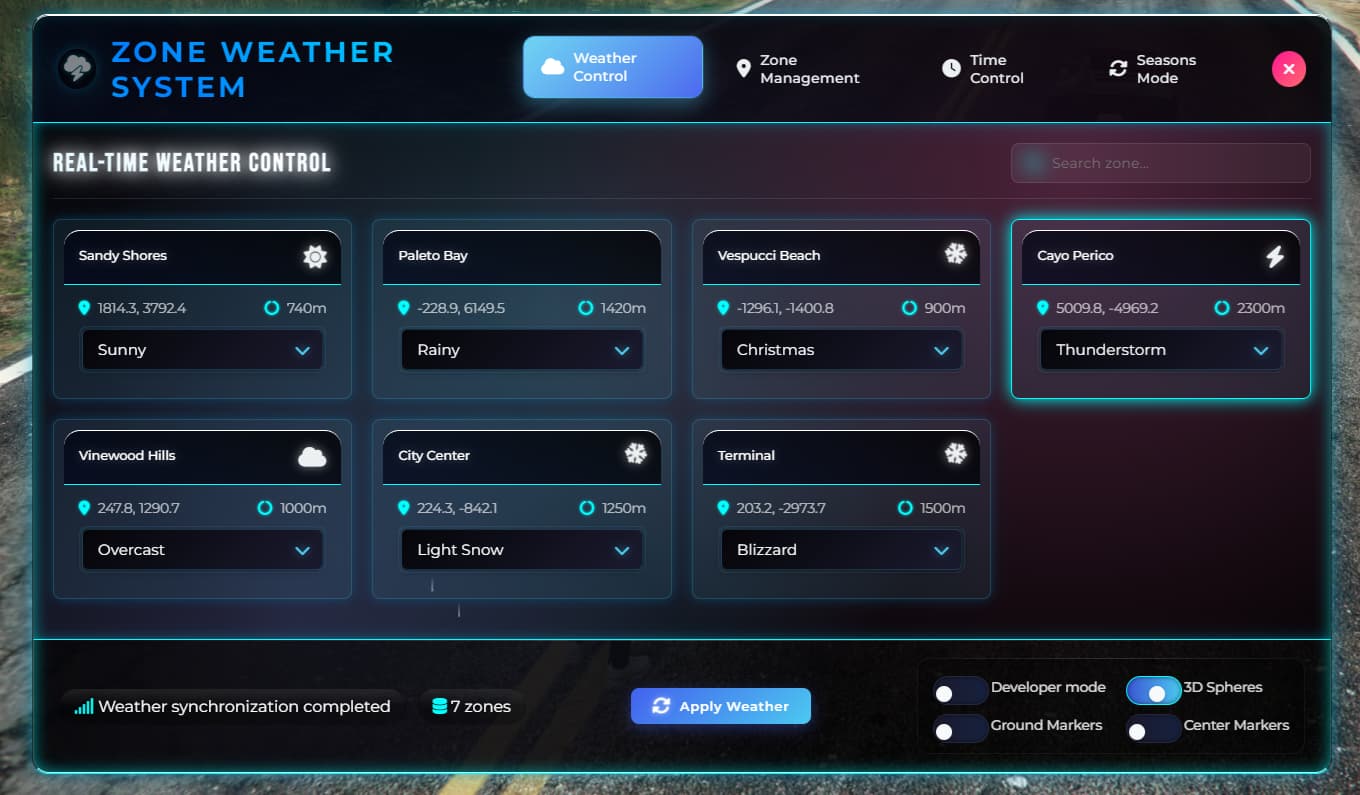
Multiple Active Zones: Different weather conditions across zones simultaneously
-
Smooth Transitions: Gradual weather changes when entering new zones
-
14 Weather Types: From sunny to blizzard with realistic effects
-
Intelligent Blending: Seamless weather transitions at zone borders
-
Real-time Synchronization: All players see the same weather instantly
Advanced Weather Effects
-
Dynamic Precipitation: Rain, snow, and blizzard with adjustable intensity
-
Atmospheric Conditions: Fog, smog, and overcast skies
-
Thunder & Lightning: Realistic storm effects with sound
-
Weather Persistence: Weather states saved between server restarts
-
Performance Optimized: Efficient rendering for large servers
⏰ Time Control System
Realistic Time Management
-
Realistic Mode: 1 minute real time = 1 minute game time
-
Speed Control: Adjustable time speed from 0.1x to 10x
-
Time Freeze: Pause time completely for events
-
Manual Setting: Set exact time with hour/minute precision
-
Time Presets: Quick access to common times (morning, noon, evening, night)
-
Persistent Settings: Time configuration saved in database
Advanced Time Features
-
Server-wide Sync: All players synchronized to server time
-
Admin Controls: Full time management for administrators
-
Event Integration: Perfect for RP events and scenarios
-
Export Functions: Easy integration with other scripts
-
Real-time Updates: Live time display in admin panel
🌦️ Seasons Mode System
Intelligent Weather Rotation
-
Automatic Detection: Finds unique weathers across all zones
-
Smart Cycling: Rotates through detected weathers automatically
-
Customizable Duration: 1-48 hours per complete cycle
-
Transition Speed: Control how fast weather changes occur
-
Progress Tracking: Real-time countdown to next weather change
-
Zone Weather Display: Shows current and next weather for each zone
Seasons Management
-
Start/Stop Control: Enable or disable seasons system
-
Pause/Resume: Temporarily pause weather rotation
-
Force Change: Manually trigger next weather in sequence
-
Reset Function: Return to beginning of weather cycle
-
Settings Persistence: All settings saved between restarts
🎯 Zone Management System
Visual Zone Editor
-
Create Zones: Set coordinates, radius, and default weather
-
Edit Existing: Modify zone properties in real-time
-
Delete Zones: Remove zones with confirmation
-
Teleport Function: Quick navigation to any zone
-
Search & Filter: Find zones by name or location
-
Bulk Operations: Manage multiple zones efficiently
Developer Tools
-
3D Zone Visualization: See zones as 3D spheres in-game
-
Ground Markers: Visual zone boundaries on the ground
-
Center Markers: Highlight zone center points
-
Zone Information: Display zone details and statistics
-
Conflict Detection: Automatic overlap detection and warnings
🔧 Technical Features
Framework Integration
-
ESX Legacy: Full ESX compatibility with group permissions
-
QBCore: Complete QBCore integration with job permissions
-
Qbox: Native Qbox support with ACE permissions
-
Standalone: Works without any framework
-
Auto-Detection: Automatically detects and configures for your framework
Database Integration
-
MySQL Support: Full database integration for persistence
-
Zone Storage: All zones saved in database
-
Time Configuration: Time settings persisted
-
Seasons Data: Seasons system configuration saved
-
Automatic Migration: Seamless updates between versions
Performance Optimization
-
Efficient Rendering: Optimized for large player counts
-
Smart Updates: Only updates when necessary
-
Memory Management: Efficient resource usage
-
Network Optimization: Minimal bandwidth usage
-
Thread Management: Optimized thread usage
🎨 User Interface
Modern Admin Panel
-
Tabbed Navigation: Organized interface with weather, zones, time, and seasons tabs
-
Real-time Updates: Live information display
-
Visual Effects: Weather preview with particle effects
-
Responsive Design: Works on all screen sizes
-
Keyboard Shortcuts: Quick access with hotkeys
-
Mobile Friendly: Touch-optimized interface
Multi-language Support
-
English: Complete English translation
-
Spanish: Full Spanish translation
-
Easy Localization: Simple language file editing
-
Dynamic Loading: Languages loaded on demand
-
Custom Languages: Add your own language files
📊 System Information
Weather Types Available
-
CLEAR - Clear/Sunny
-
EXTRASUNNY - Very Sunny
-
CLOUDS - Cloudy
-
OVERCAST - Overcast
-
RAIN - Rainy
-
THUNDER - Thunderstorm
-
CLEARING - Clearing
-
SNOW - Snowy
-
BLIZZARD - Blizzard
-
SNOWLIGHT - Light Snow
-
XMAS - Christmas
-
FOGGY - Foggy
-
SMOG - Smog
-
NEUTRAL - Neutral
Export Functions
-
Server Exports: Weather control, time management, seasons control
-
Client Exports: Zone detection, weather information
-
Integration Ready: Easy integration with other scripts
-
Event System: Comprehensive event system for custom integrations
-
API Documentation: Complete API documentation included
🛠️ Installation & Setup
Requirements
-
OneSync: Required for proper synchronization
-
MySQL Database: For data persistence
-
Framework: ESX, QBCore, Qbox, or standalone
-
Server Version: FiveM server build 2944 or higher
Installation Steps
-
Download: Get the script from our store
-
Extract: Place in your resources folder
-
Database: Import the included SQL file
-
Configuration: Edit config.lua for your server
-
Start: Add to server.cfg and restart
-
Configure: Set up your weather zones
Configuration Options
-
Framework Detection: Automatic or manual framework selection
-
Permission System: Customizable admin and job permissions
-
Zone Settings: Default zone radius and weather
-
Time Settings: Default time and speed configuration
-
UI Settings: Interface theme and position options
🎮 Use Cases & Examples
Roleplay Scenarios
-
Weather Events: Create dramatic weather for RP events
-
Seasonal Changes: Implement realistic seasonal weather
-
Zone-specific Weather: Different climates for different areas
-
Time Control: Manage day/night cycles for events
-
Atmospheric Storytelling: Enhance immersion with weather
Server Management
-
Admin Tools: Complete weather and time control
-
Event Planning: Prepare weather for events
-
Player Experience: Enhance player immersion
-
Server Identity: Create unique server atmosphere
-
Integration: Connect with other server systems
Developer Integration
-
Custom Scripts: Easy integration with other resources
-
Event System: Comprehensive event callbacks
-
Export Functions: Full API for external scripts
-
Database Access: Direct database integration
-
Performance: Optimized for large servers
 Screenshots
 Requirements
-
OneSync enabled
-
MySQL database
-
Compatible frameworks: ESX Legacy, QBCore, Qbox
-
Server build: 2944 or higher
-
Admin permissions for full functionality
 Installation Guide
-
Import the included SQL file into your database
-
Configure the script using the provided config file
-
Set up your weather zones using the admin panel
-
Configure time and seasons settings
-
Restart your server — and you’re ready to go!
Perfect For
-
Roleplay Servers: Enhance immersion with realistic weather
-
Event Servers: Create dramatic weather for special events
-
City Servers: Different weather zones for different areas
-
Survival Servers: Weather affects gameplay mechanics
-
Any Server: Add atmosphere and immersion to your server
Transform your server’s atmosphere with ZONE WEATHER SYSTEM v2.0 - The most advanced weather system for FiveM!
| Code is accessible | No |
| Subscription-based | No |
| Lines (approximately) | More than 6.500 |
| Requirements | Written above |
| Support | Yes |
