I’ve started to delve into the realm of VPS hosting. I’ve got my server up, ready to connect and playable (although still working out how to get ESX features working like my ZAP hosting service).
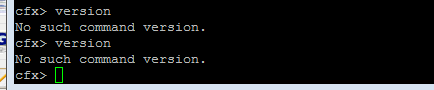
There’s a few errors coming up in the console which after a bit of GoogleFu, it’s been suggested to make sure the FiveM server is up to date. The only thing is I’ve not been able to find any ssh/linux commands to do this.
Does anyone have a handy doc or know what commands I can use to ensure my fxserver is updated and check what version it is?
Hello, this is a friendly reminder because this is your first time creating a topic (or it has been a while since your last topic) in this category.
Please note that most of the support is provided by the FiveM community on a voluntary basis. We ask you to be patient; there is no guarantee we have a solution to your problem(s). To avoid unnecessary/duplicate topics, please browse the forums before creating a topic.
To improve your chances of your issue(s) being solved, please provide as much information as possible about the issue(s) you are having. Also —whenever possible— please use the template given to you when creating a topic.