
--------->
 GET IT ON TEBEX!
DESCRIPTION
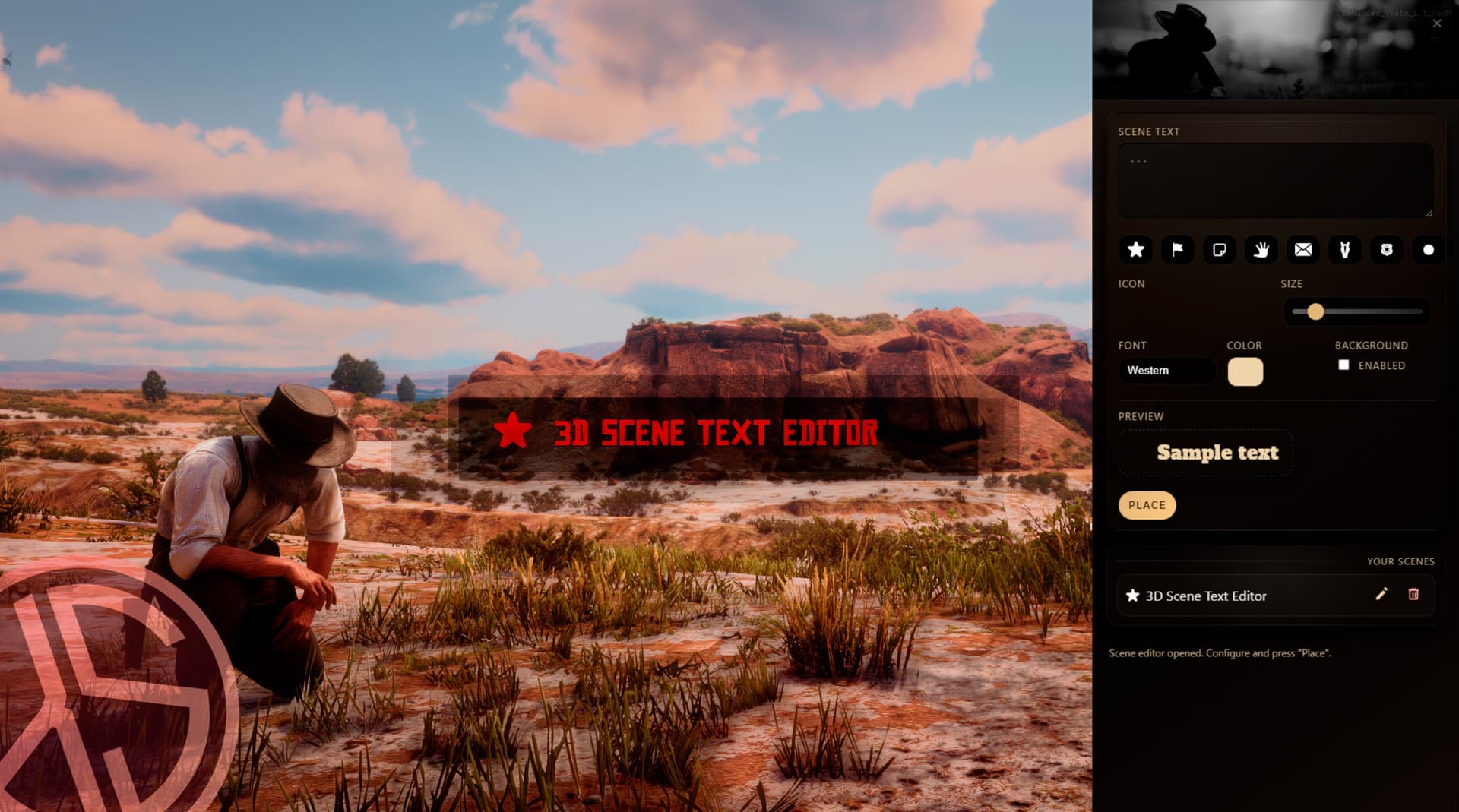
3D Scene Text Editor is a RedM script that lets you place persistent 3D text “scenes” in the world with western-style icons, perfect for roleplay: tavern signs, sheriff notices, warnings, shop labels, stage descriptions, and more. Everything is managed through a right-side NUI panel.
FEATURES
-
Persistent 3D world text: Each scene is stored in a database and automatically synced to all players when they connect.
-
SVG icons: Option to add an icon in front of the text
-
In-game editor panel: A configurable command opens a side panel where players can:
-
Edit scene text (max length configurable).
-
Select an icon from a visual palette.
-
Adjust font size with a slider.
-
Choose a font (including a western display font).
-
Pick text color.
-
Enable an optional background behind the text.
-
-
Optimized rendering and distance fade
-
Only nearby scenes are recalculated at configurable intervals.
-
Configurable draw distance and fade distance.
-
NUI icon overlay has throttling to avoid unnecessary performance cost.
-
-
“My Scenes” manager
-
Displays the list of scenes created by the player.
-
Edit button (change text, icon, size, background, etc.).
-
Reposition button to move the scene in the world.
-
Delete button to remove a scene.
-
-
Anti-spam and anti-troll protections
-
Per-player scene limit (configurable).
-
Minimum distance between new scenes.
-
Text length validation.
-
-
Permissions and administration
-
Players can delete their own scenes if Config.AllowEveryoneToDeleteOwn is enabled.
-
Configurable ACE permission
-
-
Multi-language ready: Locale system with es and en included.
-
Compatible Frameworks: VORP & RSG
VIDEO DEMOSTRATION
Have you seen my others maps & scripts?
- Venetian Masks Collection
- Printing Job & Editor IG
- Valentine Sheriff Central Office
- State Cablecar Lines
- La Fosa del Sur - Mexico Prison
- MLO The Citadel
- Mega props collection
- Coyote Desert - Town of the abandoned
- Chinese Props Collection
- La Llorona - Old Mexican Cantina
- Rhodes Library
- Food Collection I
- Food Collection II
| Code is accessible | Partial |
| Subscription-based | No |
| Lines (approximately) | -700 |
| Requirements | VORP - RSG |
| Support | Yes |