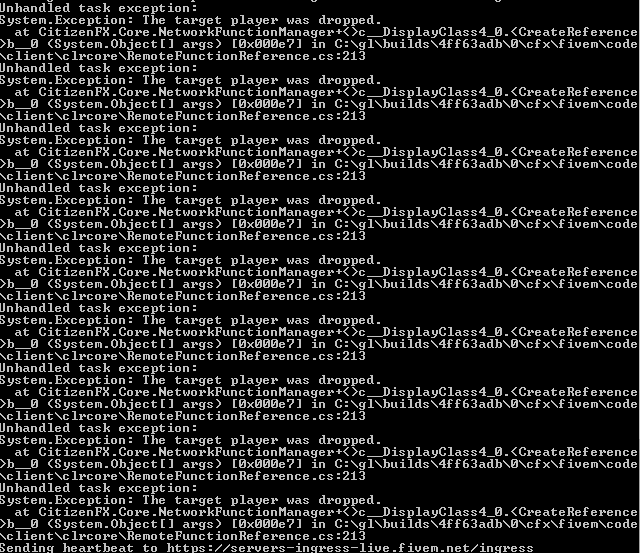
Unhandled task exception:
System.Exception: The target player was dropped.
at CitizenFX.Core.NetworkFunctionManager+<>c__DisplayClass4_0.<CreateReference
b__0 (System.Object args) [0x000e7] in C:\gl\builds\4ff63adb\0\cfx\fivem\code
\client\clrcore\RemoteFunctionReference.cs:213
extended v1.1.0
vMenu v3.3.1
how to fix?
First off, I apologize if this was asked before I have tired to search before asking. I am trying to use a Voice Proximity Script to quick change proximity between 3 distances. But it appears vMenu is taking over priority of voice proximity. Though the script I have is set to whisper which is 2 meters, it is still defaulting to what ever vMenu is set at for instance 20 meters. Unchecking enable voice chat in vMenu disables voice entirely. I have also tried setting vMenu to global and then the other script to whisper but still it defaults to global. I am trying to use the other script mostly because all others in the server have issues learning to navigate menus often, and forget to change things. As well as new players needing to be instructed to change their settings as well.
How to remove the NeverWanted option for everyone as default… its seems like it “enable” for all player when vmenu installed even after I disable the option. I still need to untick it.
I updated the version of vMenu and now the Left Arrow Key closes the menu instead of progressing into the next tab of the menu. Is there a way to reverse this, and can anyone tell me how?
So, I’m confused I’ve had it working before on a old server. Now When I go into Configs and permissions.cfg to change the Menu open ID Key to 288(F1) Save the Config and Restart the Server the Key Still remains (M) I don’t know if there’s an issue with it or maybe I just set it up wrong this time? I’ve tried it via both the manual install and Zap install and both ignore the fact that I changed the Control ID to 288 for F1
Does anyone has a LIGHT version of this, without all the clutter, and weapons and vehicles options. This menu is wayyyy too heavy for what it does, it uses 50% of the ressources that 67 scripts uses. when we activate the vMenu, the resmon cranks up to double the usage, because of the vMenu.
As of late vMenu has been taking up 35-40% and sometimes even 8.10ms resources in the monitor… I have most stuff turned off but its still doing this, any one have a solution?
There isn’t really a solution. vMenu is constantly running in the background and for example is always checking for key presses. (I’m 100% sure there are way more CPU intensive threads running also.) For the amount of features vMenu offers, it’s perfect for a development tool, but in my opinion there are much more “resource-friendly” options. I’ve used vMenu for years on many servers and I guess having an “all-in-one” solution that’s easy for those who are less experienced is really what the target audience of vMenu is.
TL;DR: There isn’t a solution. Either custom-make functions to carry out the tasks you would use vMenu for, or simply deal with it. I know that’s not the answer you want to hear, but it’s the honest truth.