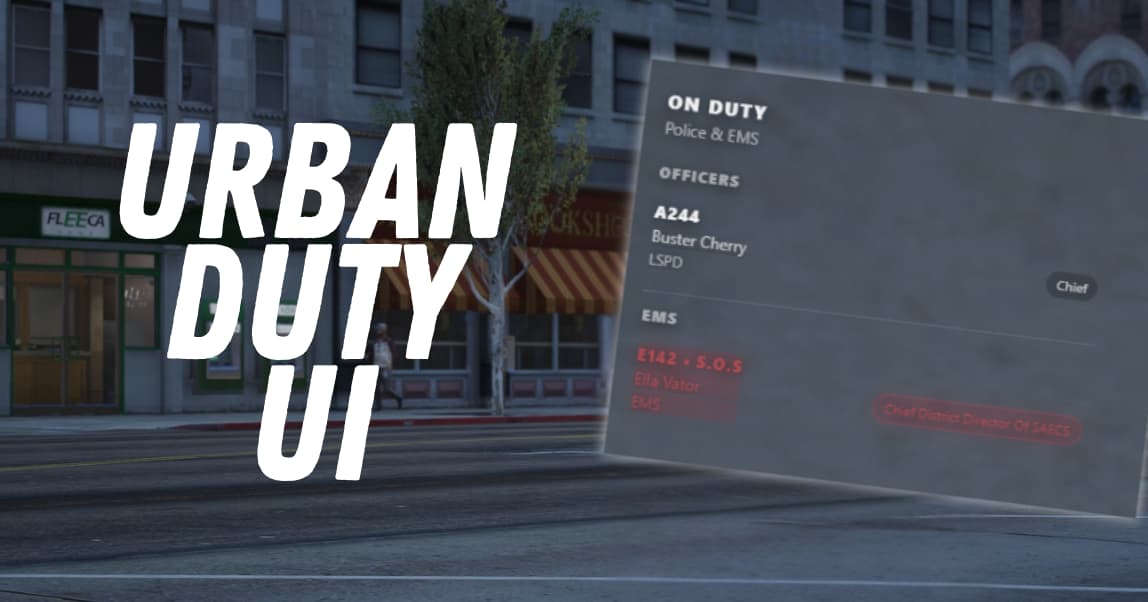
 Urban Duty UI – Advanced Police & EMS Status Panel (QBCore)
A lightweight, fully transparent on-duty UI designed for Police & EMS command awareness, featuring real-time duty tracking, ranks, callsigns, and automatic S.O.S alerts.
Built for QBCore servers with modern ambulance frameworks in mind.
 Core Features
 Live On-Duty List
- Displays all Police & EMS currently on duty
- Automatically updates when players:
- Go on/off duty
- Change job
- Disconnect / reconnect
Clean Transparent UI
- No background panels or blur
- Floating HUD-style overlay
- Perfect for:
- Streamers
- Minimal HUD servers
- MDT-style command displays
- Toggle position:
/onduty left/onduty right
Ranks & Callsigns
- Displays:
- Callsign
- Character name
- Department
- Rank badge
- Players can set callsigns with:
/setcommand [CALLSIGN]/setcallsign [CALLSIGN]
S.O.S / Officer Down System
 Automatic S.O.S Detection
- Instantly flags Police or EMS as S.O.S when:
- Dead
- In last stand / bleeding state
- Fully automatic — no commands required
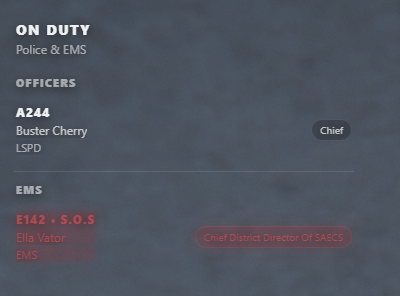
 Visual Alerts
- Row turns red
- Flashing red animation
- Displays
• S.O.Snext to callsign - Sorted to top of list for rapid awareness
 Instant Clear on Revive
- S.O.S clears automatically when revived
- Includes desync protection to prevent “stuck red” bugs
 Ambulance Script Support
 QBCore Ambulance
- qb-ambulancejob
p_ambulance (FULLY SUPPORTED)
- Uses state bags:
isDeaddeaddeathType
- Supports:
deathbleedingrecoveringnone
Wasabi Ambulance
- Compatible with standard revive/death events
Custom Ambulance Scripts
- Fallback events included for easy integration
 Commands
Command
Description
/onduty
Toggle duty UI
/onduty left
Pin UI to left
/onduty right
Pin UI to right
/setcommand A-12
Set callsign
/down
Manual S.O.S toggle (optional)
/up
Clear S.O.S
(Admin commands optional & configurable)
 Performance & Compatibility
 Extremely lightweight
 Event-driven (no loops)
 QBCore only
 FiveM Lua 5.4 compatible
 Stream-safe & HUD-friendly
 Installation
- Drop resource into your
resourcesfolder - Add to
server.cfg:
ensure urban-dutyui
- Configure job names in
config.lua - Restart server
 Support & Updates
- Actively maintained
- Clean, readable code
- Easy to customise
- Support available via Discord
| Code is accessible | No |
| Subscription-based | No |
| Lines (approximately) | 1055 |
| Requirements | qbcore |
| Support | Yes |