Environment questions
GTA V version: Latest from Rockstar Games Launcher
Up to date: Yes
Legit or Pirate copy: Legit
Purchased where - Steam/Rockstar Launcher/Epic: Rockstar Launcher
Windows version: 11 - Latest
Did you try to delete content_index.xml and try again? Yes, I completely reinstalled FiveM
System specifications: 32GB RAM, RX 6600 XT, Ryzen 5 5500, 512GB SSD
CitizenFX crash zip file (‘Save information’ on a crash): No crash, just kick
logs/CitizenFX_log files: -
.dmp files/report IDs: -
Important parts
What is the issue you’re having?
Timing out
What are you trying to do?
Play consistently
What have you tried already to fix the issue?
Reinstalling FiveM, reenabing network adapters
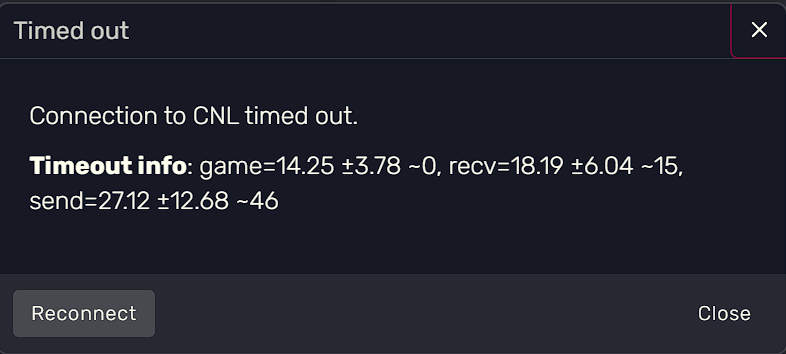
Error screenshot (if any):
What did you do to get this issue?
Update FiveM and Server Artifact.
What server did you get this issue on? Be specific and name some, ‘all of them’ by itself isn’t useful! My own server, but only I am getting the issue, others can play fine. FIVESTAR RP / Cfx.re
Additional comments
After latest update, I am getting kicked after like 5 minutes for ‘Connection to CNL timed out. Timeout info: game=19.94 ±7.43 ~0, recv=23.94 ±7.45 ~18, send=21.38 ±5.58 ~18’ even when I can hear players perfectly before the kick and my internet is extremely stable, only FiveM is affected.
I tried reinstalling FiveM but it didn’t help.