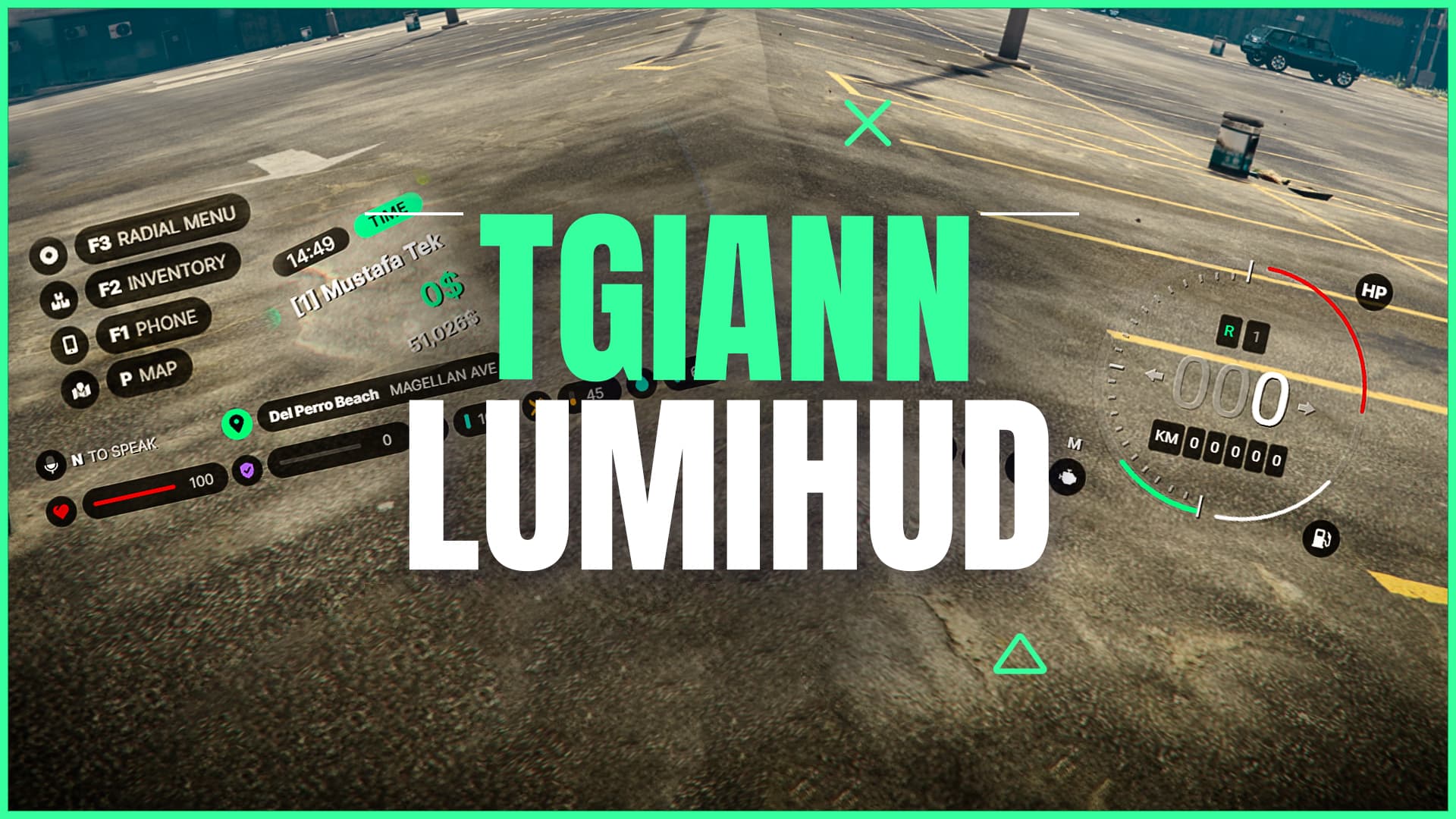
TGIANN Lumi Hud (Full Customizable)

:arrow_forward: Showcase Video(Old Version) :arrow_forward:
:video_game: Test Server :video_game:
:sos: Discord(Support) :sos:

Transform your GTA5 FiveM experience with our Advanced HUD script, designed to provide an immersive and dynamic interface.
Packed with a wide range of indicators and customization options, our HUD script ensures you have all the vital information at your fingertips, both on foot and in vehicles.

TGIANN | Lumi Hud (tebex.io) 40€

Main Features – HUD System

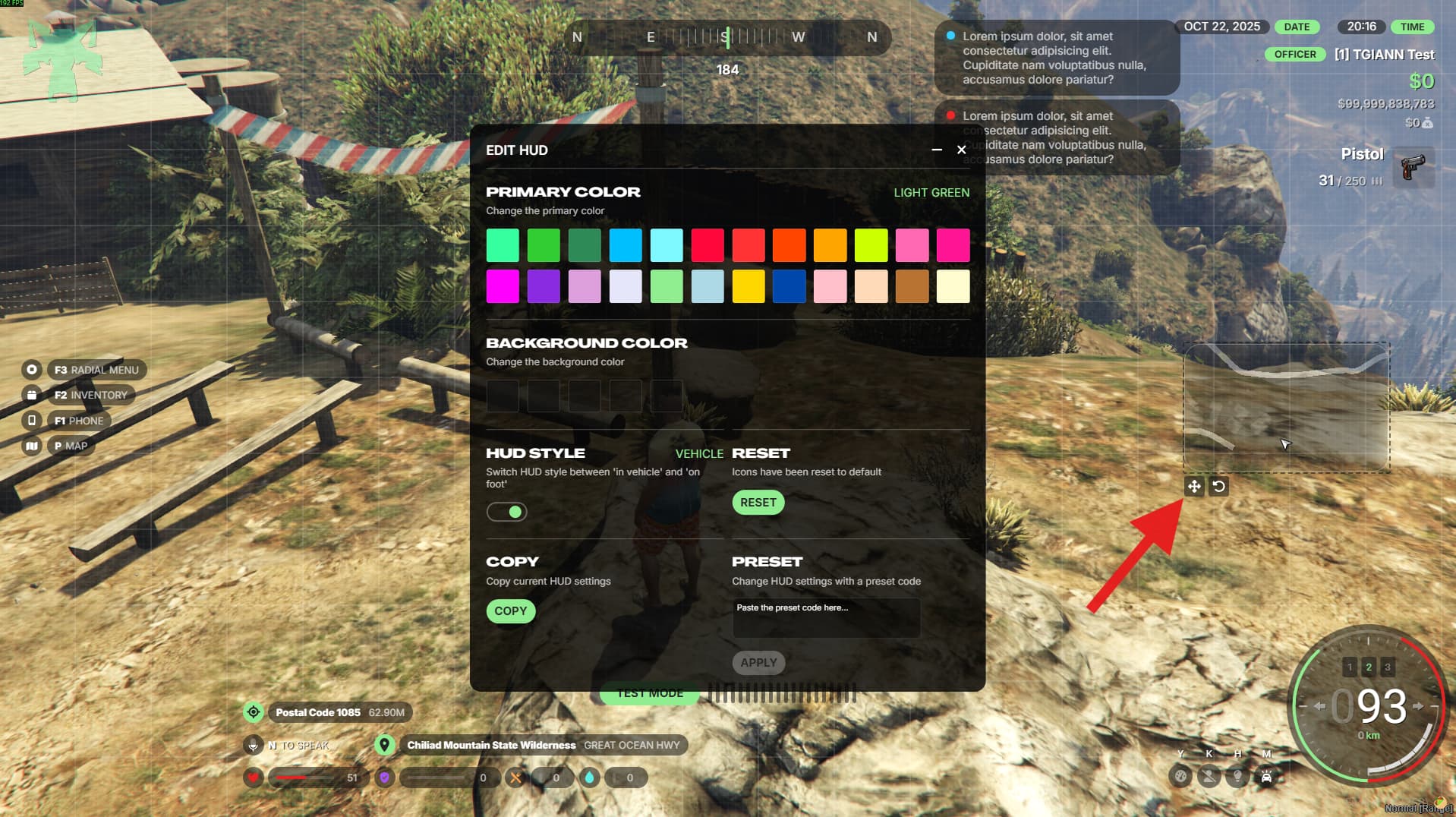
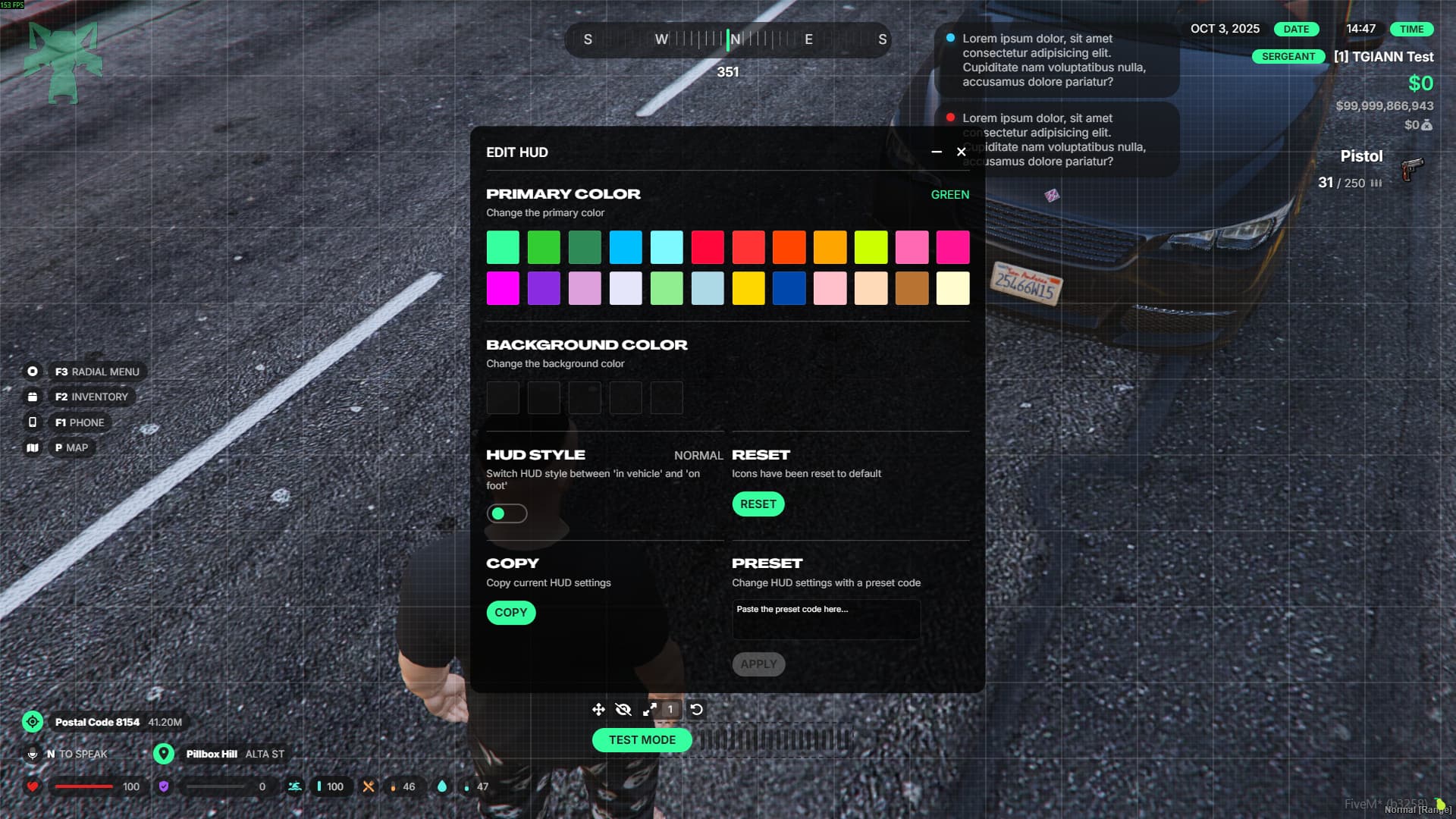
  • Full Customization via /hud Menu:
    Personalize every aspect of your HUD directly in-game through the intuitive /hud command.
  • Vehicle-Type Specific Displays:
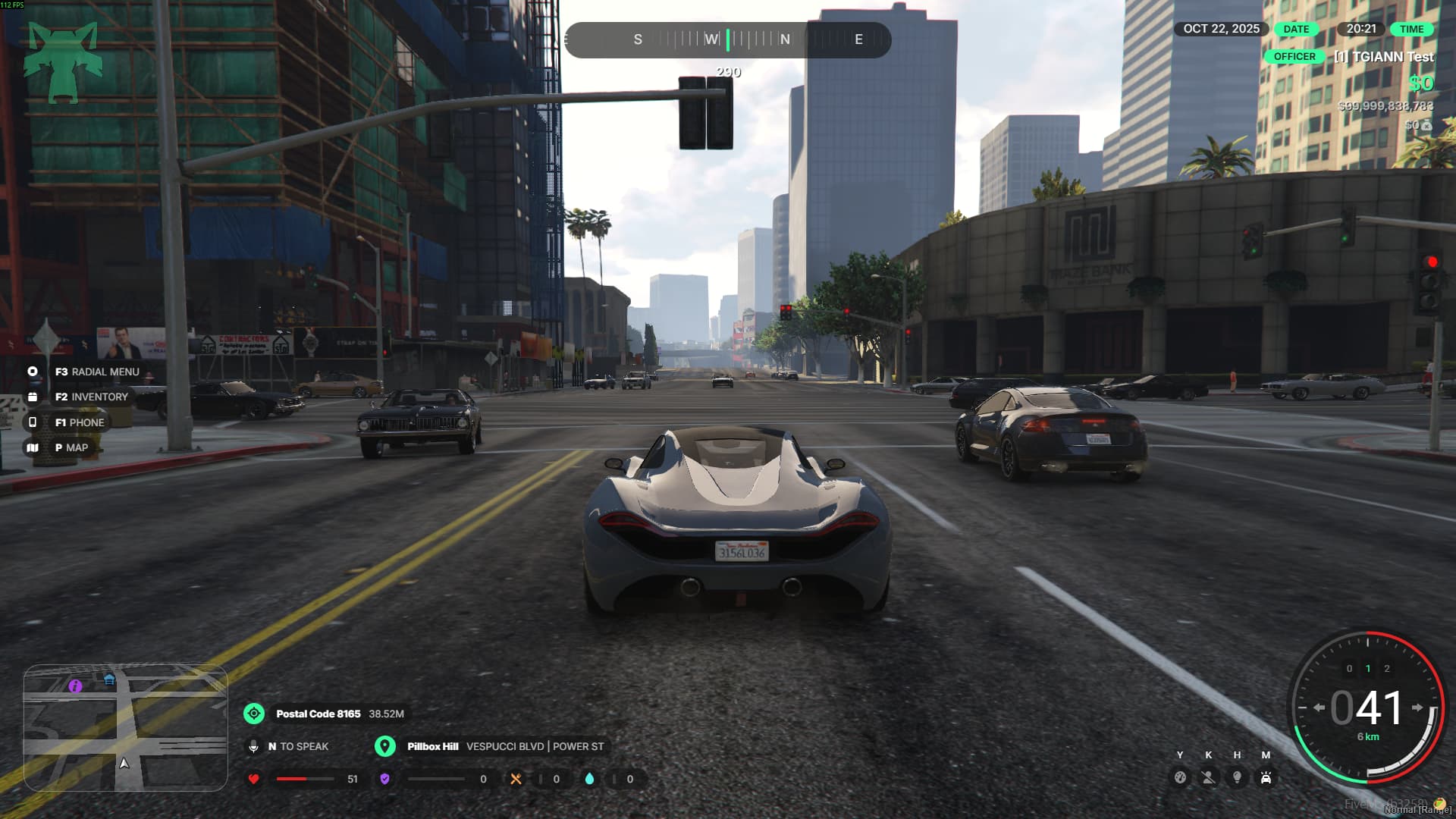
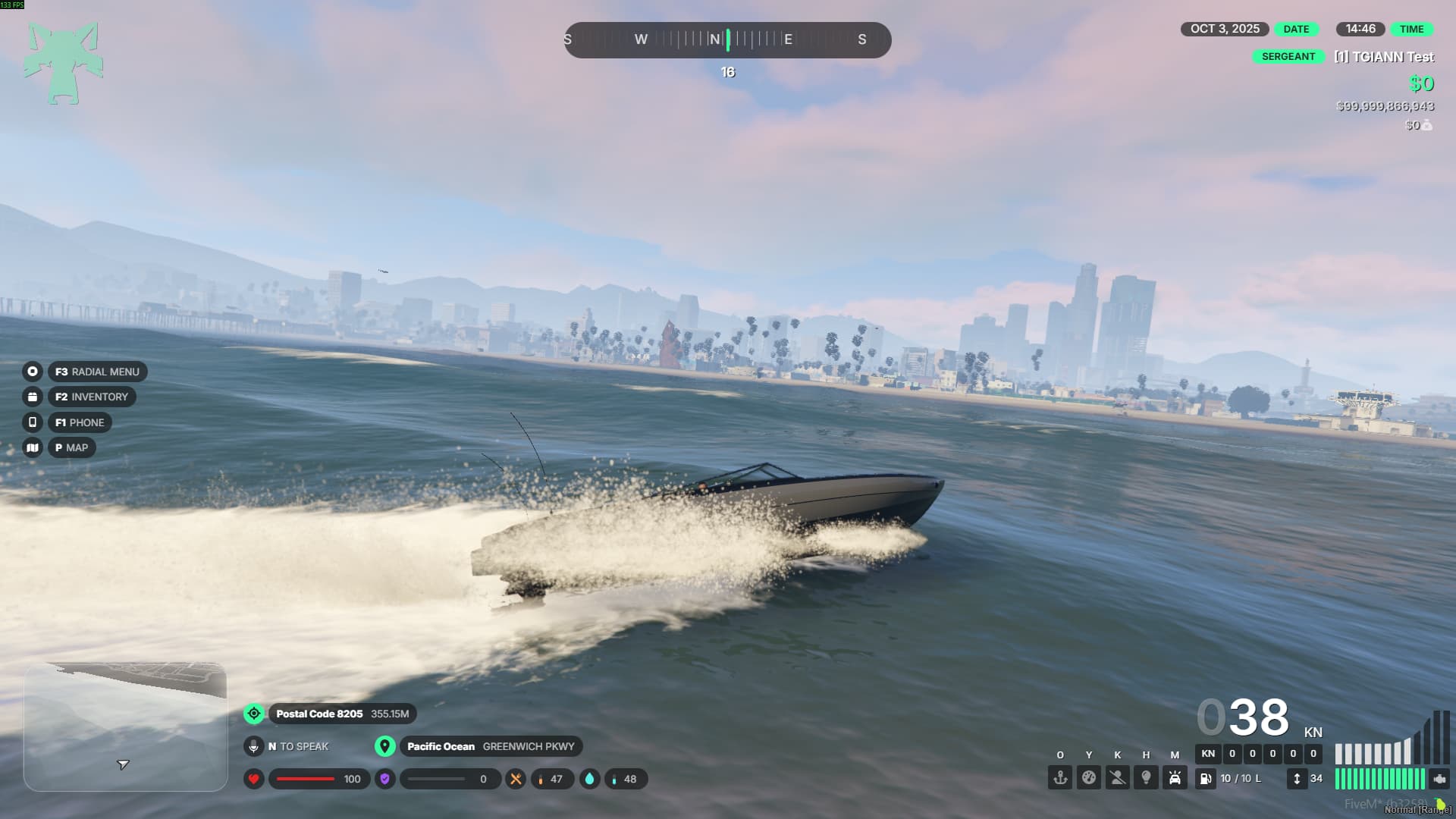
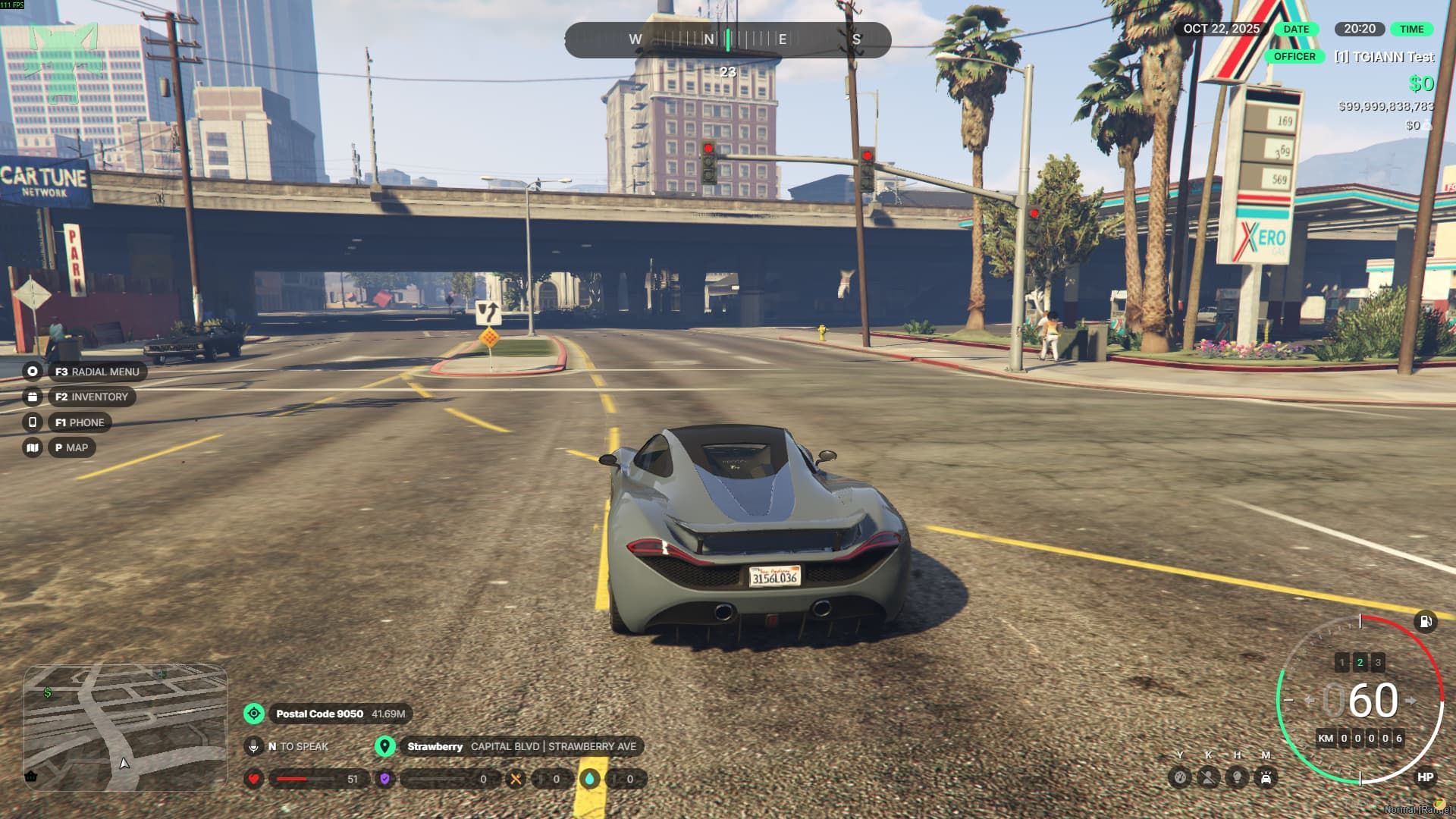
    Different HUD layouts automatically adjust based on the type of vehicle you’re driving.
  • Advanced Crash & Seatbelt System:
    Experience realistic crash effects and a detailed seatbelt mechanic that enhances immersion.
  • Progress Bar & Notification Indicators:
    Integrated progress bars and notifications for a smoother, more informative gameplay experience.
  • Multiple HUD Styles in One Script:
    Switch between various HUD designs instantly—no need for separate scripts.
  • Shareable HUD Configurations:
    Copy your customized HUD setup and share it with other players for quick and consistent styling.

HUD Customization

  • Access the full HUD settings and customization menu using the /hud command.
  • From the settings tab, you can toggle cinematic mode and language preferences.
    • When a player changes their language, all TGIANN scripts automatically switch to the selected language.
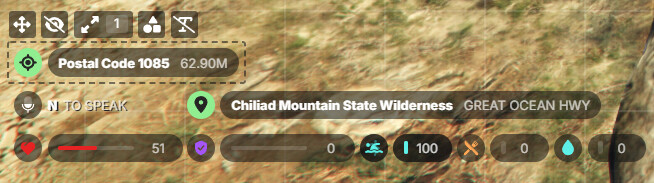
  • In the customization menu, adjust the position, size, visibility, and type of every on-screen component.
  • Even the minimap can be repositioned anywhere you like for a personalized layout.
  • Server administrators can disable certain customization options (such as moving or hiding icons) directly from the config file.

Vehicle-Specific Huds

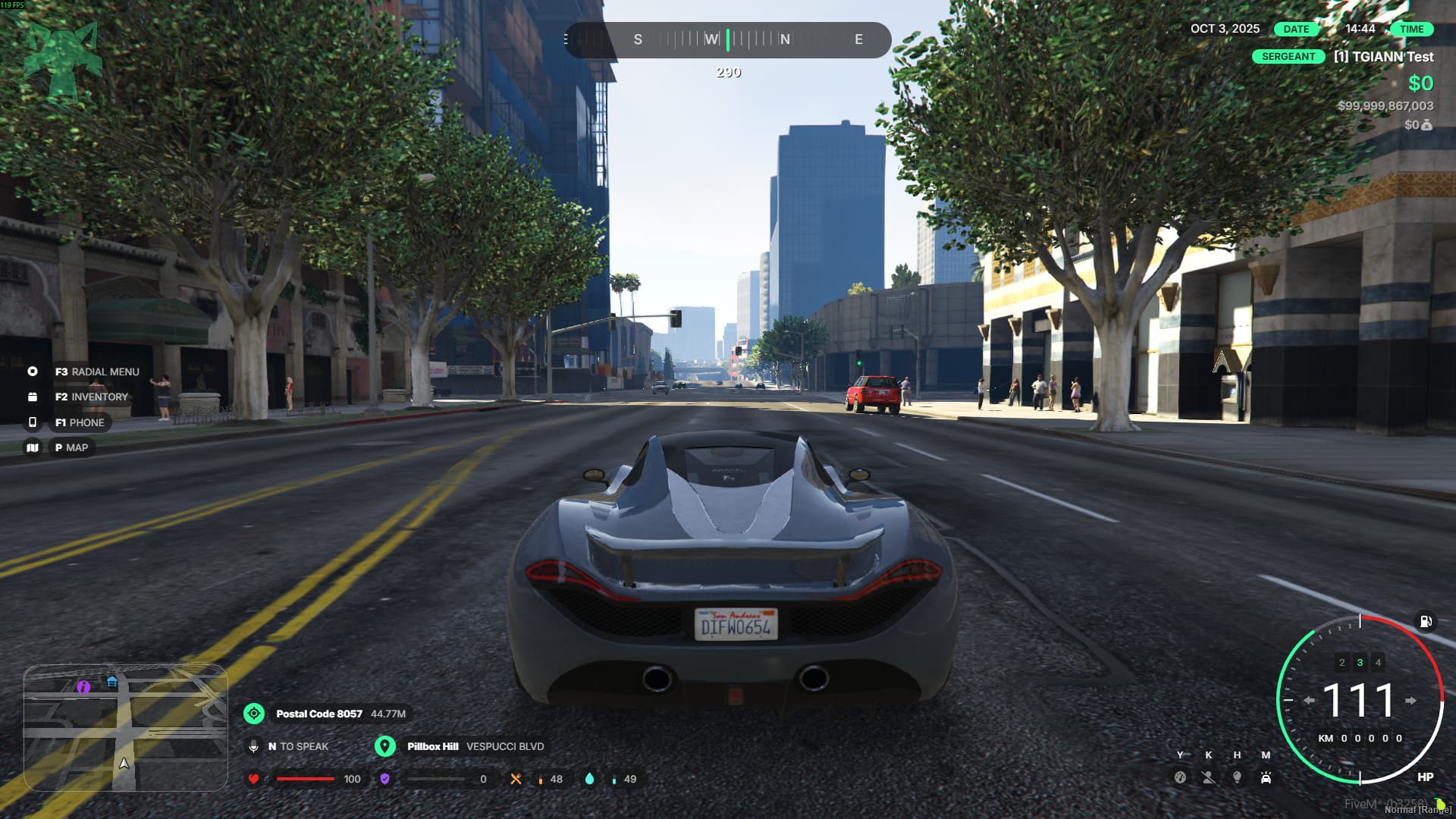
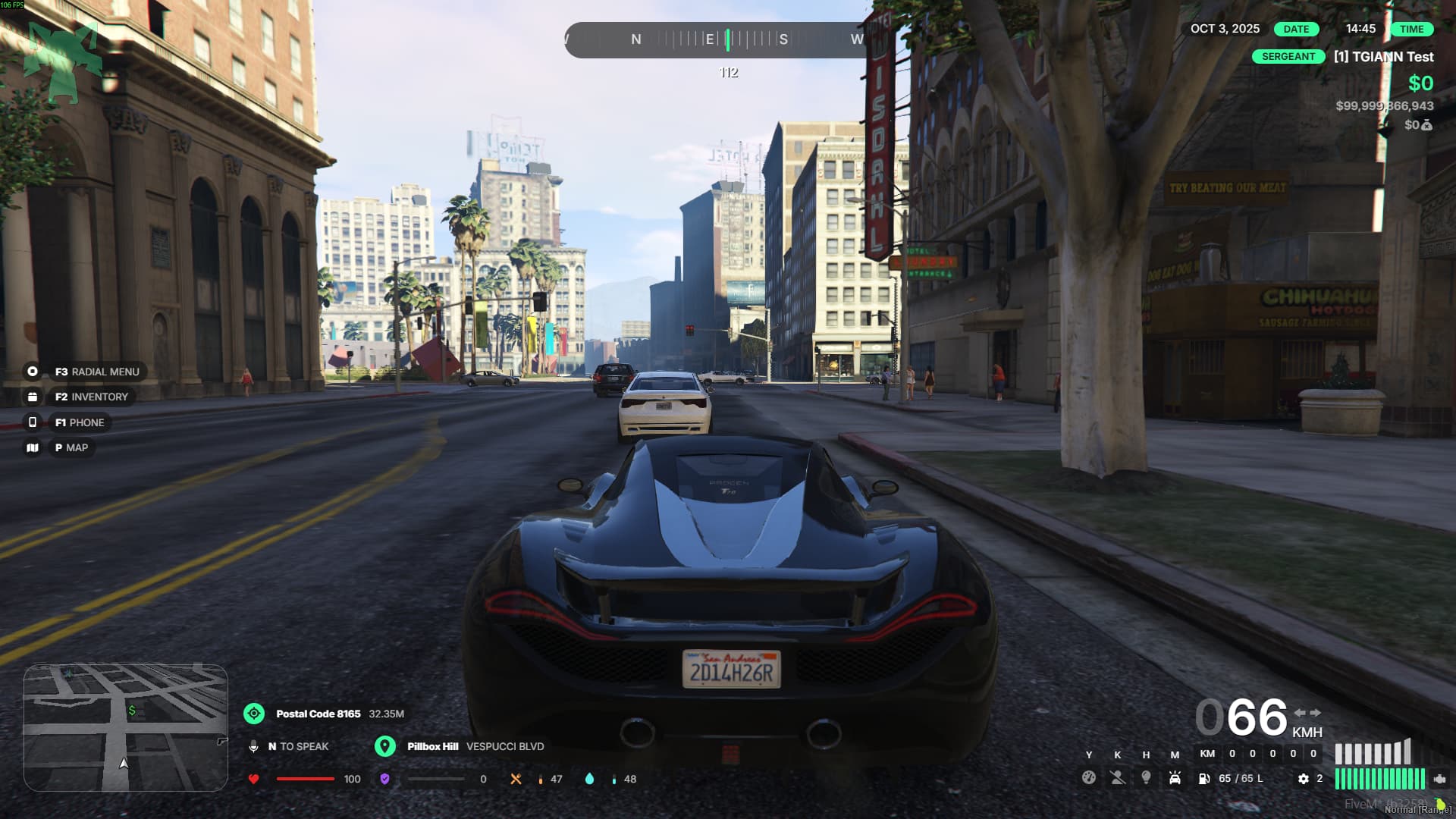
  • There are three unique dashboard styles available for cars, and players can choose their preferred one from the customization menu.
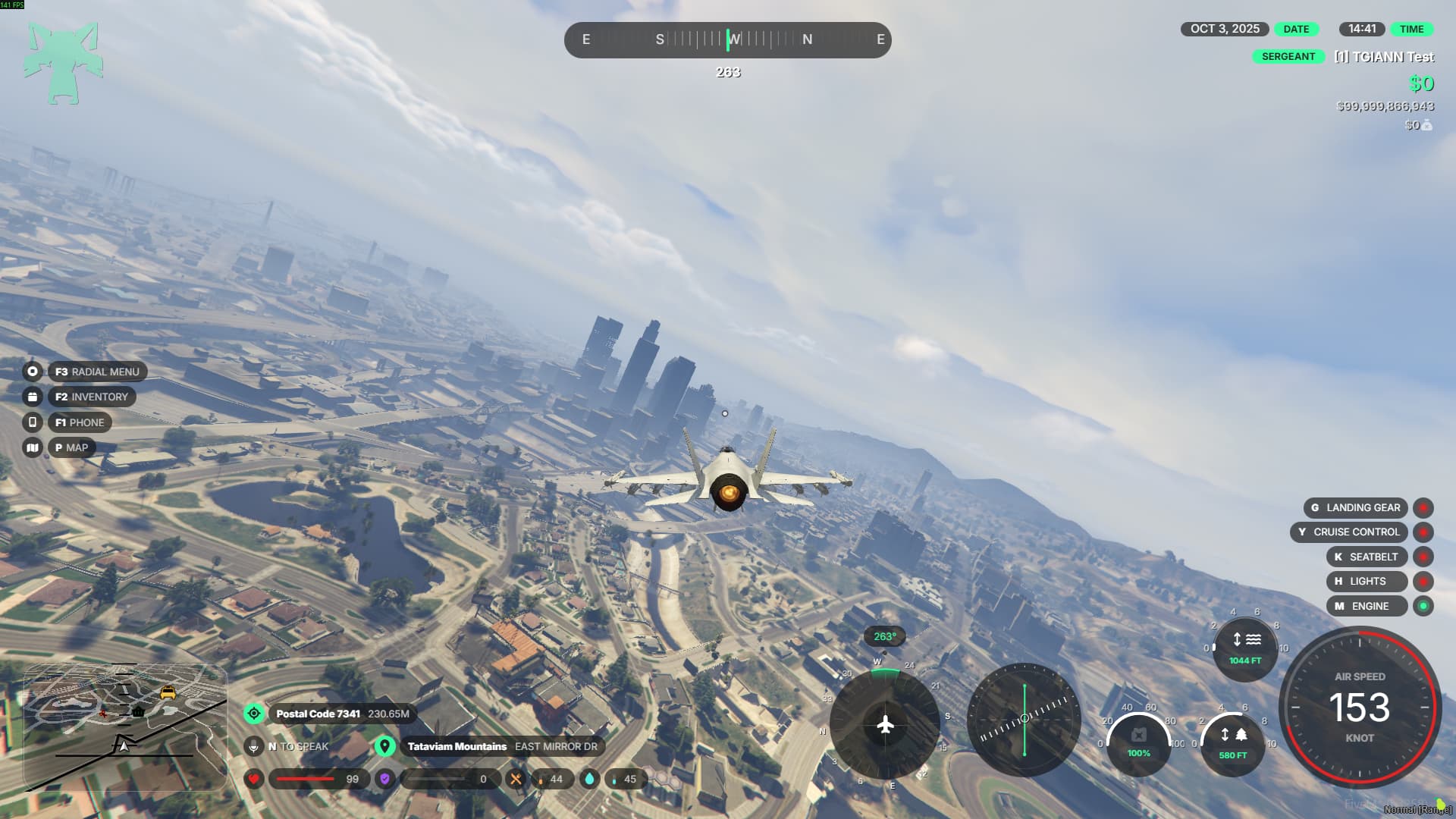
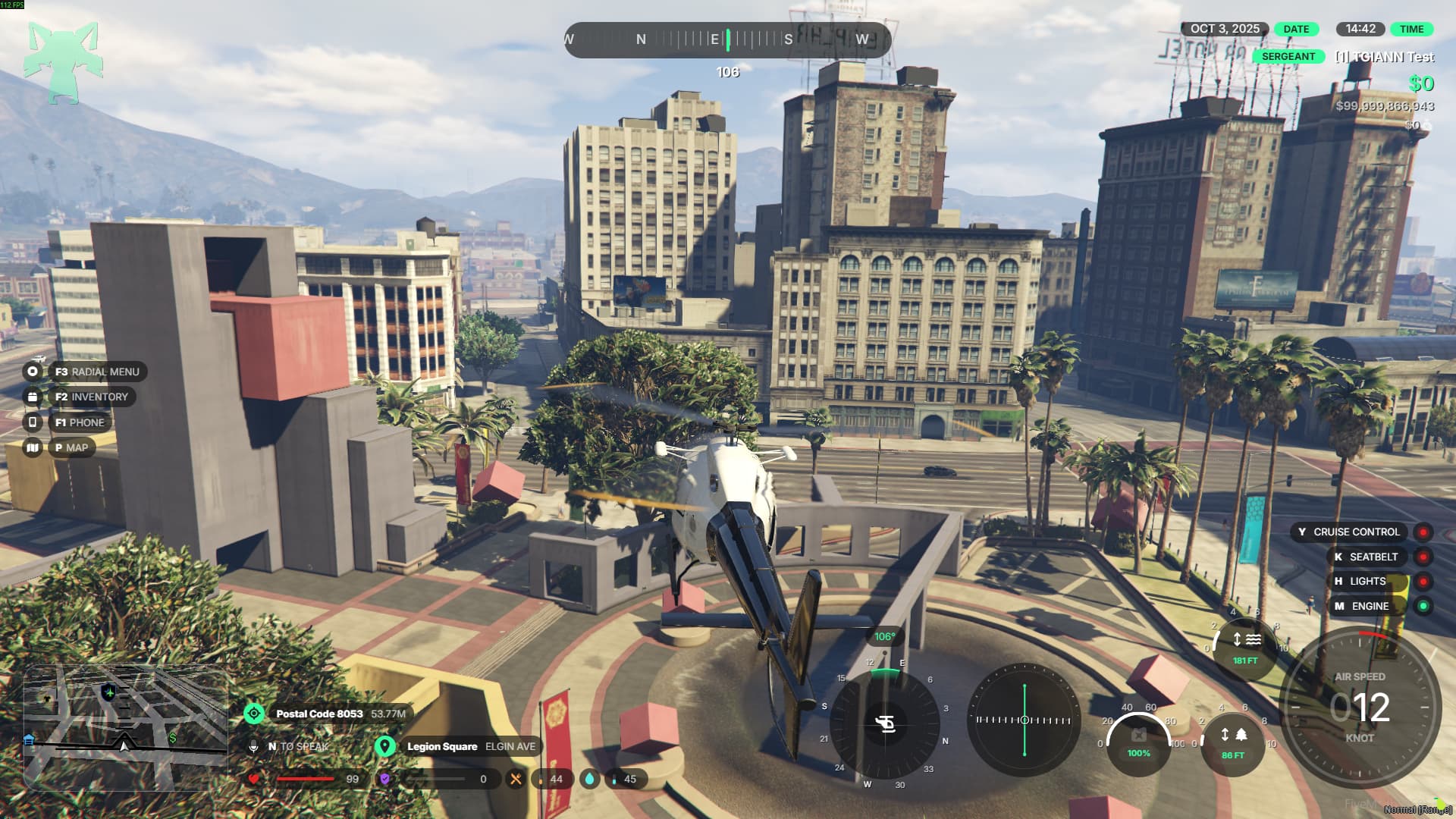
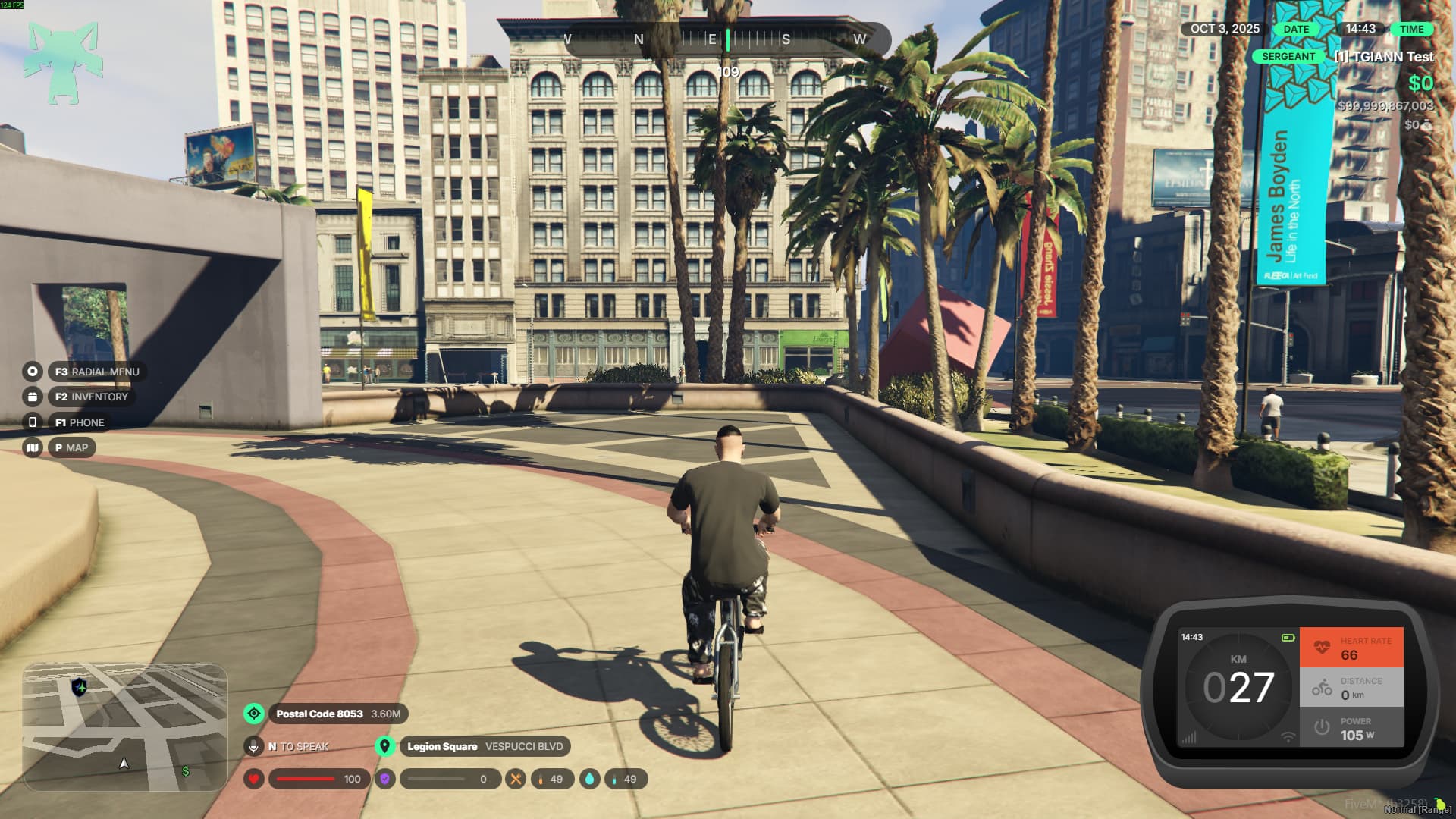
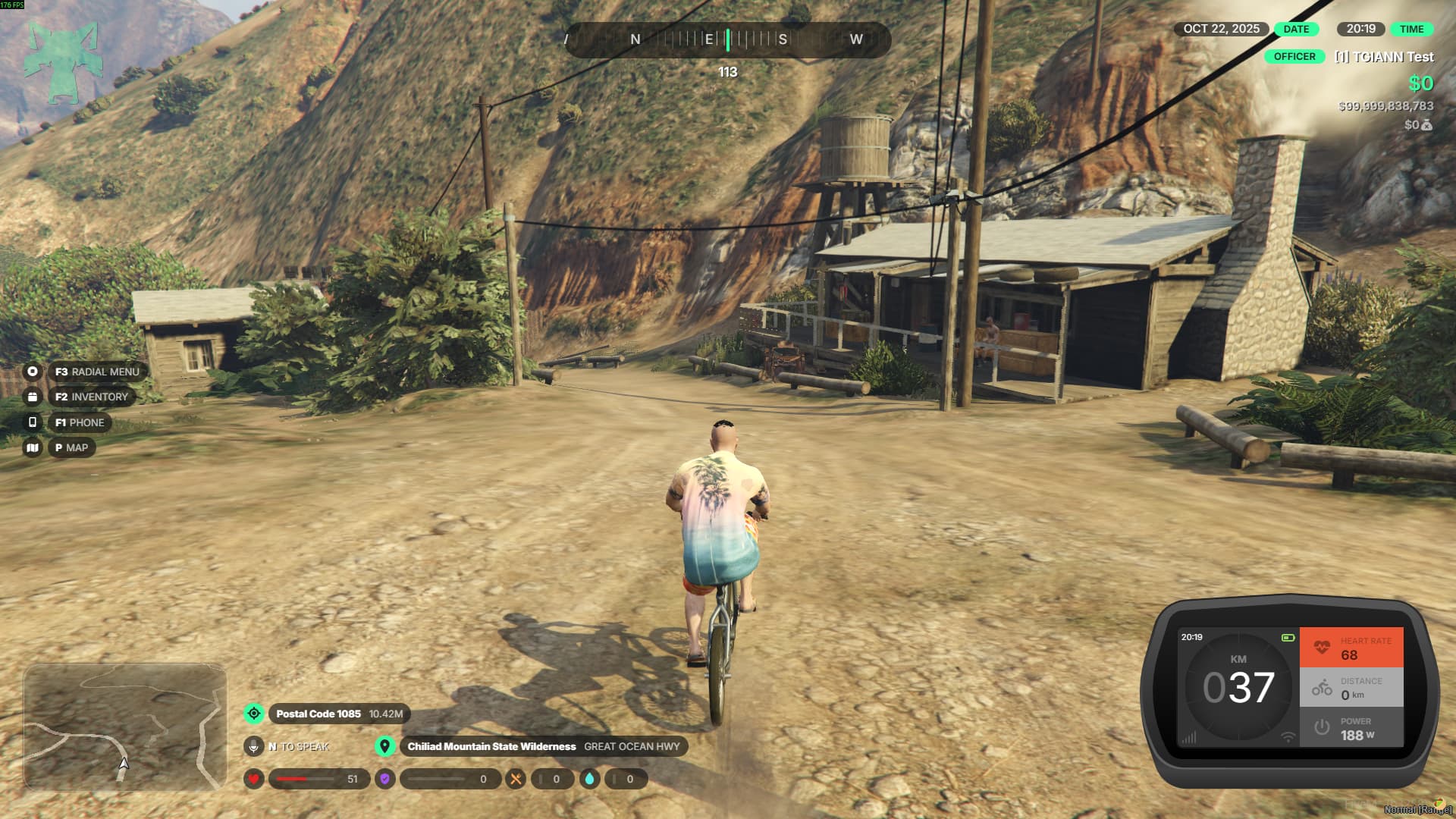
  • Bikes, helicopters, planes, and tanks each have their own specialized indicators, designed to match their vehicle type for a more immersive experience.
Crash & Seatbelt System

  • When you crash, the impact intensity determines the outcome—your engine may stall, or you might even be thrown out of the windshield.
  • The system includes two types of seatbelts:
    1. Standard Seatbelt: Protects you in most crashes, but at very high speeds, you can still be ejected from the vehicle.
    2. Racing Seatbelt: A stronger version that prevents ejection and offers full protection in any crash scenario.
  • Depending on the crash’s severity and luck factor, your vehicle may also sustain mechanical damage or become temporarily disabled.

Multiple HUD Styles

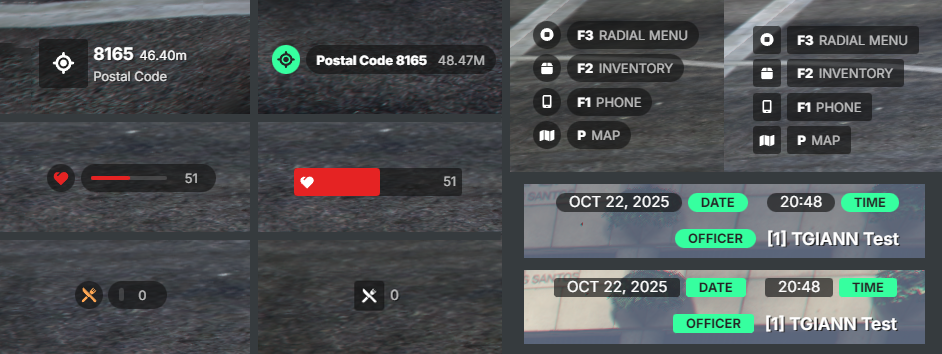
  • Just like vehicle dashboards, other HUD components also come with multiple visual styles to choose from.
  • Players can freely switch between these designs and pick the one that best fits their preference.
  • You can see a few style examples in the images below.
Sharing HUD Customizations

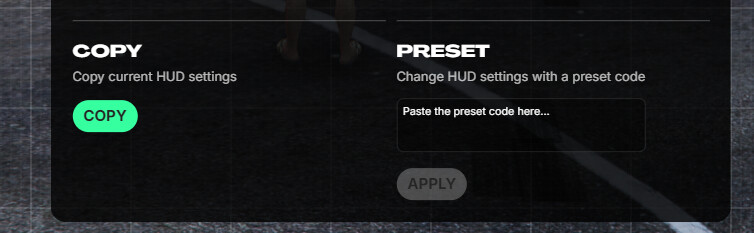
  • From the /hud menu, you can share your personalized HUD setup with other players or import someone else’s layout with a single click.
  • This makes it easy to keep consistent styles across your team or quickly apply a design you like.
Requirements

  • ESX, QB or QBOX

Config File

TGIANN | Lumi Hud (tebex.io) 40€

Code is accessible No ( Editable Files )
Subscription-based No
Lines (approximately) 2500+
Requirements Check Requirements
Support Yes
7 Likes

Limited 10€ Discount code: HAPPYRELEASE
Have fun <3

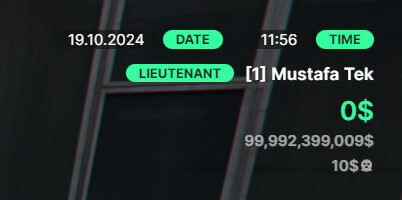
Date and Time green boxes should get removed so it only have Date grey box and Time grey box back.

u can close with /hud menu
:video_game: Test Server :video_game:

1 Like

This looks really good, I’ve purchased probably 4 hud menu’s and none of them worked as advertised, I’ll be happy to buy this one and give it a shot.

If I experience issues, where should I go for support? @TGIANN

you can open a ticket on our discord server
check our store for link

2 Likes

If you don’t already have a working version of esx_status you will need to do some debugging to get it to work. That aside because that’s not really an issue specific to this hud; This hud looks really good and the config options are great.

I recommend this hud over other’s I’ve used. His weapons on back script is really great too.

in the config, you can set a value to allow the player to remove them at their discretion. You can do that for all elements and it works without issue.

Can you add strees?

1 Like

Events / Exports | TGIANN
you can add the indicator you want with this export

1 Like

Update

  • The minimap now displays correctly on widescreens.
  • Fixed the issue with the compass appearing at different sizes on each resolution, and fixed a visual bug
  • Several bugs in the money update event for QB have been fixed.
1 Like

Update

  • Added Stress indicator for QB
1 Like

Update

  • Fixed stress indicator not updating in QB and QBOX
1 Like

Update

  • Added the config.showBlackMoney setting
    • With this setting, you can display the player’s black money value on the HUD.

image

1 Like

Update

  • Fixed an issue where the vehicle HUD would not work after getting on a bicycle.
1 Like

Update (1.2.0)

  • When you change the color using the /hud menu in lumihud, the main colors of the following scripts are updated: tgiann-core, tgiann-clothing, and tgiann-inventory. Future scripts will also be included.

1 Like

Update (1.4.0)

  • Minimap positioning is now fully configurable from /hud menu, allowing you to place it anywhere on the screen.
  • Added the setMapZoomData function to the editable functions. (ideal for fine-tuning zoom levels when using a custom map image)

1 Like

Update (1.5.0)

  • Added a new indicator type to the HUD for more customization. (Video)
  • Fixed several minor bugs.
  • You no longer need to include SVGs for icons defined in the config; you can now use FontAwesome icons directly.
2 Likes

Update (1.6.0)

  • Fixed an issue where the ‘km’ label in the bottom-right wouldn’t change when mph mode was enabled.
  • Currency and date locale settings can now be configured via tgiann-core.
  • Optimized the script.
  • Added Q-key vehicle headlight flasher functionality.

1 Like

Update (1.8.0)

  • HUD settings are now saved in the database instead of the cache.
  • You can now copy and share your customized HUD layout code with others.
  • Added two new HUD indicators for cars and redesigned the main HUD display.
  • Introduced a special HUD for planes and helicopters.
  • Added a new HUD for boats.
  • Added a new HUD for bicycles.
  • While editing the HUD, the central settings panel can now be minimized for easier adjustments.
  • You can now drop and lift the anchor on boats using the “O” key.

Changed files

modified:   fxmanifest.lua (Version value has changed)
modified:   client/client.lua
modified:   client/editable.lua
modified:   configs/config.lua
modified:   configs/configHudSettings.lua
modified:   fxmanifest.lua
modified:   languages/en.lua
modified:   languages/tr.lua
modified:   server/editable.lua
+new        client/anchor.lua
+new        server/database.lua
1 Like