Showcase
Description
POS-Inventory – The Ultimate Inventory Script! 

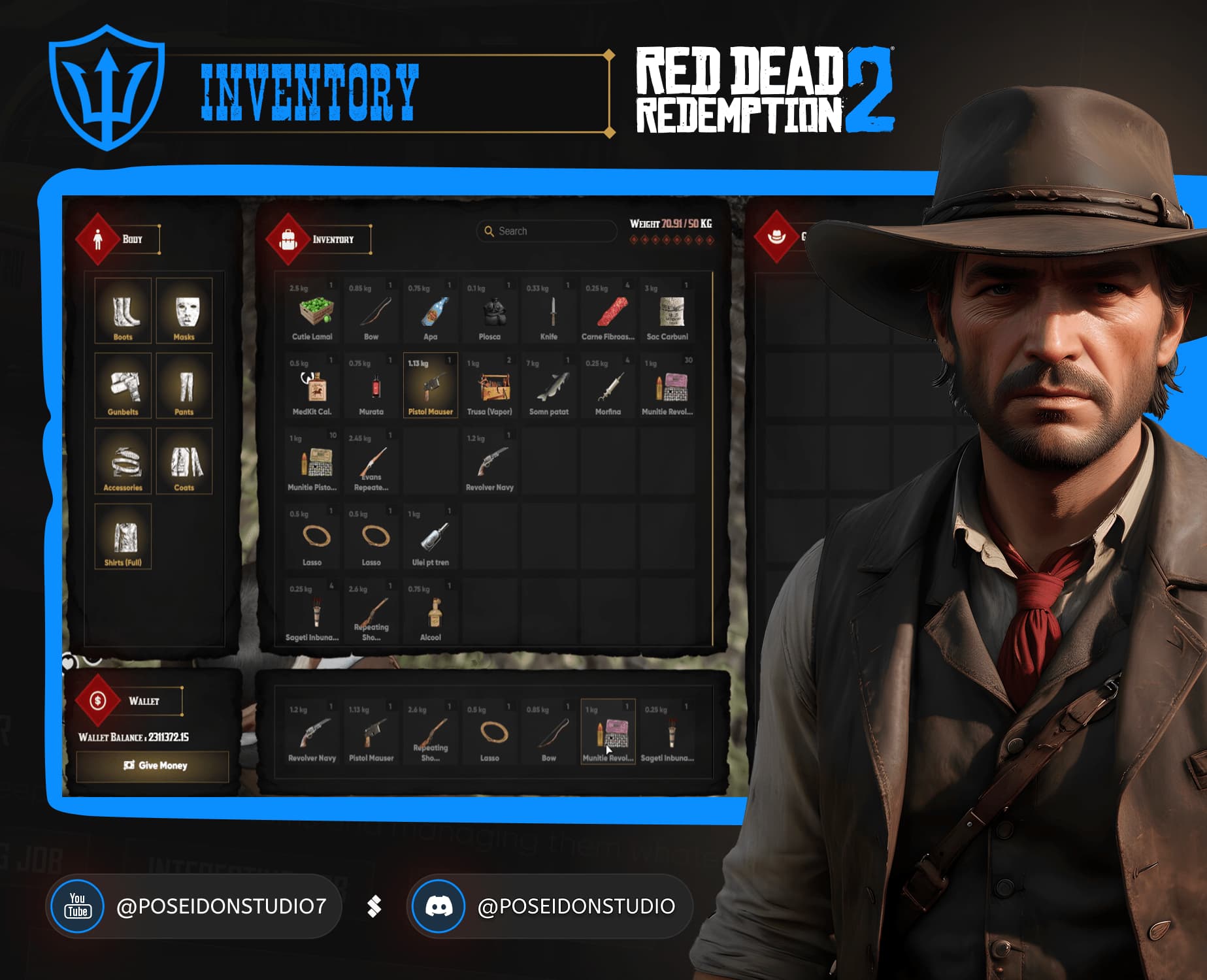
Experience the next generation of inventory management with POS-Inventory—a highly detailed, fully integrated system designed to elevate your RedM server’s gameplay. This script brings a sleek, modern UI along with advanced features that blend realism with functionality.
Stylish Modern UI: 
• Enjoy an elegant, user-friendly interface that complements your server’s aesthetics.
• Clean design with smooth animations, ensuring every interaction feels polished.
Hotbar & Slot-Based Organization: 
• A customizable hotbar featuring 7 slots for quick, easy access to your most-used items.
• Intuitive slot-based inventory ordering that keeps everything organized and efficient.
Advanced Inventory Management: 

• Drag & Drop Items: Easily rearrange your inventory by dragging and dropping items between slots.
• Customizable Slot Arrangement: Move items to any slot you desire for a fully personalized setup.
• Shift-Left-Click Functionality: Instantly send items to designated areas using a simple shift-left-click.
• Interactive Item Menu: Access a dedicated menu that allows you to move, give, or equip multiple items at once.
Weight-Based Inventory with Secondary Storage: 

• Realistic weight management—each item contributes to your total carry capacity.
• A secondary inventory panel for extra storage, so you never run out of space.
Dynamic Clothing Detection & Management: 

• Auto-detects what clothes the player is wearing in real-time.
• Toggle individual clothing items on or off using simple commands for full customization.
Proximity & Ground Item Integration: 

• Automatically detects nearby items on the ground and displays them in your secondary inventory.
• Seamlessly pick up and manage ground items without interrupting gameplay.
Player Inventory Interaction: 
• Advanced options to search or even steal items from other players’ inventories, enhancing roleplay dynamics.
• Secure, streamlined processes for inventory transactions between players.
Advanced Ammo Management: 

• When a weapon is unequipped or given away, any remaining ammo is automatically removed from the weapon and returned to the player, based on its specific ammo type.
Comprehensive Logging System: 
• Detailed logs capture every action—item drops, pickups, money transactions, custom inventory interactions, and more.
• Administrators can monitor every item movement and transaction for transparency and troubleshooting.
Seamless Integration & Customization: 

• Fully configurable settings allow administrators to fine-tune every aspect of the inventory system.
• Designed to integrate perfectly with other Poseidon Studios scripts for a unified, immersive experience.
POS-Inventory isn’t just about managing items—it’s about creating an immersive, realistic experience where every detail matters. Elevate your RedM server with a system that’s as powerful as it is intuitive.
Links
- Youtube: https://youtu.be/A8qGZBrUfZw
- Discord: POSEIDON STUDIO
- Shop: https:/store.poseidonstudio.com/
Requirements
- All our scripts can be turned into standalone modules using the POS-Core script.
- The core includes a
customframework.luafile that can be customized and adapted to any framework. - In the
fxmanifest.lua, ensure the framework is set to custom. - Note: Our scripts are plug and play by default for vorp_core.
Once you complete a purchase on our Tebex website, the POS-Core script will become available. Please allow a few minutes for it to appear.
Installation Guide
 Create a Folder
- Make a new folder named [POSEIDON] inside your resources directory.
 Move the Script
- Drag and drop the purchased script into the [POSEIDON] folder.
 Edit server.cfg
- Ensure the scripts start after your main framework and inventory.
- Add the following lines in this order:
ensure POS-Core
ensure POS-Inventory
 Load the Rest of the Scripts
- At the end of the file, ensure all other Poseidon scripts:
ensure REST OF OUR SCRIPTS
| Code is accessible | No |
| Subscription-based | No |
| Lines (approximately) | 5500+ |
| Requirements | POS-Core (See above) |
| Support | Yes (On our discord) |