can the length of the rope be set when roping???
Hello!
That was an issue on an earlier version of the script, are you on the most up-to-date one? And is your server artifacts up-to-date? It needs to be at least 5181.
Hello,
the rope length is hard-coded by Rockstar to roughly be 30 meters (max), so you sadly can’t change the length.
Server artifacts 6247 and I redownloaded it to the latest version before posting. Does it need to be OneSync Infinity, or should Legacy work as well?
I haven’t tested it on legacy, so that might be the issue. But I’m unsure whether or not that is the cause of it.
1 Like
Update: 1.0.4
Minor update including some fixes and cleanups.
Changelog:
- Fixed issue with Config.CanUseAnyHelicopter (was pushed 2 weeks ago, but not announced)
- Fixed an occasional issue with seat checks due to checking the wrong value
- Added missing semicolons in the script.js file
- Added custom helicopter model example
- Added events to be used by external scripts (
helicam:enteredCameraandhelicam:leftCamera) - Set Config.OnlyShowPlateIfLocked to false by default
- The heliCamInUse statebag will now be set to false when the resource restarts to prevent issues when developing/debugging the script
Minor Update: 1.0.5
Added the possibility of adding cameras to planes and not just helicopters.
Changelog:
- Added ability to add cameras to planes
- Added a camera Avenger plane/helicopter (classified as a plane in the game)
Hi with a server of 100+ people, we are having issues with performance when you add markers. The moment you start to add markers it starts to fail.
I had an issue similar to my police blips. I tried a lot of things and the thing that work as moving the while true code into an event.
Like this:
RegisterNetEvent("rush-dispatch:client:blipsCalculation")
AddEventHandler("rush-dispatch:client:blipsCalculation", function()
    for key, value in pairs(DutyBlips) do
        local isNetwork = NetworkIsPlayerActive(GetPlayerFromServerId(key))

        if not value.blip or (isNetwork and value.blipCord == 1) or (not isNetwork and value.blipCord == 0) then
            --Remove the blip
            if value.blip then
                RemoveBlip(value.blip)
            end

            --Create the Blip
            if isNetwork then
                local ped = GetPlayerPed(GetPlayerFromServerId(key))
                value.blip = AddBlipForEntity(ped)
                value.blipCord = 0
            else
                value.blip = AddBlipForCoord(value.playerLocation.x, value.playerLocation.y, value.playerLocation.z)
                value.blipCord = 1
            end
            ShowHeadingIndicatorOnBlip(value.blip, true)
            SetBlipRotation(value.blip, math.ceil(value.playerLocation.w))
            SetBlipScale(value.blip, 1.0)

        else
            --Update Cors if is a blip cord
            if value.blipCord == 1 then
                SetBlipCoords(value.blip, value.playerLocation.x, value.playerLocation.y, value.playerLocation.z)
                SetBlipRotation(value.blip, math.ceil(value.playerLocation.w))
            end
        end

        --Update Icon
        SetBlipSprite(value.blip, value.blipType)

        --Update Cors if is a blip is mine
        if key == PlayerData.source then
            local ped = GetPlayerPed(GetPlayerFromServerId(key))
            local playerVehicle = GetVehiclePedIsIn(ped, false)
            if playerVehicle then
                value.sirensOn = IsVehicleSirenOn(playerVehicle)
            end
        end

        --Update Sirens Color
        if Sirens and value.sirensOn then
            SetBlipColour(value.blip, 1)
        else
            SetBlipColour(value.blip, value.color)
        end

        --Update Label
        BeginTextCommandSetBlipName('STRING')
        AddTextComponentString(value.playerLabel)
        EndTextCommandSetBlipName(value.blip)
    end
    Sirens = not Sirens
end)


Citizen.CreateThread(function()
    while true do
        TriggerEvent("rush-dispatch:client:blipsCalculation")
        Citizen.Wait(750)
    end
end)
Once I did it that way the performance issues were fixed since putting it as an event when it triggers it doesn’t costume resources from the main thread, not affecting the FPS. All other solutions didn’t work even making another thread or even using another function of Five M It didn’t help.
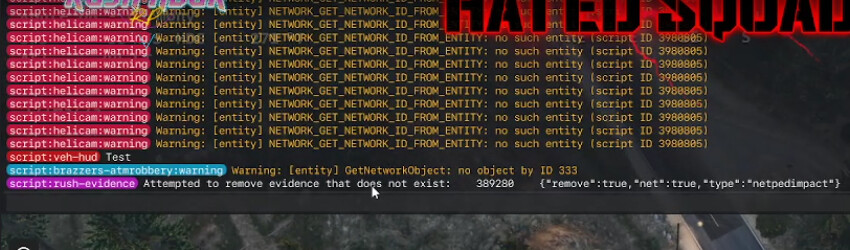
Hm… That is really odd that markers would do that.
What do you mean with:
The moment you start to add markers it starts to fail.
Like is the resmon spiking or are you getting network overloads? And who is getting these issues (And when for that matter)? Just the people who are in the helicopter or everyone on the server?
And for the last image, who gets those warnings and when do they get them?
It may also be wise to set Config.AllowMarkers to false on the liver server until the issue has been resolved.
What I mean is that it starts to skip frames because it needs to render the markers.
Makes the game unplayable, I will do a video for you.
almost at the end, you can see that he is kind of skipping frames when he says this is popping. What it actually feels is like skipping frames
Hmm… I see that doesn’t look very good, would it be possible for you to take an image of the resource monitor and see how much resmon the helicam resource uses when you have a bunch of markers?
1 Like
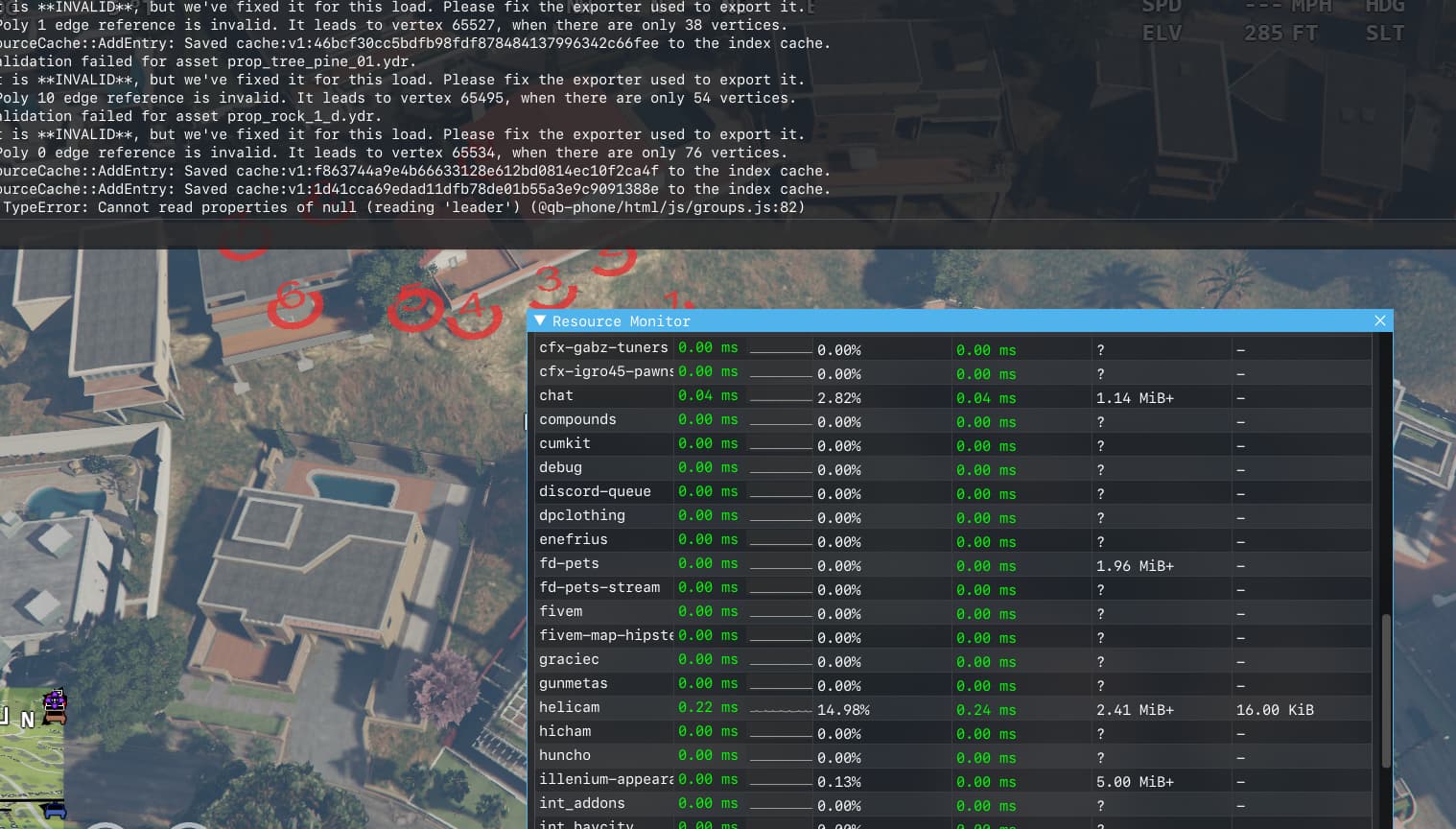
0.22ms is a little higher than what I usually experience but it isn’t crazy high. Maybe it could be that his computer just isn’t good enough to fly around at high speeds in a helicopter and use the helicam at the same time? Especially considering if you have a lot of MLO or outdoor YMAPS (trees etc.) it could simply be just too much for his computer and the markers are just what tips it over.
- Motherboard: MSI B450 Tomahawk MAX II
- GPU: Gigabyte RTX 3070 OC 8G
- CPU: Ryzen 5 3600X
- RAM: ADATA XPG SPECTRIX D50 16 GB DDR4 3600 x2 (32GBs)
- PSU: Seasonic Focus GC-750 750W 80+ Gold
I do not think it is the computer.
plus this doesn’t happen only to me but to multiple people on the server who have better computers than me.
Those specs should cover it. I’ll take another look into the issue.
Update 1.0.6
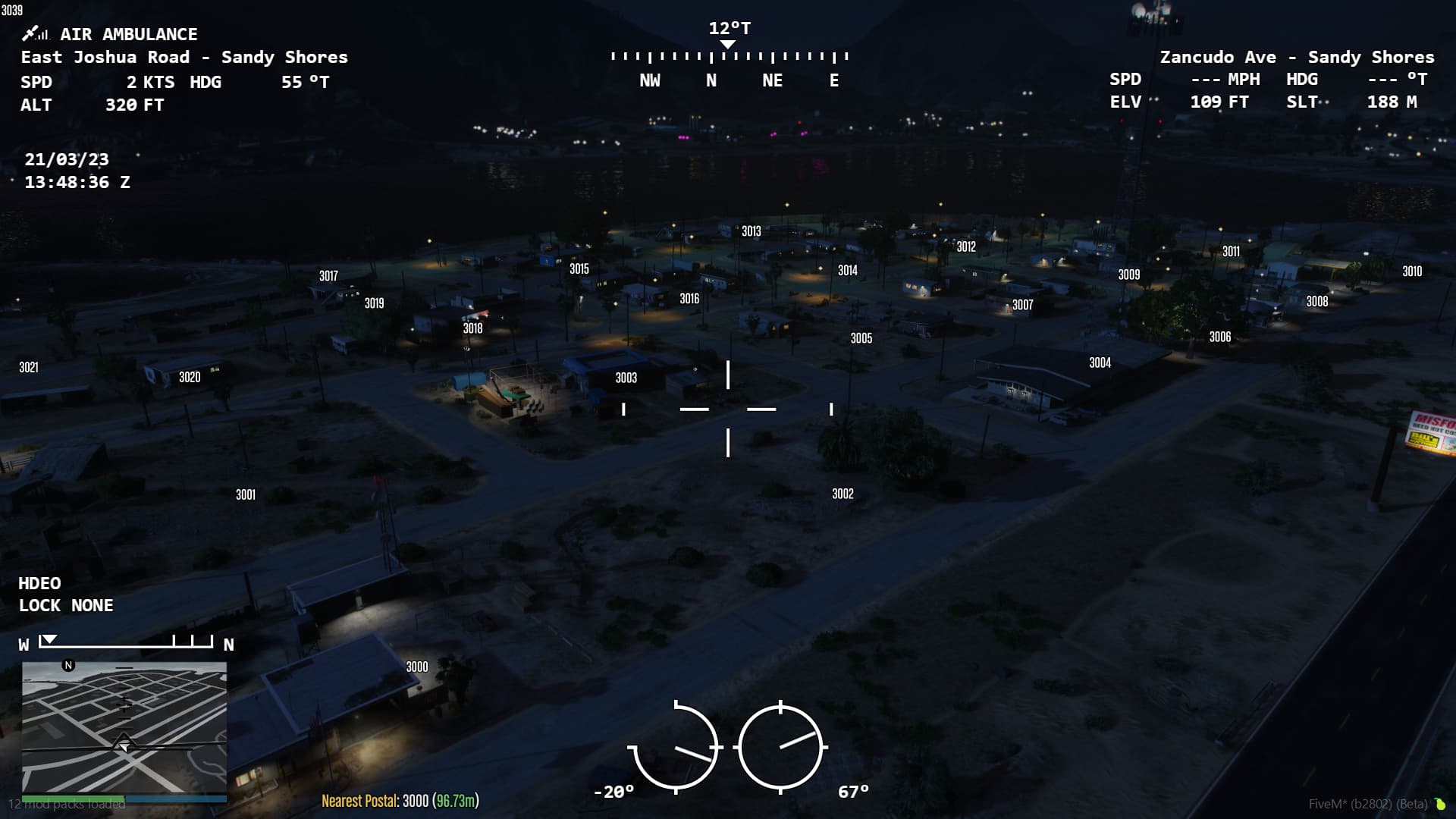
A pretty major update including many small fixes, improvements and requested features, including postal codes!
Changelog:
- Added the highly requested feature of postals (only tested to work with nearest-postals) (can be toggled with
/helipostalsor setting a keybind in the settings/config) - Added a DOF (depth of field) adjuster, this should make things in the distance clearer when you zoom in.
- Added a global spotlight limiter (Config.MaxAmountOfSpotlights)
- Added a config option to enable a submix while in a helicopter.
- Added game build 2060 as a dependency to prevent any confusion in the future about why the script behaves oddly.
- Added Config.ZoomBarOffset to allow people with ui on the top of the minimap to offset the zoom bar.
- Improved the documentation for the script.
- Renamed the
spotlightcommand tohelispotlightto add compatibility with other spotlight scripts. - Fixed an issue with the movement sound getting stuck if you enter the pause menu while moving the camera.
- Other general fixes and improvements.
Here’s a preview of the postals mentioned above (I forgot to post it here earlier when I pushed the update)
Update 1.0.7
A minor update that adds the possibility of adding a timecycle (camera overlays) onto the camera (thanks to J.Jonesey for the suggestion). To enable the feature simply set Config.CameraTimecycle to the timecycle you want to use (“CAMERA_BW” for example).
Changelog:
- Added config option to use timecycles when in the helicopter camera

1 Like