Hey! i am making a server on a vps (ubuntu) and i got a problem:
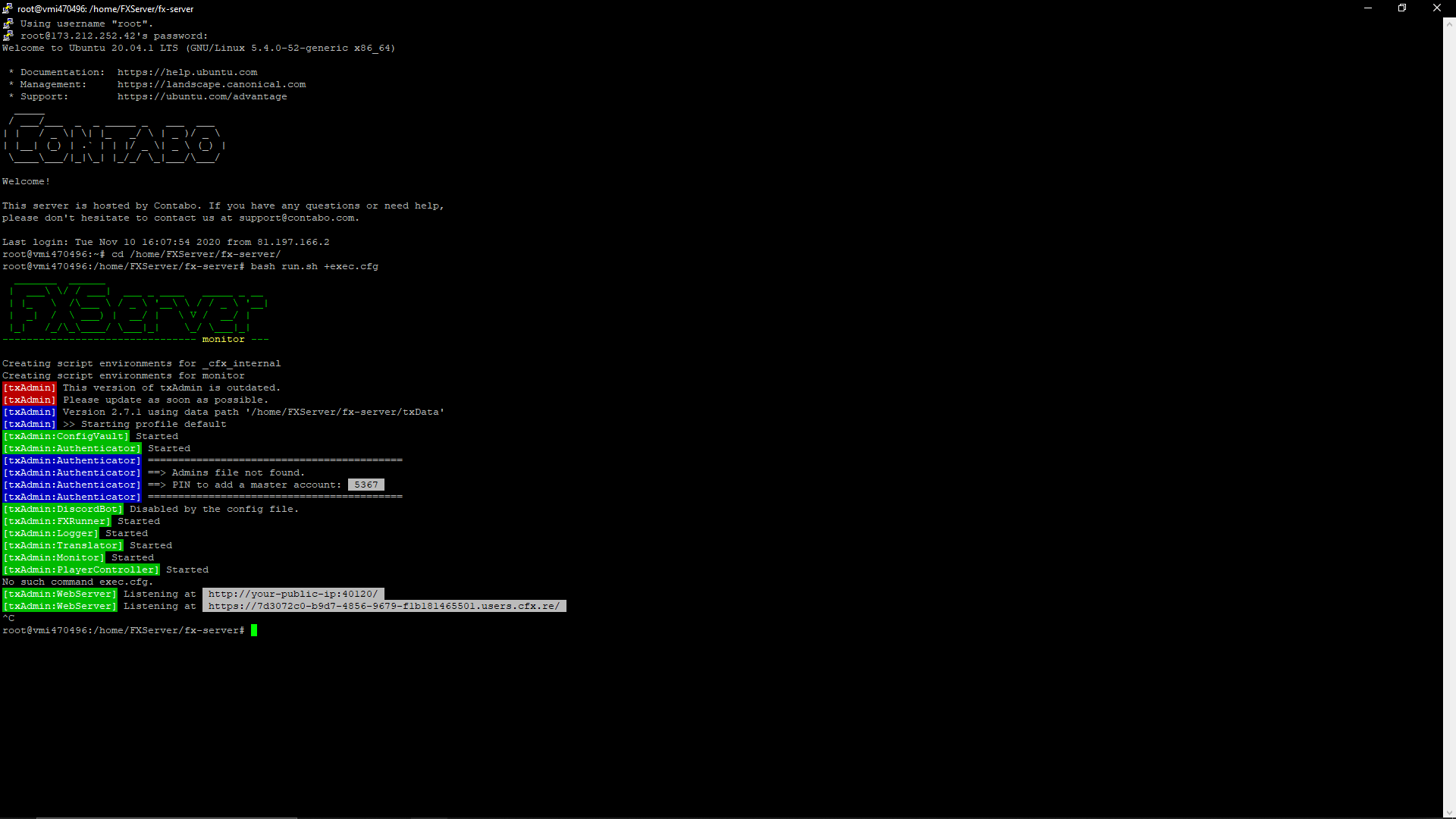
I have done everything and also researched this but nothing seems to help. I can get the server to start but i can’t connect to it (screenshots below).
I have no idea of what’s going on and i’ve been trying to set up this server for a while but it’s a pretty hard process when using a vps (at least for me lol)
# Only change the IP if you're using a server with multiple network interfaces, otherwise change the port only.
endpoint_add_tcp "0.0.0.0:30120"
endpoint_add_udp "0.0.0.0:30120"

# These resources will start by default.
ensure mapmanager
ensure chat
ensure spawnmanager
ensure sessionmanager
ensure fivem
ensure hardcap
ensure rconlog
ensure scoreboard
ensure 2019 Audi A6 55 TFSI Quattro S-Line
ensure Audi RS7 Sportback
ensure 2017 Aston Martin Vanquish Zagato
ensure BMW M5 F90
ensure 2016 BMW X6M
ensure undercover_charger
ensure Unmarked_Cvpi
ensure PhantomRanger
ensure Unmarked_FPIS
ensure SARS_tahoe
ensure UC 17 tahoe

# This allows players to use scripthook-based plugins such as the legacy Lambda Menu.
# Set this to 1 to allow scripthook. Do note that this does _not_ guarantee players won't be able to use external plugins.
sv_scriptHookAllowed 0

# Uncomment this and set a password to enable RCON. Make sure to change the password - it should look like rcon_password "YOURPASSWORD"
#rcon_password "sensored"

# A comma-separated list of tags for your server.
# For example:
# - sets tags "drifting, cars, racing"
# Or:
# - sets tags "roleplay, military, tanks"
sets tags "default"

# A valid locale identifier for your server's primary language.
# For example "en-US", "fr-CA", "nl-NL", "de-DE", "en-GB", "pt-BR"
sets locale "en-US"
# please DO replace root-AQ on the line ABOVE with a real language! :)

# Set an optional server info and connecting banner image url.
# Size doesn't matter, any banner sized image will be fine.
#sets banner_detail "https://url.to/image.png"
#sets banner_connecting "https://url.to/image.png"

# Set your server's hostname
sv_hostname "SCRP | Silver County Roleplay"

# Nested configs!
#exec server_internal.cfg

# Loading a server icon (96x96 PNG file)
#load_server_icon myLogo.png

# convars which can be used in scripts
set temp_convar "hey world!"

# Uncomment this line if you do not want your server to be listed in the server browser.
# Do not edit it if you *do* want your server listed.
#sv_master1 ""

# Add system admins
add_ace group.admin command allow # allow all commands
add_ace group.admin command.quit deny # but don't allow quit
add_principal identifier.fivem:1 group.admin # add the admin to the group

# Hide player endpoints in external log output.
sv_endpointprivacy true

# enable OneSync with default configuration (required for server-side state awareness)
onesync_enabled true

# Server player slot limit (must be between 1 and 32, unless using OneSync)
sv_maxclients 32

# Steam Web API key, if you want to use Steam authentication (https://steamcommunity.com/dev/apikey)
# -> replace "" with the key
set steam_webApiKey "sensored"

# License key for your server (https://keymaster.fivem.net)
+set sv_licenseKey "sensored"
i tried it with +exec server.cfg but now it does this. i checked my key but it didn’t still work
root@vmi470496:/home/FXServer/fx-server# bash run.sh +exec server.cfg
No such config file: server.cfg
Creating script environments for _cfx_internal
Found new resource monitor in /home/FXServer/fx-server/alpine/opt/cfx-server/citizen//system_resources//monitor
Found new resource webadmin in /home/FXServer/fx-server/alpine/opt/cfx-server/citizen//system_resources//webadmin
Couldn't find resource sessionmanager.
Creating script environments for monitor
Started resource monitor
This server does not have a license key specified. Please set the sv_licenseKey console variable to a key from https://keymaster.fivem.net/. (for example, `set sv_licenseKey "key"` in the config, or `+set sv_licenseKey key` on the command line)No such config file: server.cfg
GlobalError: This server does not have a license key specified. Please set the sv_licenseKey console variable to a key from https://keymaster.fivem.net/. (for example, `set sv_licenseKey "key"` in the config, or `+set sv_licenseKey key` on the command line)
sync thread hitch warning: timer interval of 349 milliseconds
network thread hitch warning: timer interval of 351 milliseconds


=================================================================
FXServer crashed.
A dump can be found at /home/FXServer/fx-server/alpine/opt/cfx-server/crashes/ffa7a3bc-765f-4c03-5939a094-40c253a6.dmp.
Crash report ID: 5cfd88e9-064c-4907-bf25-90d6ae6bdd19
=================================================================
Aborted
root@vmi470496:/home/FXServer/fx-server#
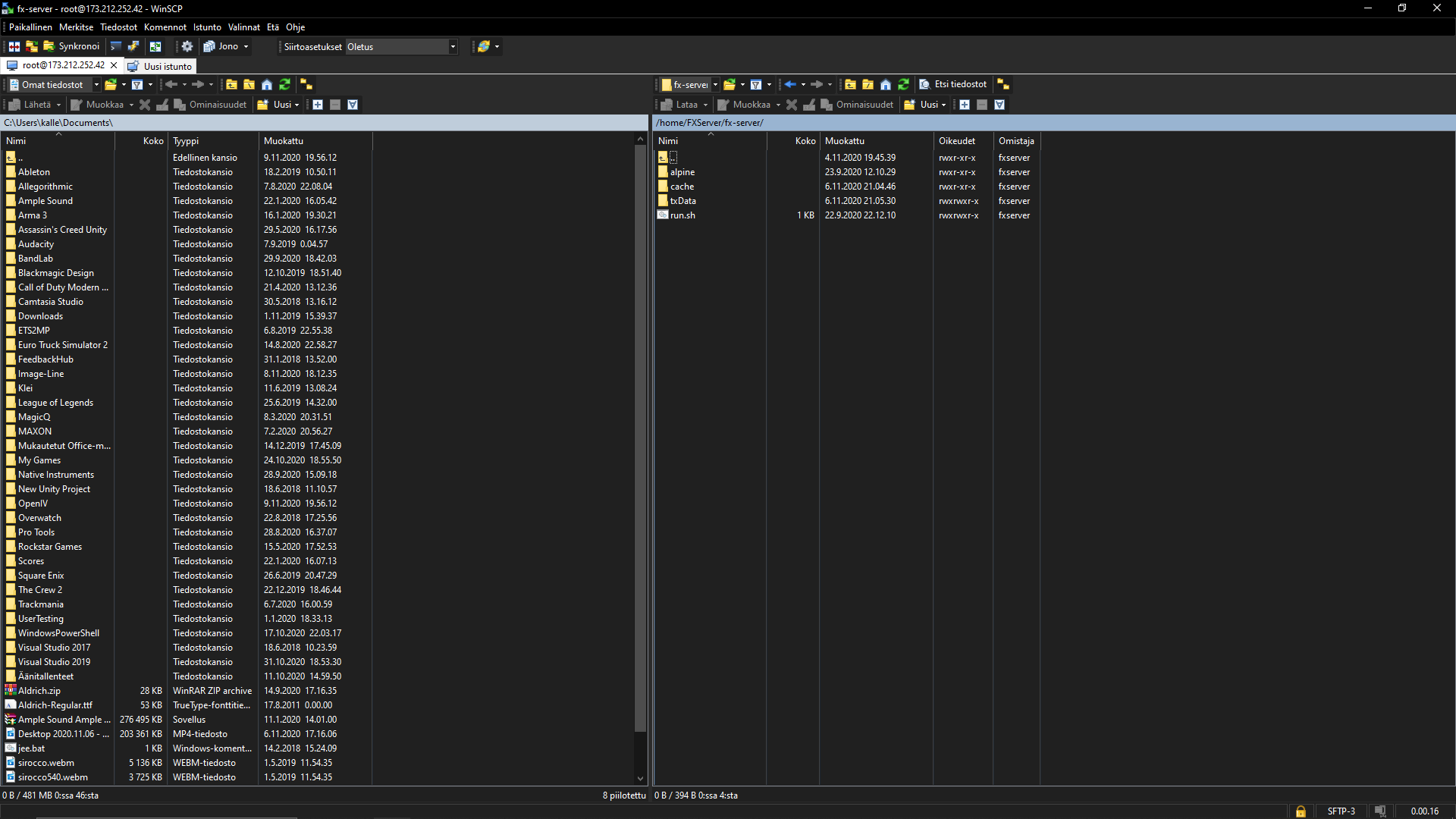
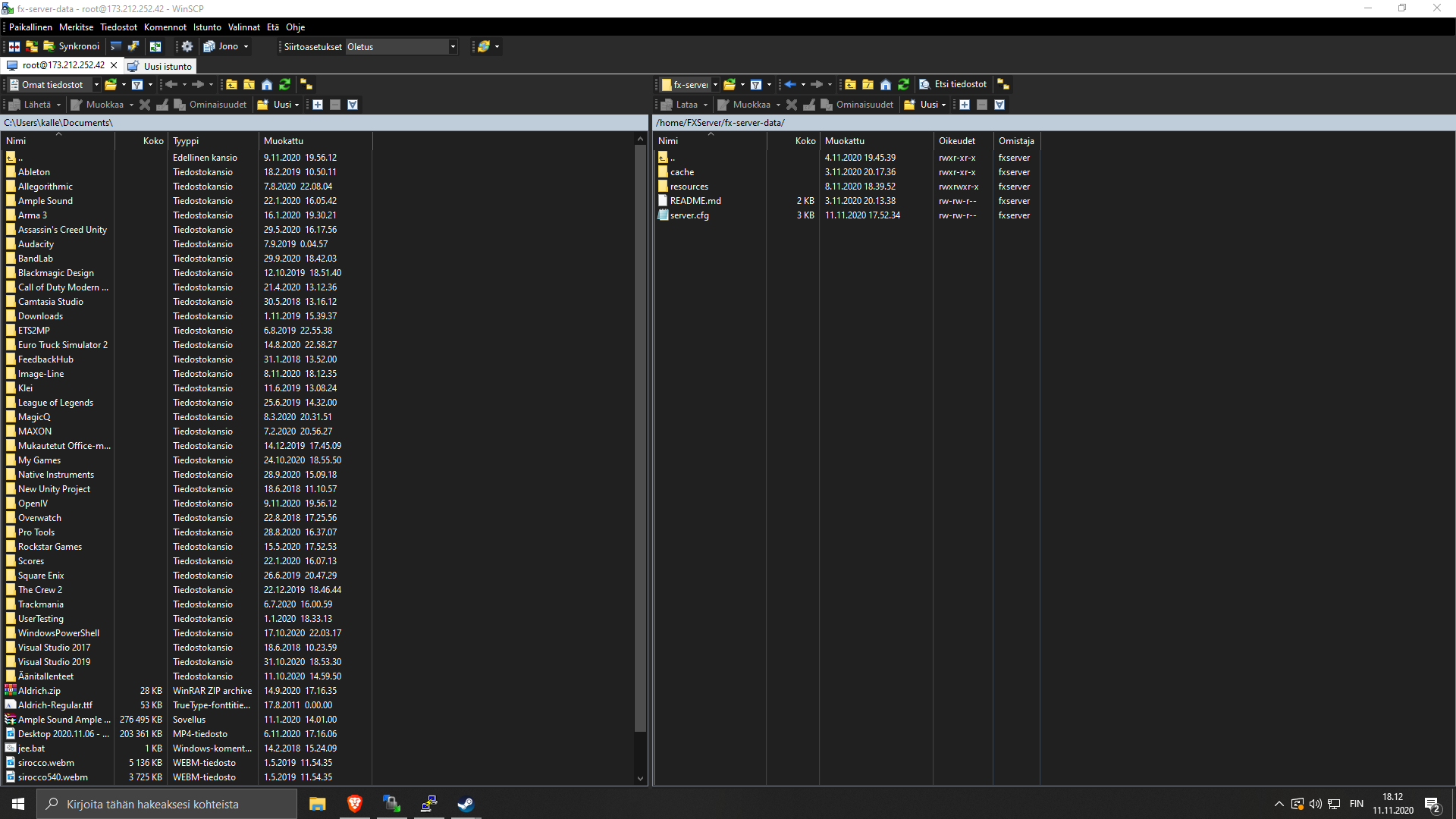
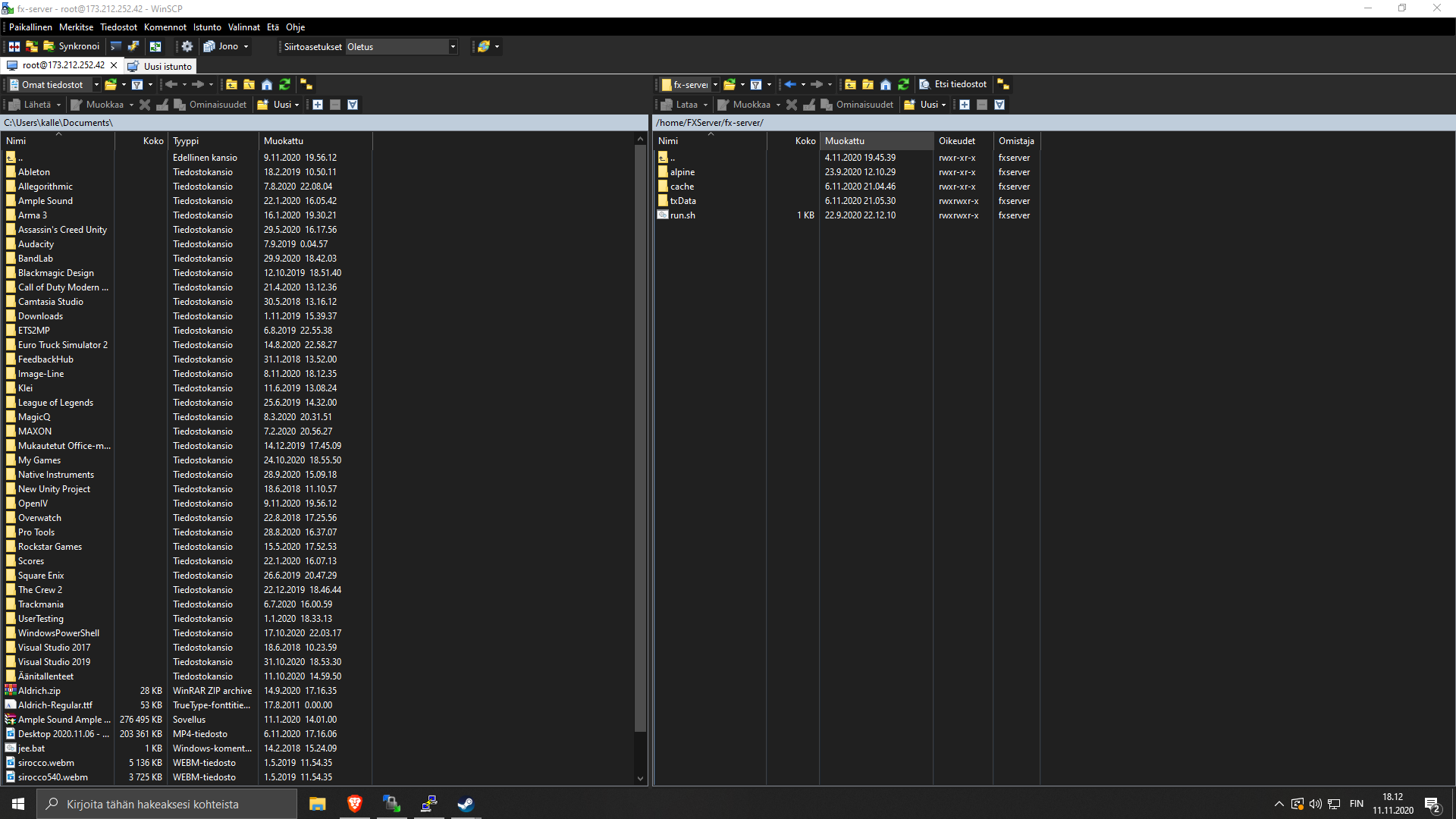
this is how my directories are. Is there anything wrong with this bc it says no run.sh found when trying to start it in server-data and not server folder
hey now it started like it should but it still got errors. Are these because of recources i’ve installed?
Creating script environments for _cfx_internal
Found new resource apollo2 in /home/FXServer/fx-server-data/resources//apollo2
Found new resource 2016 BMW X6M in /home/FXServer/fx-server-data/resources//2016 BMW X6M
Found new resource Unmakred Cvpi in /home/FXServer/fx-server-data/resources//Unmakred Cvpi
Resource loading for Unmakred%20Cvpi failed:
Could not open resource metadata file /home/FXServer/fx-server-data/resources//Unmakred Cvpi/__resource.lua.
Found new resource apollo6 in /home/FXServer/fx-server-data/resources//apollo6
Found new resource apollo5 in /home/FXServer/fx-server-data/resources//apollo5
Found new resource undercover_charger in /home/FXServer/fx-server-data/resources//undercover_charger
Found new resource apollo3 in /home/FXServer/fx-server-data/resources//apollo3
Found new resource carhud in /home/FXServer/fx-server-data/resources//carhud
Found new resource 2019 Audi A6 55 TFSI Quattro S-Line in /home/FXServer/fx-server-data/resources//2019 Audi A6 55 TFSI Quattro S-Line
Found new resource apollo4 in /home/FXServer/fx-server-data/resources//apollo4
Found new resource UC 17 tahoe in /home/FXServer/fx-server-data/resources//UC 17 tahoe
Found new resource Unmarked_FPIS in /home/FXServer/fx-server-data/resources//Unmarked_FPIS
Found new resource MotelClean in /home/FXServer/fx-server-data/resources//MotelClean
Found new resource BMW M5 F90 in /home/FXServer/fx-server-data/resources//BMW M5 F90
Found new resource apollo1 in /home/FXServer/fx-server-data/resources//apollo1
Found new resource SEM_InteractionMenu-master in /home/FXServer/fx-server-data/resources//SEM_InteractionMenu-master
Found new resource SeatbeltIndicator-master in /home/FXServer/fx-server-data/resources//SeatbeltIndicator-master
Found new resource lux_vehcontrol in /home/FXServer/fx-server-data/resources//lux_vehcontrol
Found new resource frfuel in /home/FXServer/fx-server-data/resources//frfuel
Found new resource PhantomRanger in /home/FXServer/fx-server-data/resources//PhantomRanger
Found new resource essentialmode in /home/FXServer/fx-server-data/resources//essentialmode
Found new resource FireScript in /home/FXServer/fx-server-data/resources//FireScript
Found new resource Audi RS7 Sportback in /home/FXServer/fx-server-data/resources//Audi RS7 Sportback
Found new resource chatbasic in /home/FXServer/fx-server-data/resources//chatbasic
Found new resource vMenu in /home/FXServer/fx-server-data/resources//vMenu
Found new resource 2017 Aston Martin Vanquish Zagato in /home/FXServer/fx-server-data/resources//2017 Aston Martin Vanquish Zagato
Found new resource RealisticVehicleFailure-master in /home/FXServer/fx-server-data/resources//RealisticVehicleFailure-master
Found new resource dpemotes in /home/FXServer/fx-server-data/resources//dpemotes
Found new resource slashtires-master in /home/FXServer/fx-server-data/resources//slashtires-master
Found new resource nearest-postal-1.4 in /home/FXServer/fx-server-data/resources//nearest-postal-1.4
Found new resource Area-of-Patrol in /home/FXServer/fx-server-data/resources//Area-of-Patrol
Found new resource monitor in /home/FXServer/fx-server/alpine/opt/cfx-server/citizen//system_resources//monitor
Found new resource webadmin in /home/FXServer/fx-server/alpine/opt/cfx-server/citizen//system_resources//webadmin
Found new resource mapmanager in /home/FXServer/fx-server-data/resources//[managers]/mapmanager
Found new resource spawnmanager in /home/FXServer/fx-server-data/resources//[managers]/spawnmanager
Found new resource basic-gamemode in /home/FXServer/fx-server-data/resources//[gamemodes]/basic-gamemode
Found new resource chat in /home/FXServer/fx-server-data/resources//[gameplay]/chat
Found new resource player-data in /home/FXServer/fx-server-data/resources//[gameplay]/player-data
Found new resource chat-theme-gtao in /home/FXServer/fx-server-data/resources//[gameplay]/chat-theme-gtao
Found new resource playernames in /home/FXServer/fx-server-data/resources//[gameplay]/playernames
Found new resource fivem in /home/FXServer/fx-server-data/resources//[test]/fivem
Found new resource example-loadscreen in /home/FXServer/fx-server-data/resources//[test]/example-loadscreen
Found new resource hardcap in /home/FXServer/fx-server-data/resources//[system]/hardcap
Found new resource runcode in /home/FXServer/fx-server-data/resources//[system]/runcode
Found new resource sessionmanager-rdr3 in /home/FXServer/fx-server-data/resources//[system]/sessionmanager-rdr3
Found new resource ■■■■■■■ in /home/FXServer/fx-server-data/resources//[system]/■■■■■■■
Found new resource baseevents in /home/FXServer/fx-server-data/resources//[system]/baseevents
Found new resource sessionmanager in /home/FXServer/fx-server-data/resources//[system]/sessionmanager
Found new resource scoreboard in /home/FXServer/fx-server-data/resources//[system]/scoreboard
Found new resource fivem-map-skater in /home/FXServer/fx-server-data/resources//[gamemodes]/[maps]/fivem-map-skater
Found new resource redm-map-one in /home/FXServer/fx-server-data/resources//[gamemodes]/[maps]/redm-map-one
Found new resource fivem-map-hipster in /home/FXServer/fx-server-data/resources//[gamemodes]/[maps]/fivem-map-hipster
Found new resource money in /home/FXServer/fx-server-data/resources//[gameplay]/[examples]/money
Found new resource money-fountain-example-map in /home/FXServer/fx-server-data/resources//[gameplay]/[examples]/money-fountain-example-map
Found new resource money-fountain in /home/FXServer/fx-server-data/resources//[gameplay]/[examples]/money-fountain
Found new resource ped-money-drops in /home/FXServer/fx-server-data/resources//[gameplay]/[examples]/ped-money-drops
Found new resource webpack in /home/FXServer/fx-server-data/resources//[system]/[builders]/webpack
Found new resource yarn in /home/FXServer/fx-server-data/resources//[system]/[builders]/yarn
Creating script environments for sessionmanager
Started resource sessionmanager
Creating script environments for monitor
Started resource monitor
Creating script environments for mapmanager
Started resource mapmanager
Creating script environments for yarn
Started resource yarn
Running build tasks on resource webpack - it'll restart once completed.
Could not start dependency webpack for resource chat.
Couldn't start resource chat.
Started resource spawnmanager
Started gametype Freeroam
Started resource basic-gamemode
Started resource fivem
Creating script environments for hardcap
Started resource hardcap
Creating script environments for ■■■■■■■
Started resource ■■■■■■■
Started resource scoreboard
Argument count mismatch (passed 7, wanted 1)
Argument count mismatch (passed 3, wanted 1)
Argument count mismatch (passed 5, wanted 1)
Argument count mismatch (passed 3, wanted 1)
Argument count mismatch (passed 3, wanted 1)
Asset undercover_charger/chrg1.ytd uses 98.5 MiB of physical memory. Oversized assets can and WILL lead to streaming issues (models not loading/rendering, commonly known as 'texture loss', 'city bug' or 'streaming isn't great').
Asset undercover_charger/chrg1.ytd uses 98.5 MiB of physical memory. Oversized assets can and WILL lead to streaming issues (models not loading/rendering, commonly known as 'texture loss', 'city bug' or 'streaming isn't great').
Could not make hard link for /home/FXServer/fx-server-data/resources//undercover_charger/stream//chrg1.ytd <-> /home/FXServer/fx-server-data/cache/files/undercover_charger/stream_cache/z1b88ffb353725e782193903a0cb5b797147d969b.
Started resource undercover_charger
Couldn't find resource Unmarked_Cvpi.
Asset PhantomRanger/umranger.yft uses 25.5 MiB of virtual memory.
Asset PhantomRanger/umranger.yft uses 25.5 MiB of virtual memory.
Asset PhantomRanger/umranger_hi.yft uses 25.5 MiB of virtual memory.
Asset PhantomRanger/umranger_hi.yft uses 25.5 MiB of virtual memory.
Asset PhantomRanger/umranger.ytd uses 41.5 MiB of physical memory.
Asset PhantomRanger/umranger.ytd uses 41.5 MiB of physical memory.
Started resource PhantomRanger
Asset Unmarked_FPIS/ftaurus.ytd uses 91.5 MiB of physical memory. Oversized assets can and WILL lead to streaming issues (models not loading/rendering, commonly known as 'texture loss', 'city bug' or 'streaming isn't great').
Asset Unmarked_FPIS/ftaurus.ytd uses 91.5 MiB of physical memory. Oversized assets can and WILL lead to streaming issues (models not loading/rendering, commonly known as 'texture loss', 'city bug' or 'streaming isn't great').
Started resource Unmarked_FPIS
Couldn't find resource SARS_tahoe.
Argument count mismatch (passed 3, wanted 1)
No such command +set.
This server does not have a license key specified. Please set the sv_licenseKey console variable to a key from https://keymaster.fivem.net/. (for example, `set sv_licenseKey "key"` in the config, or `+set sv_licenseKey key` on the command line)Warning: `onesync_enabled` is deprecated. Please use `onesync legacy` instead.
GlobalError: This server does not have a license key specified. Please set the sv_licenseKey console variable to a key from https://keymaster.fivem.net/. (for example, `set sv_licenseKey "key"` in the config, or `+set sv_licenseKey key` on the command line)
yarn install v1.22.5
network thread hitch warning: timer interval of 351 milliseconds
sync thread hitch warning: timer interval of 351 milliseconds


=================================================================
FXServer crashed.
A dump can be found at /home/FXServer/fx-server/alpine/opt/cfx-server/crashes/9caff0ea-d9e6-4363-a1ca4181-73d563bc.dmp.
[1/4] Resolving packages...
⠁ Crash report ID: 4489acb4-f7e7-40e8-a581-8c822f6a43a3
=================================================================
Aborted
[2/4] Fetching packages...
info fsevents@2.1.3: The platform "linux" is incompatible with this module.
info "fsevents@2.1.3" is an optional dependency and failed compatibility check. Excluding it from installation.
info fsevents@1.2.13: The platform "linux" is incompatible with this module.
info "fsevents@1.2.13" is an optional dependency and failed compatibility check. Excluding it from installation.
[3/4] Linking dependencies...
[4/4] Building fresh packages...
warning Ignored scripts due to flag.
Done in 9.96s.
The set commands go into server.cfg. The commands to start the server found in this topic go into a batch file that you then execute from the terminal.