Server on Debian Error

Hello, i’am having a problem when it comes to start the server, i am running Debian an it says i don’t have permission to start the server.

bash /home/fx-server/run.sh +exec server.cfg /home/fx-server/run.sh: line 8: /home/fx-server/alpine/opt/cfx-server/ld-musl-x86_64.so.1: Permission denied /home/fx-server/run.sh: line 8: exec: /home/fx-server/alpine/opt/cfx-server/ld-musl-x86_64.so.1: cannot execute: Permission denied
how can i solve this error?

I’m not too familiar with Linux, but check the file permissions of those folders.

You need to chmod it.

chown username:group /home/fx-server/

IF you want to inherit permissions you will need ot learn how to use ACLs using the following to learn that:

Also make sure you are logged in as fx-server which looks like a user on your server? Usually when you see /home/username that is a user.

CHOWN is the command you need to use, not CHMOD

sudo chown -R user:group /home/fx-server/

Actually, I would just download and unzip as the user you’re trying to run the application as.

Sorry its early and I mistyped

but I appreciate you jumping and correcting.

Yes, it looks like OP extracted the files using another user (perhaps root user with sudo)

Thanks for you help but when i do sudo chown -R user:group /home/fx-server/ it prints another error chown: invalid user: ‘user:group’

That’s because the user user and the group group probably don’t exist. It was an example for you.

Honestly, just start over and don’t extract the tar using sudo

user:group means your username and group so for example

user1:wheel

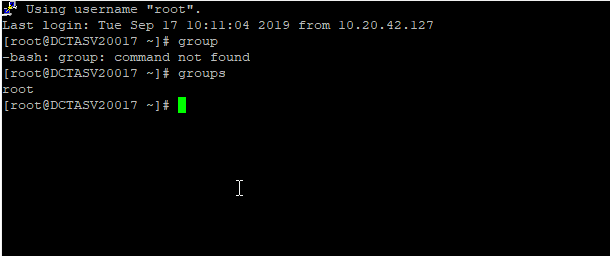
my username is root but what is the group?

type command group it will show you

Example:

image

root@ns348803:~# sudo chown -R root:sudo /home/fx-server/ root@ns348803:~# bash /home/fx-server/run.sh +exec server.cfg /home/fx-server/run.sh
/home/fx-server/run.sh: line 8: /home/fx-server/alpine/opt/cfx-server/ld-musl-x86_64.so.1: Permission denied
/home/fx-server/run.sh: line 8: exec: /home/fx-server/alpine/opt/cfx-server/ld-musl-x86_64.so.1: cannot execute: Permission denied
i still got the same error
the problem is that i don’t know how to use Debian…
sudo chown -R root:root /home/fx-server

That should get you were you want to be

unfortunally still get the same error
maybe i will reinstall the whole server and try again

If you do make a new user before you do anything you should never run anything as root
That is a good way to get hacked

Did you find a solution? I’m getting this same error and I can’t fin a way to fiix it

show us the output of ls -la