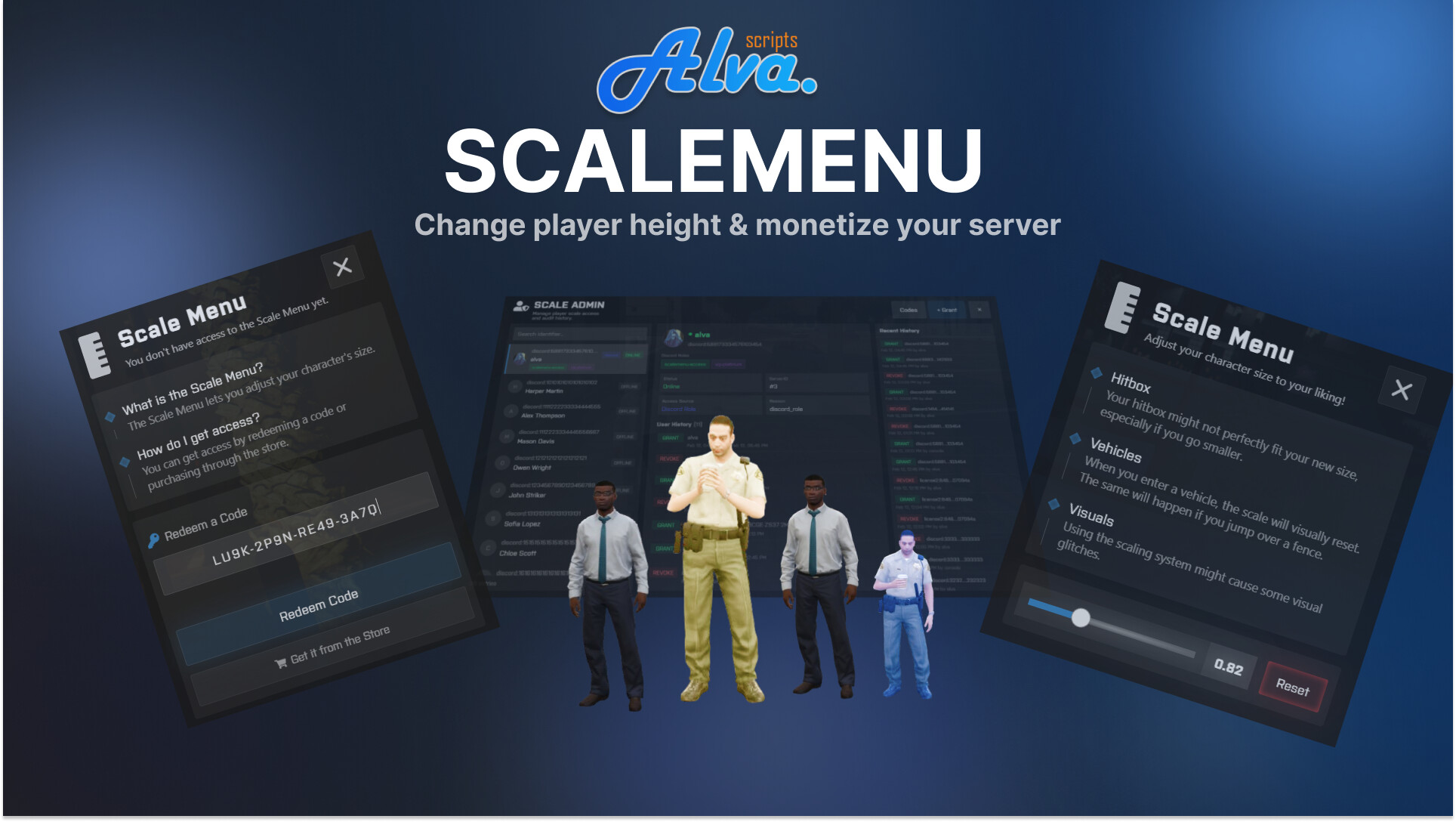
Scaling Menu / Player Scaling [Synchronized] + Discord Integration / Admin Panel

Hey everyone :waving_hand:

I’ve decided to upgrade my as-scalepeds ressource that I’ve originally released last year.

Today, I’m reintroducing as-scalemenu — a performance-focused, player scaling menu for FiveM with a clean, fast UI and full synchronization for nearby players.

Players can open a menu and adjust their character size within configurable limits. The script includes multiple safeguards to avoid common visual issues (falling / dead / attached), plus an optional local weapon POV fix that unscales while aiming/shooting for cleaner first-person visuals. It is also completly secure and optimized for low resmon usage.

It is also easy for you to monitize this system; I’ve made sure that you can easily integrate this to increase your servers revenue and bring people better quality in the future!

Features :laptop:

  • Fully synced scaling for nearby players (configurable range)

  • Configurable min/max scale

  • Anti-glitch options: disable while falling, dead/dying, or attached

  • Optional local weapon POV unscale (aim/shoot)

  • Optional NPC reactions (flee / insults) for extra RP

  • Multiple access/monetization options:

    • DB access (supports timed or permanent access)
    • Redeemable code system (admin-generated codes)
    • Discord role integration
    • Inventory item checks + optional item consumption
    • In-game Admin Panel + grant/revoke/refresh commands
  • Themeable UI (colors via config) + optional color picker tool

  • ESX / QBCore / Standalone support (auto-detect) + multi-character friendly


:movie_camera: Video Preview

https://youtu.be/WwbPz0shv1k


:money_bag: Price

€24.99

The first 3 people to open a ticket on my discord server will receive this ressource for free! :smiley:


Code is accessible No (Protected with FiveM Asset Escrow), only Configs are
Subscription-based No
Lines (approximately) ~3,000 (more if you include react project)
Requirements MySQL (oxmysql), ESX or QBCore (auto-detect). Optional: Discord bot for role access
Support Yes
2 Likes

ts is not worth $30 USD. especially when all the height ped scaling causes non stop issues

5 Likes

It is priced similarly to other ressources like this that are providing less features and have an outdated UI/UX in my opinion. Also, with this one people can at least be sure that it is secure and will run with good performance.

But thank you for the feedback the price has been adjusted slighly.

2 people can still claim a free version of this ressource if they join the discord and open up a ticket!

I’d like to know the following, as they aren’t mentioned:
Client and server resmon consumption.
Is the character’s collision altered?
If I place a giant or small Ped in water, will it appear to float?
In what situations does the character return to its actual size, or does it always maintain its configured size? For example, if the Ped is driving, holding something, or performing a shared emote, does it return to its original size?

Great questions, was going to ask them myself.

my main concern is aiming a weapon + entering a vehicle - it just scales you back to normal.

Client idle 0.0ms;
In Action: 0.05ms on my machine, but this depends on how many scaled players are nearby.
Server side for sure 0.0ms

The collsision is not altered as it can’t be done afaik (I’ve tried)
In water the ped resizes to its original size (not tested but pretty certain that’s how it is)
It does resize to original while jumping over the fence.

Basically, the core concept of this ressource is the same it has always been, you can’t really get around those issues.

What you get: 100% control over access and optimizations + config values and a better UI!


my main concern is aiming a weapon + entering a vehicle - it just scales you back to normal.

This is the case with this ressource and will be with all other ressources aswell

1 Like

The ressource is now off 50% for the next 2-3 weeks!

Scale Menu — Admin Control Update

Admin Scale Slider — Set any player’s scale directly from the admin panel. Drag, apply, done.

Three new lock modes:

-- One-time scale: once a player sets their scale, it’s permanently locked
-- Only an admin can unlock it via the admin panel.
Config.lockAfterFirstUse        = true
-- Default locked: when a player first receives access (code, item, admin grant),
-- their scale starts locked. An admin must set the value and/or unlock it.
-- Useful for servers that sell access via Tebex but want admins to control the value.
Config.defaultLocked            = false
-- Admin-only scale: players can NEVER change their own scale.
-- Only admins can set it via the admin panel slider.
-- When true, the player always sees the “locked” screen when opening the menu.
Config.adminOnlyScaleChange     = false

Locked players see a read-only screen with their current scale.

and all show only size for one player.

but no one show how it look when 10-15 players around with diffferent size

what when player aim. swim or some another action

Hey,

I just send you the ressource for free, you can checkout your portal/keymaster.

If there’s many people nearby, it technically should look the same, swimming, shooting etc looks weird for yourself, thats why there’s config values to “unscale” yourself (locally for yourself at least) to not impact gameplay. Other people will still see you smaller, however the weapons might not look perfect.

Obviously, GTA 5 never intended this functionality for a system like this, it is “decent” enough to have some fun but that’s about it.

Feel free to try it :smiley:

I already wrote about this in the related thread. It’s just that for some reason no one is trying to fix this. A toggle needs to be added.

  1. Your attack is disabled, but the character’s height is set.

  2. Your attack is enabled, and the character’s height returns to normal (only for you), but for everyone else’s you height is changed.

I think this would solve at least some of the problems.

изображение

okay. not bad.

Okay, after some test. Very not bad. Best what i see.

1 Like

Thank you for your feedback, glad you say that :smiley: