SAMP-styled dialogs for FiveM.
SampDialogs brings user-interface similar to SAMP.
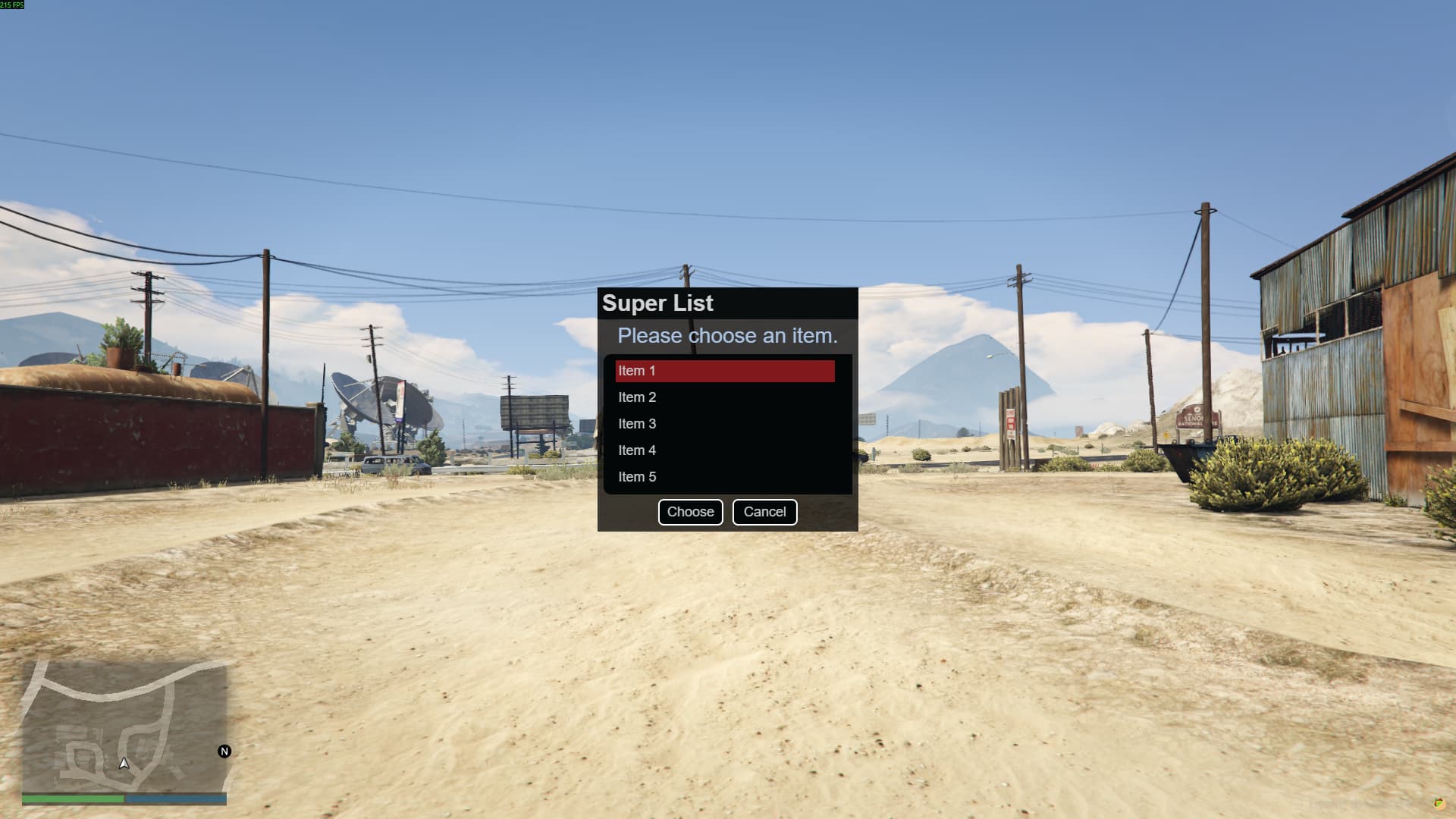
Available types of dialogs:
- Message Box
- List
- Input
- Password Input
- Multi-Input (New)
Screenshots below.
Dialogs are triggerable for players within server scripts.
Examples and dialog response usage (from server.lua):
-- ### DIALOG STYLES ###

RegisterCommand("msgbox", function(source)
    TriggerClientEvent("dialog:open", source, {
        id = 0, -- Unique dialog ID
        type = "msgbox",
        title = "Message Box",
        text = "Example of Message Box\n123\naaa",
        -- If not buttons typed - there will be one default button 'OK' for msgbox.
        -- You can put your own buttons inside msgbox with:
        --[[
                buttons = { "Of course", "Okay", "Nope" }
        ]]
    })
end, false)

RegisterCommand("list", function(source)
    TriggerClientEvent("dialog:open", source, {
        id = 1,
        type = "list",
        title = "Super List",
        text = "Please choose an item.",
        options = { "Item 1", "Item 2", "Item 3", "Item 4", "Item 5" },
        -- Item 6, Item 7... Dialog List can have so much items inside.
        -- Scrollbar activates when height of list is greater than 300px.

        -- If not buttons typed - there will be two default buttons 'Choose' and 'Cancel'.
        -- You can't add add more than two buttons to dialog list.
        -- It's only possible to change the button text for your own.
    })
end, false)

RegisterCommand("input", function(source)
    TriggerClientEvent("dialog:open", source, {
        id = 2,
        type = "input",
        title = "Input",
        text = "Enter the amount of money:",
        placeholder = "1000000", -- not required
        buttons = { "Give", "Take", "Cancel" }

        -- You can add more than two buttons to dialog input.
        -- If not buttons typed - there will be two default buttons 'OK' and 'Cancel'.
    })
end, false)

RegisterCommand("password", function(source)
    TriggerClientEvent("dialog:open", source, {
        id = 3,
        type = "password",
        title = "Password input",
        text = "Enter your password:",
        buttons = { "Log In", "Quit", "Help" }

        -- The same as dialog input.
    })
end, false)

RegisterCommand("multiinput", function(source)
    TriggerClientEvent("dialog:open", source, {
        id = 4,
        type = "multiinput",
        title = "Give Money for player",
        text = "Player Id:",
        text2 = "Amount of the money:",
        buttons = { "Give", "Cancel" }

        -- Dialog with two inputs.
        -- Text2 is under second input.
    })
end, false)

-- ### Example dialog response usage

local DialogsHandler = {}

function OnDialogMsgbox(source, value)
    local src = source
    local button = value
    print("Clicked button: " .. button .. " by " .. GetPlayerName(src))
end

function OnDialogList(source, value)
    local src = source
    local button = value
    print("Choosen item list: " .. button .. " by " .. GetPlayerName(src))
end

function OnDialogInput(source, value, input)
    local src = source
    local button = value

    if button == 0 then -- First button clicked
        local userInput = input
        if userInput ~= "" or nil then
            print("User input: " .. userInput .. " by " .. GetPlayerName(src))
        end
    end
end

function OnDialogMultiInput(source, value, input, input2)
    local src = source
    local button = value

    if button == 0 then
        local userInput = input
        local userInput2 = input2
        if userInput ~= "" or nil and userInput2 ~= "" or nil then
            print("User input: " .. userInput .. " by " .. GetPlayerName(src))
            print("User input 2: " .. userInput2 .. " by " .. GetPlayerName(src))
        end
    end
end

DialogsHandler[0] = OnDialogMsgbox
DialogsHandler[1] = OnDialogList
DialogsHandler[2] = OnDialogInput
DialogsHandler[4] = OnDialogMultiInput

RegisterNetEvent("dialog:response")
AddEventHandler("dialog:response", function(id, value, input, input2)
    local src = source
    local dialogId = id

    local func = DialogsHandler[dialogId]

    if func then
        func(src, value, input, input2)
    end
end)
Download:
1.2 Update > new dialog style - Multi-Input
Screenshots:
.png)
.png)
.png)
.png)
.png)
