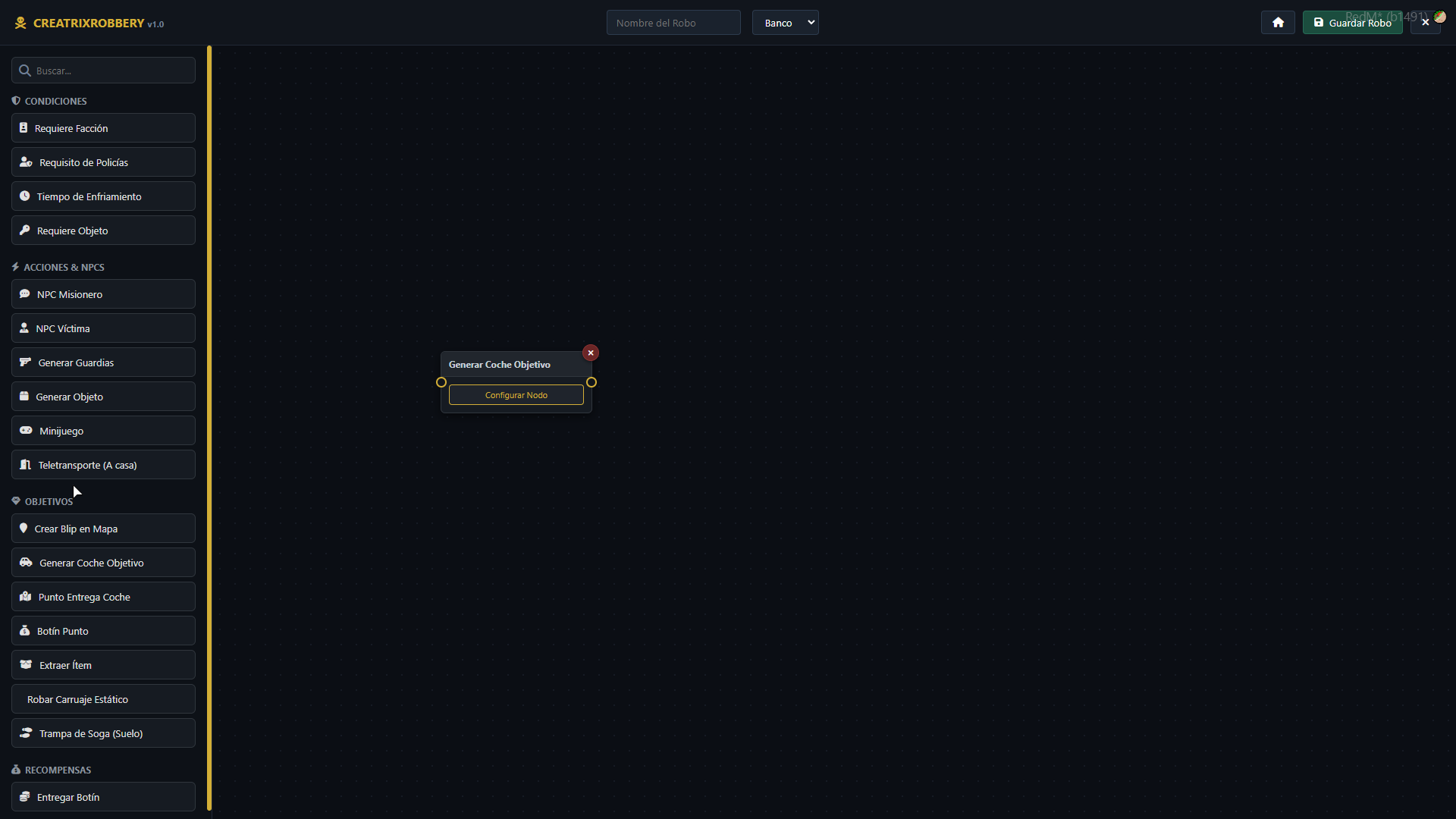
Create, customize, and connect any type of heist, mission, or vehicle/carriage robbery in real-time using an intuitive and interactive visual node editor.
 Overview
Creatrix Robbery is a comprehensive heist creation tool designed from the ground up for RedM servers running the VORP Core framework. Forget editing endless configuration files: design complex heist routes, mission branches, and security conditions by connecting nodes on an interactive visual storyboard.

 Key Features
 Visual Node Editor (NUI)
-
Dynamic Connections: Link conditions, NPCs, minigames, objectives, and rewards by dragging ports with fluid bezier curves.
-
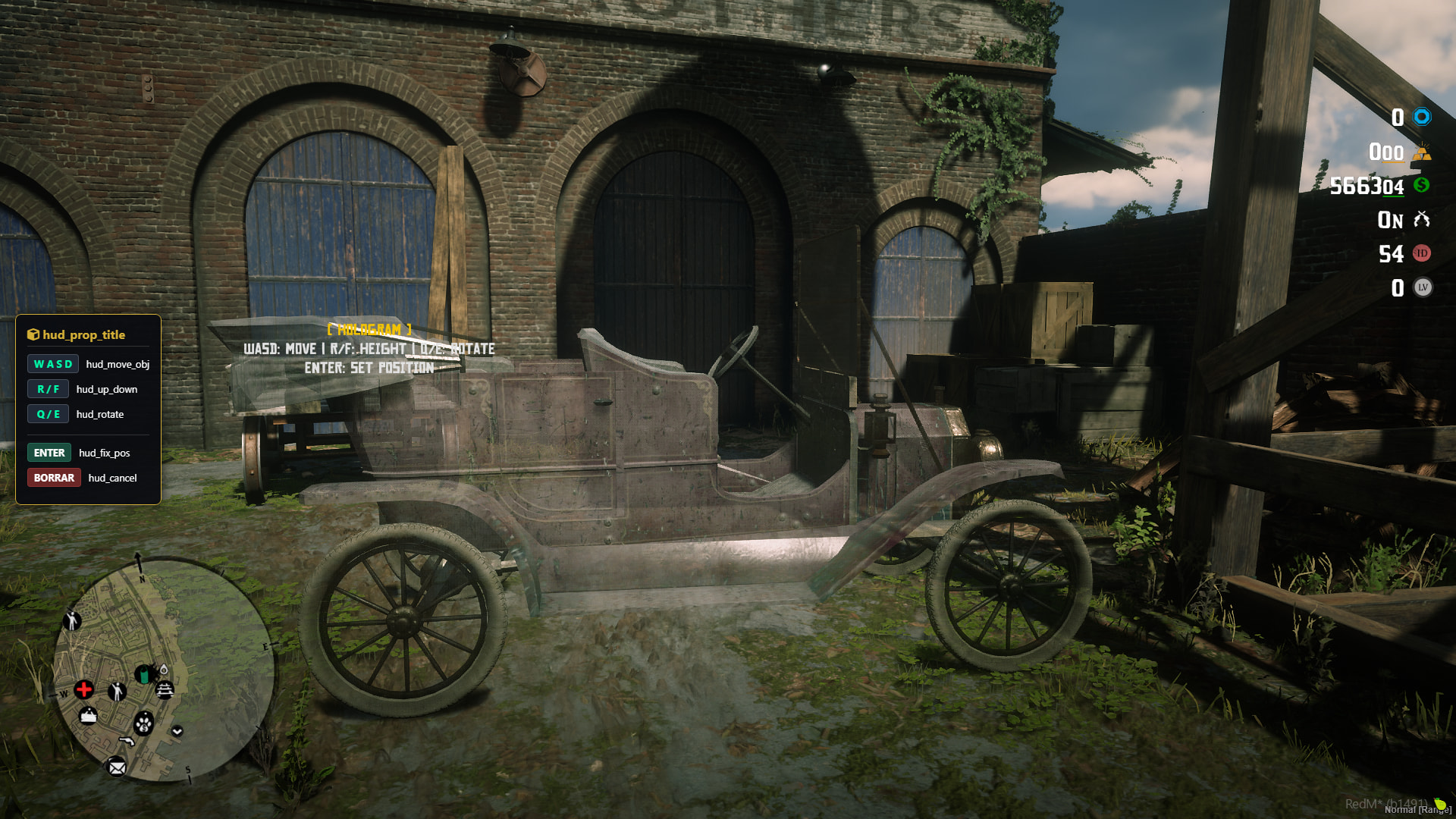
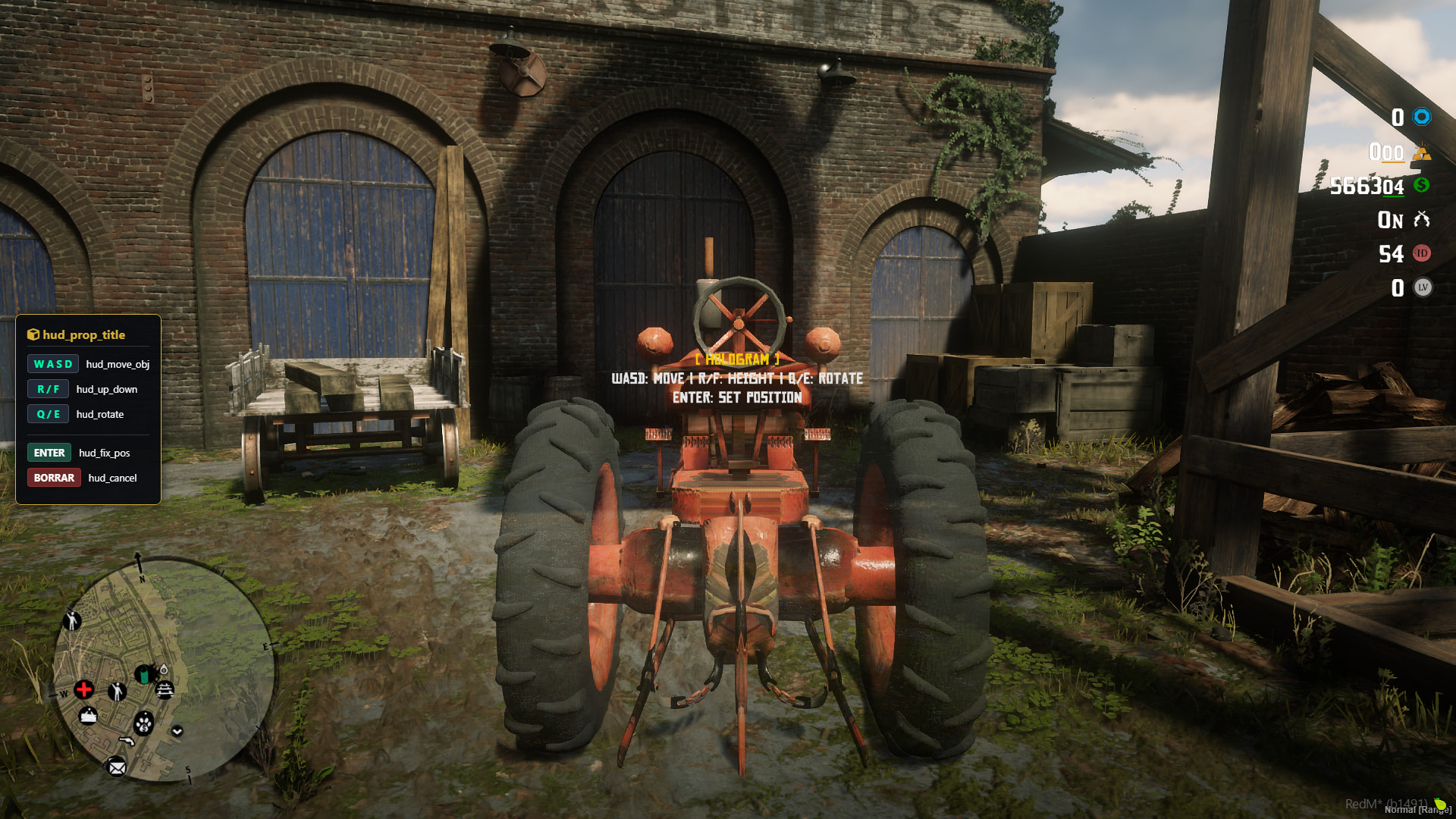
Live 3D Mapping: Position props, vehicles, NPCs, and interaction points directly in-game using precise keyboard controls (WASD, R/F, Q/E).
-
Total Management: Save, edit, duplicate, or delete existing robberies on the fly without needing to restart the script.
 Car & Carriage Robberies
-
Classic & Armored Vehicles: Native support for vintage cars and official RedM wagons/carriages.
-
Lockpicking & Hotwiring: Force locks and manually start engines using wire-connecting minigames.
-
Drop-off Points & Vehicle Buyers: Configure dynamic cash rewards with clean entity deletion and loot delivery.


 Security & Condition Nodes
-
Police Requirement: Real-time validation of on-duty lawmen before a robbery can begin.
-
Cooldown Timers: Set global or individual character-based cooldowns to balance your server’s economy.
-
Faction & Item Checks: Require specific items in the inventory or authorized jobs/factions to proceed.
 Integrated Custom Minigames
-
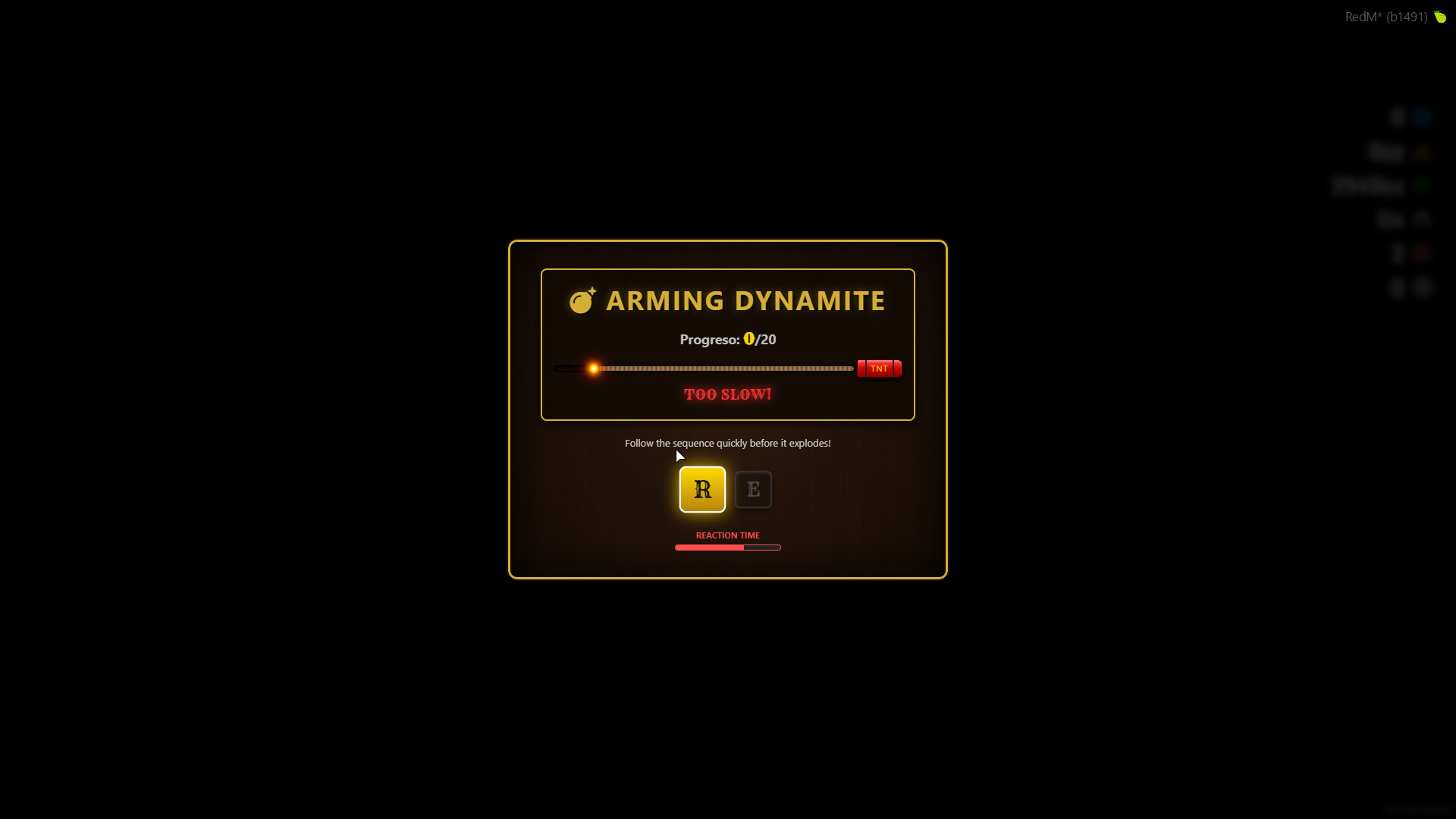
 Dynamite: Quick Time Event (QTE) challenge with lethal consequences if you fail.
 -
 Pin Tumbler Lockpick: Visual minigame where you must align the pins to the shear line.
 -
 Safe Cracking: Fast-paced numeric reflex game featuring traps and skulls that trigger lockdowns.
 -
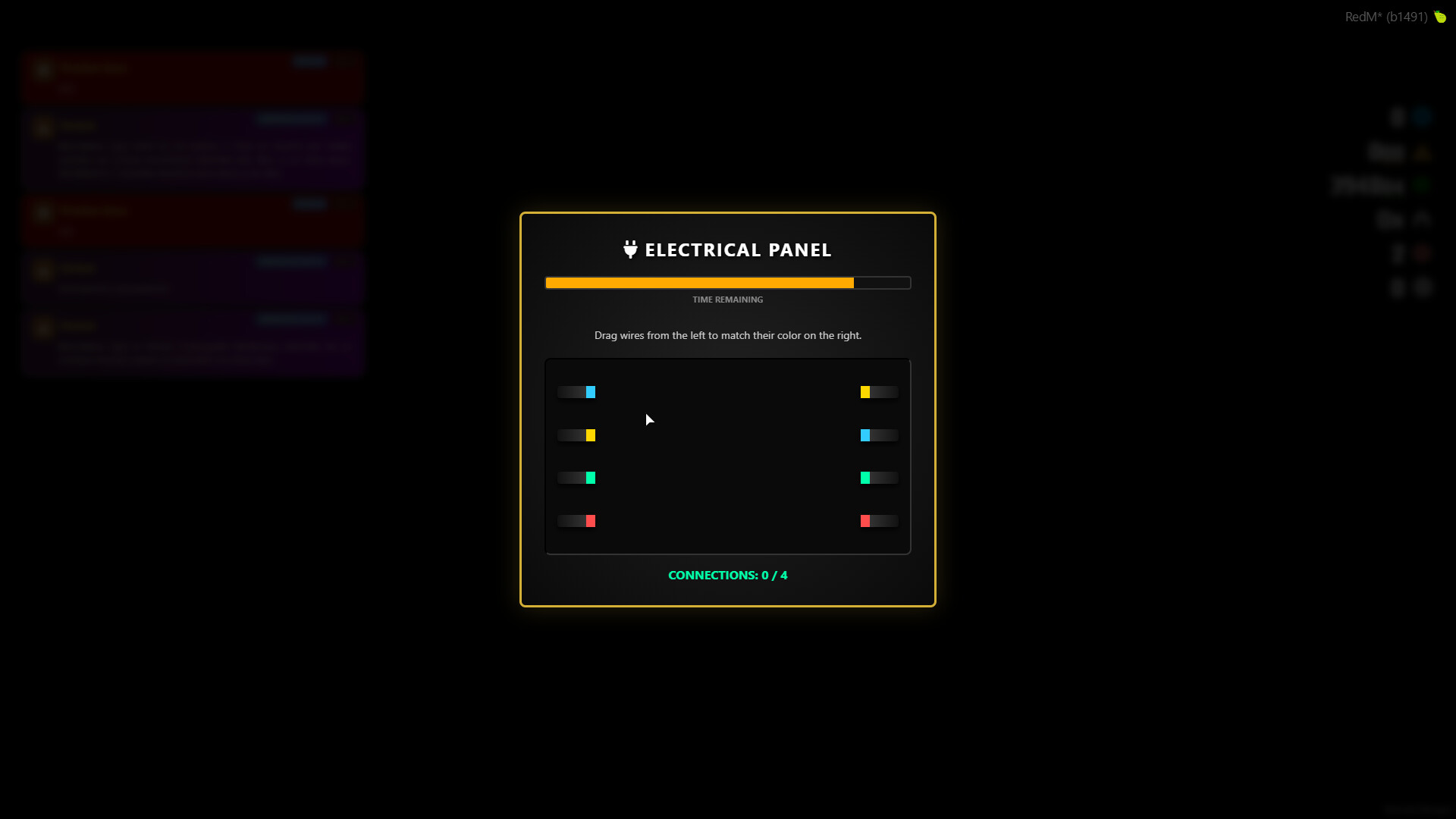
 Electrical Panel: Drag and connect color-coded wires to start engines or bypass panels.


 Interior Teleports & AI Guards
-
Doors & Interiors: Teleport nodes featuring customizable interior stay timers.
-
AI Guards: Spawn armed enemies with customizable health, weapons, and delayed spawn timers.
 Latest Update Changelog
-
Configurable Rewards in NUI: You can now set exact cash payouts directly within the Drop-off Node interface.
-
Smart Node Flow: Automatic root node detection to evaluate police presence and cooldowns before triggering NPC interactions.
-
Polished Economy Integration: Direct, secure, and flawless currency delivery using the native VORP Core API (
addCurrency). -
Multilingual Support: Instant switching between English and Spanish with full client-server synchronization.
-
Audio Compatibility: Spatial engine sounds seamlessly synchronized using
xsound.
 Requirements & Dependencies
-
vorp_core -
vorp_inventory -
oxmysql -
xsound
 Quick Installation
-
Download the resource and place it in your
resources/folder. -
Import the provided
.sqlfile into your database to generate the robberies table. -
Make sure to start the dependencies before the script in your
server.cfg:Fragmento de código
ensure oxmysql ensure vorp_core ensure vorp_inventory ensure xsound ensure creatrix_robbery -
Use the command
/robberycreator(or/crear_robo) in-game to open the editor.
 Links & Contact
Let me know if you need any adjustments or if you’d like to add a specific section for commands and admin permissions!Checklist
- I have reviewed the latest version of the Releases rules.
- I have included a detailed description of my work as described in the rules.
- I have included a download link or a store link.
- I have filled out the required information at the end of the topic
If you’re selling your resource, please include the following information at the end of your post:
| Code is accessible | Yes |
| Subscription-based | No |
| Lines (approximately) | Number of lines |
| Requirements | vorp core |
| Support | Yes/No |
| Assets are accessible | Yes |
| Subscription-based | No |
| Polygons (model and LOD) | Number of polys |
| Texture size and amount | Number |
| Requirements & dependencies | vorp core |
| Support | Yes |
| Code is accessible | Yes |
| Subscription-based | No |
| MLO | No |
| Number of rooms | Number of rooms |
| Number of entities | Number of entities |
| Requirements & dependencies | vorp core |
| Support | Yes |