Hey!
If you were looking for a NativeUI port written in typescript, this is here.
FiveM-NativeUI
This project is a (fully TypeScript compatible) FiveM port of someone’s else port. It provides a simple way to use NativeUI menus in your clientside scripts. All credits to the original authors: datWeazel, DurtyFree and Kar.
Usage:
With bundler:
- Create in your
package.jsonlocation a file named.npmrcand add this line:@pichotm:registry=https://npm.pkg.github.com - Install by run
npm install --save @pichotm/fivem-nativeui. - Add this line to top of file where you want to use NativeUI.
import * as NativeUI from "@pichotm/fivem-nativeui";
Without bundler:
- Download
.ziparchive you want from releases page. - Unpack archive in client’s folder, and import like any other typescript file:
# nativeui import * as NativeUi from "nativeui/nativeui";- Don’t forget include nativeui folder in
client_scriptssection of yourfxmanifest.lua
- Don’t forget include nativeui folder in
Example Menu
examples\nativeUI-example
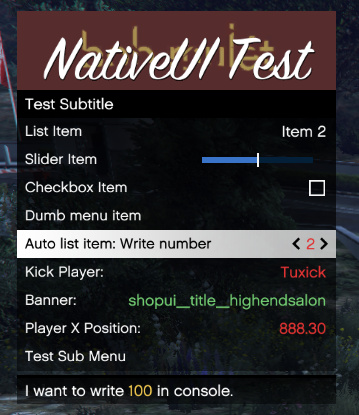
Result: