This is a client script for servers, which displays a usable HSV Color Picker on the screen.
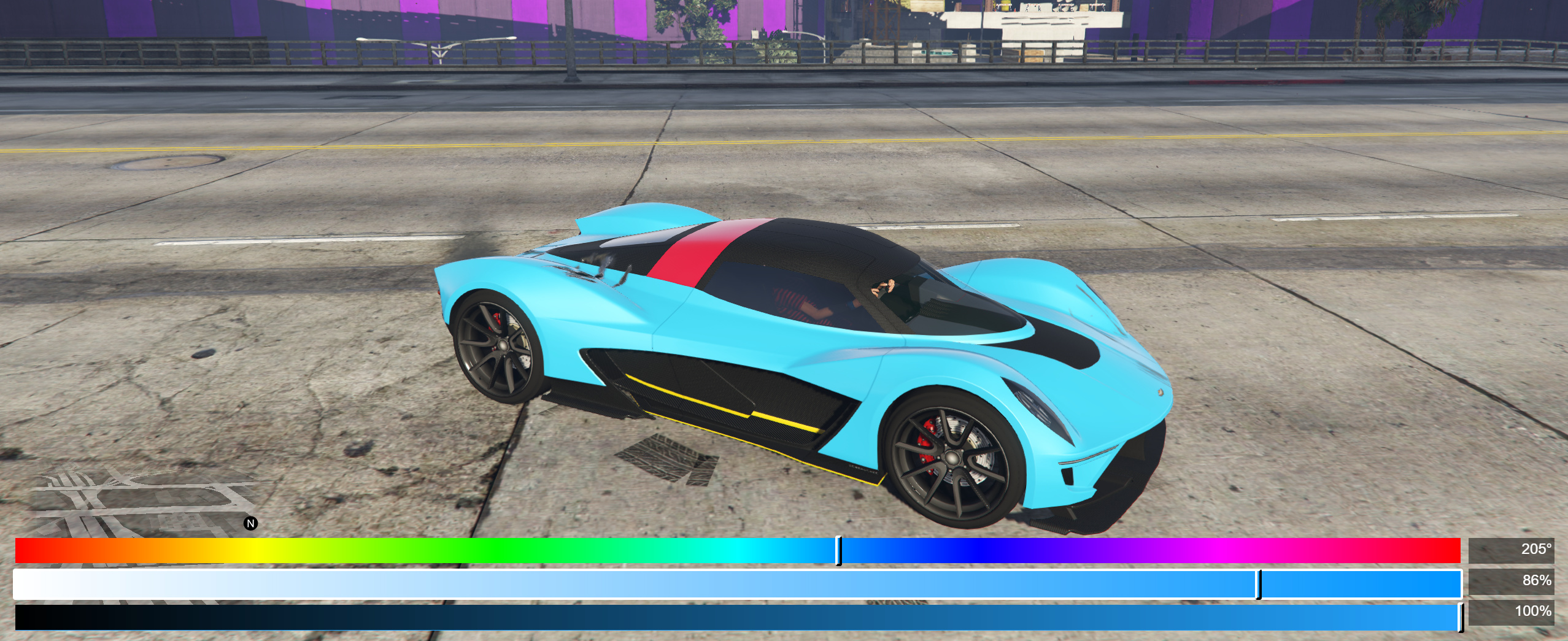
The script is written in LUA (and JavaScript, HTML, CSS)
Input/Control
It’s basically using the vanilla phone controls:
- Keyboard: arrow up, down, left, right, enter, backspace, esc
- Gamepad: dpad up, down, left, right, A, B
Usage
This is not stand alone (I don’t know, what you want to do with the picked color). It needs to be called from another script.
There’s only one event you can call: “colorPicker:pick”
Parameters:
- initialR:int - the initial red value [0,255]
- initialG:int - the initial green value [0,255]
- initialB:int - the initial blue value [0,255]
- sendUpdateOnHold:bool - specifys if the onPickCallback will be invoked, when the user holds left or right
- onPickCallback:callback(int r, int g, int b) - a callback, that gets invoked when the user is changing the color, passing the picked color as r, g and b
- onSelectCallback:callback(int r, int g, int b) - a callback, that gets invoked when the user hits enter/A, also passing the picked color as r, g and b
- onCancelCallback:callback(int r, int g, int b) - a callback, that gets invoked when the user hits backspace/esc/B, passing the picked color as r, g and b as well (should you need that despite canceling)
Callbacks may be null/nil.
Example (C#):
// sets the primary color of the vehicle, while the player is picking
TriggerEvent("colorPicker:pick", prevR, prevG, prevB, false, new Action<int, int, int>((r, g, b) => {
    Function.Call(Hash.SET_VEHICLE_CUSTOM_PRIMARY_COLOUR, vehicle.Handle, r, g, b);
}), null, null);
Download (4.5 KB)
If you stumble upon any bugs, please let me know in this topic.
Note: I’m new to LUA, so there might be room for improvement on that.