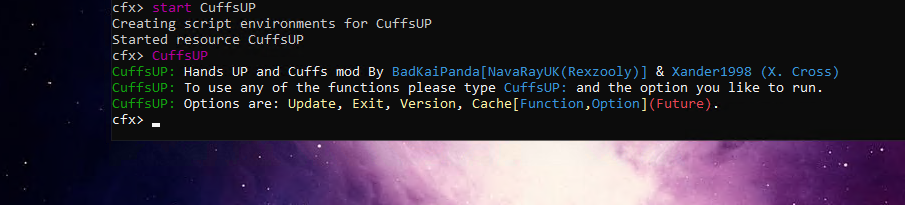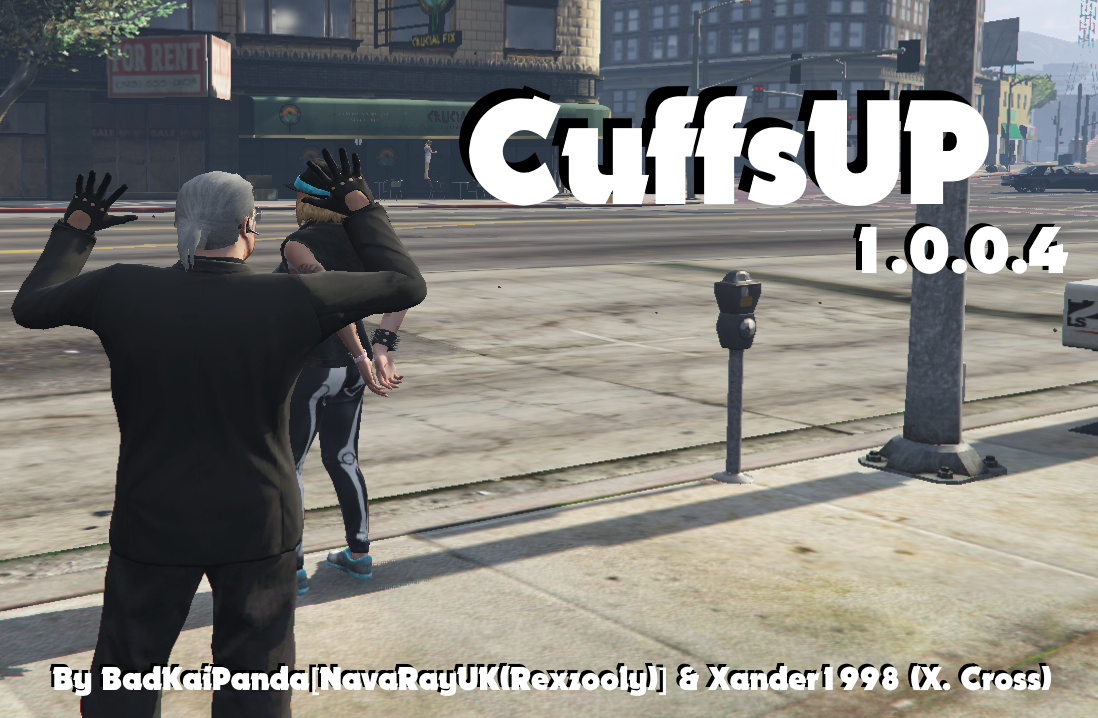
[Release] CuffsUP(1.0.0.4)

History
The original script has been around I believe since 2017 by @xander1998 and there was a lot of people not really getting the idea, he created his script for you to learn and expand on, I really liked what he did and the help he did try give people but also giving them the chance to learn from his work.

Please Note:
I have changed this script so much it would be unfair to even as @xander1998 to help, so please use this forum post or the issue tracker on my GitHub to get help for it.

CuffsUP 1.0.0.4
So CuffsUP is the love child of his script and my madness of configs and now I have added so much more to it it’s becoming its own tool box of functions, this wasn’t my aim but I have just enjoyed working on it so I have keep at it.

CuffsUP as many updated configurable options and updates, just like Xander1998’s version this version is also on github so you can fork it and update it and make it all nice and shiny your own way.

Options

  • Key bindings - configurable
  • Chat Intormation and Argument Information - configurable
  • NPC Cuffing/Grabbing - configurable
  • RP/Streamers client side commands to turn off notifications - configurable
  • Enable or disabled each section - configurable
  • Change commands in the config - configurable
  • Notification options, you can now set them to not show, show on screen or in the chat - configurable
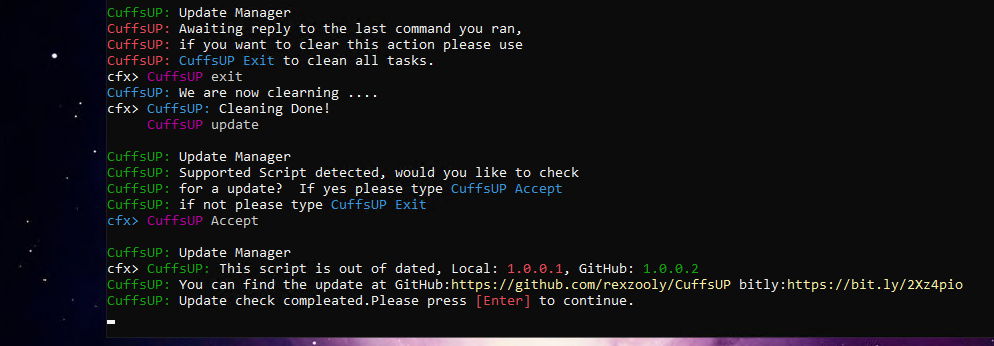
  • Server side console command for checking for updates, no auto crap, you pick when you check
  • Ace permissions support - configurable

Experimental

  • Grab - Grab players and NPC’s with a key binding - Default: - ( the minus next to 0 on the UK keyboard) - configurable

Thanks
Remember to thank @xander1998 as this was his script originally, without it there wouldn’t be any CuffsUP Script sat right here right now :slight_smile:


1.0.0.1 Cuffs and CuffsUP command *Out of date*

Cuff and CuffsUP commands shown in game - configurable 1.0.0.0/1.0.0.1
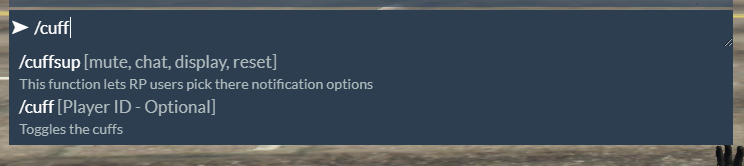


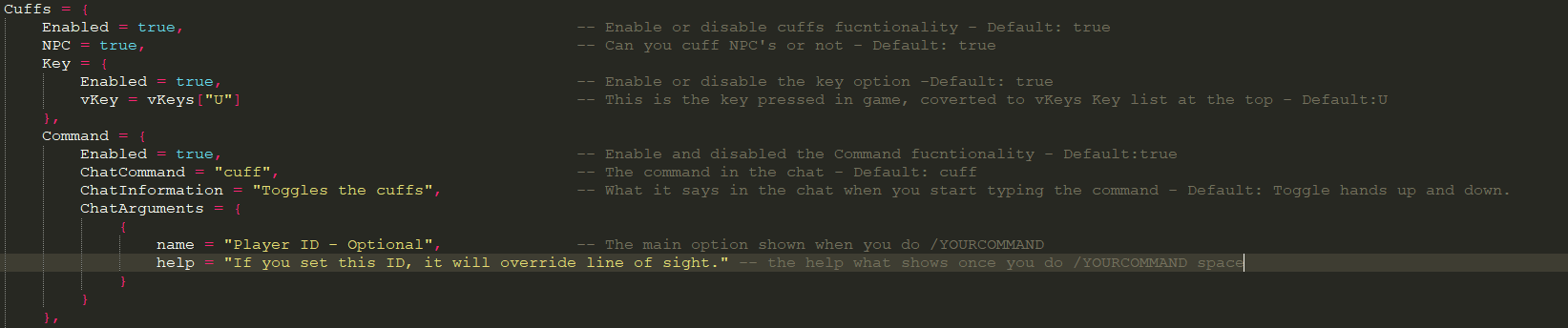
/cuff and /curp command shown in game - configurable 1.0.0.2++

Screen Shots


/hu Hands up command in game - configurable

Screen Shots


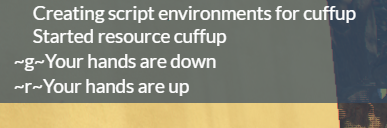
Notifications in game - configurable

Screen Shots
image

Extra information

There is a globle config and per function config for these options but the overide for streamers/RP users will make them all the same, there changes are to there client only and not saved it’s cached until they restart.


Yes you can see ~g~ at the moment but I do say in the config you have to use the right command for the type you want so [^*] for chat and [~*~] for display.

Options in game:

  • Cuffs: Command /cuff (optional playerID) and Keybinding U - configurable
  • Hands up: Command /hu and Keybinding K - configurable
  • Notification /cuffsup mute, chat, display - configurable
  • /curp /cuffsup(1.0.0.1-) - this is a client override function, this is good for streamers & RP users that hate to see extra unneeded text to functions you learn how to use.
  • mute - Mute all Notifications
  • chat - Enables all Notifications to the chat
  • display - Enables all Notifications to the bottom left of the display
  • reset - resets Notifications back to the servers configuration

Change Log

  • 1.0.0.0 - No log, first creation
  • 1.0.0.1 - [HERE]
  • 1.0.0.2 - [HERE]
  • 1.0.0.3 - Private build
  • 1.0.0.4 - [HERE]

Download: GitHub


Experimental Branch: grimly [Here]
Dangerous Branch: [HERE]
These builds are what I call Save Point versions where at the end of the day when I stop coding I save them, this build has more idea based functions then useful, tho this dose have the next grimly build push built in, it’s buggy and I wont say what or how lol, but feel free to play with it and see if you can work it out :slight_smile:

FAQ

  • Can this script support script X:
    Simple reply, no, this script is stand-alone, if you want to make it support other systems please fork the script and edit it to your heart’s content.

  • ESX/vRP Support:
    Same as above, you can do what you want with it if your willing to put the time in, ESX and vRP are there own frameworks and create so much problems what really have no need for problems, this is not down to the frameworks it’s down to some dev’s not understanding the frameworks and not created other scripts that support it right what then brakes other scripts without meaning to. This script is stand-alone and lets you have so much freedom

  • Can you install and set it up for me:
    I could for a charge and I know one would want to pay me to do this so I guess not, the script is easy to use and install even with the Ace parts of the script.

  • Can you add functions X or Y please:
    I have no idea if I can, I am here to listen to new ideas to see if I can do it, but I would advise you to get a GitHub account and fork it and try it yourself, this way you can learn and get things working for your server your way, most of the server attacks by modders is learning the scripts a server is running and then attacking the script to do what they want, if the script is different every server it makes it harder for them :slight_smile: but if you ask nicely and explain your request in a way I can understand it and I believe it will help the script I might add it.

  • Why did you create/update such a old script:
    I liked what I saw, I liked how the dev created it and told people hey go mad, go make something from it, sadly so many people was like how or I can’t do that, from all the other scripts I also tested this one only needed a small fix to still work right now and this was a simple spelling mistake, something anyone could see if they just looked over the code for a moment. Once I tweaked it as proof of concept to show it can be done, I got hooked on working on it and the script as become a different beast I felt well it should live on.

  • There is a bug and I need it fixed yesterday:
    I call this script my morning coffee script and only work on it on days it’s raining or there is no game I want to play, the days I have plans I will try work on scripting from about 8 AM UK(GMT+0) for about a hour or two this including basic testing, so updates and fixes will come when I am able to, rush me and it might never come as I just won’t look at it at all.

  • How do I install it?!:
    Clone the resource as a zip to download it, unzip and rename CuffsUP-master to CuffsUP
    place in your resource folder and update your server config we support the newer format fxmanifest so I believe this will only work on newer servers in the server config put ensure CuffsUP and also add the Ace commands if you want to limit it to a user.

6 Likes

Nice Stand alone script
if you add Drag And Put in vehicle Like ESX it would be awesome

1 Like

Sadly this isn’t working of the es_extended.
Just added everything and nothing happens beside a chat error “SYSTEM cuff is not a valid command!” which in its self isn’t to the script not working. But no players gets cuffs on.

Hope you will update it soon. :wink:

EDIT: The /hu works fine. No problem with that part.

I can’t help without screen shots also this is standard alone so no support for eco scripts like ESX and vRP, as these have there own scripts created for them platforms.

@rezaCyber I am still learning about the put in vehicle and drag and do have plains to add them as I need them for another script I am working on, so that might be a future update but can’t say when.

Can I see screen shots @astudios_by_aqade of your F8 console the chat return error and your server console error, that will help me see if I am able to see what’s happening es_extended is a esx eco script so it might never work with it but at the same time I might be able to make it work long side it.

My dev system no longer uses esx so I won’t be installing it just to test so I need your help here, as es_extened also interacts with many scripts it could be another script what’s the bug and then sending bad arguments to es_extened. A list of all mods would help two and any custome changes, you may DM/PM that if your not wanting people to know your set up.

Update/Edit
Also try using the Y and U keys see if they work remember this script has both key and command options, its a line of sight not ID based.

Confirmed Bug
Bug, it seems I have broken something cuff has stopped working I am working on this now to fix it.

Update
This has been fixed it was my simple mistake when changing the name I changed it like 3 times and the last time I missed a simple thing I am working on this and should release a update in a few hr’s thanks guys.

I have got the fix done but the grab option what I started next I am having a problem with letting go, I can’t tell why in one place we can detach but the same code it don’t work so I trying my best to debug lol so this update might be delayed for a day or so.

Hello there,

The funny thing is, there didn’t come any errors in the console.
But as I can see below, you seems to have fixed the problem. Which is awesome.

I will be staying in this post, if you need anything to be tested.
Will be happy to help you out with testing and maybe a few tweaks or fixes if there is any.

I will be waiting for the new update on GitHub. :stuck_out_tongue:

Keep up the good work, awesome script.

I do believe the fix has now been pushed to the GitHub, I redownloaded it fixed it again and then pushed it again as my version was badly broken for the new grab option I was trying to add I crashed my server and clients lol so I had to go back so might as well push the update at the same time, same link above

Bugs Fixed

  • Spelling mistake what stopped the cuffs from working. - Update has been pushed to GitHub already
1 Like

@astudios_by_aqade have you tested the update, getting a few reports it might still be broken I will be retesting this tomorrow morning but just wondering if it was broken for you also or if it’s a mod incompatibly

I haven’t tested it yet.
I will most likely test it later today, when the server isn’t online with 20+ players. Will get back to you asap, when tested it…

1 Like

If it doesn’t work, it could be possible i revert back two far, should be a easy fix tomorrow tho, sorry about that, I got so lost in research with it I messed things up :slight_smile: should of pushed the first fix as it was working all tested lol or well.
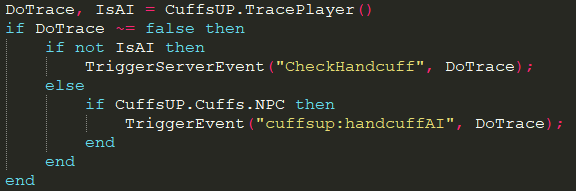
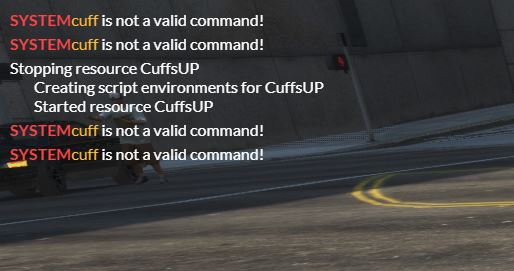
If it’s still broken sorry about that, it will work tomorrow also a /cuff bug that cuffs yourself.

Okay, i’ve been testing the script again.
Your new update ended up with.

Me going behind the other person, using /cuff and ends up cuffing myself instead of the person in front of me.
If i’m using the key “U”, it works with the person in front of me.

The Handsup part works fine, no worries there.

Beside that, if you are using the “/cuff or /hu” you will get an chat error says the command is valid.

Can you show me the error please and OK that’s strange i been told it’s the other way around lol the /cuff bug cuffing yourself i know about since using /cuff in rp makes no sense to me I didn’t worry about fixing that as the key makes more sense but that will be fixed today. There wasn’t no chat errors at all my side so this could be a 3rd party mod doing that.

But I could do with a screen shot of both client and server as if its a error it will be on the server two as all chat functions are triggered on the server.

Thanks a lot for your testing I will be on it in about a hr

Change Log 1.0.0.1

  • Fix: Fixed the /cuff option from cuffing yourself
  • Fix: Fixed my spelling mistakes what created a bug in the Keybinding (Default U)
  • Changed: Changed the /cuff command to now accept both line of sight and player ID
  • Updated: Updated the config file to reflect the new changes to the /cuff command so the chat now shows the /cuff and the help for the player ID, also updated the comments in the config to reflect this change.
  • Tweaked: Tweaked the README to have a little more info on how to install like most scripts do.
  • Added Functions: I added a new function to help with a fix and this function is useful for all users and your own scripts so we have added CuffsUP.TracePlayer() and CuffsUP.GetPedInFront() these functions have been added to the exports list to use in your own scripts I believe its exports[“CuffsUP”]:CuffsUP.TracePlayer() & exports[“CuffsUP”]:CuffsUP.GetPedInFront() but I haven’t tested this yet it could be exports[“CuffsUP”]:TracePlayer() - future testing will be done.
  1. CuffsUP.TracePlayer() returns the player in front of you already with GetPlayerServerId or the NPC’s ID Returns false if fails or the ID plus if it’s a AI or not.
    image

2.CuffsUP.GetPedInFront() This one just returns the ped without any conversion - This was created by @xander1998, just changed in to a tabled function to fit CuffsUP better.

This update was tested on a vanilla server no eco scripts like ESX or vRP, this works fine with the default chat resource and it was synced on both clients when tested, if you have any problems please report them in detail, including all scripts you are runny and any changes you done to this script and others, screen shots of all errors if this means two different reactions on two clients both clients views need to be documented. this is your responsibility, if you just tell me it’s not working and can’t give me any proof I can’t help, I have tested this, this IS a standalone script for servers like myself that opted not to use a eco framework.

1 Like

Now this is the only problem, everything works beside that.
Udklip_cuf

Good job mate, nice script. :wink:

This is not a script error this is what ever script your using to stop commands from been used, I would need a list of scripts that did things like that, or check the script that is doing that to see if it can stop printing back the not valid command as it’s all working. if you can find out witch script is doing that we might be able to move forward.

As you can see from all my screen shots I took the updated ones today they all are picked up by the default chat script I don’t know witch your using or witch admin scripts you might be using what block commands.

I did asked for all the details in my last post.
Past Post Here

This update was tested on a vanilla server no eco scripts like ESX or vRP, this works fine with the default chat resource and it was synced on both clients when tested, if you have any problems please report them in detail, including all scripts you are runny and any changes you done to this script and others, screen shots of all errors if this means two different reactions on two clients both clients views need to be documented. this is your responsibility, if you just tell me it’s not working and can’t give me any proof I can’t help, I have tested this, this IS a standalone script for servers like myself that opted not to use a eco framework.

Experimental Branch: grimly


Added:

  • Server Side Update Commands

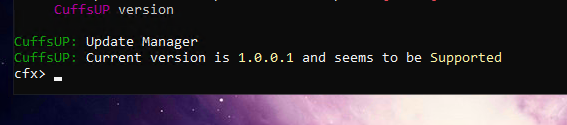
  • Server Side Version Checker Commands
    image

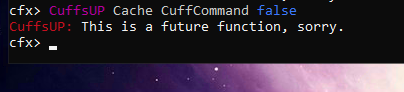
  • Server Side Push Temp Options EG, disable chat commands without restarting or editing the config (not yet coded)
    image
    When this is working this would sent a client cache to all players online at the time and set the command option to false

  • Server Command CuffsUP {arguments}


    GitHub Branch grimly:
    GitHub - rexzooly/CuffsUP at grimly

Nice.

1 Like

In the allowedUsers in the config.lua what do I have to put in there to allow admins for example like group.admin or the steam id?

This function I have no idea about yes i haven’t researched permissions before so right now everyone can use it, I will study that part of the code also later to see how @xander1998 was planning to do it.

I am having a few days playing Green Hell so i won’t be looking at this fast.