Description
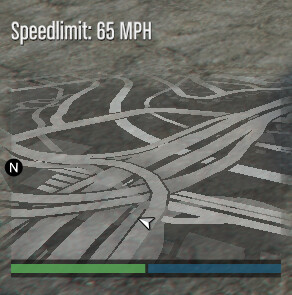
Have you ever wanted to always remain at the speedlimit? This is the script for you. This script enables you to press a toggle key (Default is ]) to keep your vehicle at the speed limit set for that road.
This script will also display the speed limit on your HUD and is a more optimised version of https://forum.cfx.re/t/release-posted-speedlimit/180949 created by @BigYoda
Showcase
Config
You can configure the following:
Toggle the speed limit display
Toggle the automatic speed limiter
Change the key for automatic speed limiting
Disable vehicles for the script
Disable vehicle classes for the script
Change the text displayed when enabling/disabling the automatic speed limit
Download
speedlimits.rar (4.2 KB)https://github.com/bleachyblue/fivem-speedlimiter-and-display
Editing the script
You may edit and contribute to the repository for improvements on the codebase.@BigYoda
This is my first public release, please give feedback in the comments and report any bugs there
Other Credits
@DevBear - Contributing to the script by improving performance
6 Likes
I would recommend updating since you’re using very deprecated methods
I assume you mean the __resource.lua, I’ve now updated this to an fxmanifest.
1 Like
My guy bleachy. Awesome Script highly Recommend this to anyone who is Viewing this.
I’ve opened a pull request containing 6 commits hope you don’t mind
Fixes performance when not in a vehicle/not the driver. Adds additional config options, etc. Congrats on your first public release, you did a great job. Keep it up!
1 Like
I really appreciate it! I’ve merged your changes into the main branch & updated the download.
For some weird reason Github likes to mess up the formatting when I upload things, so I didn’t notice that issue haha.
1 Like
This looks really good. It would be interesting to see how you got the speedlimit? I’m assuming this is somewhere which the AI use?
Great work!
EDIT: I just had a look… that’s a nice long array! Must of took some time
Thanks! And I wasn’t the original creator of the street names and speeds, this was @BigYoda which I converted to a table instead of an elseif chain
1 Like
Ahh ok. Still a good script. Very good for those RP servers
B1aZeYT
November 26, 2022, 3:00pm
11
How do i change the keybind for it cant seem to figure it out
How can I change the speed to KMH?