RedM giving me a Vulkan issue?

What is the issue you’re having?

I was changing visual settings in a RedM server and got this error message after a crash. Tried uninstall/reinstall.

What have you tried already to fix the issue?

uninstall/reinstall, restart pc

What server did you get this issue on?

Syn County RP

Error screenshot(s)

Windows version

Windows 11 Version 24H2

System specifications

nvidia geforce rtx 4070 super
ryzen 9 9900x
X870E AORUS PRO ICE

Antivirus software

none

Hello, this is a friendly reminder because this is your first time creating a topic (or it has been a while since your last topic) in this category.

Please note that most of the support is provided by the Cfx.re community on a voluntary basis. We ask you to be patient; there is no guarantee we have a solution to your problem(s). To avoid unnecessary/duplicate topics, please browse the forums before creating a topic.

To improve your chances of your issue(s) being solved, please provide as much information as possible about the issue(s) you are having. Also —whenever possible— please use the template given to you when creating a topic.

Thanks for keeping these forums tidy!
:mascot:

Have the same issue and tried a lot to fix this.

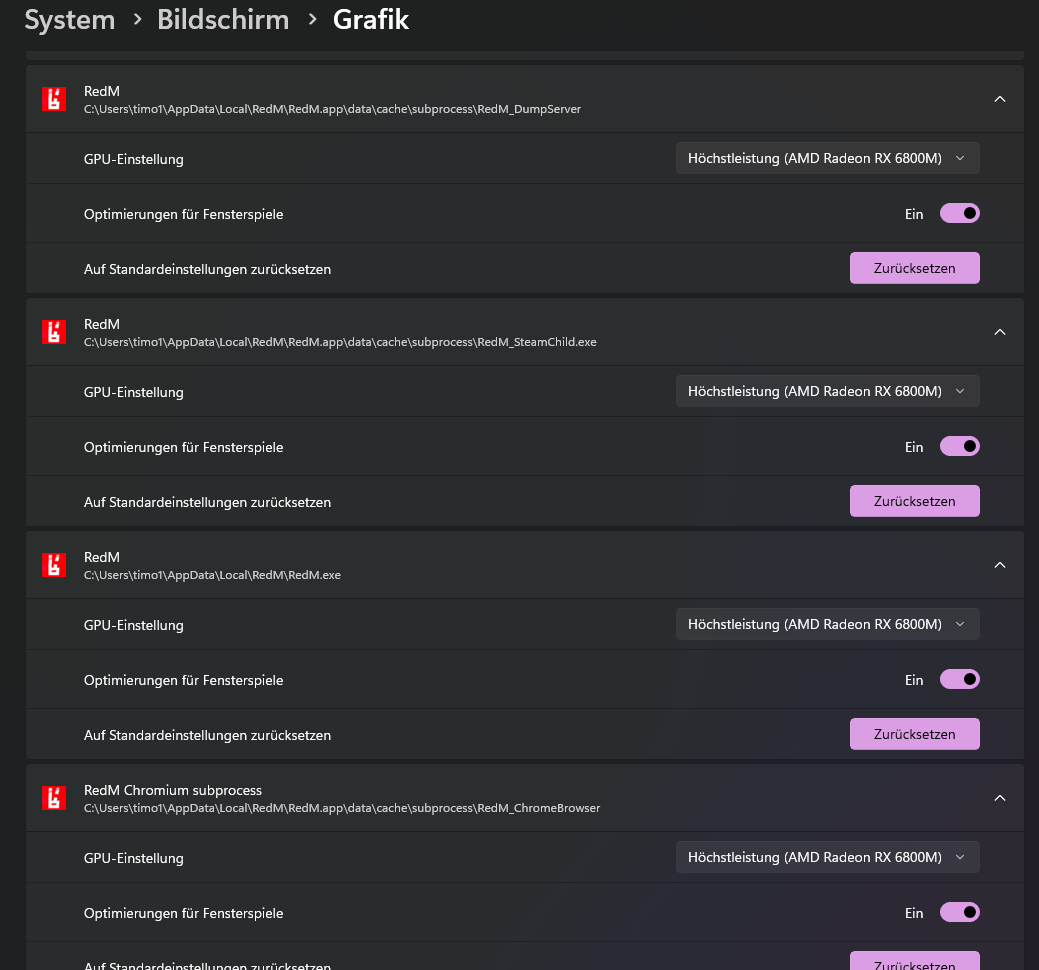
Main Problem is, that the subroutines not use the dedicated GPU. You can read this in the crash-logs

Render/ GPU Name: AMD Radeon™ Graphics
[ 35515] [ GTAProcess] Render/ GPU type: Integrated GPU
[ 35515] [ GTAProcess] Render/ Driver version: 8388887
[ 35515] [ GTAProcess] Render/ API version: 1.3.260
[ 36140] [ GTAProcess] Render/ [WARNING] RedM is using a non dedicated GPU. The GPU type that is in use is: Integrated GPUError: Failed to allocate memory for Vulkan. VkResult:
[ 38140] [ DumpServer] 3116/ Process crash captured. Crash dialog content:
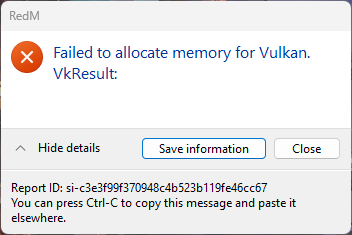
[ 38140] [ DumpServer] 3116/ Failed to allocate memory for Vulkan. VkResult:

I tried anything to get the subroutines to use the dedicated GPU, but nothing work. For example, i added all subtoutines and RedM in Windows graphics config to use the high power gpu. But not helped. Im out of ideas

It would be great, if the cfg programs get an option to choose which gpu you want to use (like in games) and if you can change this in a config-file in the filetree =/

Did anyone ever find a solution to this? Getting the same error on my first time trying to install RedM, and I have done everything that I could find online to try and fix it with no luck. A friend with the exact same computer(specs, hardware, everything) installed RedM and was able to get in with no problem

i dont think sop as my friends are having same issue now and cant find a fix

Got a temporary solution for myself, but only for one game session. In my case it was go to AppData\Local\RedM\RedM.app\data\cache, find any files staring with hints_[numbers].dat and delete them. Then launch redm, probably it won’t crash. Why i called this solution temporary is because after you close redm this error will return unless you delete those files again. This error doesn’t show on Direct12 for me, but Redm keeps crashing with it with hud error. So this might help someone.

I may have a real solution after having this issue myself.

What you need to do is go to %appdata% → Roaming and delete the “CitizenFX” file, then go to %appdata% → Local and delete the “RedM” file. Then reinstall RedM and you should see it ACTUALLY reinstalling everything from the ground up as if you had installed it for the first time.

Afterwards, load up whatever server (Mine was Syn County) and your game should load back up under the high powered GPU.

Let this be a lesson learned to never mess around with stuff we don’t understand (Myself included).

1 Like

did this work for anyone

Hi, I’m also having this issue — but in my case, RedM crashes instantly when I try to launch it.
As soon as I press “Play” to open RedM, the launcher closes and I get an error message like “Failed to allocate memory for Vulkan (VK_ERROR_OUT_OF_DEVICE_MEMORY)” or sometimes a RAGE error.
I can’t even reach the loading screen or connect to any server — it crashes right away every single time.

I’ve already tried:

Clearing the cache multiple times

Switching between Vulkan and DX12

Reinstalling RedM completely

Restarting my PC

Updating my GPU drivers

Reset Windows

But none of these solutions worked.

1 Like

Fixed this by going to C:\Users\[yourname]\AppData\Local\RedM\RedM.app\data and deleting the folder called cache. When you re-open RedM, it will redownload the cache data and work.

This has started to become a larger issue than I thought. I originally started seeing this about three days ago. I have attempted to help roughly 8 players now in the community I am apart of with this issue. It is spreading like wild fire. I hope CFX.RE can put an end to this. Here is everything we have attempted so far.

-Clear Cache
-Updating of Graphics Card Drivers
-Switching between Vulkan and DX12 (on NVIDIA and in RDR2)
-Reinstall RedM
-Reinstall Red Dead Redemption 2 (this helped some players)
-Custom Steam Startup prompt
-Changing VRAM to a higher amount

We also have been getting this error in relation to this VULKAN issue.

All in all different things have worked for different users. Please send help.

Me too, anyone have a final fix?

having the same issue, I have tried just about everything no fix. I play fivem just fine and multiple other games there is an internal issue I am afraid.

Its not an BUg from GraficsAdapter its from the last Update of RedM all things reinstalling doesnt helps and 16GB of Grafics Memory should way enough

I am going to try this today. I have literally removed everything from my computer affiliated with RedM and reinstalled. Did not help.

It happened right after that update. I think if we asked everyone they would also say it started after that update.

Same here about 2 days ago, i tried doing every possible fix nothing worked, i think it’s a redm problem not from my laptop as it was working just fine 2 days before. i can still play rdr2 at the highest graphics with both directx and vulkan just fine.

I’m also having this same issue, started happening right around the most recent update that affected MLOs. The only solution I have found is just deleting the ‘cache’ folder in your RedM Application Data folder. I’ve been able to leave the Server Cache and Server Cache Priv alone and it’s booted up just fine the last few times AFTER deleting just the cache folder. Otherwise, I’ve tried rolling back to drivers that my friends that aren’t being affected by this are using, and a slew of other fix attempts that have been mentioned in prior replies.

same issue herer, any solution yet? anything that will stop me from having to open and close redm a million times

Worked for me thanks!