What is the issue you’re having?
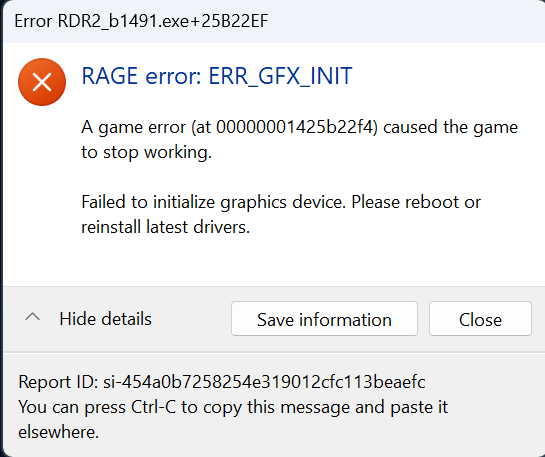
Everytime I start RedM, this error message appears:
[Window Title] Error RDR2_b1491.exe+25B22EF [Main Instruction] RAGE error: ERR_GFX_INIT caused the game to stop working. Failed to initialize graphics device. Please reboot or reinstall latest drivers.
What have you tried already to fix the issue?
I have DX12, not Vulkan, I have updated all graphic drivers, I have cleared the cache several times, deleted and redownloaded RedM as well as Rockstar Games Launcher and RDR2 several times, nothing helped. RDR2 opens and works fine but RedM doesnt.
What server did you get this issue on?
Sadly not sure anymore but it happened after I changed s specific setting, dont know which one though anymore.
Error screenshot(s)
Windows version
Windows 11 Pro Version 23H2 Installed on 28/05/2025 OS build 22631.5768 Experience Windows Feature Experience Pack 1000.22700.1106.0
System specifications
Processor: 13th Gen Intel(R) Core™ i9-13900K 3.00 GHz
RAM: 64,0 GB (63,8 GB usable)
Graphics Card: NVIDIA GeForce RTX 4090
Antivirus software
Windows Security (default)
CitizenFX crash zip file (‘Save information’ on a crash)

Log files
CitizenFX_log_2026-03-06T210431.log (57.1 KB)
CitizenFX_log_2026-03-07T080626.log (57.1 KB)
CitizenFX_log_2026-03-07T080359.log (57.1 KB)
CitizenFX_log_2026-03-07T082420.log (57.9 KB)
CitizenFX_log_2026-03-07T083705.log (57.9 KB)
Additional comments
I appreciate any help, thanks in advance.
