What is the issue you’re having?
Hello,
I’m having a persistent issue with RedM where the game crashes immediately on startup, before even reaching the main menu.
The screen turns black for a second, a loading circle appears briefly, and then RedM crashes.
This started suddenly a few hours ago.
Before that, RedM was working normally.
I am consistently getting one of the following errors:
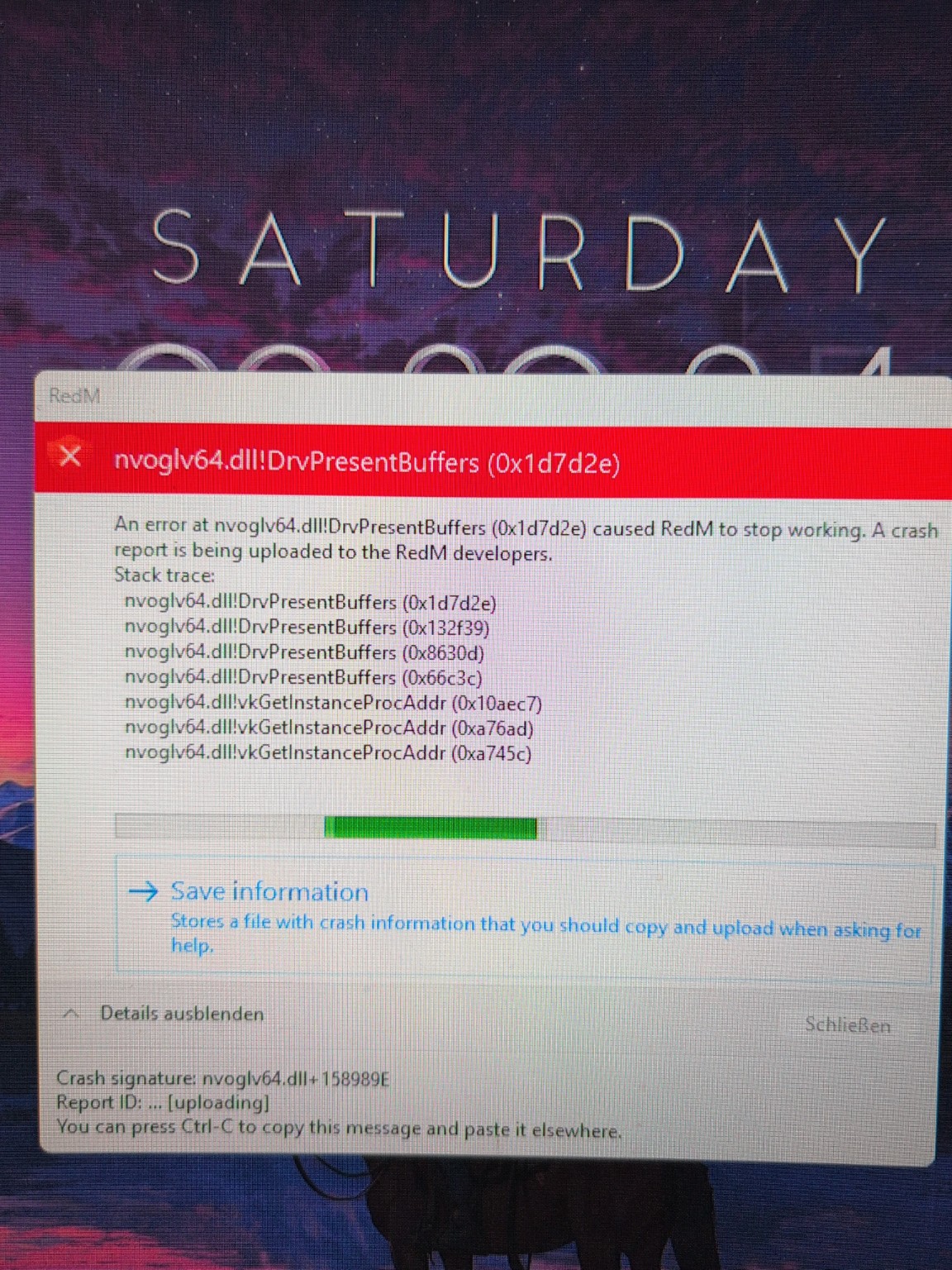
nvoglv64.dll!DrvPresentBuffers
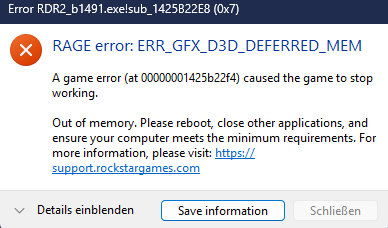
RAGE error: ERR_GFX_D3D_DEFERRED_MEM
RedM crash report shows Vulkan-related stack traces
Red Dead Redemption 2 Online works perfectly without any issues.
The problem only happens with RedM.
What have you tried already to fix the issue?
Clean NVIDIA driver reinstall using DDU (Safe Mode)
Tested multiple NVIDIA drivers:
591.74 (latest)
537.58 Studio
536.67
Clean installation (no GeForce Experience)
Deleted shader caches:
%LOCALAPPDATA%\NVIDIA\DXCache
%LOCALAPPDATA%\NVIDIA\GLCache
Reset NVIDIA Control Panel settings to default
Tried “Prefer maximum performance”
Verified Rockstar Games Launcher and RDR2 files
Logged out and back into Rockstar Launcher
Disabled all overlays (GeForce, Discord, etc.)
No overclocking (GPU / CPU / RAM)
Windows reboot and full shutdown
Nothing changed – RedM still crashes immediately.
Error screenshot(s)
Windows version
Windows 11 Home (Build 26200)
System specifications
OS: Windows 11 Home (Build 26200)
CPU: AMD Ryzen 7 5700G (8 cores / 16 threads)
RAM: 16 GB
GPU: NVIDIA GeForce RTX 3060 Ti
BIOS: AMI F.36 (23.10.2024)
PC: HP Pavilion Gaming Desktop TG01-2xxx
DirectX: 12
Vulkan: Installed (vulkaninfo present)
Antivirus software
Windows Defender
Additional comments
Please help me i am struggling since 2 Days and idk what to do anymore Support can´t really help me…
