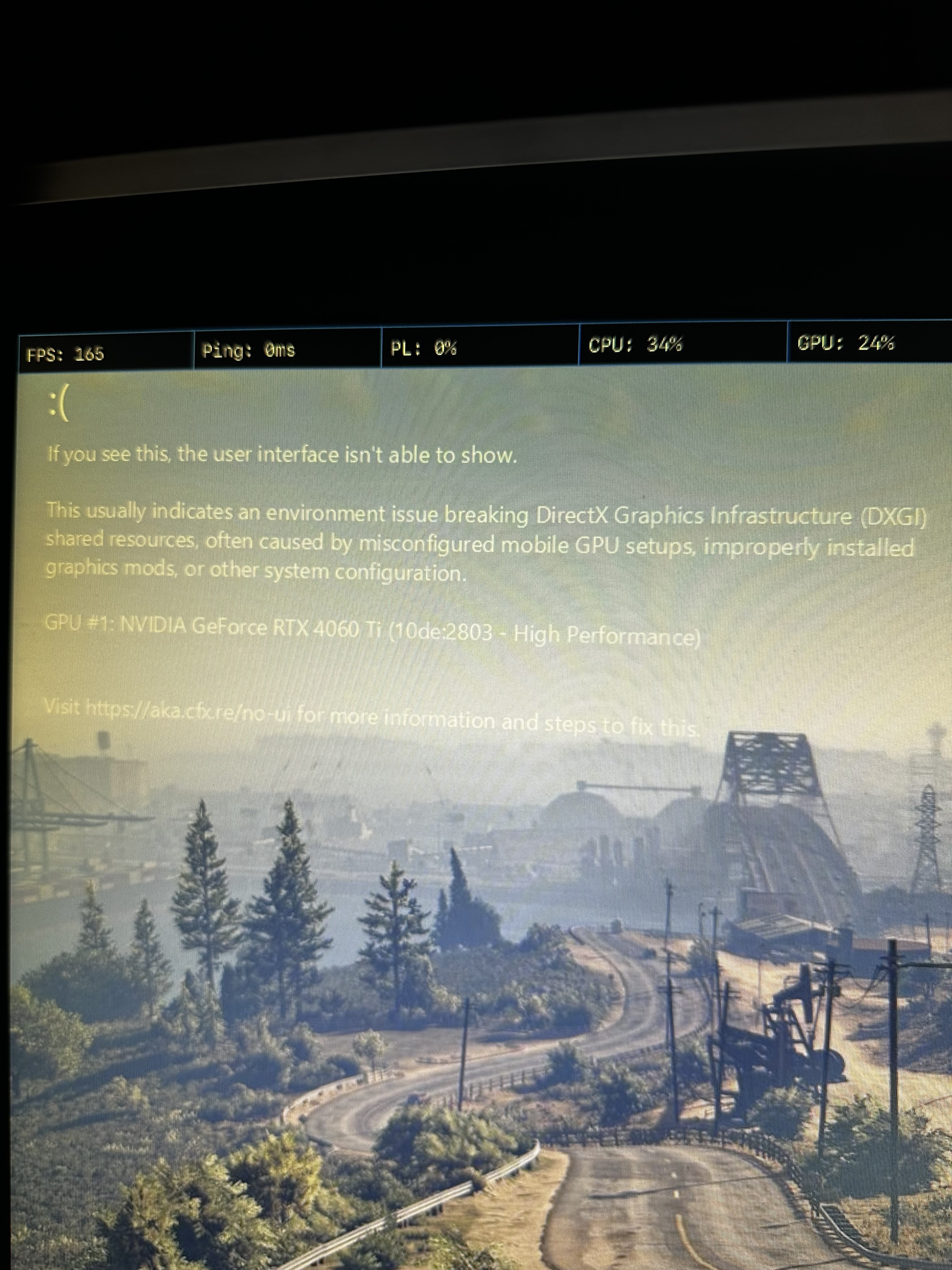
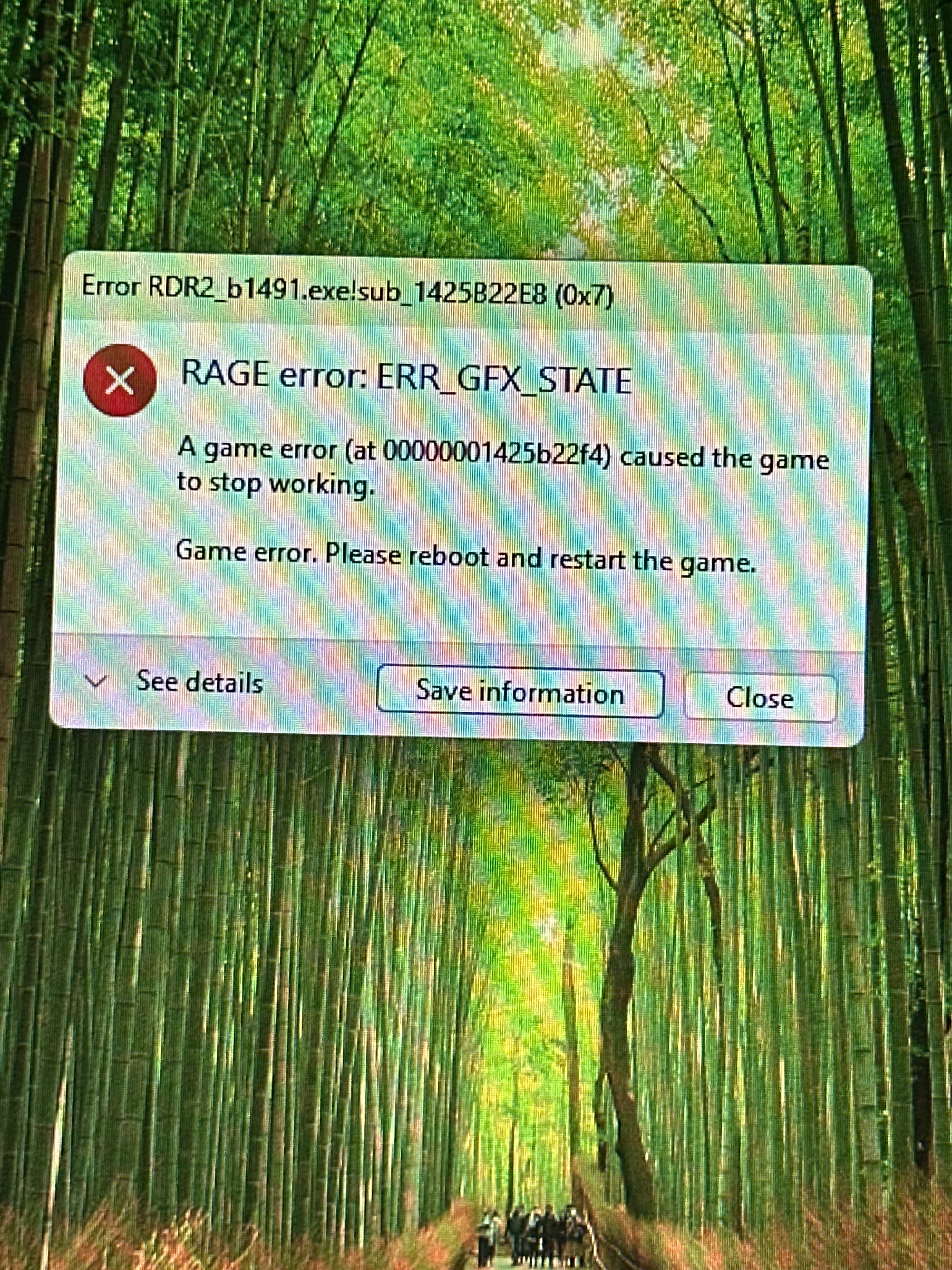
When launching RedM / RDR2, the game either crashes with RAGE error: ERR_GFX_STATE or loads without UI showing.
I also get a message saying that the user interface isn’t able to show, related to DXGI shared resources.
The game becomes unplayable after loading.
What have you tried already to fix the issue?
Reinstalled GPU drivers using DDU (clean install)
Switched graphics API (Vulkan / DirectX)
Deleted game settings and cache files
Verified game files
Disabled overlays (Discord, GeForce Experience)
Removed mods
Restarted PC multiple times
PC Specs:
GPU: RTX 4060 Ti
RAM: 32GB
CPU: Intel i5 (14th Gen)
OS: Windows 11
Game version: Epic Games
Hello, this is a friendly reminder because this is your first time creating a topic (or it has been a while since your last topic) in this category.
Please note that most of the support is provided by the Cfx.re community on a voluntary basis. We ask you to be patient; there is no guarantee we have a solution to your problem(s). To avoid unnecessary/duplicate topics, please browse the forums before creating a topic.
To improve your chances of your issue(s) being solved, please provide as much information as possible about the issue(s) you are having. Also —whenever possible— please use the template given to you when creating a topic.
I had the same issue and my friend had the same issue. Can you see if this works for you?
First, follow this guide.
This made the GFX error go away and allowed us to get into the redm main menu. (You may not even need this, if clearing your cache gets you back to your RedM main menu)
However when joining an RP server it would then crash with a vulkan memory error and put us back into the cycle of the error you show and we cannot play at all.
The fix for us: Use the Latest(Unstable Branch) from your RedM game menu and restart RedM.
Now you can use -pure_2 without crashing. I think some servers automatically set your game to this setting when you connect to them.
You can recreate the bug we see by going to your redm shortcut > Properties > and then putting -pure_2 in your Target line. When you launch RedM on the stable branch you will be greeted with that error and your game will close.
I frequently experience ERR_GFX_STATE crashes on RedM.
RDR2’s single-player mode works perfectly, the problem only occurs on RedM.
The crash usually occurs a few seconds to a few minutes after joining a server, often while loading interiors or map resources.
I am posting this message to see if other players with RTX 50 series GPUs are experiencing the same issue and to share possible workarounds.
What have you already tried to fix the issue?
Clean reinstallation of the GPU driver with DDU
Tested different versions of the NVIDIA driver (currently 591.74)
Forced DX12
Disabled asynchronous compute
POM lowered to Low
Reset and manually edit system.xml
Disabled all overlays (NVIDIA, Discord, Xbox)
Set shader cache to Unlimited
Tested DLSS enabled/disabled
Tested forced DLAA via the NVIDIA app
Verified RDR2 files
Completely reset Windows (system cleanup)
Reinstalled Red Dead Redemption 2
The issue still occurs.
On which server did you encounter this issue?
Various Italian RP servers
###- What did you do before the issue occurred?
I didn’t do anything in particular, just playing quietly as usual on RedM.
Do you happen to have any other ways to solve this problem? I have an RTX 5080 OC Rog Astral and a Ryzen 7 7800x3d CPU with 64 GB of 6000 MHz RAM.