RC Interactions
Node-based NPC dialogue & interactions for FiveM
Bring story-driven NPC conversations and interaction points to your server with a visual editor, in-game runtime, and MySQL persistence.
Links (top):
-
Download ZIP: Release v1.0.0 · xbymarcos/rc-interactions · GitHub
-
Readme / Docs: rc-interactions/README.md at master · xbymarcos/rc-interactions · GitHub
-
Support : https://discord.realcity.dev

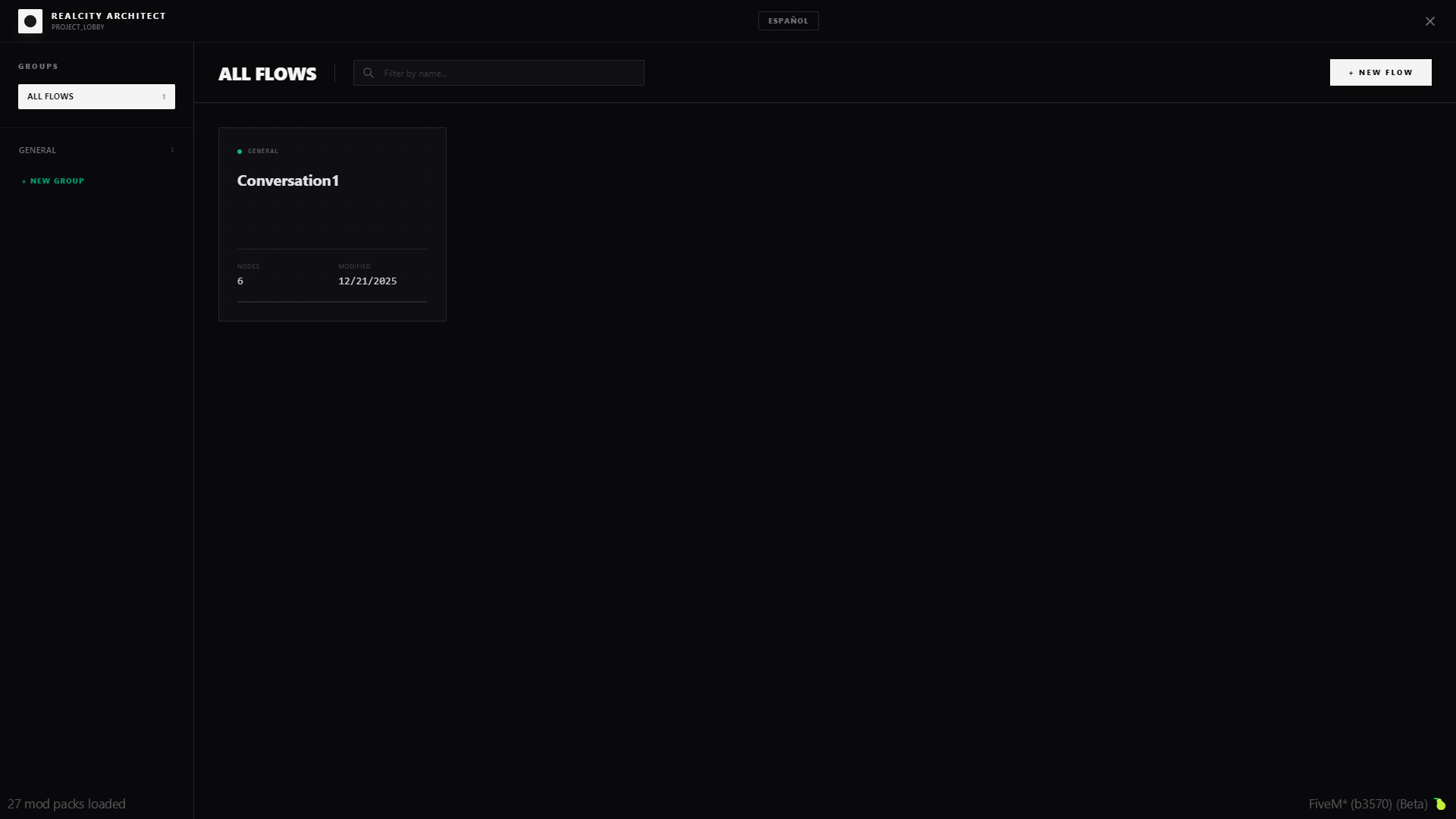
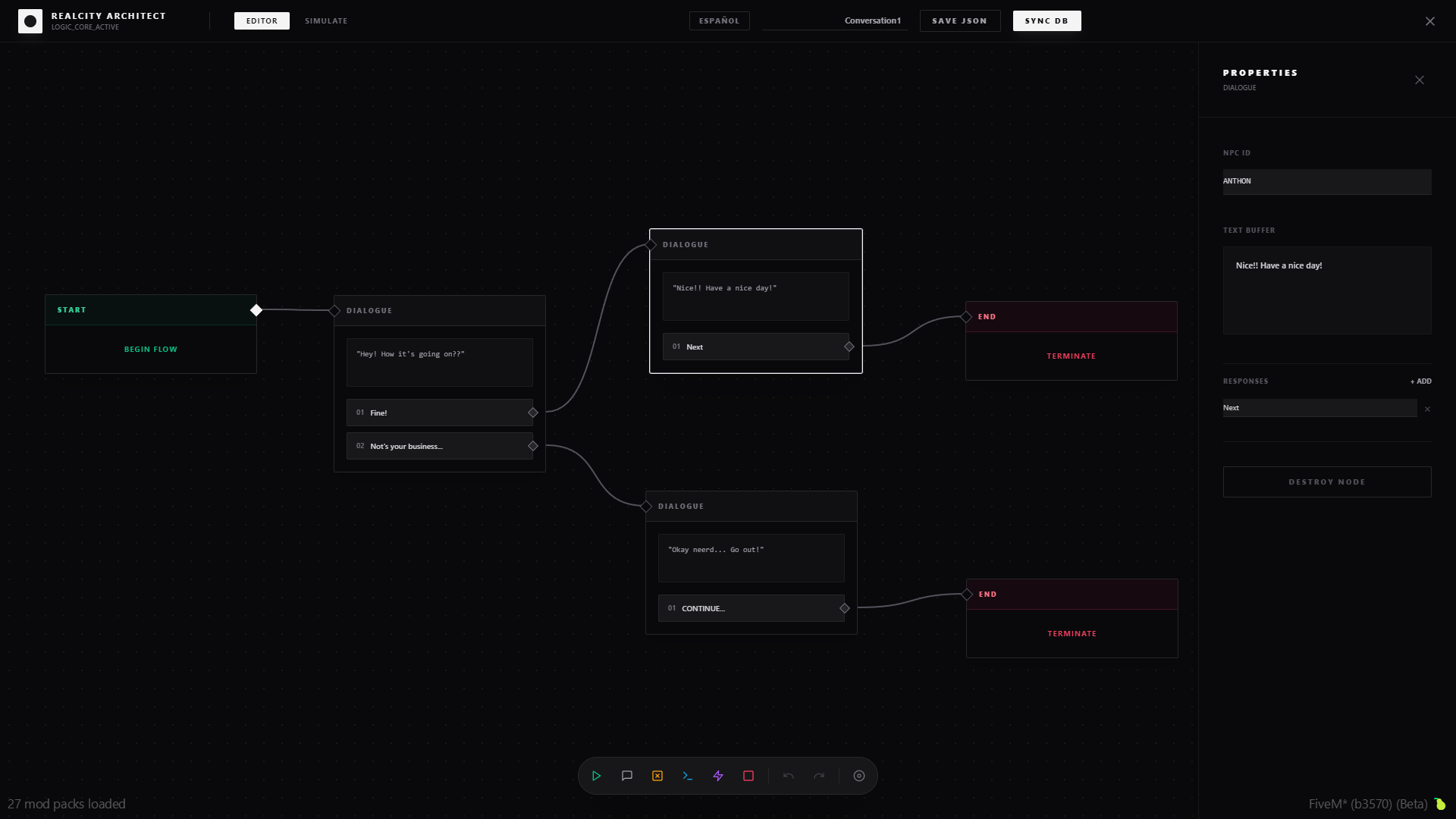
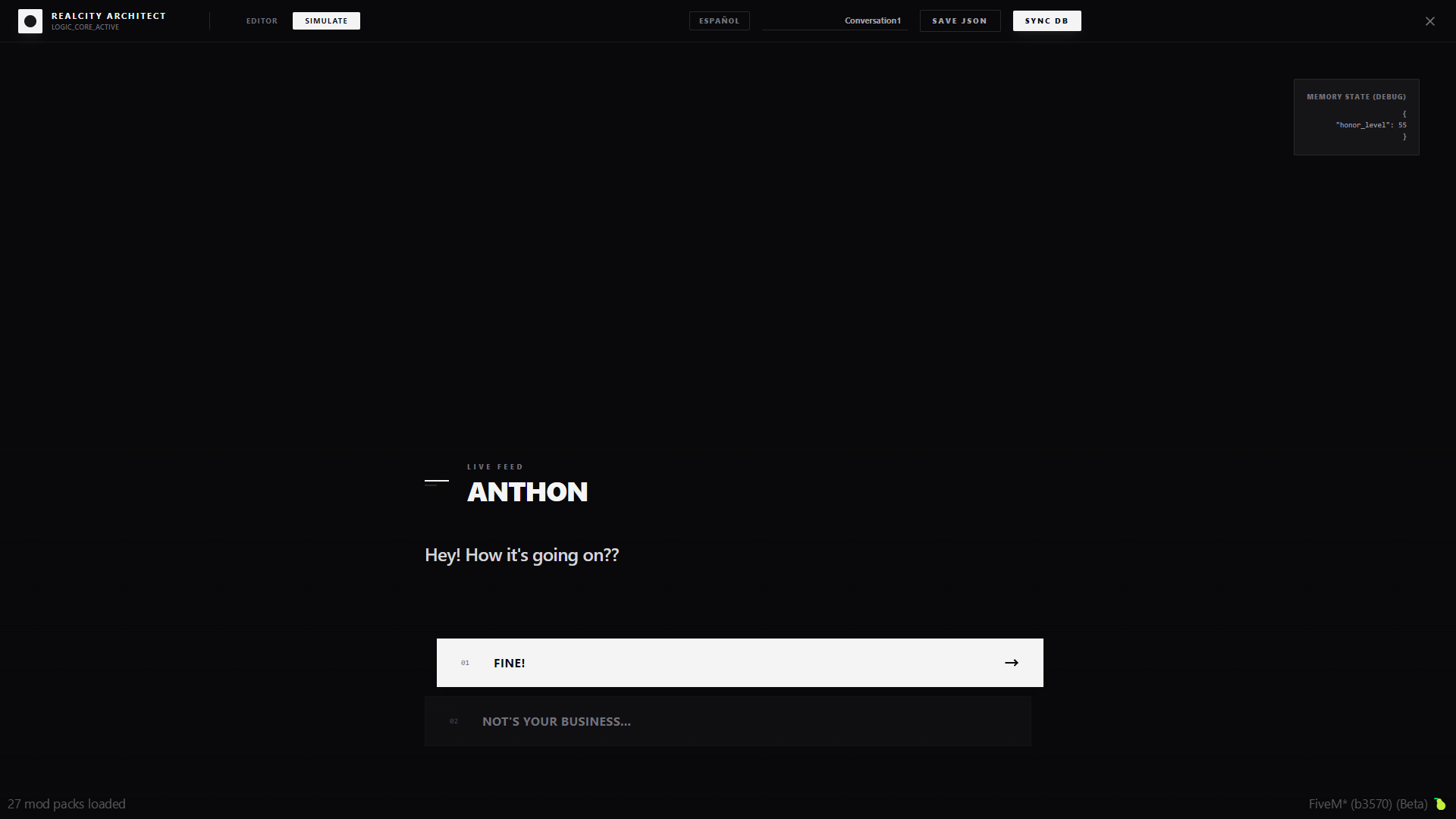
What you get
-
A visual, node-based editor to build dialogue/interaction flows (Start / Dialogue / Condition / Event / End).
-
An in-game runtime that spawns NPCs from your flow and gives players a simple Talk interaction.
-
Smooth dialogue UI for players (typewriter effect, keyboard selection, quick keys, ESC to cancel).
-
Cinematic camera focusing the NPC while talking.
-
Optional NPC speech/lipsync during dialogue.
-
MySQL persistence so your projects are saved and synced.
-
Optional integration with
qb-targetorox_targetfor the Talk target.
Perfect for
-
Quest / storyline NPCs
-
Job-specific NPCs (mechanic, delivery, police, etc.)
-
Event NPCs (seasonal, limited-time)
-
Tutorial / onboarding NPCs for new players
Requirements
-
oxmysql(required) -
qb-targetorox_target(optional, only if you want target-based Talk interaction)
Install (quick)
-
Drop
rc-interactionsinto yourresourcesfolder. -
Import the database file (recommended): https://github.com/xbymarcos/rc-interactions/blob/main/interactions.sql
-
Add to
server.cfg:
ensure oxmysql

ensure rc-interactions
Configure (the only file most owners touch)
-
Config file: https://github.com/xbymarcos/rc-interactions/blob/main/shared/config.lua
-
Useful options:
-
Config.Framework(auto/qbcore/esx/standalone) -
Config.UseTarget(enable qb-target / ox_target support) -
Config.EditorCommand(default:interactioneditor) -
Config.EditorGroup(who can open the editor)
How it works (owner-friendly)
-
You create a “project” in the editor, connect nodes, and save.
-
The
STARTnode defines where an NPC spawns (coords + model). -
Players interact with the NPC and the conversation flow runs in-game.
Player controls
-
Up/Down: navigate options
-
Enter: select
-
1–4: quick select
-
ESC: exit
License
- Non-commercial license (PolyForm Noncommercial). Check the repo license before using in commercial contexts.
| Code is accessible | Yes |
| Subscription-based | No |
| Lines (approximately) | +1000 |
| Requirements | N/A |
| Support | Yes |
