We are proud to introduce the obX Multicharacter system.
Links
- YouTube: Teaser
- Payment: Tebex (Cart: $22)
About
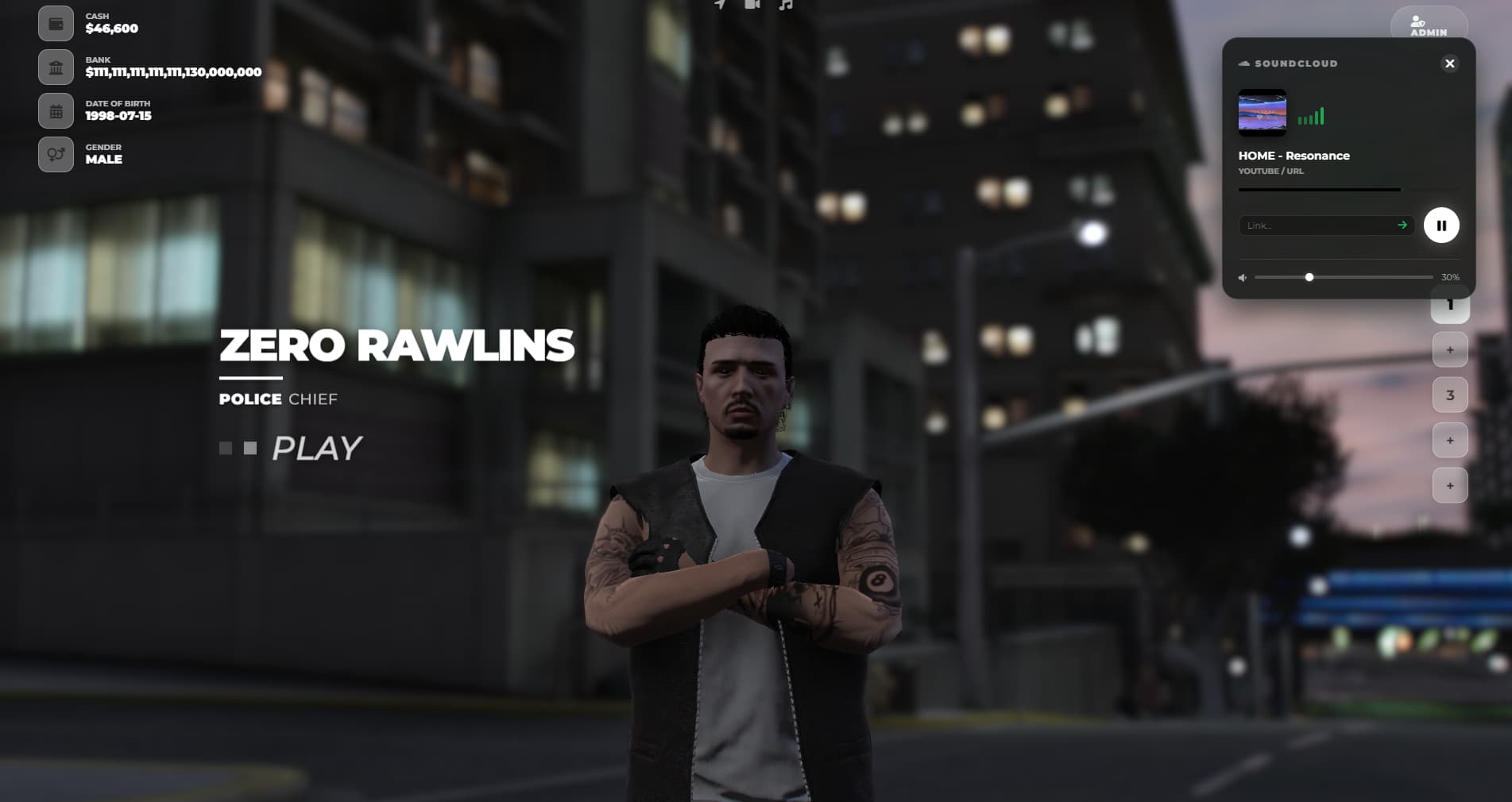
Make your server’s first impression a masterpiece. The moment a player connects is the most critical time to establish quality. obX Multichar discards the standard, dull QBCore selection screens and replaces them with a high-end, cinematic studio experience.
This is not just a menu; it is an All-in-One Entry System combining Character Selection, Advanced Identity Registration, and a Spawn Selector under one cohesive roof.
Key Features
1. Built-in Identity & Registration Forget old-school, boring dialog boxes.
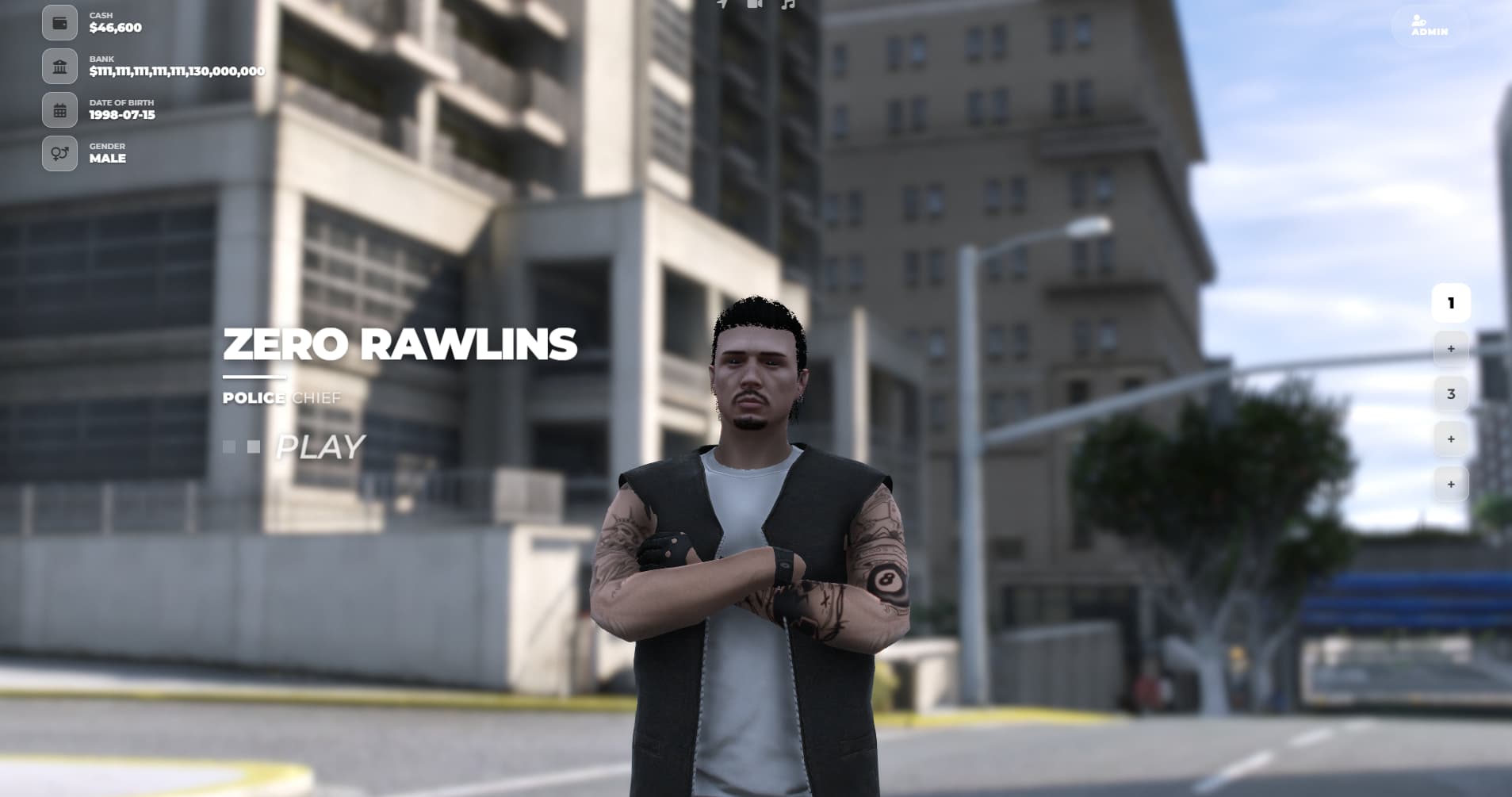
- Fluid Registration: When a player selects an empty slot, they are met with a sleek, integrated interface to input Name, Surname, DOB, and Gender.
- Seamless Flow: Smooth transitions from Registration > Character Creation > Spawn Selector without any disconnections or loading screens.
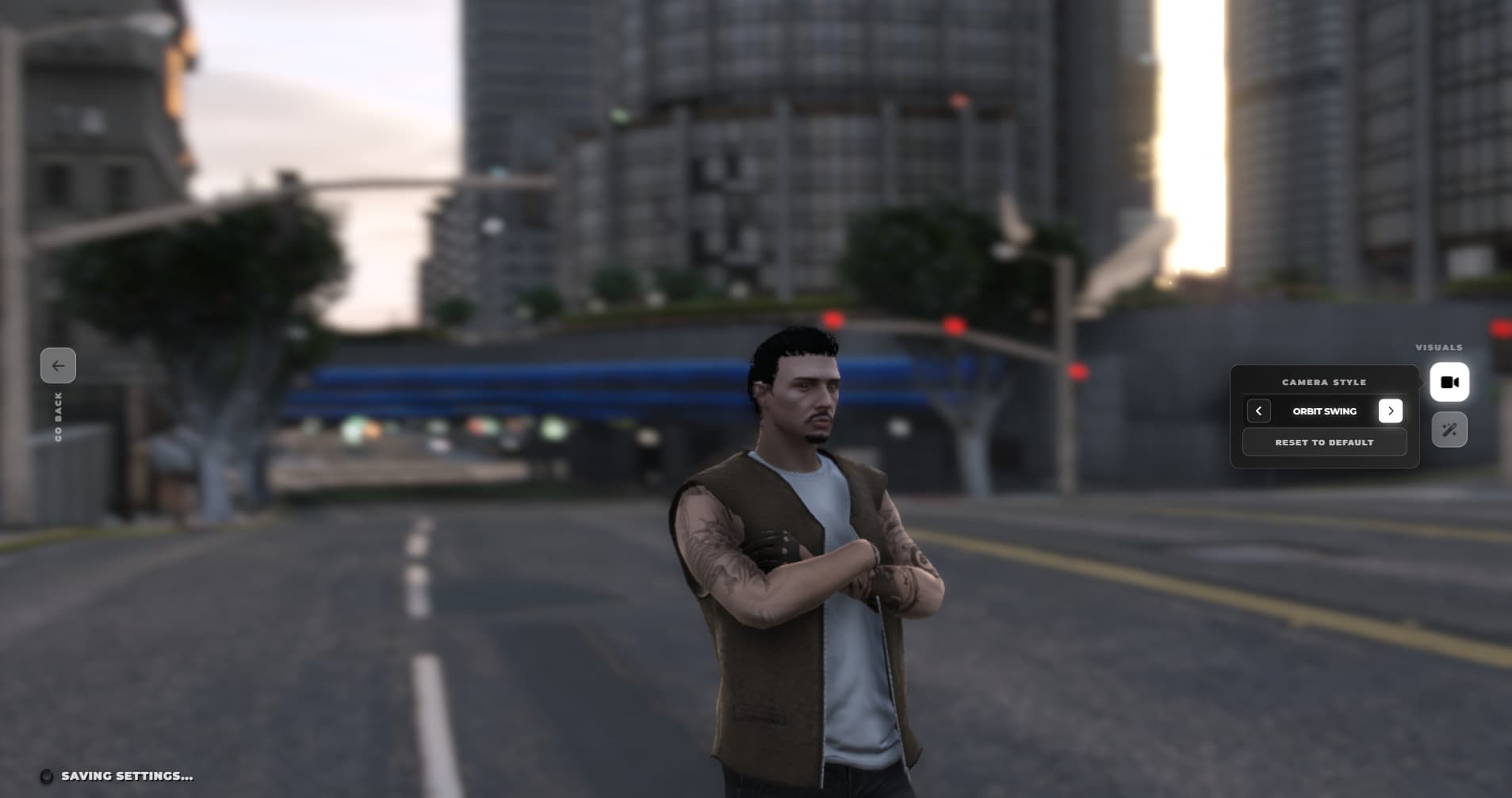
2. Advanced Cinematic Camera Modes Get rid of static cameras. Choose from 10+ dynamic camera animations to showcase characters:
- Sky Drop: A drone-like descent from the sky.
- Face Reveal: A dramatic zoom focusing on facial details.
- Orbit & Spiral: Soft, cinematic rotations around the character.
3. Visual Style & Filters (Post-FX) Allow your players to customize their screen experience with studio-quality effects:
- Filters: Options include Portrait, Warm, Vivid, Black & White, and Studio Lighting.
- Depth of Field (DoF): Flawless focus settings that blur the background to keep the attention on the character.
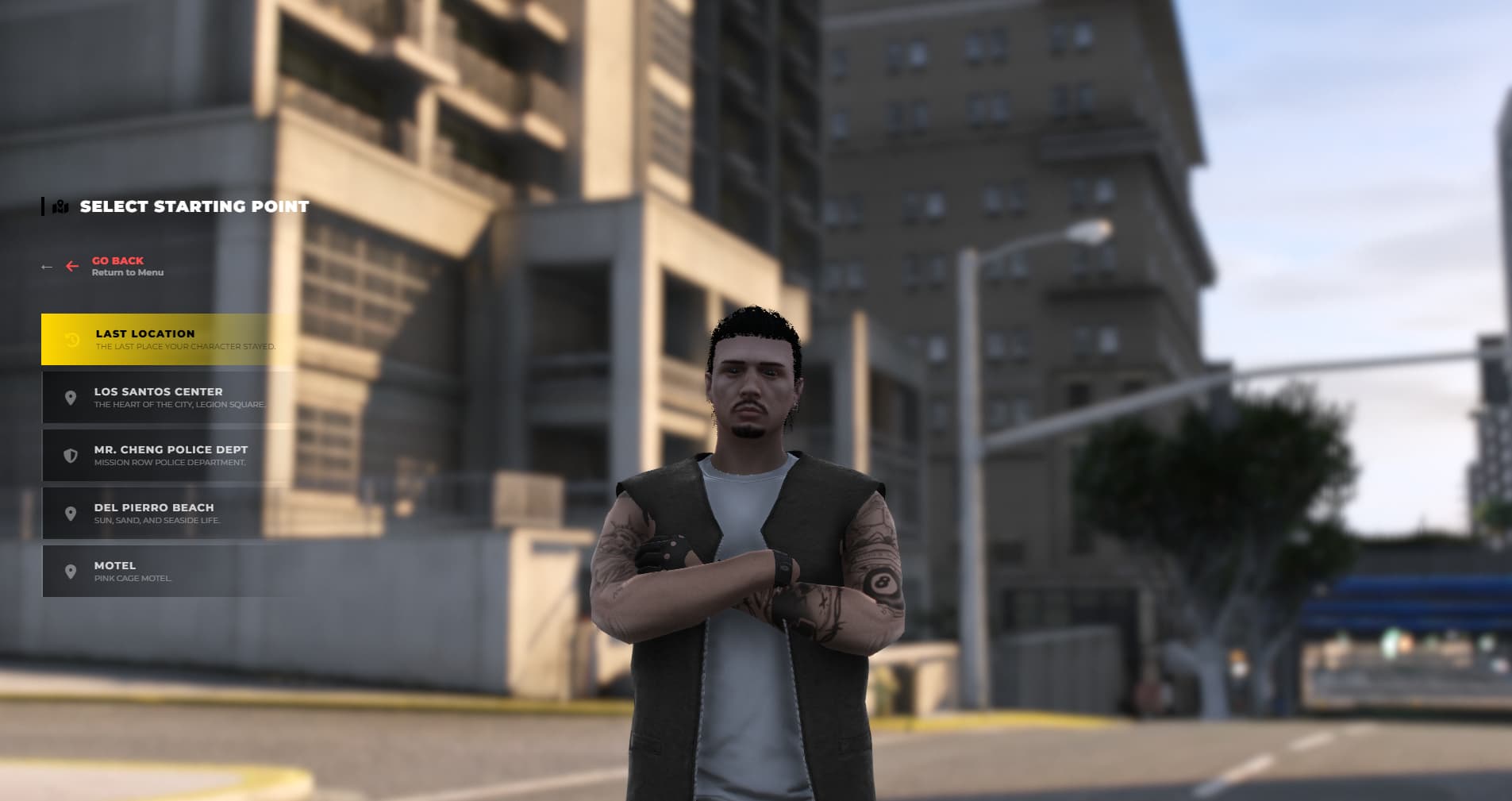
4. Integrated Live Spawn Selector No need for an extra spawn script.
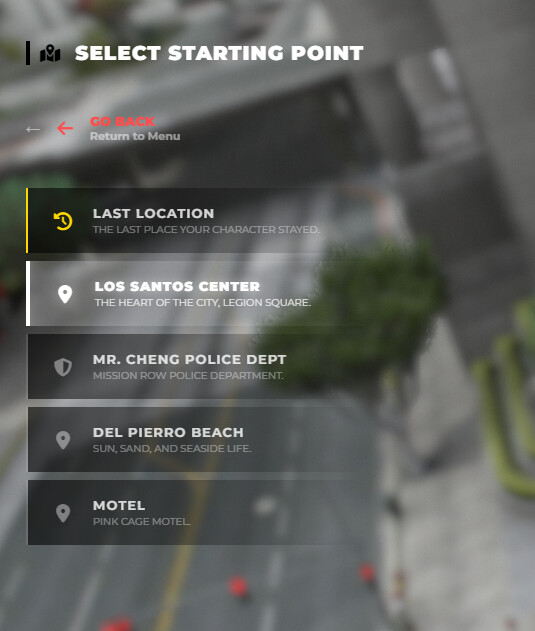
- Live Preview: When a player hovers over a spawn point (Legion, PD, Motel, etc.), the camera flies to that location in real-time to show a live view.
- Last Location: Automatically saves and displays where the character last disconnected.
5. Living Characters Your characters don’t just stand there like statues. They interact with the environment—drinking coffee, smoking, or crossing their arms—creating a living atmosphere during selection.
In-Game Management & Performance
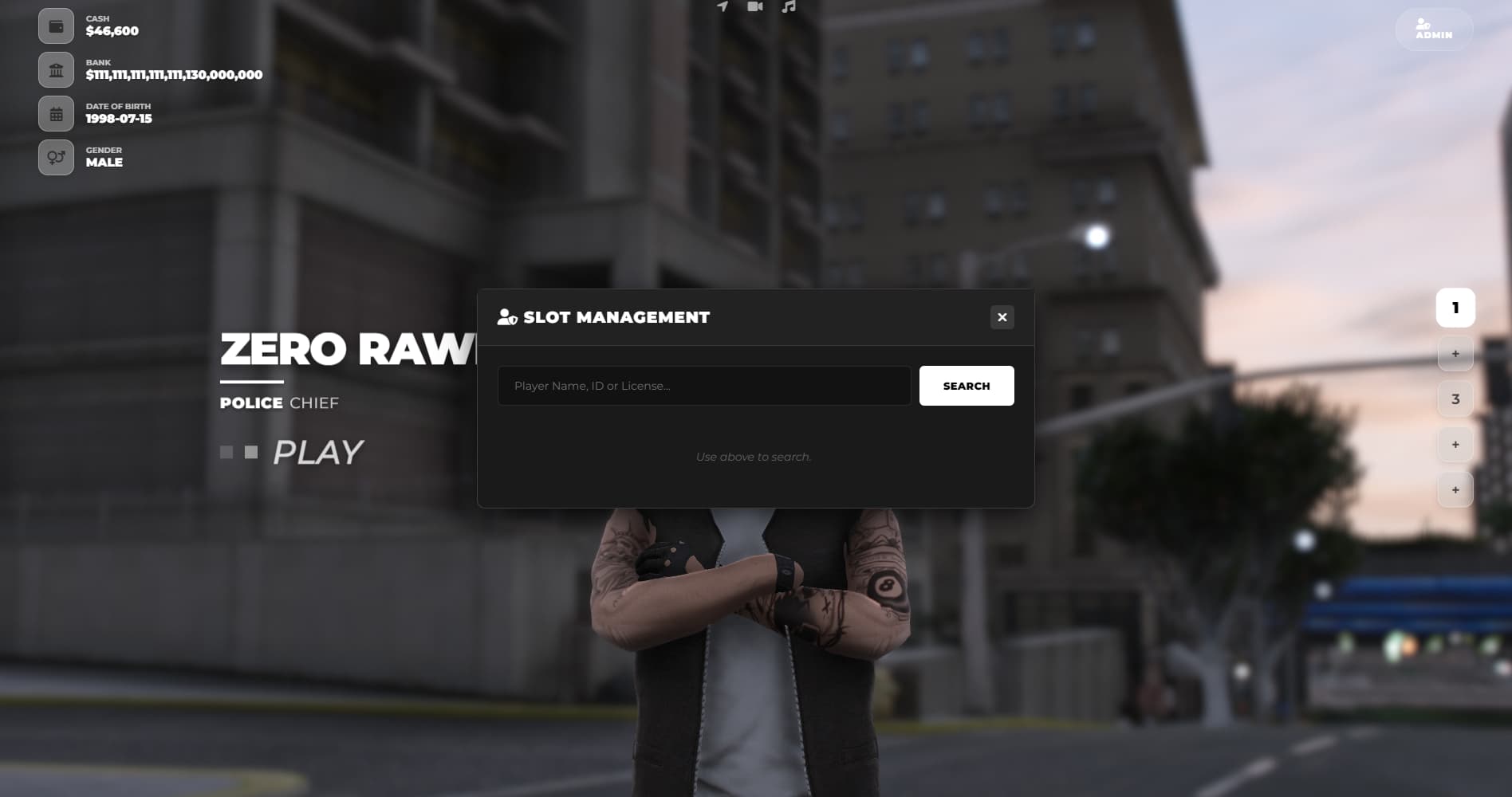
Manage slots and characters directly in-game without touching the database.
Admin Commands:
- /setslots [ID] [Amount] - Instantly grant extra character slots to a player.
- /deletecharacter - Delete characters with admin privileges.
- /enablechar & /disablechar - Temporarily freeze or unfreeze characters.
Optimization:
- Routing Buckets: Players in the menu are placed in a virtual world (bucket). They cannot see each other or collide with vehicles.
- Smooth Transitions: Custom easing functions ensure camera movements flow like water.
Compatibility & Settings
This resource is built exclusively for QBCore.
- Clothing Scripts: Supports illenium-appearance, fivem-appearance, and qb-clothing (Switchable via a single config line).
- Weather: Fully compatible with qb-weathersync and cd_easytime.
- Music: Set your desired intro music using a YouTube Video ID.
- Location: Move the “Showroom” coordinates to any location on the map (Mansion, Penthouse, Office, etc.).
Installation
- Download the file and place it in your resources folder.
- Add the following lines to your server.cfg file:
ensure obx_identityv2 ensure obx_multicharsv2
- Stop the default qb-multichar and qb-spawn scripts to prevent conflicts.
- Select your clothing script in the Config file.
Enjoy an AAA-quality entry experience.
Gallery

| Code is accessible | No |
| Subscription-based | No |
| Lines (approximately) | ~6000 |
| Requirements | QBCore |
| Support | Yes |
 NEW UPDATE - 17.03.26 | Identity & Multicharacter Overhaul
A massive Quality-of-Life and UI/UX update has just dropped! We’ve completely refined the character registration and selection experience based on your feedback. The UI is now smoother, smarter, and much more premium.
Here is the full changelog for this update:
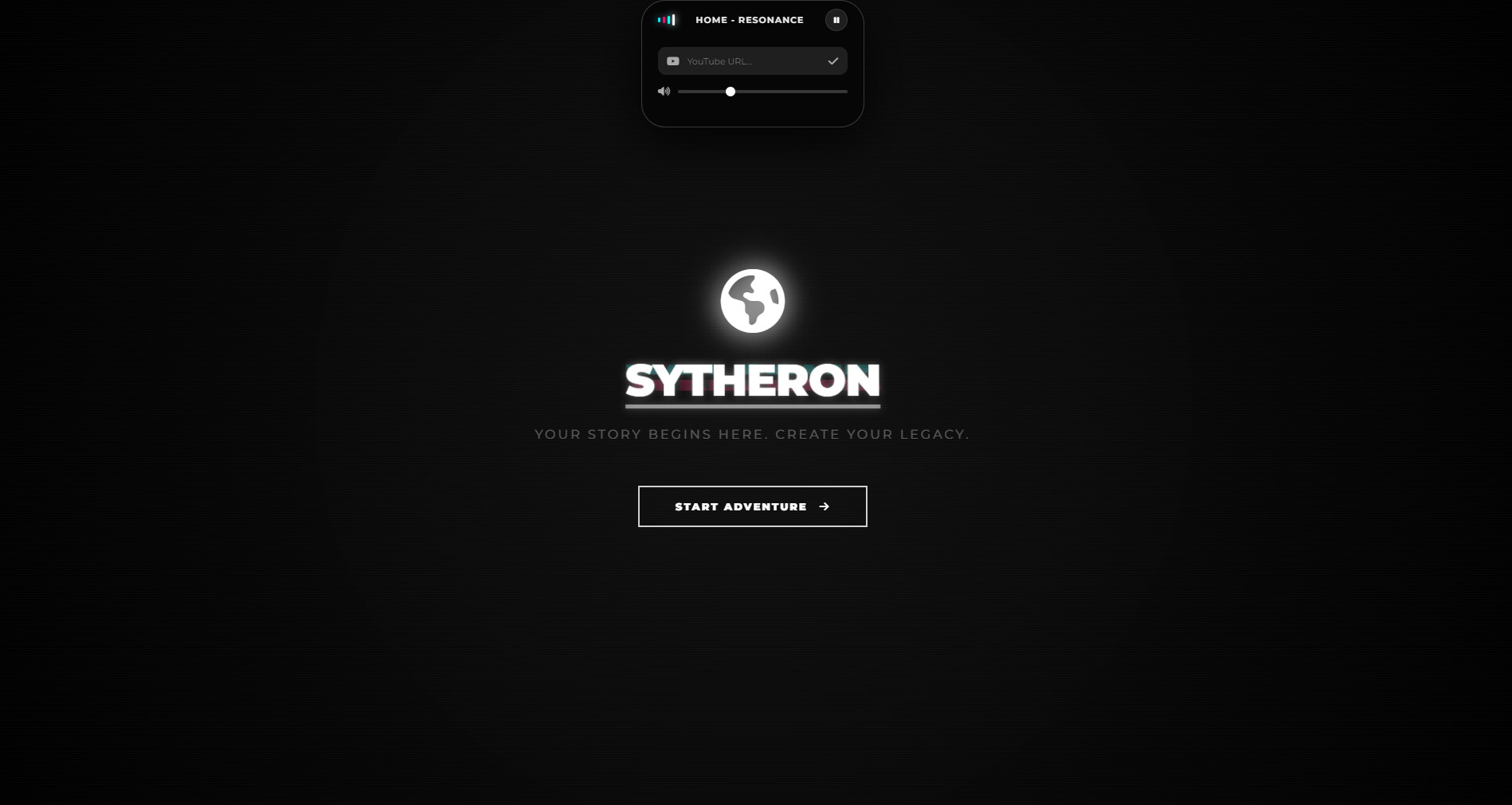
 Cinematic Initial Loading Screen & Music Sync
- Pre-load Screen: Added a sleek, black initial loading screen featuring your server logo and a progress bar. This prevents players from clicking UI elements prematurely before the character models actually load.
- Flawless Music Sync: Fixed the 1-second default music overlap bug. Your custom YouTube/URL music now starts perfectly synchronized the exact moment the loading screen appears.
(No more awkward silence or overlapping audio!)

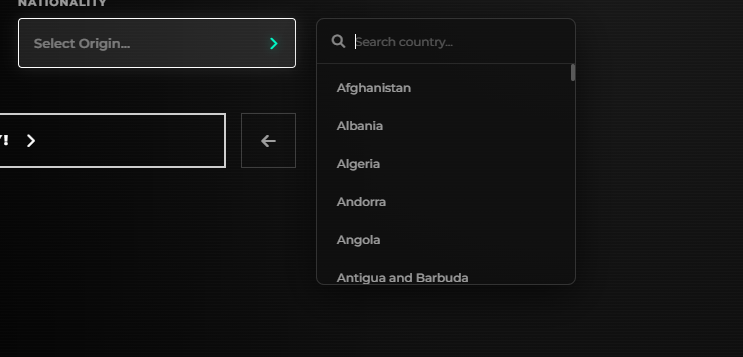
 Modern Nationality Selector
- Completely ripped out the ugly, default HTML
<select>dropdown. - Introduced a brand new, glassmorphism-style side panel for nationality selection.
- Includes a built-in search bar and smooth animations for a true premium feel.
 Spawn Selector Visual Overhaul
- Redesigned the spawn location cards to match the modern aesthetic.
- Active selections now feature a clean, glowing white border and neon-style text.
- The “Last Location” option now stands out with a beautiful, semi-transparent golden/yellow active state instead of a harsh solid color.
 Advanced DOB & Dynamic Age Validation
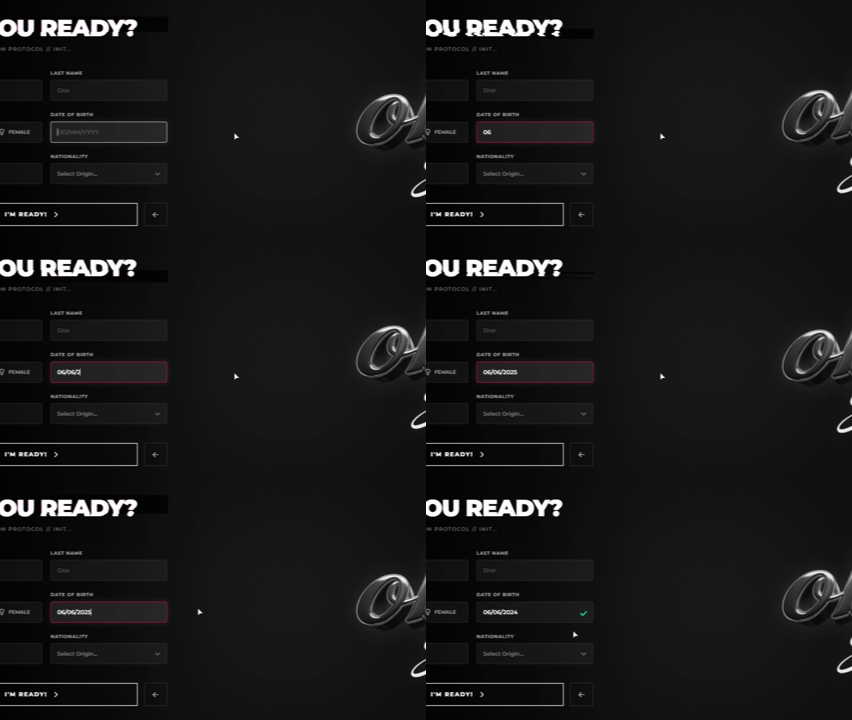
- No more clunky calendars! Removed the annoying datepicker. Players can now seamlessly type their Date of Birth, and the system automatically formats it with slashes (
DD/MM/YYYY) in real-time. - Dynamic Age Validation: The script no longer relies on hardcoded years (like 2020). It now dynamically calculates the character’s age based on the current real-world date, ensuring characters are at least 1 year old.
 UI Animations & QoL Additions
- Cinematic Transitions: Added beautiful slide-in/slide-out blur animations when switching between character slots or moving to the empty slot.
- Create Button Fix: Fixed the bug where the “CREATE NEW” button wouldn’t animate properly.
- Quick Play (Enter Key): You can now simply press the
ENTERkey to instantly spawn in with your selected character without needing to move your mouse to the “PLAY” button!
 100% Translation Support
- Every single UI text, error message, toast notification, and placeholder is now fully integrated into the
translation.jsfile. - You can now easily translate the entire identity and multicharacter experience into any language without touching the core logic.
 How to get the update:
You can download the latest files directly from your Keymaster/Tebex.
- Granted Assets: Click
Let us know what you think about this update below!