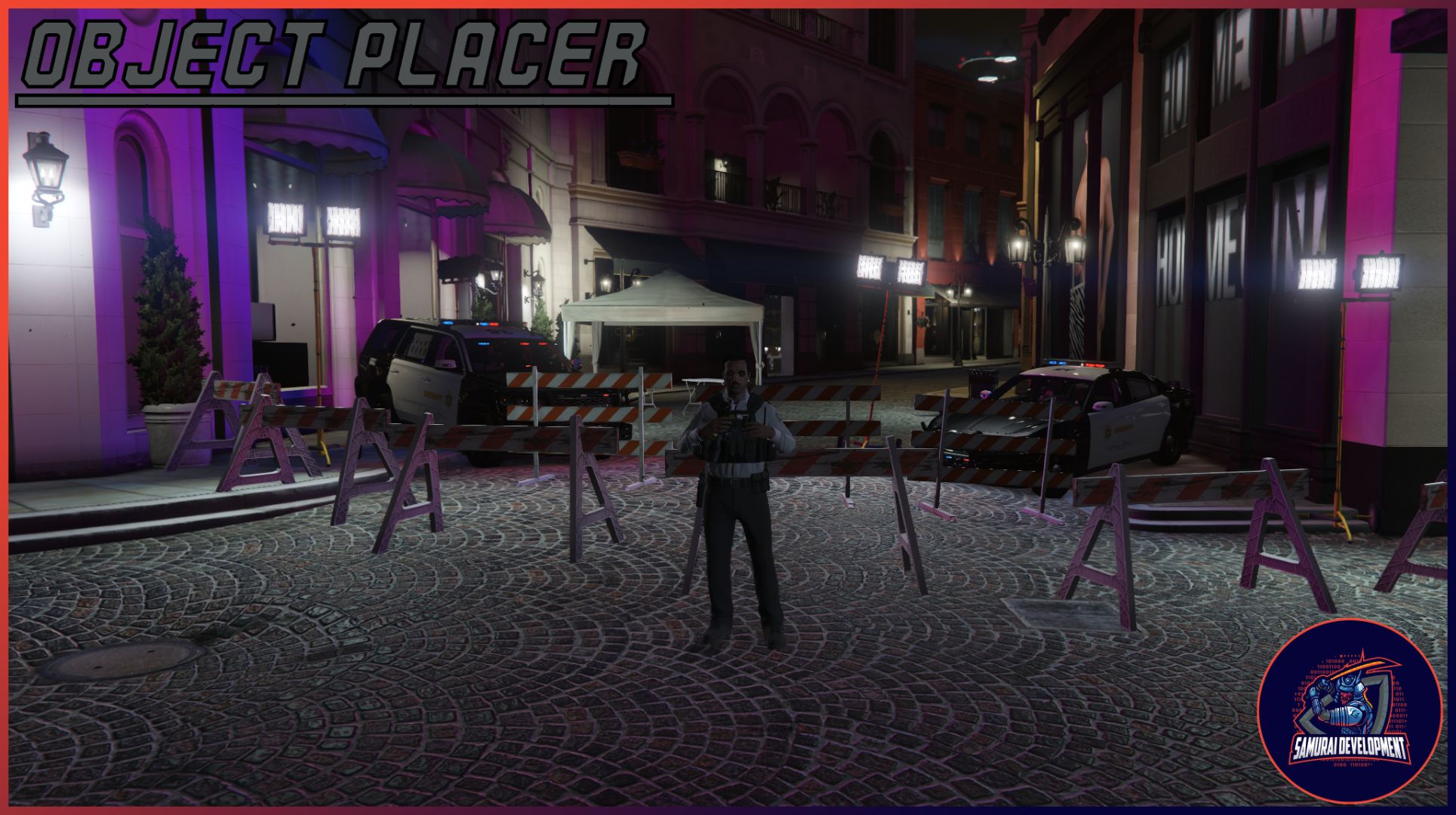
Samurai Development’s Object Placer!
Hey everyone, this is my first release on the forums so I hope you enjoy! Today we brought you a object placer made from scratch to improve RP and easy usage for any job in city!
Info:
This script allows a specific job role to be able to place down objects for RP purposes. For example a police officer can place down a cone or barrier for a traffic stop! It comes with a nice 2D drawn hud in the top left which shows which object you are placing. This resource also allows the placing of objects with the location of your mouse.
Demo:
You can check out the video by clicking on me!
Usage / How To Use:
/jobobjectplacer - This is the base command that will open the menu, if you have keybind enabled in the config then you can open the object placer with the keybind designated. Default keybind is O!
You can cycle through the objects and size of rotation with arrow keys. To place an object you look where you want it and place with mouse clicks! You can also delete said placed objects with your mouse!
Download:
Github: Releases · SamuraiDevCo/SDC_ObjPlacer · GitHub
Tebex: https://samurai-dev-co.tebex.io/package/6187360
| Code is accessible | Yes |
| Subscription-based | No |
| Lines (approximately) | 600-700 |
| Requirements | ESX or QBCore |
| Support | Yes |

 if you want to add it to your keymaster!