I was new to making FiveM Scripts when I released the original Browns Good Eats Script(The Second Script Ive Ever Made), Now that im more experienced I decided to remake a better version as promised and release it as a 2nd Version for free, Enjoy!
Key Features:
Supports multiple languages
Make Unlimited Custom Food Items
Decide how much food/water the food item gives the player
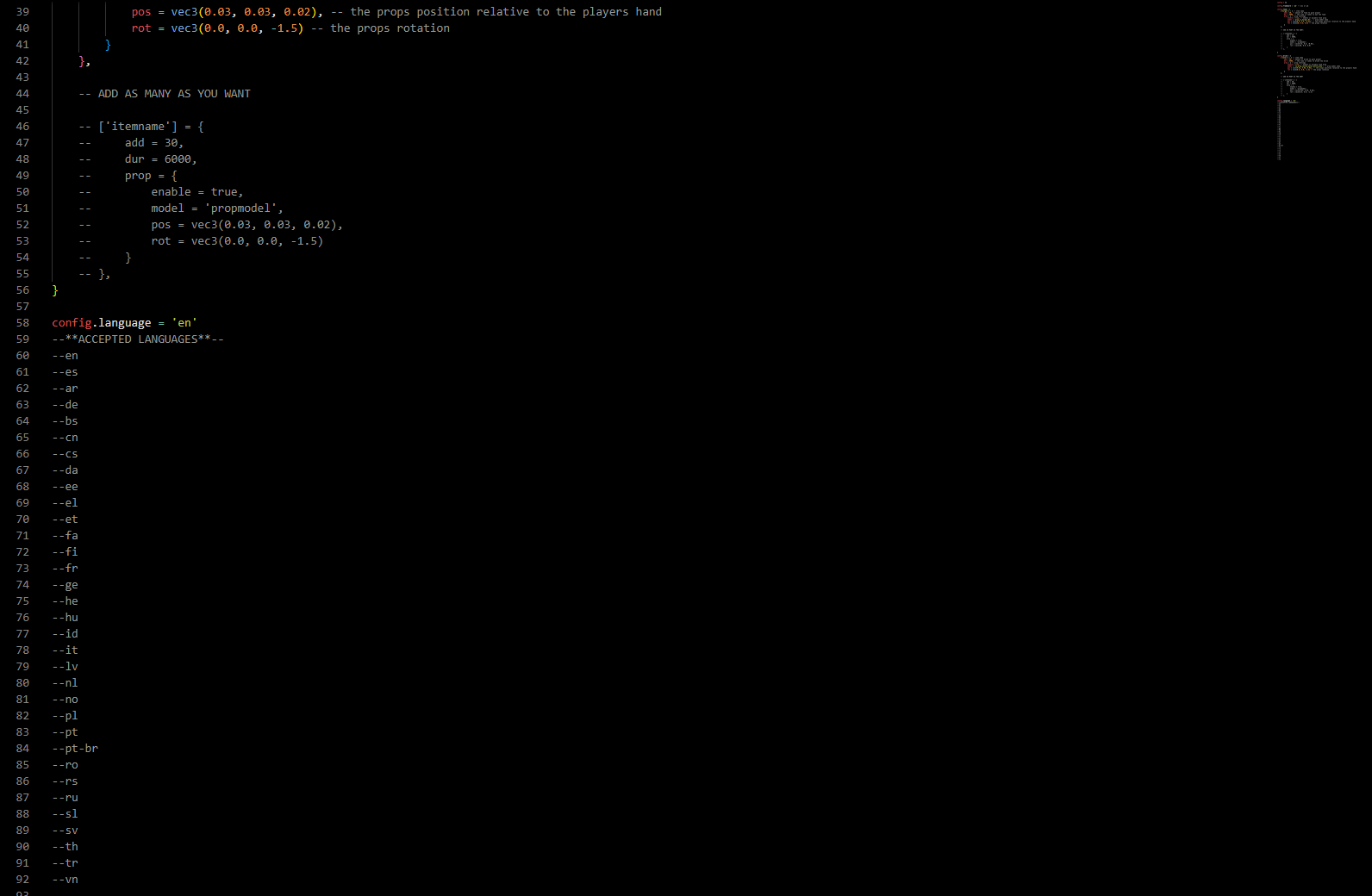
Choose what prop will be shown in the players hand when they eat the food or drink the drink
Progress Bar Will show the food/drink items label when consuming without you having to add it in config for example if the food items label is “Cheese Burger” then while eating the progress Bar will have a description that says “Eating Cheese Burger…” etc.
How Does It Work?:
Its Easy, You create an item that you want to be a food or drink item. Then add your item in the config file. You choose how much food or drink it gives the player when the player eats or drinks the food item. As well as the prop that will be shown in the players hand when they eat it.
The props available are dependent on any prop packs you have and your emotes menu. You have to go through your emotes (usually in a “AnimationsList.lua” file found in the client folder) and you can search through there and see different emotes that have props and get the prop names from there. You can search up different eating or food based animations for example I believe in dpemotes the “eat” or “/e eat” emote already has a burger prop configured with the prop name so just use that as a reference when looking for props in your emote menu . If you need more assistance feel free to make a ticket in my discord that’s linked in the “README” file in the script.
As far as position/rotation you can just start off using the pre configured position and rotation settings and change it to your liking. It’s kinda something you have to play with whereas you might wanna change the numbers and restart the script over and over until it’s rotated and positioned to your liking.
Sir, with all do respect. That makes absolutely 0 since. I require ox_lib because it’s better than to have to code my script to be compatible with multiple different progress bars and notifications because that’s the only thing from ox_lib that I use in this script. Another thing this script works for any inventory with QBCore or esx. So it’s not ox_inventory based. This script is to make it easier to make food items brother. Keep in mind there are some people out there who absolutely no clue on how to do this and this just makes it easy for them and puts it all in one place.
Keep in mind there are some people out there who absolutely no clue on how to do this and this just makes it easy for them and puts it all in one place.
“Much like crafting items inspired by the delectable offerings of the KFC breakfast menu, Browns Good Eats 120 Version 2 empowers you to design and customize your own mouthwatering food items within your virtual world. With the ability to tailor the food’s effects, prop displays, and more, you can recreate the savory sensations akin to the renowned KFC breakfast delights. Enjoy the freedom to concoct and personalize your virtual culinary masterpieces, making your server’s dining experience as enticing as the flavors found in the esteemed breakfast selection of KFC.”
This way, you’re connecting the script’s functionality with the idea of creating food items reminiscent of the KFC breakfast menu, emphasizing the flexibility and customization it offers. If you have specific details or a different angle you’d like to explore with this integration, feel free to let me know!
great script, thank you for taking the time to make it, question would there be a way to make the food item we add to relieve stress, as foods do in qb core, again thank you !
Will this work with ak47 scripts? We are running their scripts but none of the food items have props when eating the anim. is there but just no prop. trying to figure a way to add props but their scripts dont have a section to do so.
Again as he said, Its Not Ox_inventory based its for ANY inventory script. Apparently you’ll cant read if you all keep bringing THAT particular reason up for why YOU ALL don’t want to use it… And if thats the case MOVE AROUND THE ENTIRE POST And find you another post to complain on. Yall erk me with getting on post with having the most to say AND DONT MAKE NOT ONE SCRIPT/RESOURCE LET ALONE DEV ANYTHING. Just Talking out the side of yall necks. DISMISS YOURSELF IDC HOW LATE I AM ON RESPONDING . Yall need to stop Bashing work that YALL COULD NEVER DO or UNDERSTAND !!
this made the easy Change awsome work there thanks a bunch so much more time saving than going /smallresources bla bla and so on
and public is even better means alot its working super smooth

 thanks a bunch so much more time saving than going /smallresources bla bla and so on