This is the error that appears to me when starting the fiveM.
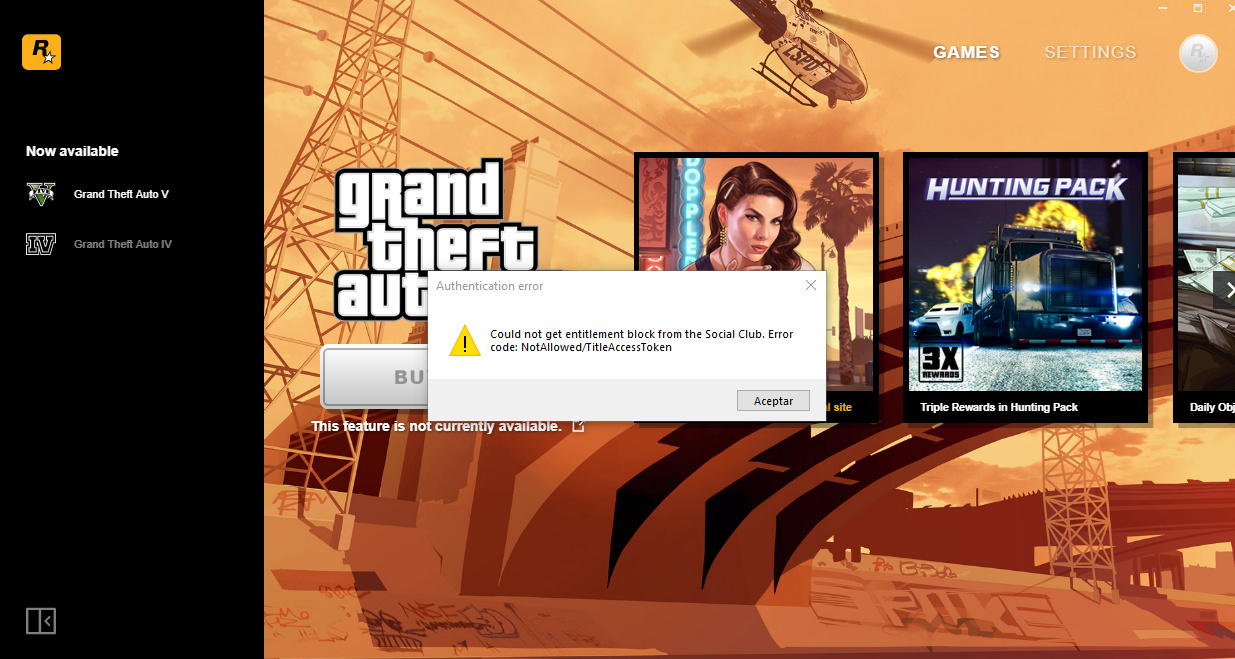
I have already looked for how to solve this problem, and the same solution always appears, but of course, I cannot do it. Now you will see why.
Now I show you the steps that say you have to follow.
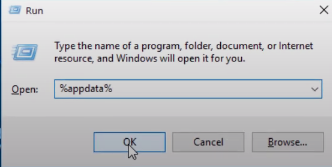
The first thing is to go to the search engine at the bottom left and search for “run” or “run” in English.
Then, a small tab will appear in which you will search:% appdata%
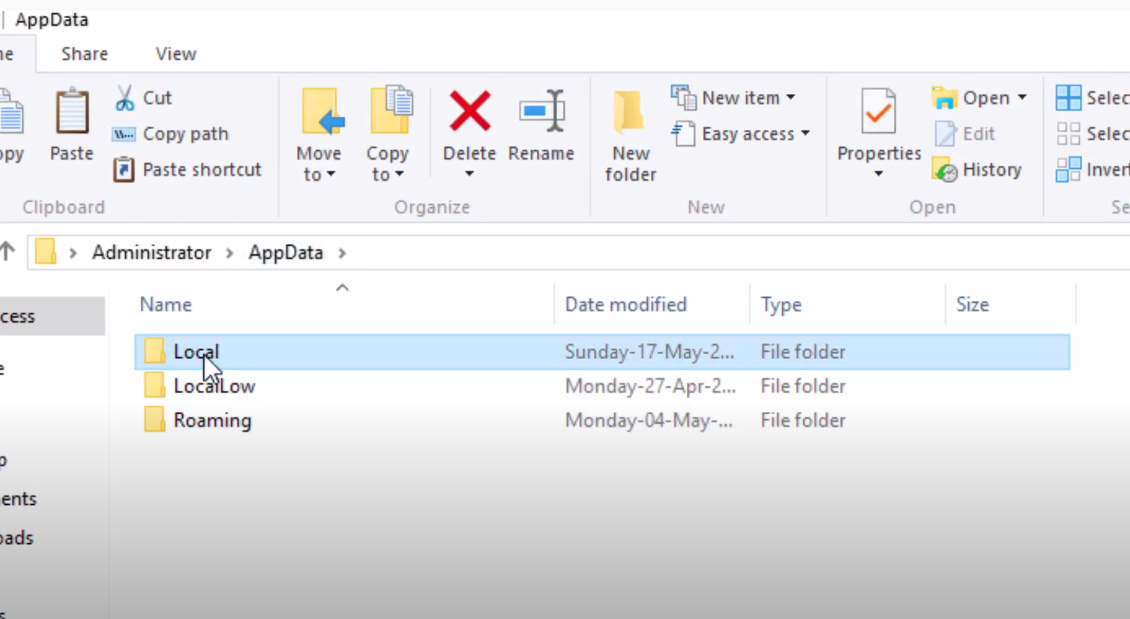
After entering appdata it will take you to the roaming folder, from which you have to go back and enter the carepta that says “local”
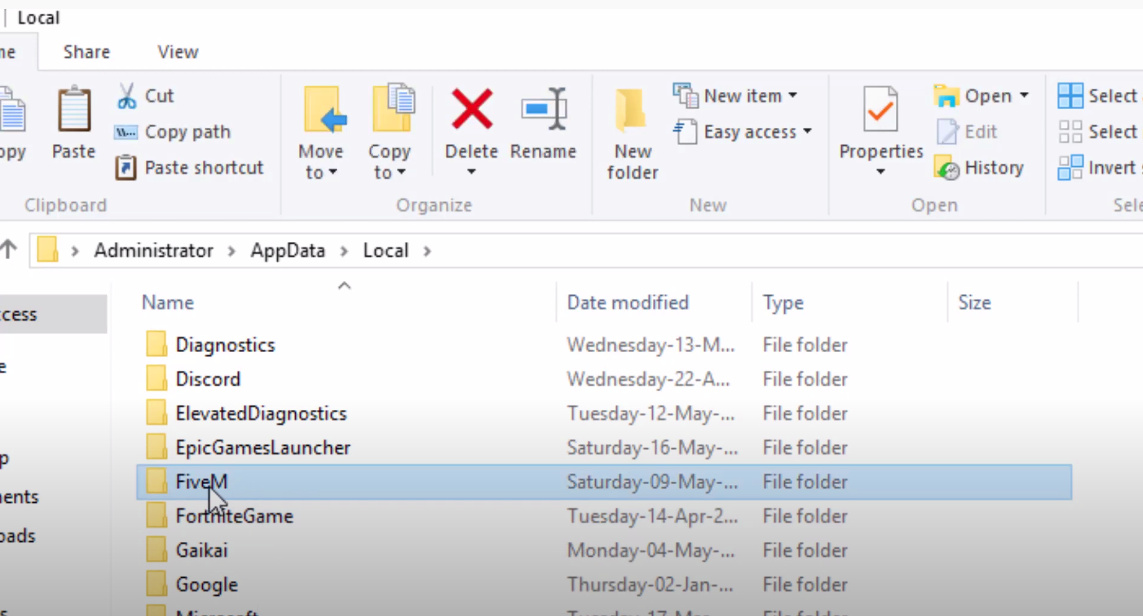
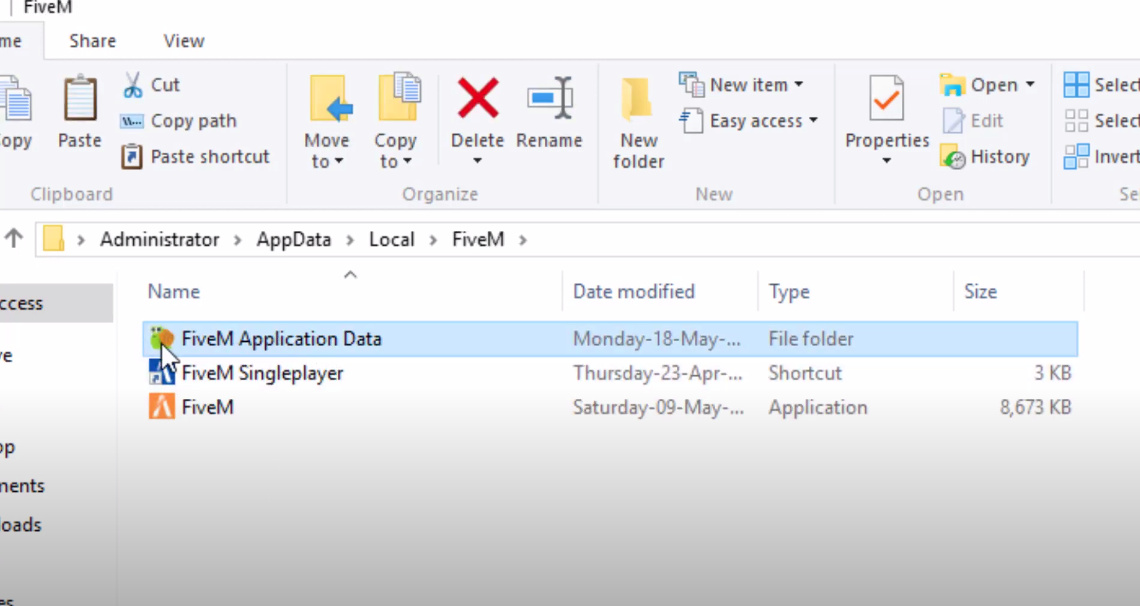
After entering the Local folder, you will have to find the folder that says “FiveM”
After entering the folder that says FiveM you will be shown three elements, you will have to enter the first one that says “FiveM Application Data” which is shaped like a snail.
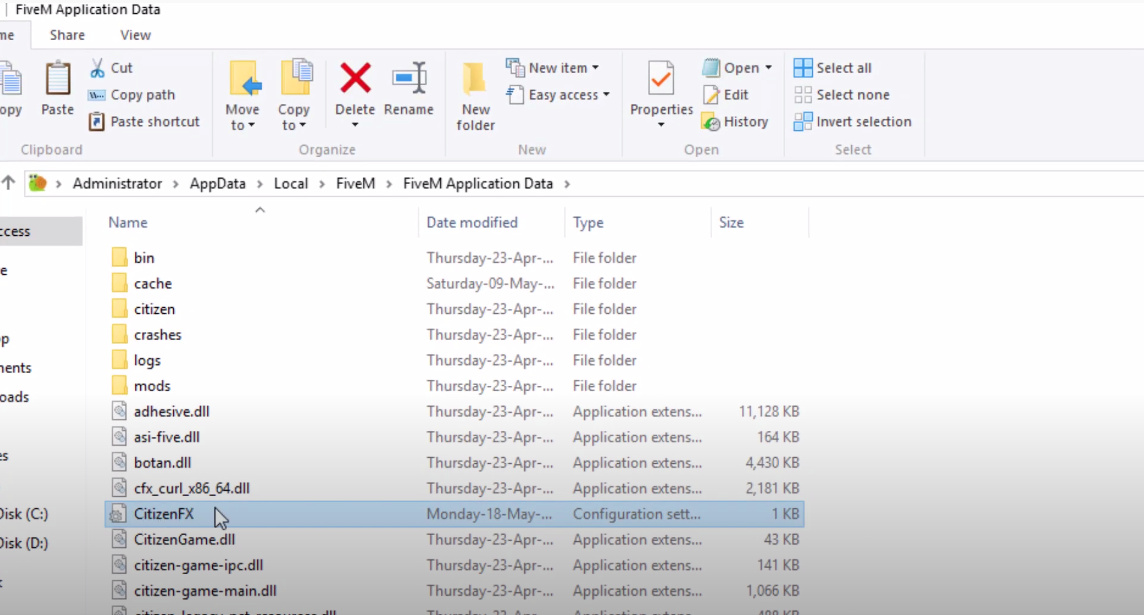
After entering the snail folder you have to look for the notepad that says “CitizenFX” or some variants of the same name.
After entering, a notepad will open where this will appear to many:

IMPORTANT: that appears in the middle of the capture that says “REMOVE UPDATING CHANNEL-CANARY” is NOT from the screen of my pc, but is the screenshot that I made of the video where I got the information.
Like others, the same thing that happens to me will not appear, in the videos they say that the part that says “Updatechannel = canary” as it appears in the screenshot must be eliminated, but the problem is that those do not appear to me words but the ones you will see below:
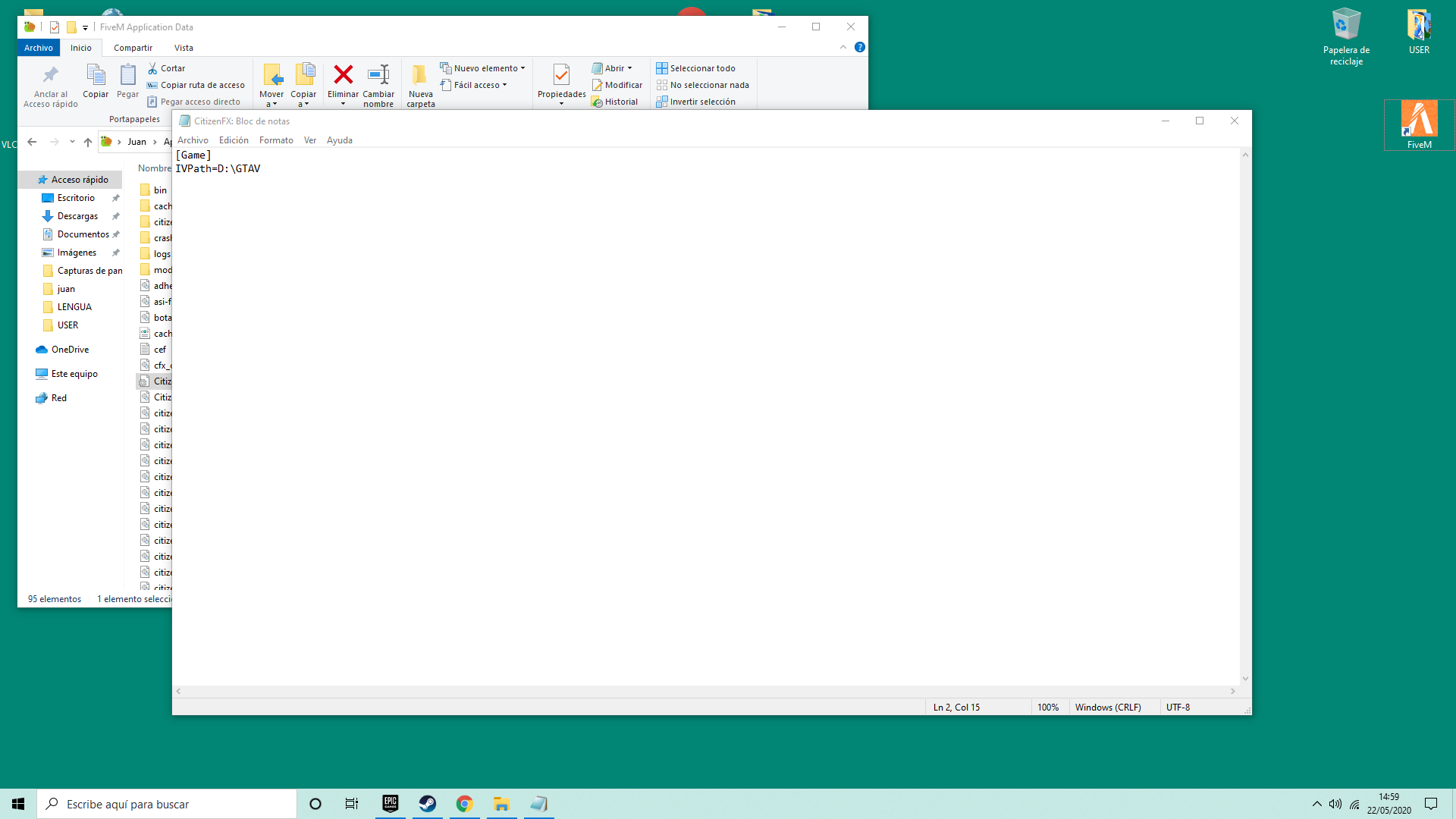
In summary, if someone knows how this error can be solved, please respond to this topic (or post, I don’t know very well how to say it) and I would be very grateful to you.
PS: I leave you again the error that I get so that you do not have to go back up XD.
I already translated it into English but I am Spanish so I had to use the google translator. This means that if there are some things that are not understood, think that I used the translator. Sorry and thanks
THANKS TO EVERYONE. 