Purchase Link - Tebex
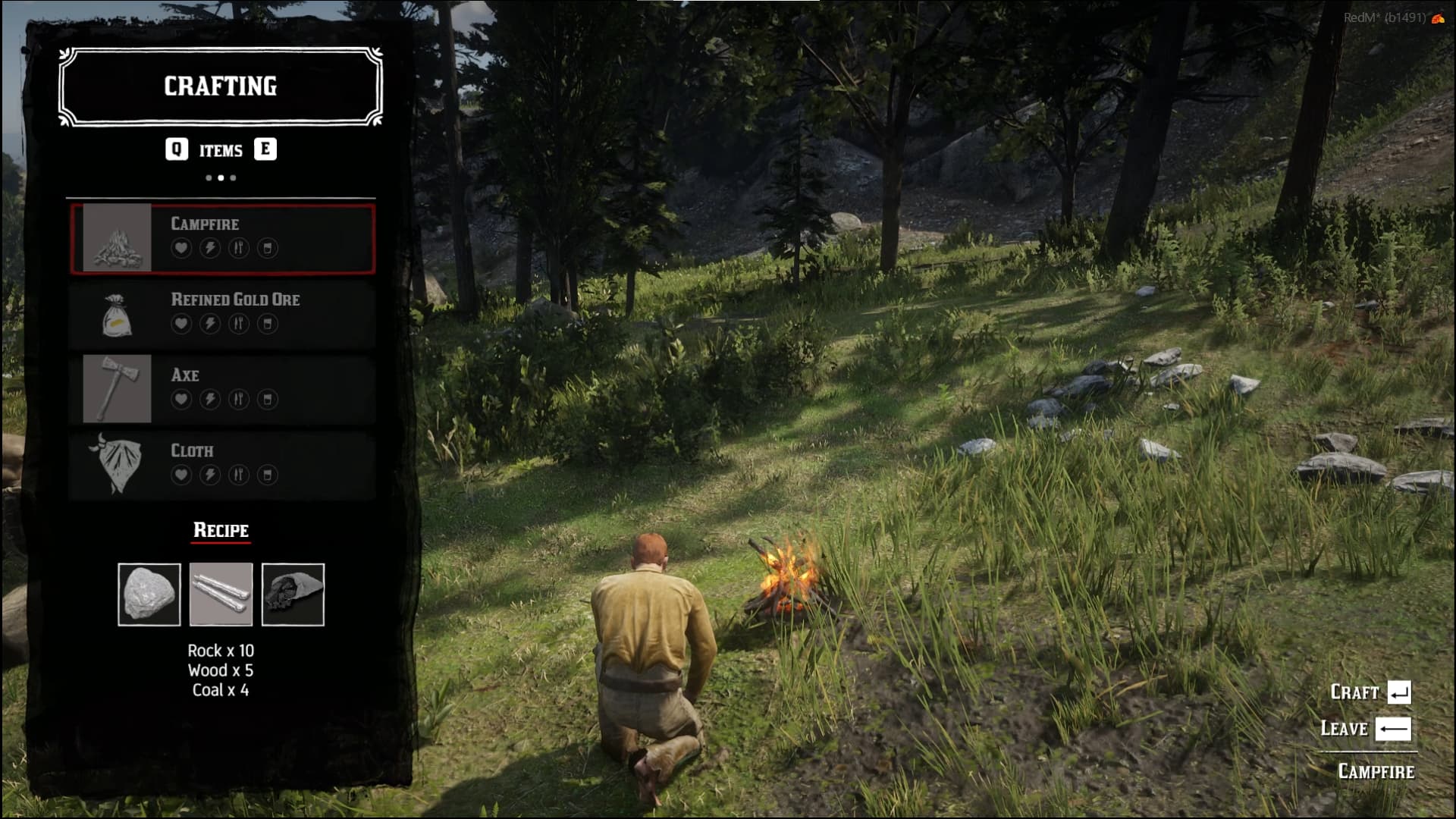
Crafting menu made for VORP framework, replicates RDO style crafting menu for RedM servers using VORP framework. Comes with default item recipes, can be expanded to include custom items.
Features:
- Comes with 17 preset craftable items
- Easy to use UI with item categories and recipe material requirements
- Fully customisable, add additional items, recipes and crafting locations
- Configurable crafting time
- Progress bar display while crafting
- Integrates with VORP notifications
- Easy install with VORP just extract to resources folder and ensure in server.cfg
Discord Support Server
https://discord.gg/K4f9F5cFGZ
|
|
| Code is accessible |
Yes |
| Subscription-based |
No |
| Lines (approximately) |
600 |
| Requirements |
VORP |
| Support |
Yes |
Is it possible to joblock recipes?
Is this an open-source script?
Yes job locking is possible, you can set it per item. Code is open and able to be modified.
so it is possible to adapt it to other frameworks I guess.
Thank you 
It was originally made for redemrp framework this is the Vorp port, other version is here - https://the-park-rp.tebex.io/package/5076799
and do I need * parks_inventory for this to make it work?
correct, parks_inventory is required for the crafting system to function for the redemrp version.
so it is way cheaper to buy the vorp version and convert it to redemrp reboot 
depends on how much you value your time haha
1 Like
can you upload please a config lua example?
Example item config for Park RP VORP crafting script, items included in script are those found in vorp_core/vorp_crafting so it is simple to install and use, you can however add further items:
Config.Items = {
	["consumable_breakfast"] = {
	    label = "Meat Bfast",
	    img = "consumable_breakfast",
	    category = "food",
	    craftable = true,
	    mats = {
	        [0] = { name = "meat", img = "meat", label = "Meat", amount = 1 },
	        [1] = { name = "salt", img = "salt", label = "Salt", amount = 1 },
	    },
	},
}
If the cfx asset manager is causing issues customising the script I will turn it off. I have recieved your DM’s on discord will respond there. Sorry for the inconvenience, wasnt my intention to block customisations.
1 Like
Have turned off cfx asset manager, simple zip download is now the default when downloading the asset, shouldn’t have any issues with customisation now.
1 Like
This is probably one of the nicest products for crafting out there, due to simplicity in nui and the amount of work for categories is great!, RDR native themes are amazing and this is a exemplary example of one. for earlier message it was a issue on escrowing but this works amazing! Thanks Again!
1 Like