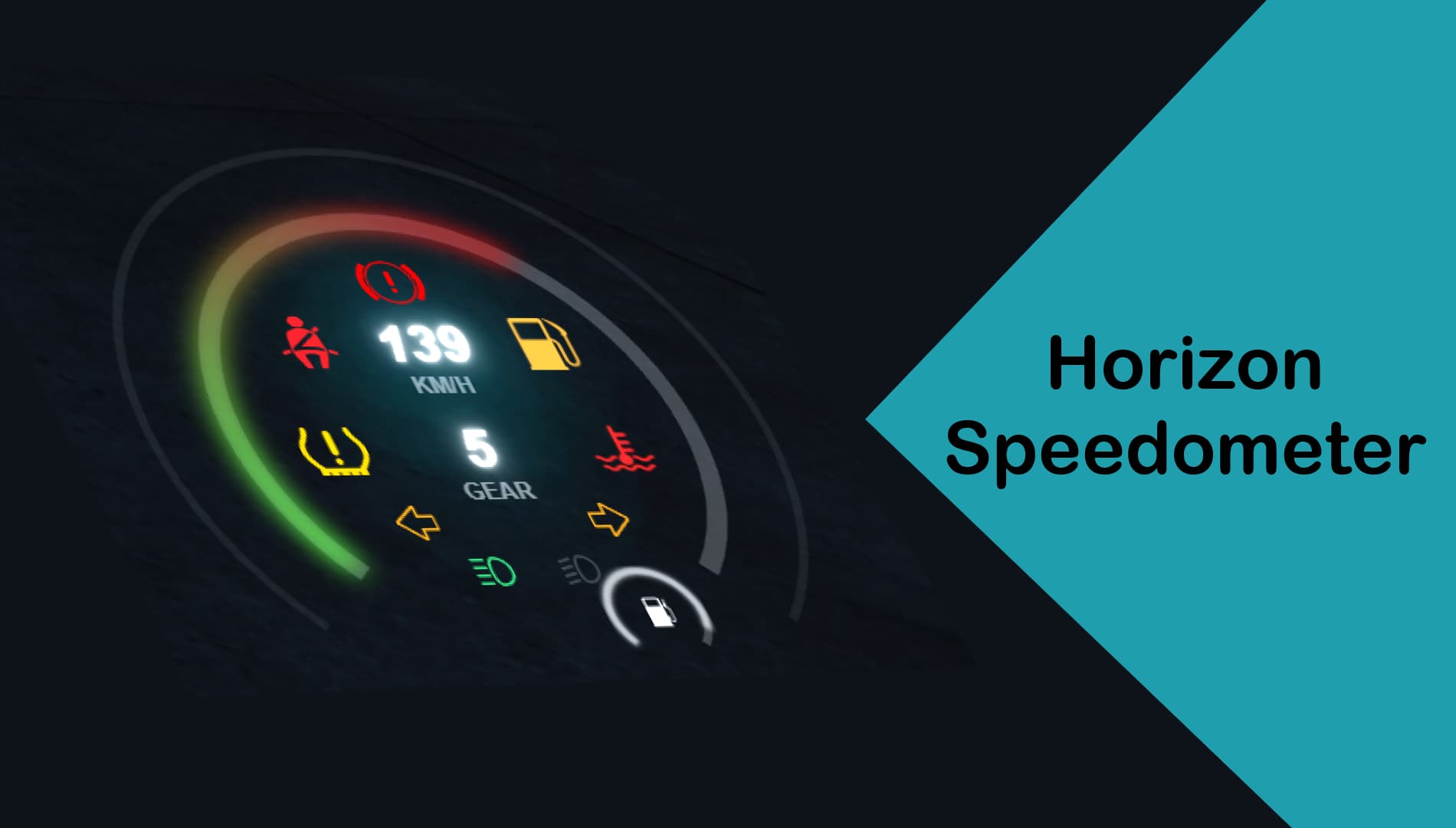
Displays warning icon and plays audible alarm if the seatbelt is not fastened
Displays warning icon and plays audible alarm in case of low tyre pressure
Displays warning icon and plays audible warning when the parking brake is applied
Displays warning icon and plays audible warning when the fuel level drops low
Displays warning icon and plays audible warning when the vehicle is not in good condition
Updates
Update 1.1:
Major optimizations
Cruise control function added
Option to change the unit of measurement system added (kph, mph)
Update 1.2:
Seatbelts now work in all seats
General improvements for warning icons
Minor design improvements
Optimization improvements
New open door warning icon
New lock icon to indicate when doors are locked
New icon to indicate when the hazard warning light is on
Automatic door closing function, which automatically closes the doors above a certain speed
Update 1.3:
A new option has been added to allow the speedometer to be displayed for passengers
A new option has been added that will allow you to use Horizon Speedometer and Horizon HUD together in the future
The fuel system has been reworked: when the fuel system is turned off, the fuel level will only be displayed, but the script will not reduce the fuel of the vehicles. The fuel consumption rate of vehicles can be configured.
The speedometer colors have been changed to increase visibility
Fixed an issue that caused the vehicle’s fuel gauge to not work properly
Fixed an issue that caused the date to not appear immediately after the script was started
Fixed an issue that caused the hazard warning icon to not work properly when using multiple vehicles
Fixed an issue that caused in some cases the indicators and hazard warning icon to not work properly when used together
Fixed an issue that caused the headlight icons to not work in the daytime
Fixed an issue that caused the low beam and high beam icons to be swapped
Fixed an issue that caused the seatbelt warning icon to not work properly
Performance optimizations
Update 1.4:
A new option to use Horizon Speedometer and Horizon HUD together is now available
A new option has been added to allow blocking the use of seatbelt in certain vehicle categories
All warning sounds are now only activated above the set speed limit
Fixed an issue that caused the seatbelt to turn off every time after opening the pause menu
Update 1.5:
A new notification system has been added
A new vehicle start animation has been added
More configuration options have been added
Minor UI changes
Fixed an issue that caused higher speeds to be displayed incorrectly
Fixed an issue that caused the vehicle to continuously unlock and lock when an open door was detected
Fixed an issue that caused the open door audio alert to play incorrectly
Nope, thanks, it’s been only around 2€ but still, 0.2 resmon and the UI is barely working (didn’t work for me), expected a little bit more but reasonable for the price I guess
Please check the updated verion again, I got quite amount of player report that the passanger of the vehicle will still fly out from the car after a crash even they sure that the seatbelt was worn.
A new option has been added to allow the speedometer to be displayed for passengers
A new option has been added that will allow you to use Horizon Speedometer and Horizon HUD together in the future
The fuel system has been reworked: when the fuel system is turned off, the fuel level will only be displayed, but the script will not reduce the fuel of the vehicles. The fuel consumption rate of vehicles can be configured.
The speedometer colors have been changed to increase visibility
Fixed an issue that caused the vehicle’s fuel gauge to not work properly
Fixed an issue that caused the date to not appear immediately after the script was started
Fixed an issue that caused the hazard warning icon to not work properly when using multiple vehicles
Fixed an issue that caused in some cases the indicators and hazard warning icon to not work properly when used together
Fixed an issue that caused the headlight icons to not work in the daytime
Fixed an issue that caused the low beam and high beam icons to be swapped
Fixed an issue that caused the seatbelt warning icon to not work properly
Hi, you can change the keybinds in the config.lua file. I recommend that you look at this documentation, where you can find the index of each key. Also, if you have any further problems, feel free to contact us on Discord.
Do you want a complete HUD set for your server? Horizon HUD is the perfect choice for you, which is not only compatible with Horizon Speedometer, but also provides additional useful functions. Click here to learn more about Horizon HUD.
 Horizon Speedometer V2 is now available with new, improved features and a modern, clean look: Learn more
  .2 resmon for carhud, unoptimized and broken UI
 Summer sale