 Shin Priority System — Premium Tactical Priority HUD
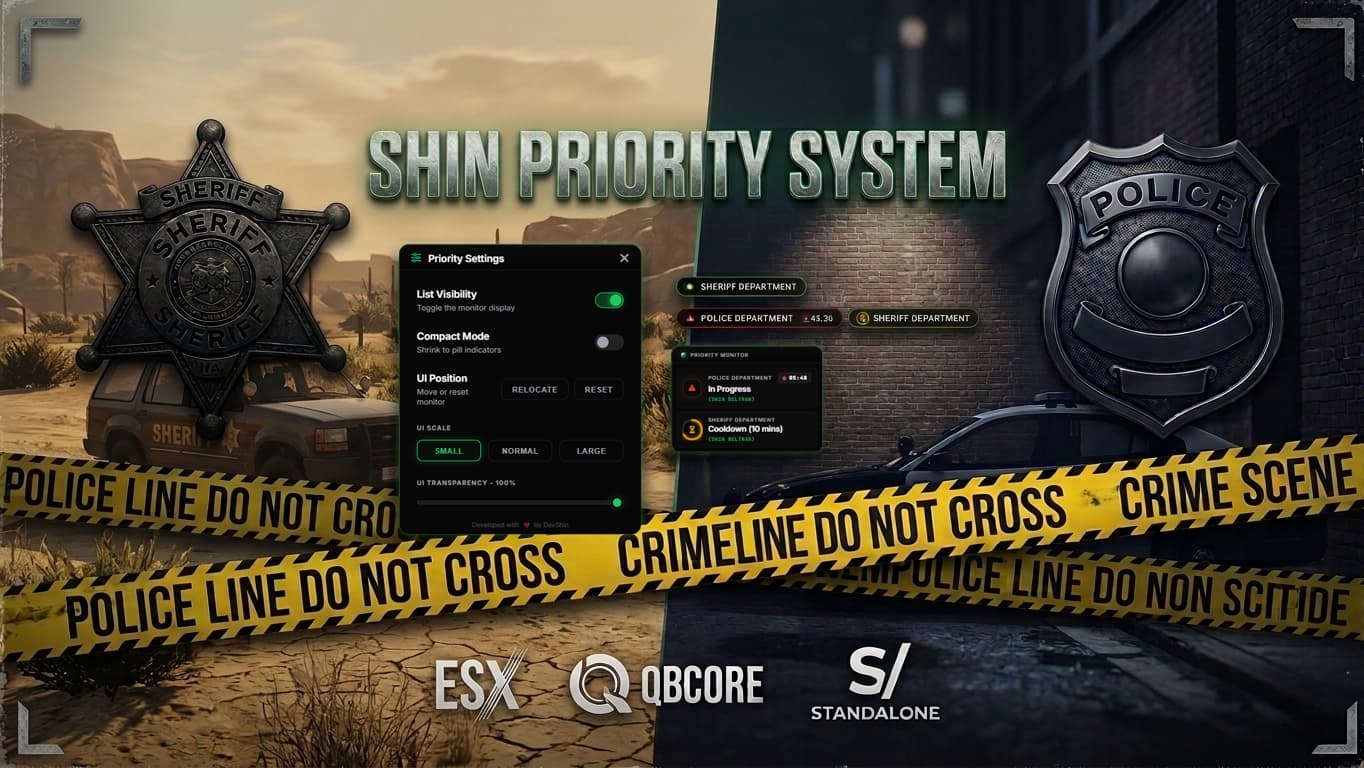
 Multi-Department · ESX & QBCore Ready
 Description
Shin Priority is a premium, high-performance priority management system designed for professional FiveM roleplay servers. Built from the ground up with a cinematic Tactical CRT Monitor aesthetic, it provides your officers with a clean, modern, and immersive interface to manage priority calls across unlimited departments — all powered by a fully reactive Vue.js 3 frontend and FiveM’s GlobalState system for zero-lag, event-driven performance.
 In Game Previews
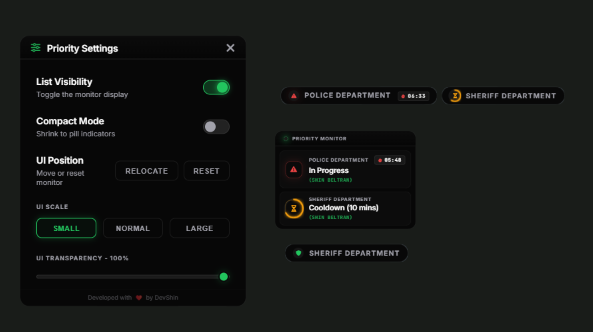
Feature Highlights
 Tactical CRT Monitor UI
A stunning, high-end interface that stands out from every other priority script on the market.
- Glassmorphism & Scanline Effects — authentic tactical terminal aesthetic with subtle CRT overlays.
- Plus Jakarta Sans & JetBrains Mono typography — modern, readable, and premium.
- Dynamic Pulse Animations — the UI reacts in real-time when a priority call is active.
- Multi-Department Visual Stack — see all active priorities at once when multiple departments are engaged.
 Compact Mode
- Toggle to a sleek pill-shaped indicator during high-action scenarios like heists and pursuits. Keeps your screen clean while keeping everyone informed.
 Micro-Circular Cooldowns (Zero-Tick UI)
- Beautiful SVG progress rings that animate smoothly around department icons. Lightweight, elegant, and uses absolutely no ticks in the background.
 Live “In Progress” Duration Counter
- A real-time stopwatch showing exactly how long the current priority call has been active. Perfect for staff oversight and RP immersion.
 Full In-Game UI Customization
- Drag & Drop Repositioning — place the monitor anywhere on your screen.
- Scale & Opacity Sliders — fine-tune the UI size and transparency to match your HUD.
- Compact Mode Toggle — switch between full monitor and pill mode instantly.
- Instant Reset Button — one click to snap the UI back to center-top.
- All preferences are saved per-player using FiveM KVP storage — persistent across sessions, no database needed.
 Unlimited Multi-Department Support
- Define as many departments as you need: Police, Sheriff, CID, State Troopers, etc.
- Each department gets its own:
 Custom chat commands (
/safe,/hold,/inprogress,/cooldown, etc.)- Job-based permission checks
- Custom styled chat templates with per-department branding
- Independent priority state tracking
 Event-Driven Architecture (Zero Loops)
- Powered entirely by FiveM GlobalState and State Bag Change Handlers.
- No polling loops, no ticks, no intervals on the client — the UI only updates when state actually changes.
- Minimal resource usage when idle. Your server will thank you.
 Configurable Audio Cues
- Built-in sound effects for each priority transition:
 In Progress — alert tone
 Cooldown — confirmation tone
 Safe — all-clear tone
- Uses native GTA V sound libraries — no external audio files required.
- Fully configurable in
config.lua— change sound names, libraries, or disable entirely.
 Full Multilingual / Locale Support
- Every user-facing string — status labels, notifications, chat messages, system logs — is stored in a single
Config.Localetable. - Translate the entire script to any language with zero code changes.
 Discord Webhook Logging
- Built-in embed-style Discord logging for full staff oversight.
- Logs include: action type, player name, identifier, department, and server timestamp.
- Toggle on/off with a single config flag.
 Framework Agnostic
- Native bridge support for both ESX and QBCore.
- Also works standalone — no framework lock-in.
 Commands
 Officer Commands (per-department, fully customizable in config)
| Command | Action |
|---|---|
/safe |
Reset the priority status to Safe. |
/hold |
Place the priority on Hold. |
/inprogress |
Start a priority call — sends a server-wide alert. |
/cooldown |
Begin the configurable cooldown timer. |
/resetpcd |
Manually reset the cooldown and return to Safe. |
Each department gets its own unique set of commands (e.g.,
/ssafe,/shold,/sinprogressfor Sheriff). All command names are fully customizable inconfig.lua.
Utility & Admin Commands
| Command | Description |
|---|---|
/prioritysettings |
Open the in-game NUI settings panel (position, scale, mode). |
/checkcooldowns |
View all active cooldown timers via ox_lib context menu. |
/adminresetpriority |
Admin command to force-reset any department (ACE protected). |
/priorityresetui |
Emergency reset — restores all UI settings to factory default. |
 Developer API — Easy Integration
Integrate Shin Priority directly into your heist, robbery, or event scripts:
Client & Server Export
-- Get the current status of any department
local status = exports.shin_priority:getPriorityStatus('police')
-- Returns: { status = 'inprogress', status_label = '🔴 In Progress', name = '(Officer Name)', timer = 0, max = 15 }
Server-Side External Trigger
-- Force a priority state from another resource (e.g., a bank robbery script)
exports.shin_priority:setPriorityStateExternal('police', 'inprogress', 'Triggered by Pacific Bank Heist')

-- Automatically start a cooldown after an event
exports.shin_priority:setPriorityStateExternal('police', 'cooldown', 'Pacific Bank Heist concluded')
Perfect for: auto-triggering priorities from heist scripts, robbery resources, gang war systems, or any event that should lock down priority calls.
Configuration At A Glance
All settings live in a single, well-documented config.lua:
| Setting | Description | Default |
|---|---|---|
TimerMaxMinutes |
Duration of the cooldown timer (in minutes) | 15 |
AutoSafeMinutes |
Auto-reset from Hold to Safe after X minutes on start | 15 |
EnableDurationCounter |
Show live “In Progress” duration stopwatch | true |
EnableWebhookLogging |
Toggle Discord webhook logging | false |
DebugMode |
Enable verbose console logging for development | false |
AudioSettings |
Configure sound effects for each status transition | Enabled |
Locale |
All user-facing strings for easy translation | English |
Departments |
Define unlimited departments with commands & styling | Police + Sheriff |
 Installation
- Ensure ox_lib is installed on your server.
- Place the
shin_priorityfolder into your server’sresourcesdirectory. - Add the following to your
server.cfg:
ensure ox_lib
ensure shin_priority
- Open
config.luaand customize departments, timers, locale, and webhook settings to your liking. - Restart your server — you’re live!
 Dependencies
| Dependency | Required | Link |
|---|---|---|
| ox_lib | Required |
GitHub |
| ESX or QBCore | Optional |
Works standalone or with either framework via built-in bridge |
 Links & Support:
 Buy Now (Tebex): https://shin-nation.tebex.io/package/7351252
 Discord Support: Shin Nation Development
| Code is accessible | No |
| Subscription-based | No |
| Lines (approximately) | 850 |
| Requirements | ox_lib |
| Support | Yes |