MS_SCORE BOARD
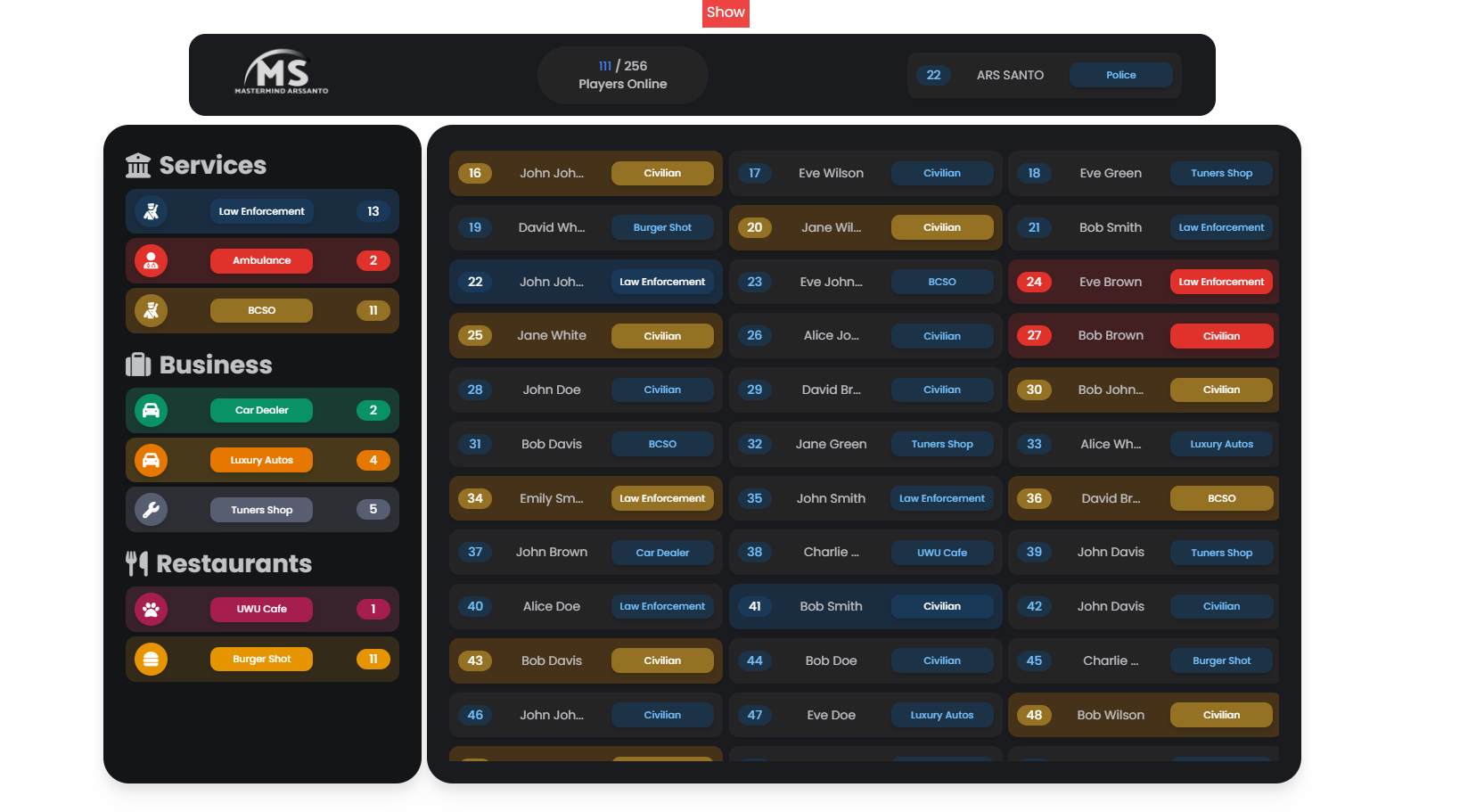
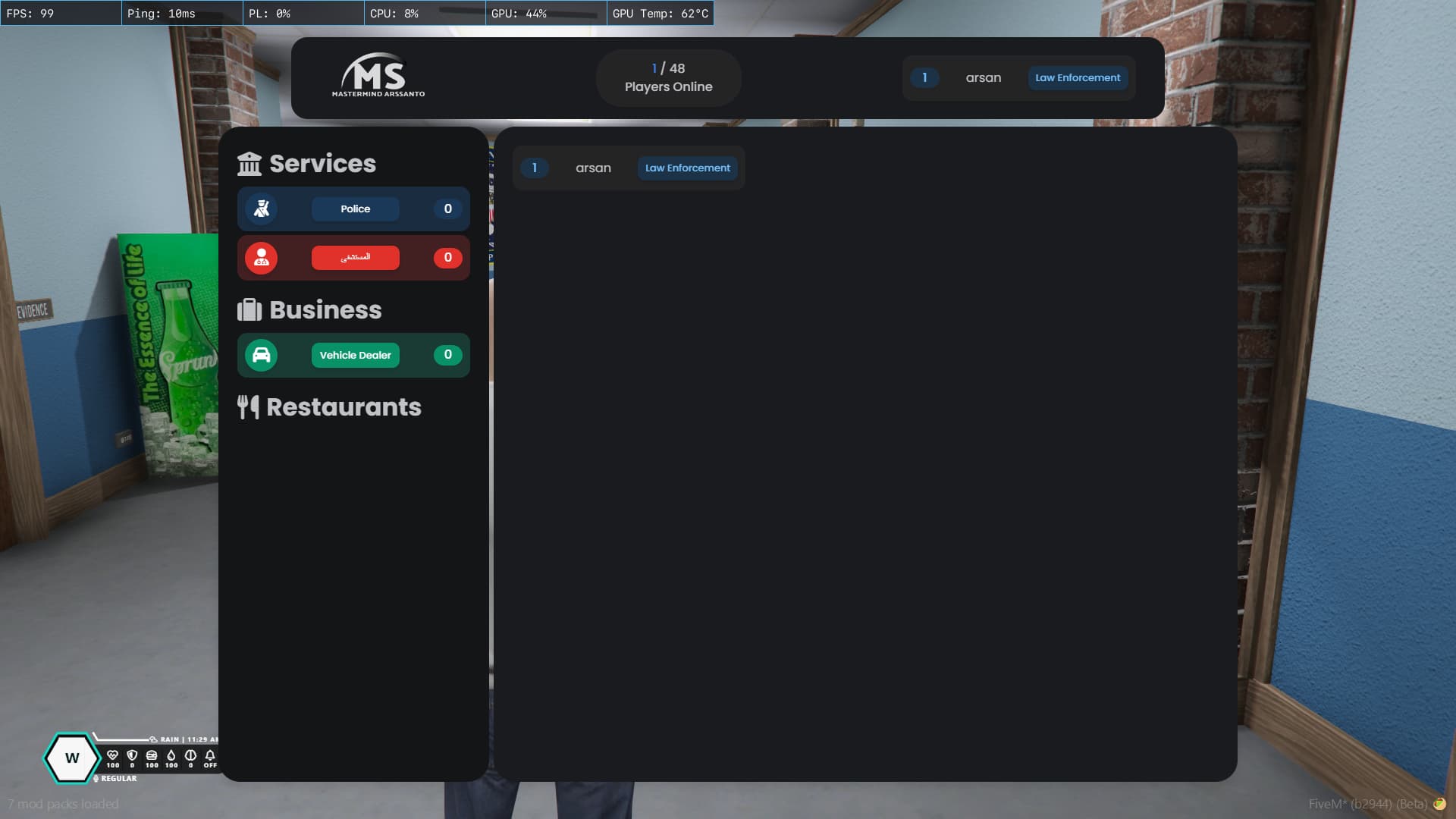
- A Score Board UI built with svelte and nice looking UI and dynamic Sections
Why this Score Board Script?
-
Again I Was Looking for a better and good scoreboard UI for my server that fulfills my server needs therefore me and my dev Friend decided to make one
-
This Scoreboard Contains a player list with their ID and job name based on the server job and on the left side there is a job and business section which going to shows job and service names and how many people are there right now which is totally dynamic and configurable in config side
-
It’s currently supporting QBCore / Qbox / ESX
Update V1.1
-
Icon support added for staff and for people with a certain discord role
-
Added customized options for configure icon and color check Shared/config.lua → Config.PrioritySettings and services.lua → Config.Services for more info
-
Added Character name support for ESX/QB/QBX
-
Adde Version Check
-
Rework on Discord role check method
-
Better Usage of ox_lib keybind
-
Refactored Code Styles
SOME INFO
-
to change the logo of your scoreboard replace the logo.png located at html/logo.png
-
to open your scoreboard press y once to show the ID and long press to view the full scoreboard
-
To configure your scoreboard there is 2 config file one is the basic config name as config.lua || & services. lua for adding and removing services and config their color name etc located in the shared directory
CONFIG SHOWCASE
Config = Config or {}

if GetResourceState('qb-core') == 'started' then
    Config.Core = 'qb'
elseif GetResourceState('es_extended') == 'started' then
    Config.Core = 'esx'
else
    Config.Core = false
end

Config.Guild_ID = ''  --server id
Config.FormattedToken = ''   --server bot token
Config.EnablePrioritySettings = false  -- Toggle key to enable or disable custom color for priority holder

Config.PrioritySettings = {
    --[[ ['784015321358139412'] = {
        cardcolor =  {
            background = '#421F21', -- hex code for primary background color of card
            color = '#E0312A', -- hex code for secondary background color of card
            text = 'white', -- hex code for text color of card
        },
        icon = 'fa-solid fa-code', -- font awesome icon name/false - for no icon
    }, ]]
}

Config.PressTimer = 1 -- in seconds for pressing key to open scoreboard
Config.ViewIdDistance = 10.0  -- viewing distance for player overhead id
Config.MouseKey = 238  -- mouse key value to interact with list(prefer not to change)
Config.ColorOnVoiceToggle = true  -- Toggle key to enable or disable color on voice active
Config.ColorCodeOnVoice = {0, 0, 255}  -- Voice Active color code value (r, g, b)

Config.Identifier = 'name' -- Identifier to display on scoreboard (name, steam2, steam3, license, discord, charname only [framework based qb and esx charcter name are suopported] )
Config.Keybind = 'Y' --- The Key for open or close the scoreboard
Services Config
local JOBS = {}

if Config.Core == 'qb' then
    JOBS = QBCore.Shared.Jobs
elseif Config.Core == 'esx' then
    JOBS = lib.callback.await('ms_scoreboard:server:getjobs', false)
end

function GetJoblabel(job)
    if Config.Core == 'qb' then
        return JOBS[job] and JOBS[job].label or 'N/A'
    elseif Config.Core == 'esx' then
        return JOBS[job] and JOBS[job].label or 'N/A'
    end
    return 'N/A'
end

Config.Services = {  -- Service Job Holder list
    {
        label= 'Services',
        icon= 'fas fa-building-columns',
        job= {
            {
                label= GetJoblabel('police'),
                amount= 2,
                background= '#1A2C3F',
                color= '#1A3959',
                text= 'white',
                icon= 'fa-solid fa-person-military-rifle',
            },
            {
                label= GetJoblabel('ambulance'),
                amount= 6,
                background= '#421F21',
                color= '#E0312A',
                text= 'white',
                icon= 'fa-solid fa-user-doctor',
            },
            {
                label= GetJoblabel('bcso'),
                amount= 5,
                background= '#453218',
                color= '#957223',
                text= 'white',
                icon= 'fa-solid fa-person-military-rifle',
            },
        },
    },
    {
        label= 'Business',
        icon= 'fas fa-suitcase',
        job= {
        {
                label= GetJoblabel('cardealer'),
                amount= 10,
                background= '#193B33',
                color= '#099268',
                text= 'white',
                icon= 'fas fa-car',
            },
            {
                label= GetJoblabel('luxurydealer'),
                amount= 12,
                background= '#473919',
                color= '#E67700',
                text= 'white',
                icon= 'fas fa-car',
            },
            {
                label= GetJoblabel('tuner'),
                amount= 15,
                background= '#2D2F35',
                color= '#585E72',
                text= 'white',
                icon= 'fa-solid fa-wrench',
            }
        },
    },
    {
        label= 'Restaurants',
        icon= 'fas fa-utensils',
        job= {
            {
                label= GetJoblabel('catcafe'),
                amount= 12,
                background= '#38222D',
                color= '#A61E4D',
                text= 'white',
                icon= 'fas fa-paw',
            },
            {
                label= GetJoblabel('burgershot'),
                amount= 15,
                background= '#332A1A',
                color= '#E69500',
                text= 'white',
                icon= 'fas fa-burger',
            }
        },
    },
}
- Note: If you need any other support let me know by replying to this topic
Some Picture preview

| Code is accessible | partial |
| Subscription-based | no |
| Lines (approximately) | 549 (without config and ui src) |
| Requirements | qb-core or esx or qbox & rpemotes |
| Support | Yes, qb-core, esx, qbox |
