Introducing the Ultimate Backpack System: Your Gateway to Adventure!
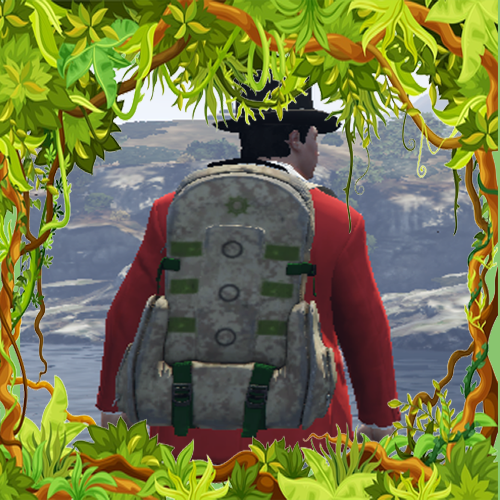
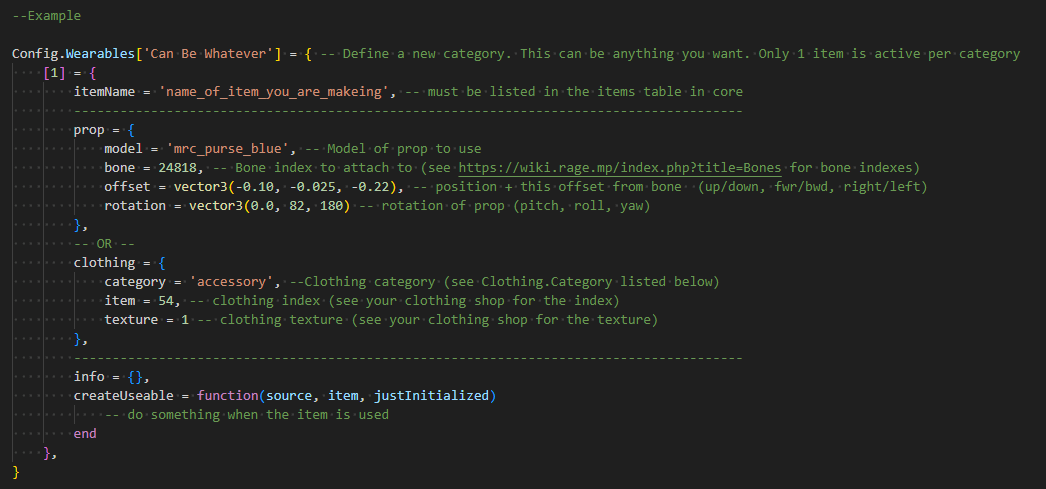
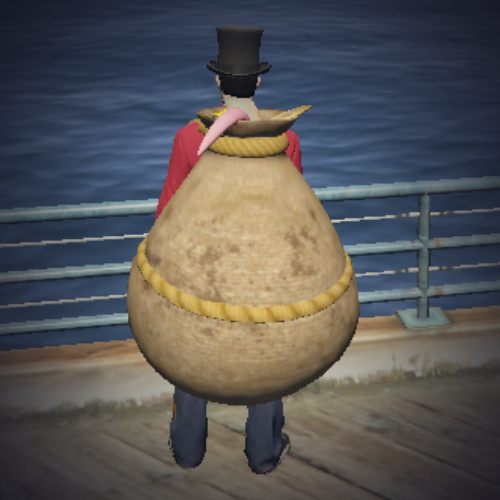
Embark on a journey like never before with our revolutionary Backpack/Item system! Immerse yourself in a world where your character’s inventory comes to life, showcasing props or clothing options based on the items you possess.
Customizable Display: Transform your displayed item into a functional stash, seamlessly integrating style and utility. Whether it’s a backpack or a hidden treasure trove, the choice is yours!
Dynamic Interactions: Experience the thrill of real-world scenarios as your backpack becomes droppable, transferable, and even susceptible to theft. Every move you make adds depth to your adventure.
Tailored Configuration: Easily adjust your backpack’s max weight and slot count to suit your needs. With intuitive controls at your fingertips, managing your inventory has never been simpler.
Total Control: Take charge of your inventory with the ability to restrict or whitelist specific items. Craft your perfect loadout and ensure only the essentials accompany you on your quest.
Variety and Style: Choose from three unique models, each offering a distinct aesthetic and functionality. With a total of seven props to explore, your character’s look is limited only by your imagination.
No Interruptions, Only Adventure: Say goodbye to ads and hello to uninterrupted gameplay. Dive into your quest without distractions, fully immersed in the world around you.
Unleash the full potential of your adventure with our Backpack System today. Join the countless adventurers who have embraced the freedom, customization, and excitement that our system offers. Your journey begins now!
TL;DR
Backpack/Item system that show props or clothing options based on items in the players inventory
Customize your displayed item to act as a stash (aka backpack)
Backpacks can be dropped, transferred or stolen
Easily configure the backpacks max weight and slot count
Restrict or whitelist items from being in the backpack
Thank you for the feed back. I have uploaded a new version which solves this issue
If you do not wish to redownload, you can go to your esx.lua file in your compatibility folder and add in
the following line (should be on line 34)
if not source then return end
It should look like this
function Compatibility.GetItemByName(source, name)
    if not source then return end
    assert(Config.Inventory == 'OX', 'ESX Only Supports OX Inventory. Please Check your config')
    local item = exports.ox_inventory:GetSlotWithItem(source, name)
    return item
end
[script:mrc-backpacks] SCRIPT ERROR: Execution of native 000000002f7a49e6 in script host failed: Argument at index 1 was null.
Another thing I noticed is that it doesn’t work with illenium-appearance if you set it with item = 161, you can’t find it for us because we use illenium
Thank you for letting me know. I have updated to include illenium-appearance and hopefully that console error as well. Are you able to redownload and let me know? Sorry for the inconvenience
So we’ve got it now, the new one, there are no more errors in the console but it doesn’t work with Illenium, mistakes can happen. We’re glad that you’re taking care of it because a lot of people don’t do it
Unfortunately not. It hooks onto the update items and currently its only looking for ‘inventory:server:SetInventoryData’ or '‘ox_inventory:updateInventory’ event


 Introducing the Ultimate Backpack System: Your Gateway to Adventure!

