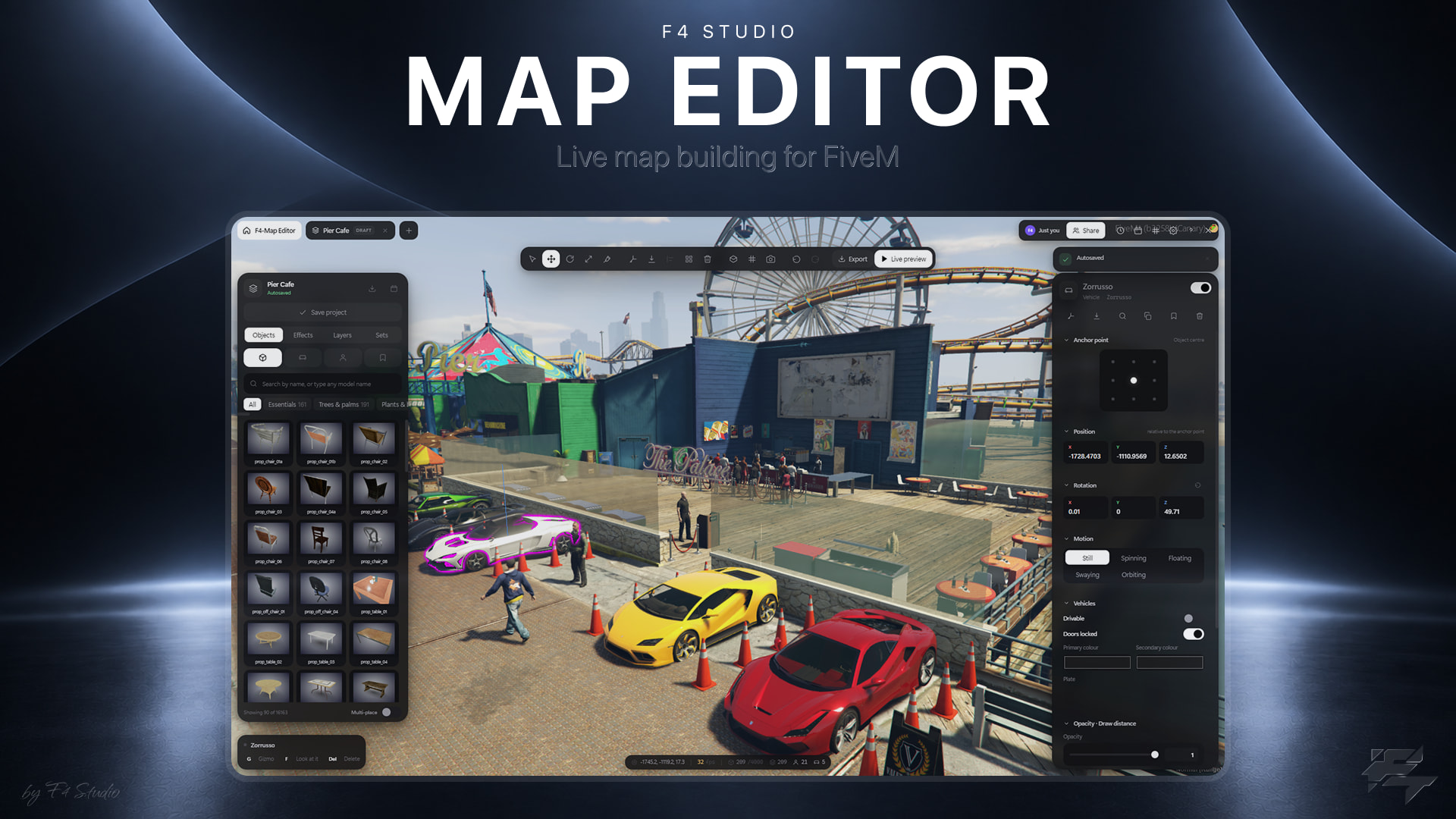
F4 Map Editor — an in-game map editor and map creator for FiveM

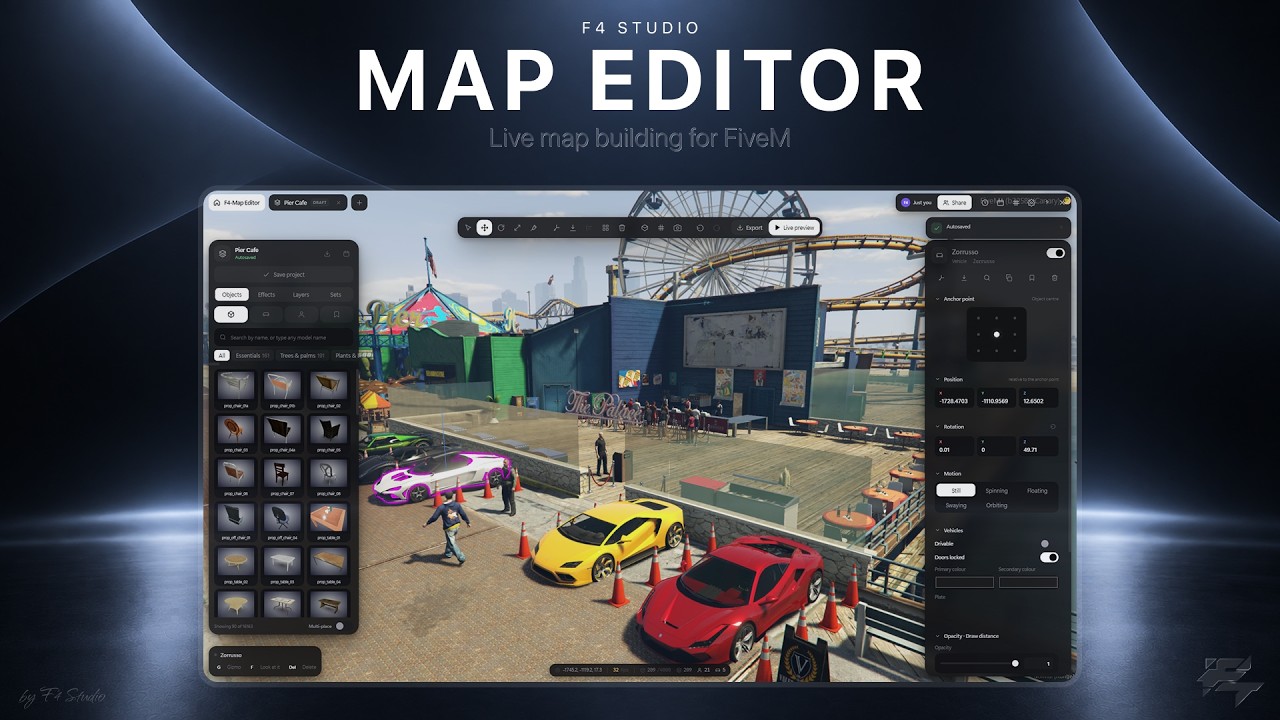
F4 Map Editor is a standalone in-game map editor for FiveM, made by F4 Studio. Somebody with permission presses F6, flies to a spot, places what they want, and presses Publish — and every player on the server sees it a second later. No map resource. No restart. No coordinate lists.
The same scene comes back out as a .ymap, a client.lua or a complete drop-in resource when you want a permanent map instead.
It is standalone. No framework is required and nothing is compulsory beyond OneSync — it detects oxmysql and uses it if it is there, and works without it if it is not.
Why another FiveM map editor?
Most in-game editors are a placement tool and stop there: you place props, you export a file, and everything after that is your problem. The parts that actually take the time — organising a scene, lighting it, getting it live, changing it later, letting two people work on it — are left out.
F4 Map Editor ships the whole loop:
- Place from every model the game has — just under twenty thousand props, vehicles and peds with pictures, and any model by name.
- Organise it: groups, locks, a searchable hierarchy, saved sets, sixty undo steps that survive the session.
- Light it: spot and point lights, particle effects, posed peds, drivable cars, ropes, openable doors, motion.
- Publish it live. Streamed per player, no restart, on a schedule and on a release date.
- Work together. Several editors in one project, every edit arriving as it happens.
- Take it out as a real map resource when you want one.
Build in the world, not in coordinates
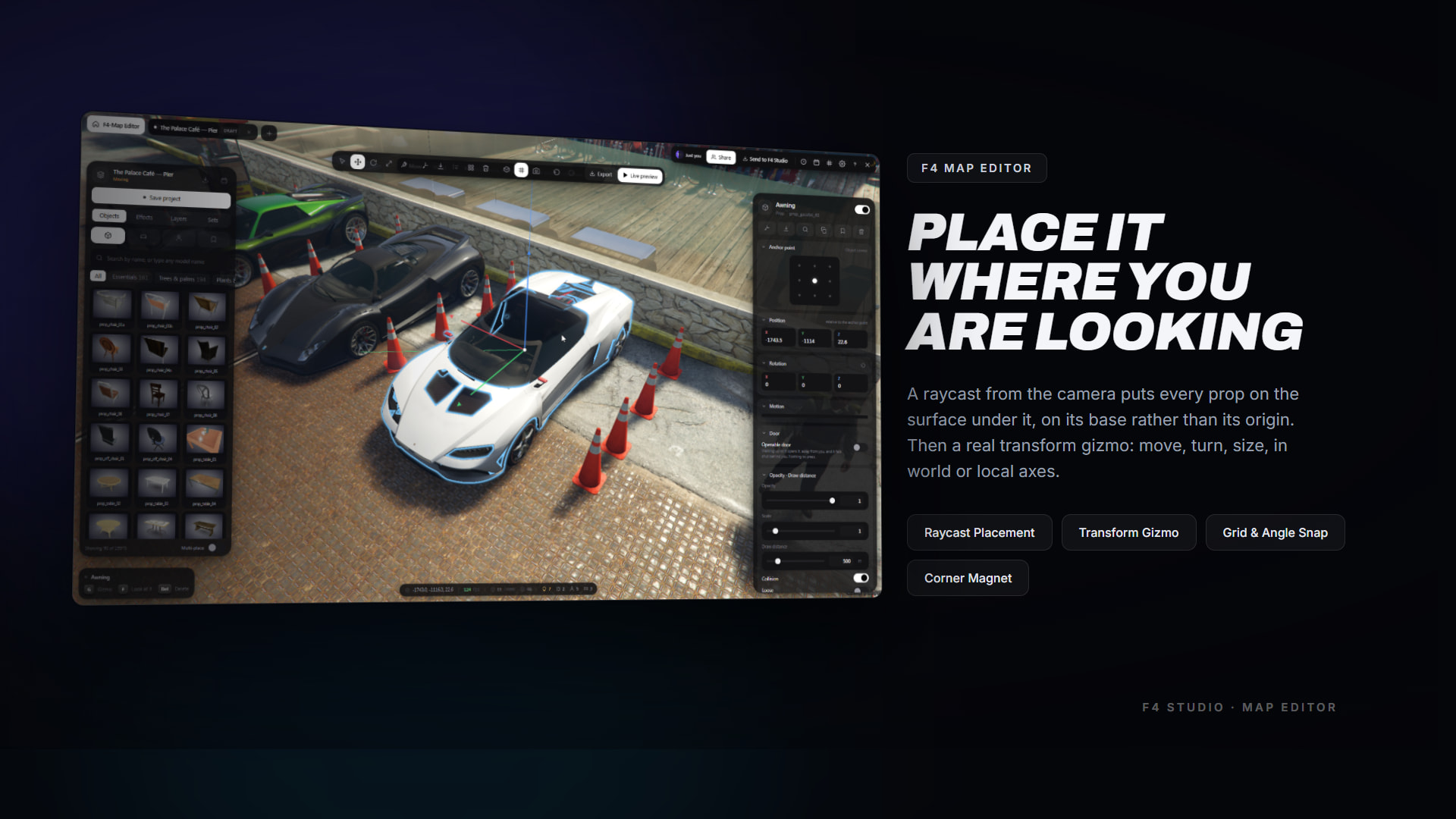
- A raycast from the camera puts every prop on the surface under it, standing on its base rather than its origin — so a bench lands on the pavement instead of sunk into it
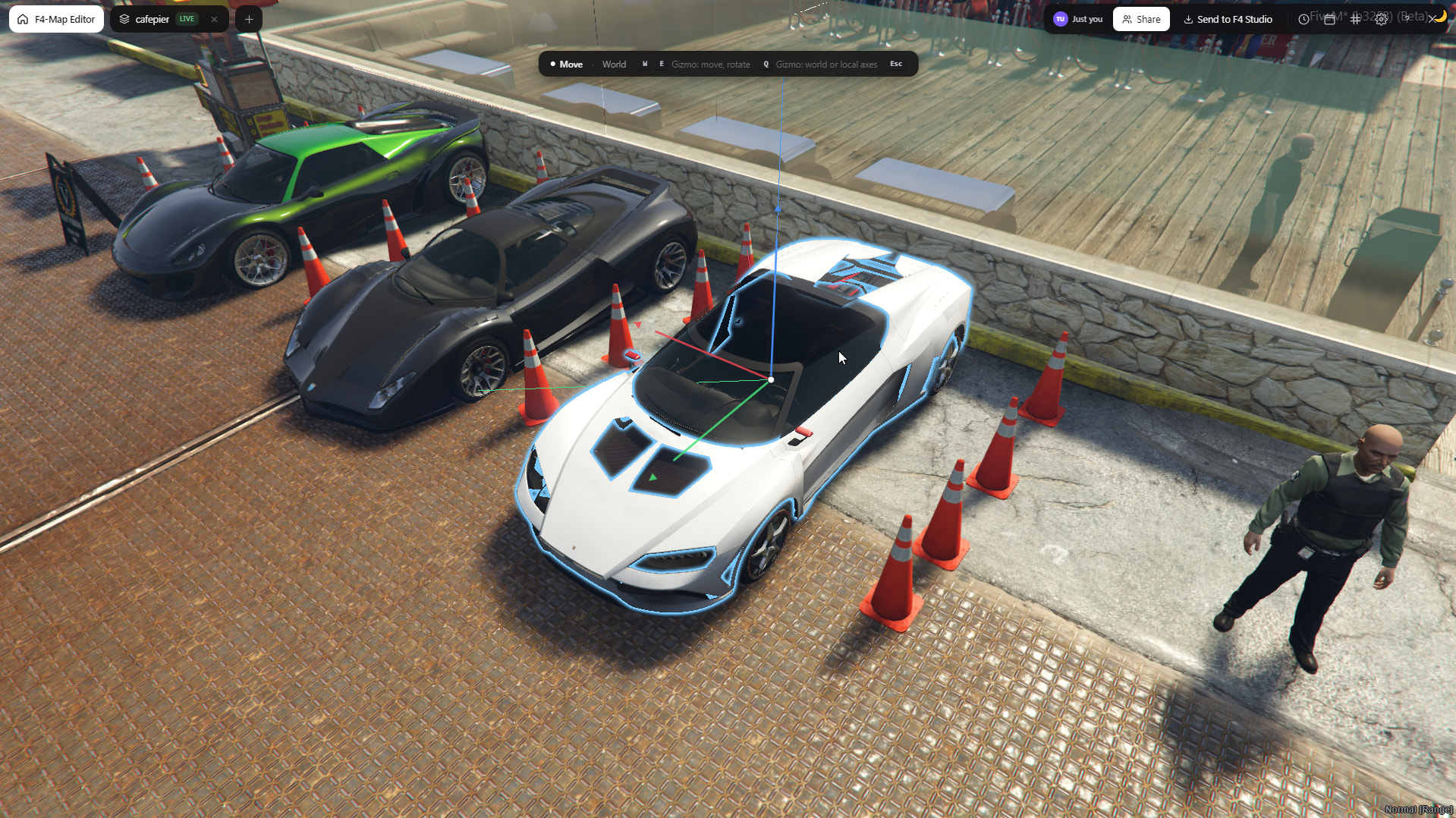
- A real transform gizmo: arrows, rings and a scale handle, in world or local axes, W/E/R to switch, Q to flip
- Grid snap, angle snap and a corner magnet that lands a piece on the nearest corner of another piece’s bounding box — how two walls line up edge to edge without typing a number
- Align, spread evenly, and arrays in a line, a grid or a ring
- Drag, multi-select, duplicate, copy and paste, including between projects
- The whole selection follows the gizmo, so a group of twenty behaves like one thing
Every prop, vehicle and ped the game has
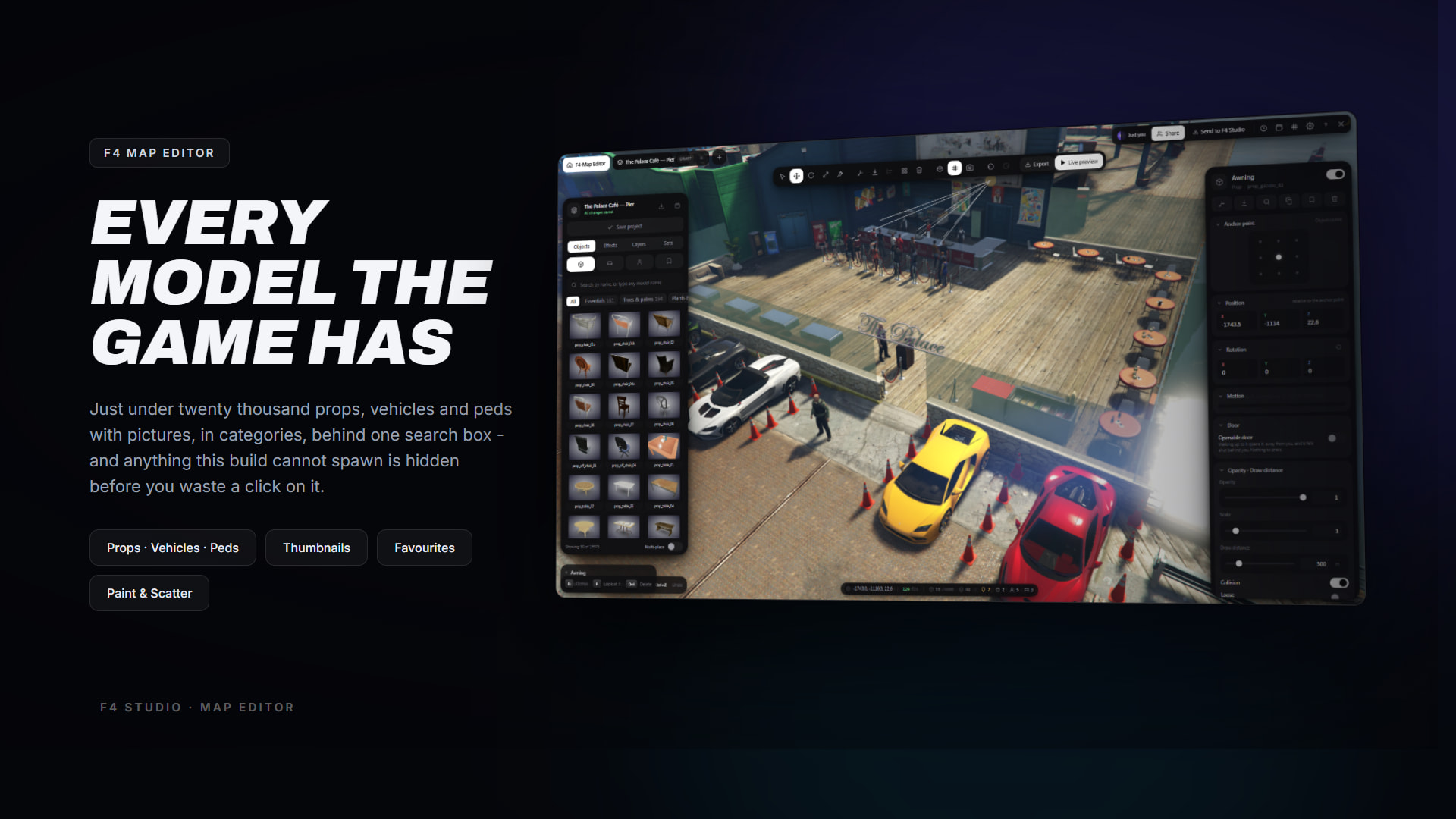
- Props, vehicles and peds with thumbnails, in categories, behind one search box
- The search understands what a thing is:
binfinds the dumpsters,sofafinds the couches - Any model this build has can be placed, listed or not — type its name and it is offered as a direct result, verified against the build so a typo is red rather than a prop that never appears
- Models this build cannot spawn are hidden before you waste a click on them
- Favourites, and an area-fill brush that scatters copies inside a circle you drag — one drag is one undo step, not two hundred
- Drop your own list into
data/props.jsonand it arrives with its own categories intact
Groups, locks and sixty undos
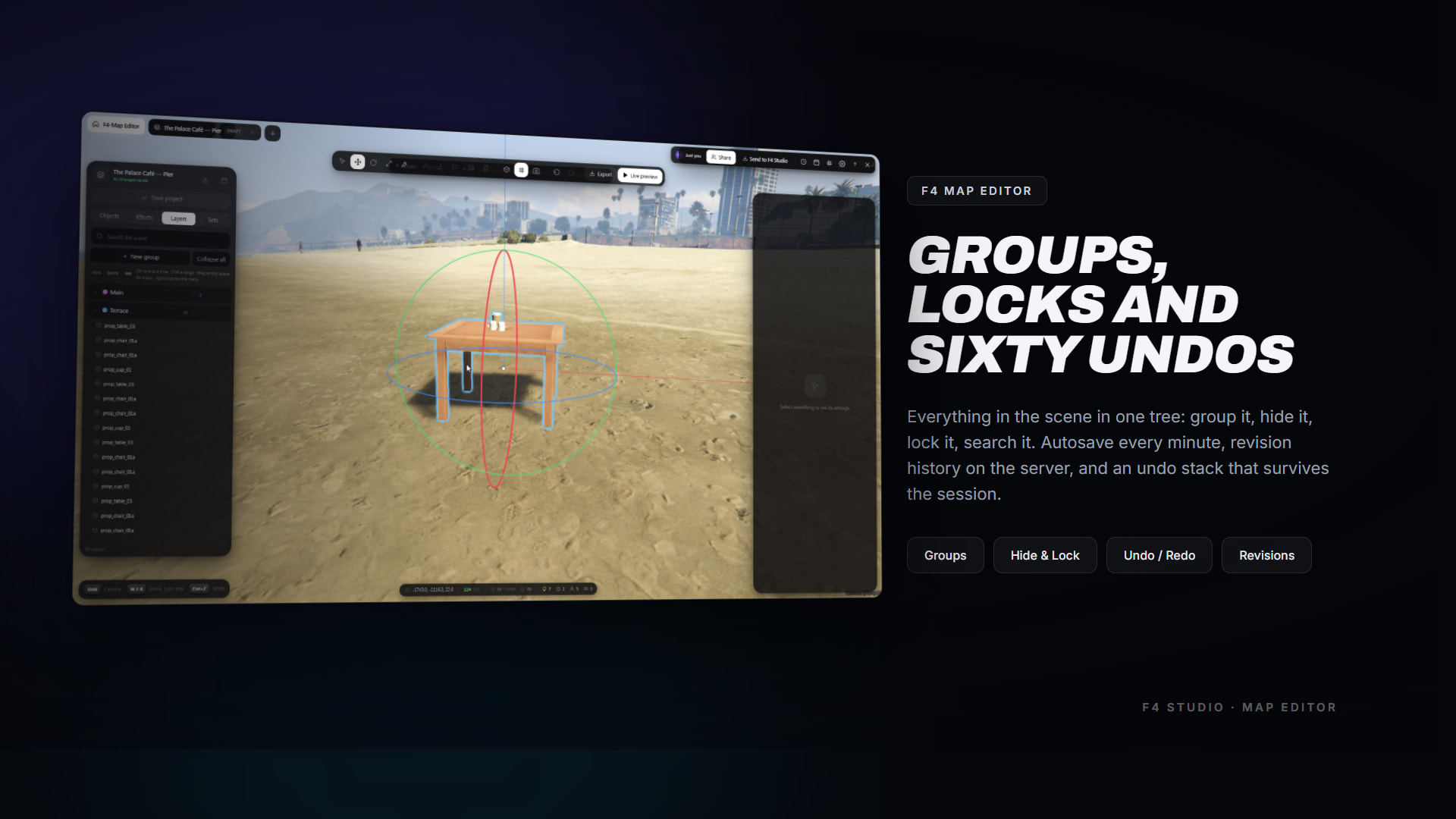
- A file explorer for the scene: groups are folders, objects are files, and click / Ctrl-click / Shift-click behave the way they do in one
- Drag rows onto a group to move them, between rows to reorder
- Per-object and per-group hide and lock — lock a finished wall and dress in front of it without dragging it around
- Search the whole tree by name or model
- Autosave every minute, revision history on the server, and an undo stack kept on your machine per project, so picking a draft up tomorrow does not lose your steps
Lights, particles, people and cars
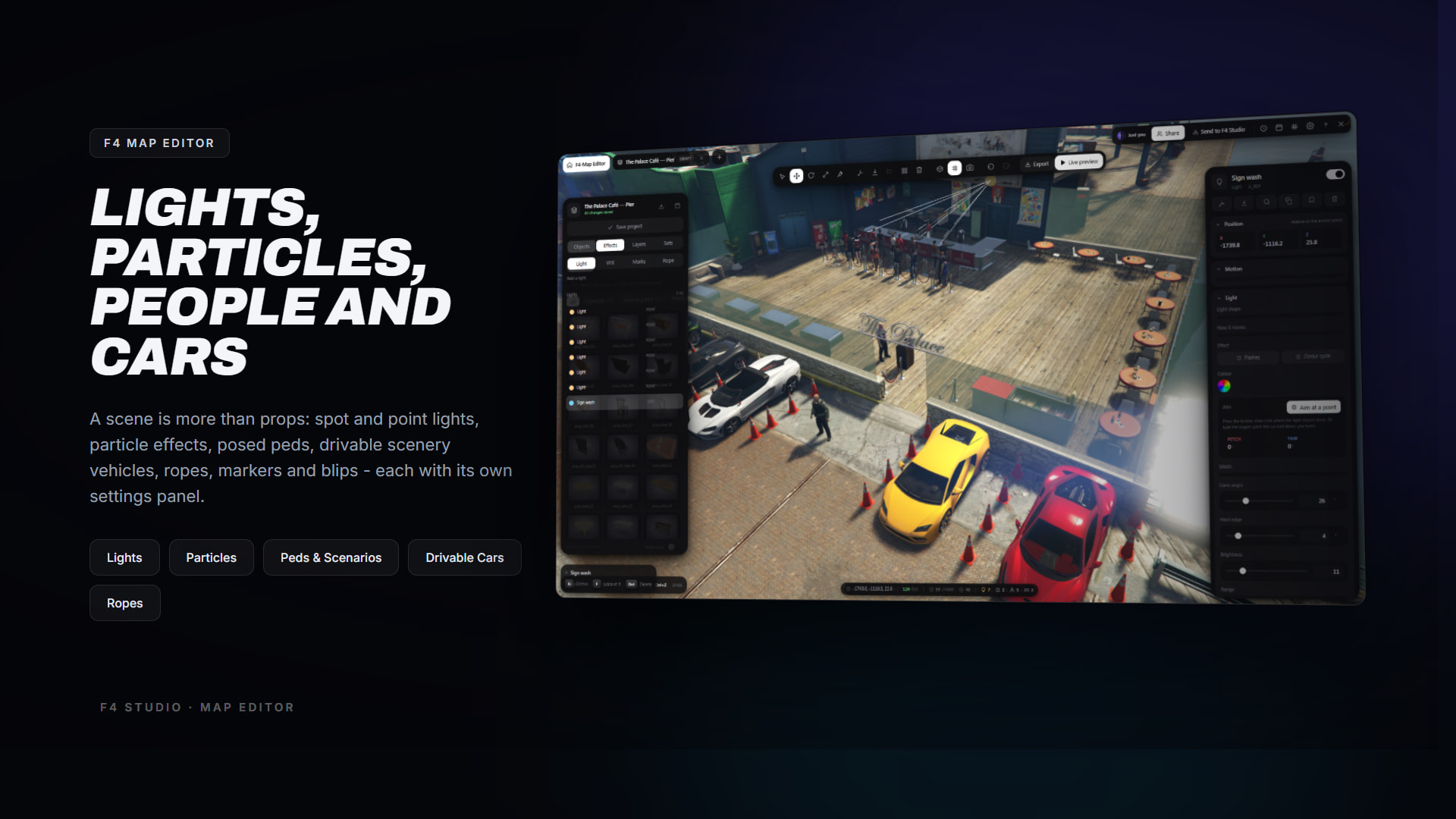
- Lights: point, spot or laser. Colour, brightness, range, cone, movement (stays, left-right, up-down, circle, figure 8), flashing, colour cycle and shadows
- Particle effects: twenty presets, or any dictionary and effect name
- Scenery peds: thirty-odd animations, or a dictionary and clip, or a scenario name. Frozen, invincible and deaf to everything around them
- Scenery vehicles: bolted down and locked by default;
Drivablehands one back and gives the player its key. Both paint colours, the plate, engine and dirt - Ropes tied to world points or to other objects, markers and map blips
- Openable doors: any prop can be given a hinge. Walking up to it opens it, away from you, and it falls shut behind you — and everybody sees the same door in the same state
- Motion on anything: spin, float, sway, orbit — drawn per client from the clock, so it costs nothing on the network
## A scene that knows what time it is
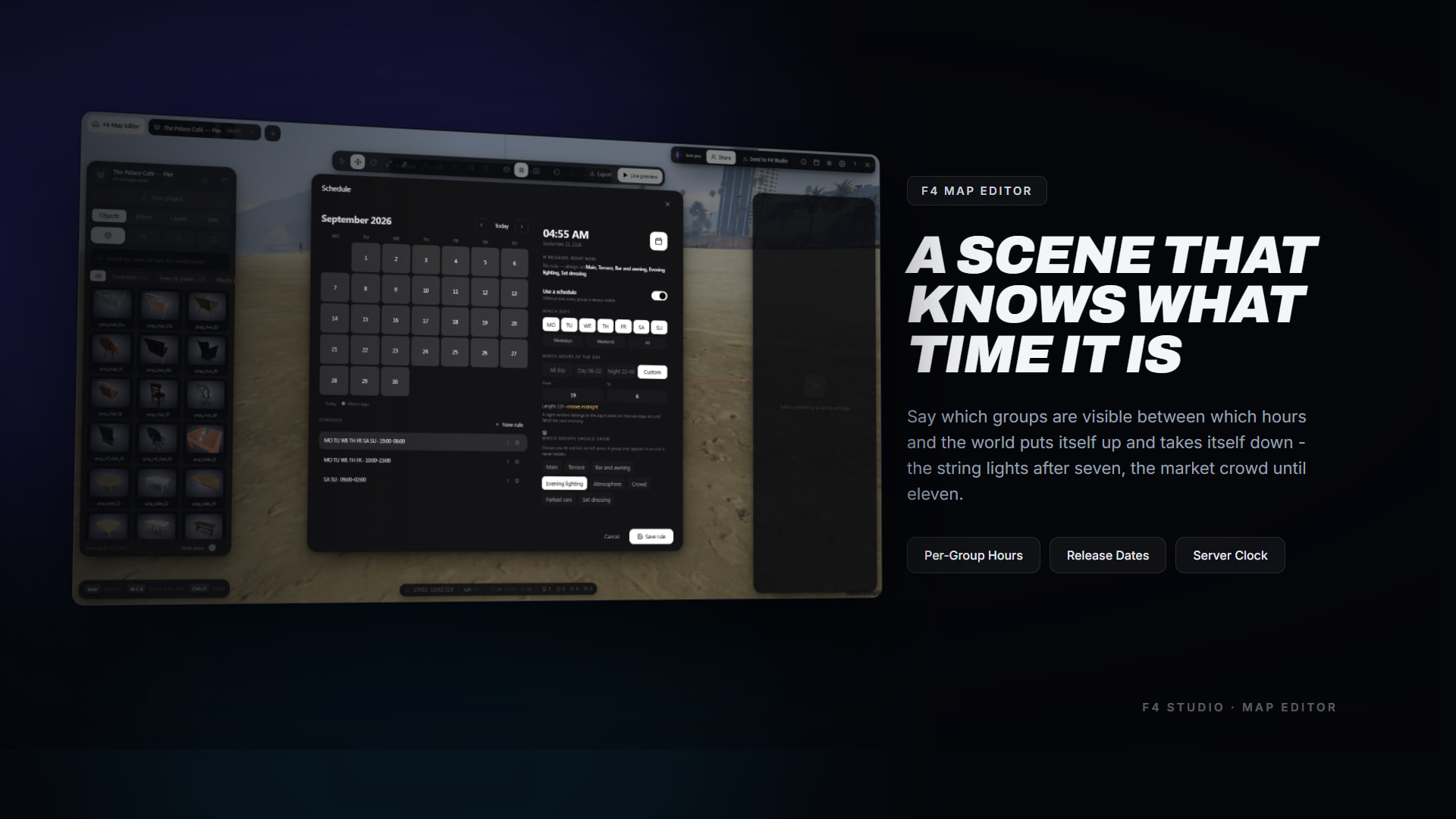
A project can say which groups are visible at which times. The string lights after seven, the market crowd until eleven, the weekend running later than the week.
-
A rule names weekdays, a window of hours and the groups it turns on
-
A window that crosses midnight belongs to the day it **starts** on
-
A group named by no rule is **never hidden** — rules turn things on, they do not turn everything else off, so adding one rule to a finished project cannot blank it
-
A project can also carry a **release date**: released and dated in the future is held until the moment arrives, then goes live on its own
Export as .ymap, Lua or a complete resource**
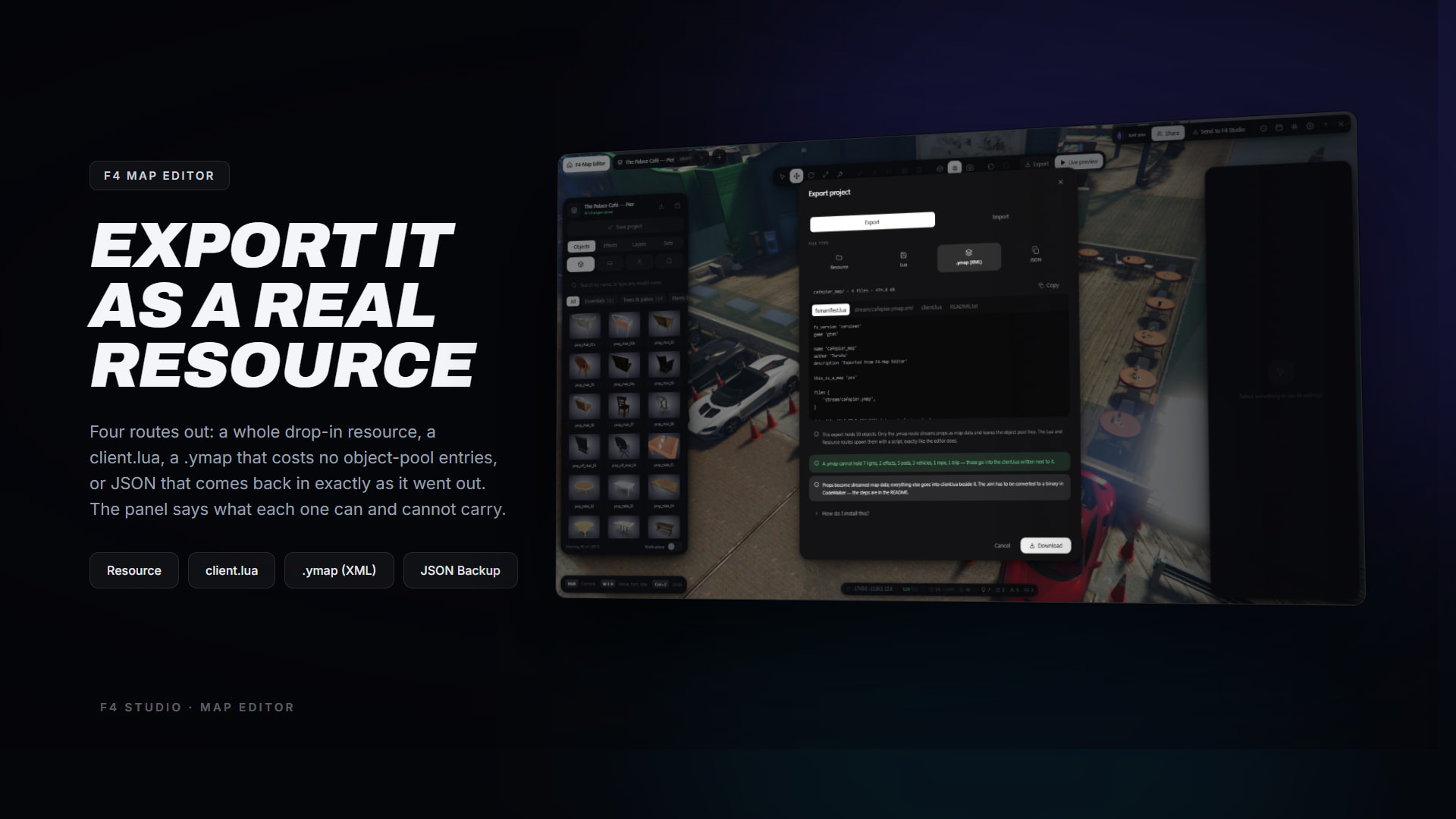
- .ymap (XML) — props as real streamed map data. Best performance: no object-pool entries, no script. Needs one CodeWalker step.
- Resource — the
.ymapplus an fxmanifest and aclient.lua, as a folder you drop straight in. - Lua — a client script that spawns everything at runtime. Anywhere CodeWalker is not an option.
- JSON — the project exactly as the editor holds it. The backup: the only format that round-trips.
A .ymap has nowhere to put a light, a particle effect, a ped’s animation or a blip — those are written into a client.lua beside it, and the panel tells you how many of each went where **using the numbers from your own project** before you choose.
Import CodeWalker and Map Editor XML**
-
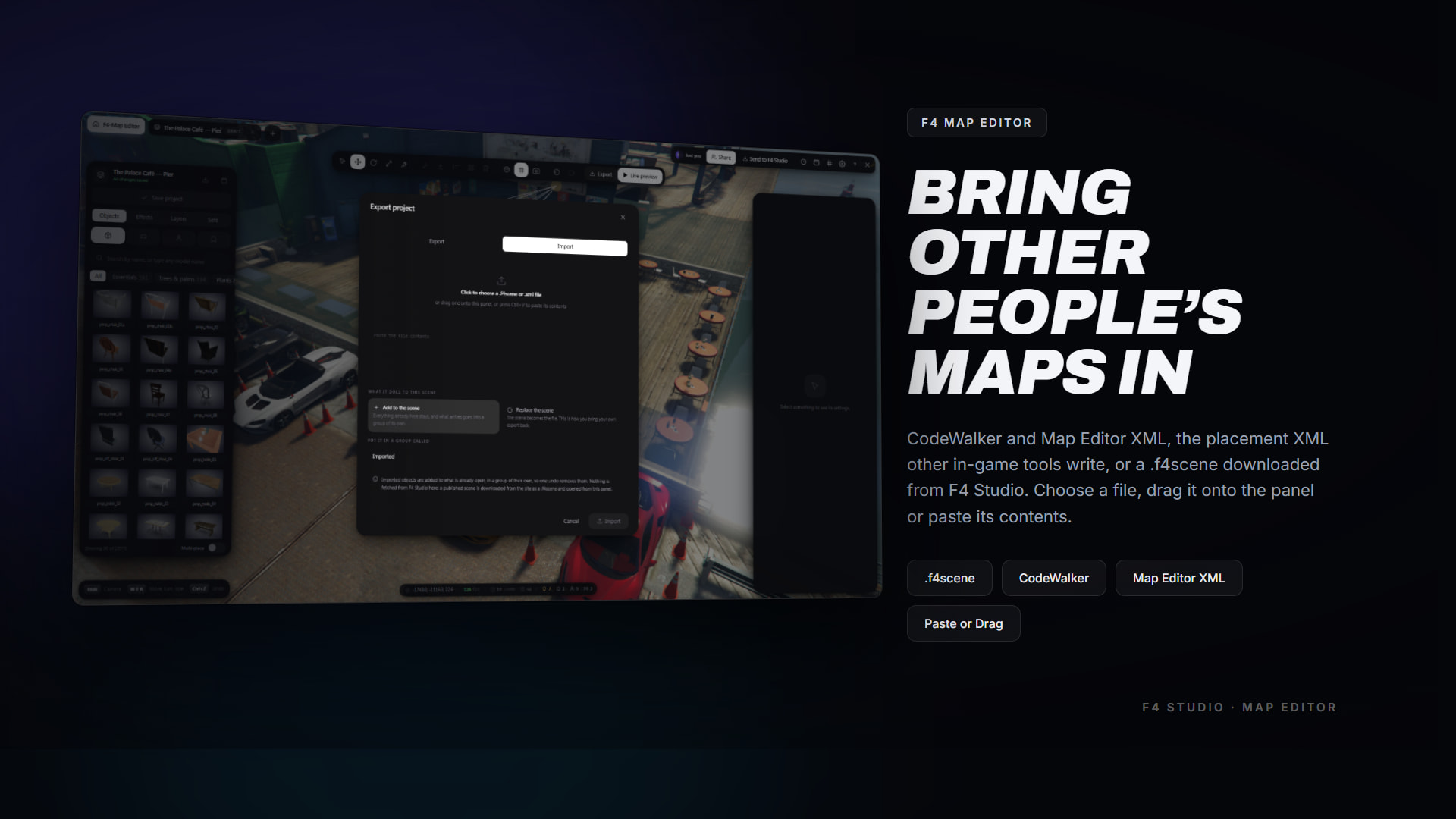
.f4scenedownloaded from F4 Studio,.jsonexported from the editor, or.xmlfrom **CodeWalker** or **Map Editor** -
Choose a file, drag it onto the panel, or paste its contents — whichever your game build gives you
-
**Add** puts it in a group of its own, so one undo removes the whole import; **Replace** turns the scene back into the file, which is how you bring your own export back
-
Format is read from the file’s contents, not from a switch you have to set first
Two people, one scene**

-
Open the same project and you are in the same room — there is nothing to set up
-
Every edit arrives live, as a delta: a drag sends the objects that moved, not the four thousand that did not
-
See where the other person is standing and what they have hold of, in their own colour
-
Invitations, and a host lock that admits only the people the host invited
-
**Two people pressing Save can never overwrite each other**, because neither is sending a project, only changes to one
Publish live — no restart, no map resource

-
A released scene reaches every connected player in about a second. **No restart, no map resource**
-
Streamed per player: a four-thousand-object project costs each player only the part of it near them, and is taken down again as they leave
-
Deactivate is one press and the project is untouched
-
Console commands for an administrator with no game client:
mapeditor:list,:release,:deactivate,:reload -
Or from your own event script:
exports['f4-mapeditor']:release('p_halloween')
Every project on one shelf
-
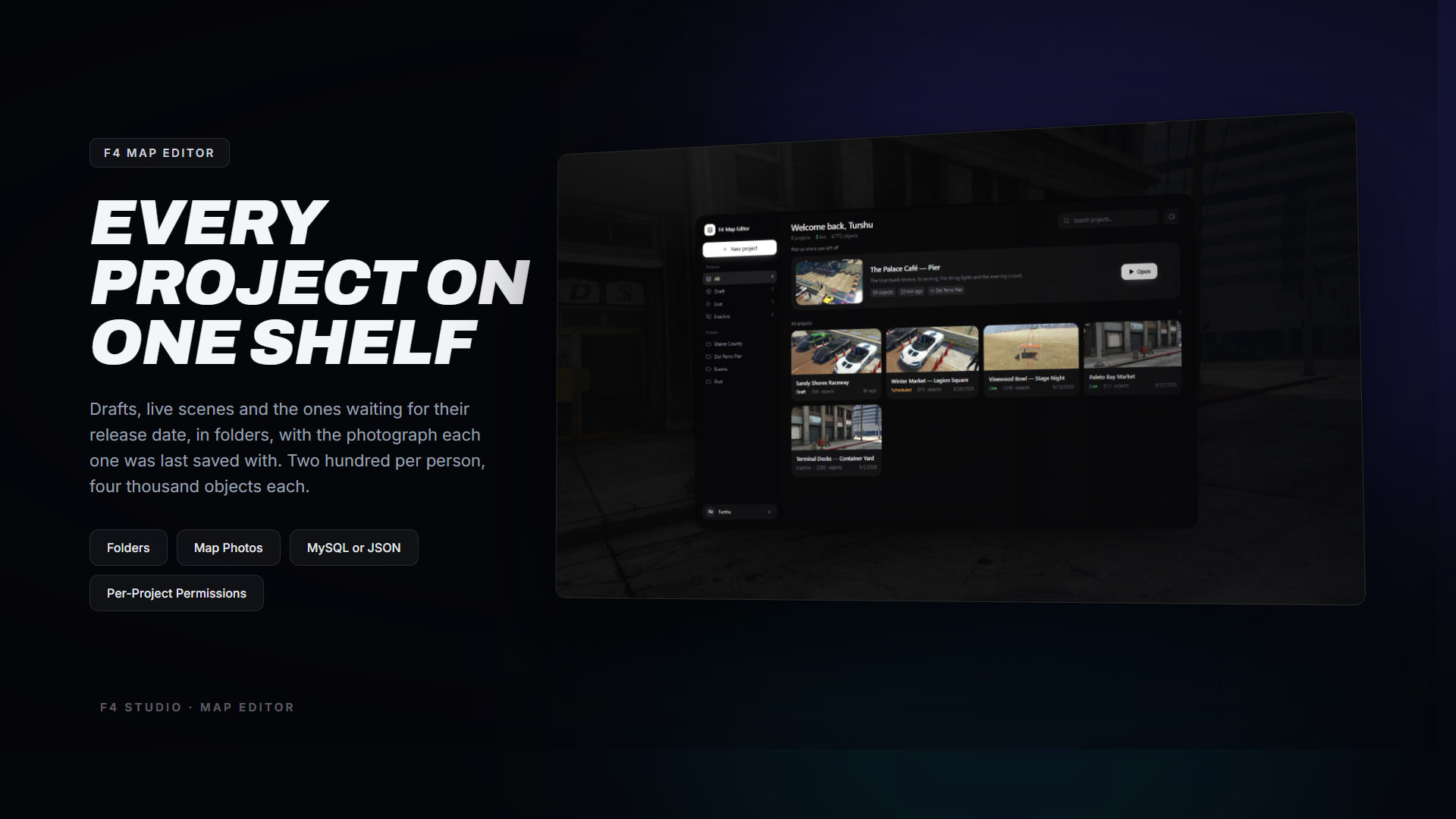
Drafts, live scenes and the ones waiting for their release date, in folders, each with the photograph it was last saved with
-
Two hundred projects per person, four thousand objects each
-
Storage is automatic: oxmysql if it is started, JSON files if it is not. **No SQL to run** — the tables are created on the first start
Built to fit your server
-
**`open_server.lua`** and **`open_client.lua`** — two files outside the escrow, with hooks for who may edit, who may publish, the name a project is credited to, your own notifications, your HUD hiding itself, targets on published scenery, and vehicle keys
-
**Server exports**: read projects, release, deactivate, reload, world statistics, notify a player
-
**Client exports**: `sceneEntity(entity)` turns a handle back into the object its author placed — which project, which object, which model — so a target script can attach to scenery without anybody hard-coding a coordinate
-
Lifecycle hooks for a Discord webhook or an audit row: saved, released, deleted, world rebuilt
-
Config, and both open files, are the only files an update must never overwrite
F4 Studio, and what it does not do
A finished scene can be **sent** to F4 Studio for review, and once approved it is published so other servers can download it. Credited to its author.
It only ever goes one way. **Nothing is fetched into your server automatically** — no sync, no background download. Bringing somebody else’s scene in is a manual download from the site and an import. The whole thing can be switched off with one line.
Framework support
-
**QBCore**
-
**Qbox**
-
**ESX**
-
**Standalone**
It never asks who a player’s character is, only whether the connection may edit — so all four are the same to it.
Dependencies
-
**OneSync**
-
Optional: **oxmysql** (projects in your database instead of files)
-
Optional: **screenshot-basic** / `screencapture` (photographs on project cards)
-
Optional: a vehicle-keys resource, for drivable scenery cars
Questions people ask
**Does it need a framework or a database?**
No to both. QBCore, Qbox, ESX and standalone are all the same to it, and projects go in oxmysql if it is started or in JSON files if it is not. There is no SQL to run.
**Do players have to download anything?**
No. A released scene is built on each client from what the server sends — no map resource and no restart.
**Can I use it to make a normal `.ymap` map resource?**
Yes. Export as **.ymap** or **Resource**, run the one CodeWalker step the README describes, and you have an ordinary FiveM map you can ship anywhere.
**Can I import a Map Editor map?**
Yes, from their XML, along with CodeWalker `.ymap.xml`. Props, vehicles and peds come across with their positions and rotations. Custom models still have to be installed as their own resources.
**How many objects can one map hold?**
Four thousand per project by default, and each player only builds the part within 500 m of them, so the cost is the density of a scene rather than its size.
**Can two people build the same map at once?**
Yes. Open the same project and you are in the same room, with live edits, presence, invitations and a host lock.
Who is it for?
Servers whose staff dress the world themselves and are tired of doing it in a text editor, and communities that want to build their own places rather than install the same map pack as everyone else.
Short version
A FiveM in-game map editor with twenty thousand models, a real gizmo, groups, lights, effects, doors, schedules, live collaboration, publishing with no restart, and `.ymap` export — in one resource, with no dependencies you have to install.
—
 Qbox & QBCore Escrow
ESX Escrow
 Video Preview
 F4 Studio Discord
 Documentation
| Code is accessible | No |
| Subscription-based | No |
| Lines (approximately) | 14,000+ Lua, plus the interface |
| Requirements | OneSync. oxmysql and screenshot-basic optional |
| Support | Yes |



 Autumn Sale — 40% OFF with code AUTUMN40