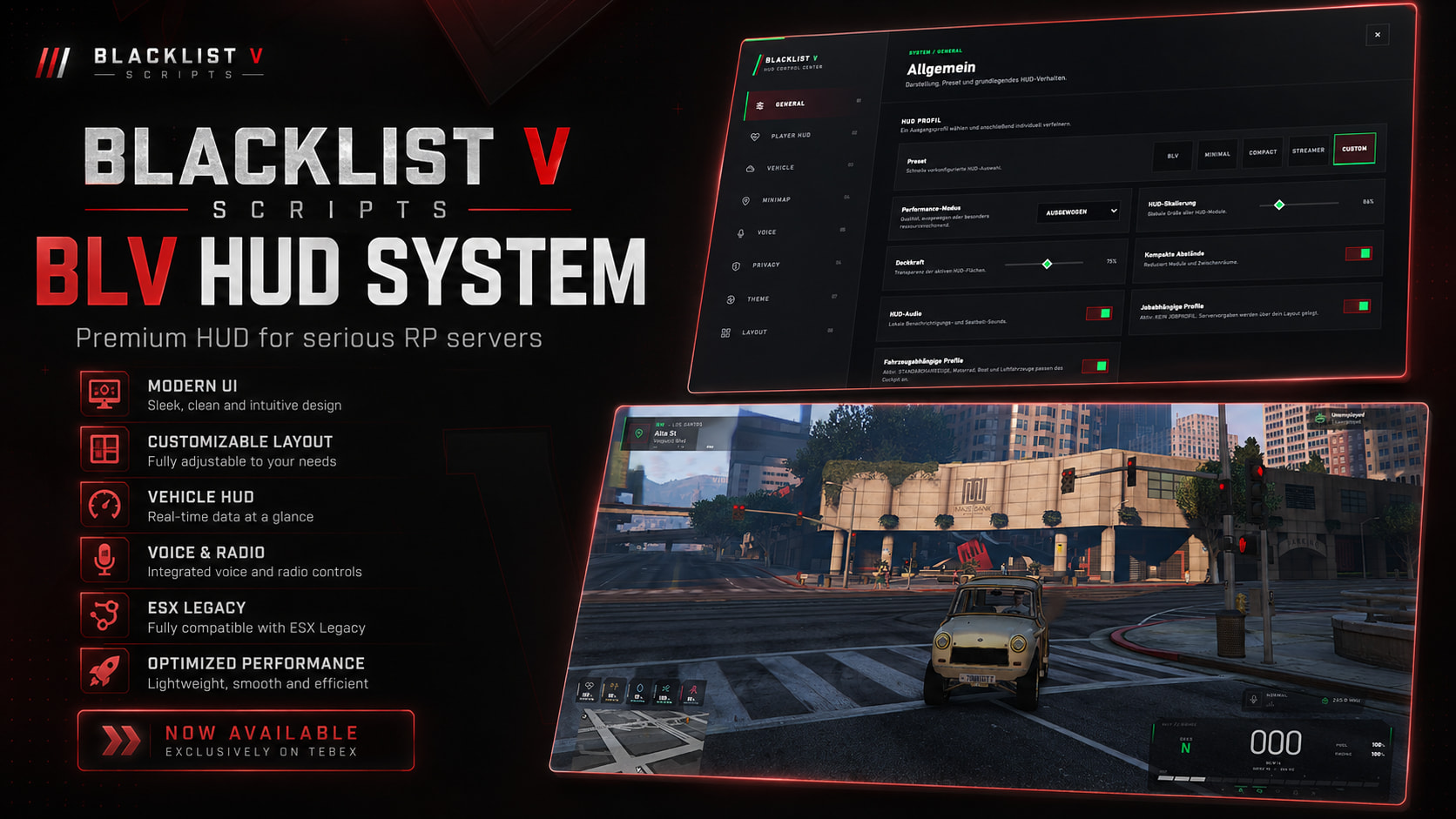
BLV HUD SYSTEM
BLV HUD System is a modern and highly customizable FiveM HUD designed for servers that want a clean interface, extensive customization and a unified player and vehicle HUD experience.
The resource was built with a strong focus on usability, customization and performance instead of filling the player’s screen with unnecessary information.
Supported Frameworks
ESX Legacy
QBCore
Qbox
The framework can be selected/detected depending on the configured setup.
Preview:
 Tebex:
https://blacklistv-scripts.tebex.io/package/7650632
Price €29.99
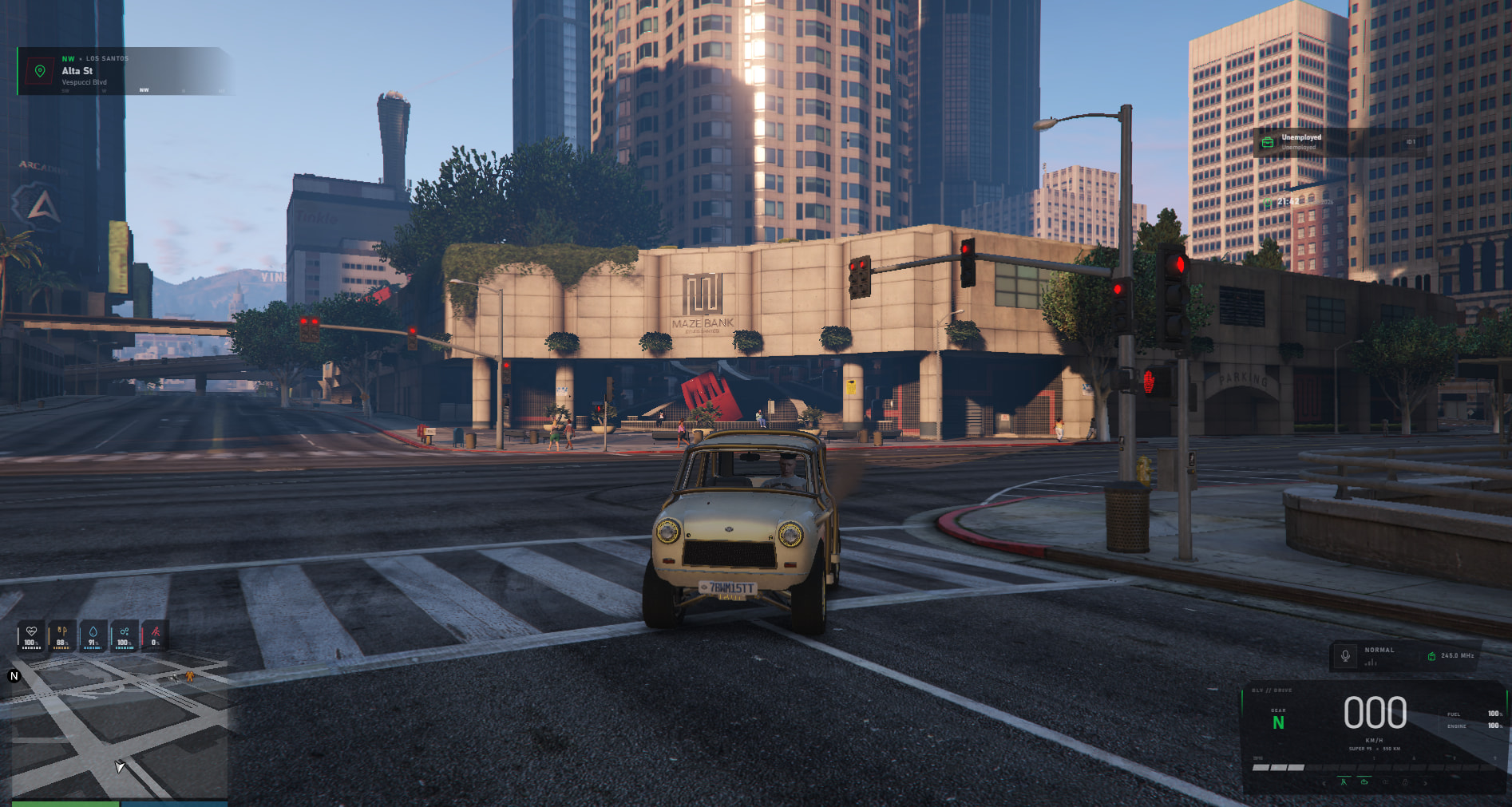
Player HUD
BLV HUD includes a complete player status interface with dynamic visibility options.
Player information
- Health
- Armor
- Hunger
- Thirst
- Stress
- Oxygen
- Stamina
- Voice status
- Radio status
- Radio frequency
- Current location
- Compass
- Cash
- Bank
- Job
- Job grade
- Server ID
- Time
- Current weapon
- Ammunition
Several components can be configured to only appear when they are actually required.
For example, Oxygen can remain hidden until the player is underwater and additional status information can be displayed depending on its current value.
This keeps the HUD clean during normal gameplay.
Vehicle HUD
BLV HUD also includes a dedicated digital vehicle cockpit.
Vehicle information includes:
- Current speed
- KM/H and MPH support
- Current gear
- RPM
- Fuel
- Engine condition
- Seatbelt
- Vehicle lights
- Vehicle status indicators
- Cruise Control integration support
- Vehicle-specific HUD behavior
The vehicle HUD automatically handles entering and leaving vehicles.
Specific vehicle models and vehicle classes can be excluded through the configuration.
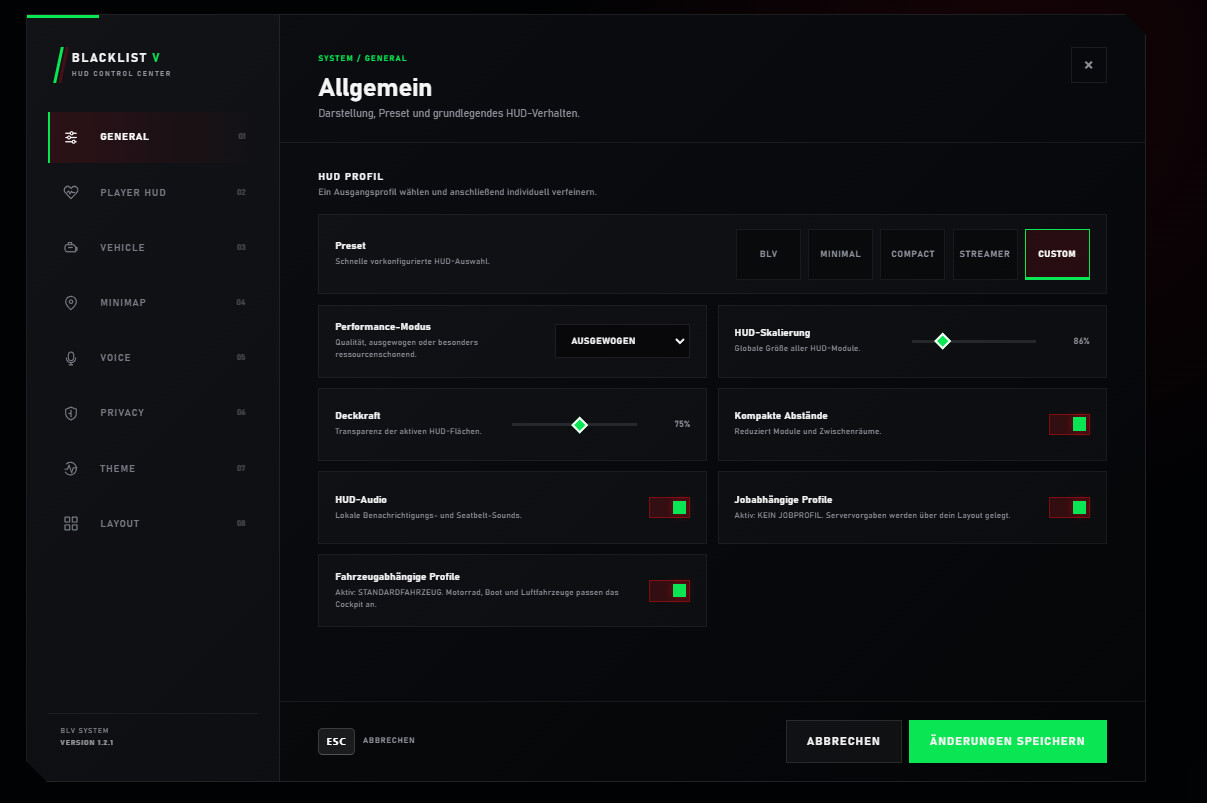
HUD Control Center
Players can customize their HUD through the integrated HUD Control Center.
Available settings include:
- HUD presets
- HUD scaling
- Opacity
- Component visibility
- Compact spacing
- Player HUD settings
- Vehicle HUD settings
- Minimap behavior
- Voice settings
- Theme settings
- Layout settings
- HUD audio
- Vehicle-dependent profiles
- Job-dependent profiles
Settings can be saved persistently for the player.
Custom Layout Editor
Players are able to personalize the position of supported HUD components instead of being forced to use one fixed layout.
The editor allows HUD elements to be positioned according to the player’s preference while keeping the default BLV layout available at any time.
Layouts can also be reset to their original configuration.
HUD Presets
Several predefined profiles are available:
BLV
The default Blacklist V HUD experience.
Minimal
Reduces visible components to essential information.
Compact
Uses smaller spacing and a more compact presentation.
Streamer
Designed for players who prefer a cleaner presentation while streaming or recording.
Custom
Uses the player’s individually configured layout and settings.
Voice & Radio
The HUD includes dedicated voice and radio components.
Supported information includes:
- Voice activity
- Voice range
- Current voice mode
- Radio activity
- Radio frequency
The interface visually reacts when the player is speaking without using excessive animations.
Voice/radio integration can be adapted through the available configuration and integration layer.
Seatbelt System
A configurable seatbelt system is included.
Available options include:
- Custom keybind
- Seatbelt toggle
- Seatbelt warning
- Warning speed
- Warning sound
- Sound volume
- Vehicle class blacklist
- Vehicle model blacklist
- Exit restriction while belted
Stress System
BLV HUD contains an optional configurable stress system.
Stress can be influenced by actions such as:
- Shooting
- High-speed driving
- Configured gameplay conditions
Different stress levels can trigger configurable visual/gameplay effects.
The complete stress system can also be disabled if the server already uses another solution.
Minimap & Location
The minimap can be configured to be:
- Always visible
- Hidden
- Visible only inside vehicles
The location component can display current street/location information together with compass direction.
Notifications
BLV HUD contains its own notification interface with support for:
- Info
- Success
- Warning
- Error
Notifications support configurable duration and stacking.
External resources can access the notification system through exports/events.
Progress & Help UI
The resource additionally includes:
Progress UI
For timed interactions and scripts.
Both systems can be accessed from other resources using the provided integration methods.
Customization
Server owners can customize the resource through the provided configuration.
Configurable areas include:
- Framework
- HUD components
- Default HUD profile
- Colors
- Scale
- Voice modes
- Speed units
- Minimap
- Seatbelt behavior
- Stress
- Vehicle classes
- Vehicle models
- Status notifications
- Audio
- Weapon configuration
- Player settings
The default Blacklist V design uses a dark interface with red accents while keeping important gameplay information easy to read.
Responsive UI
The interface was designed for different resolutions and aspect ratios, including standard and ultrawide displays.
Tested target layouts include:
- 1920×1080
- 2560×1440
- 3440×1440
- 3840×2160
Requirements & Dependencies
Framework:
ESX Legacy, QBCore or Qbox
| Code is accessible | Config and locales |
| Subscription-based | No |
| Lines (approximately) | 5800 |
| Requirements | ESX Legacy / QBCore / Qbox |
| Support | Yes |
| | |