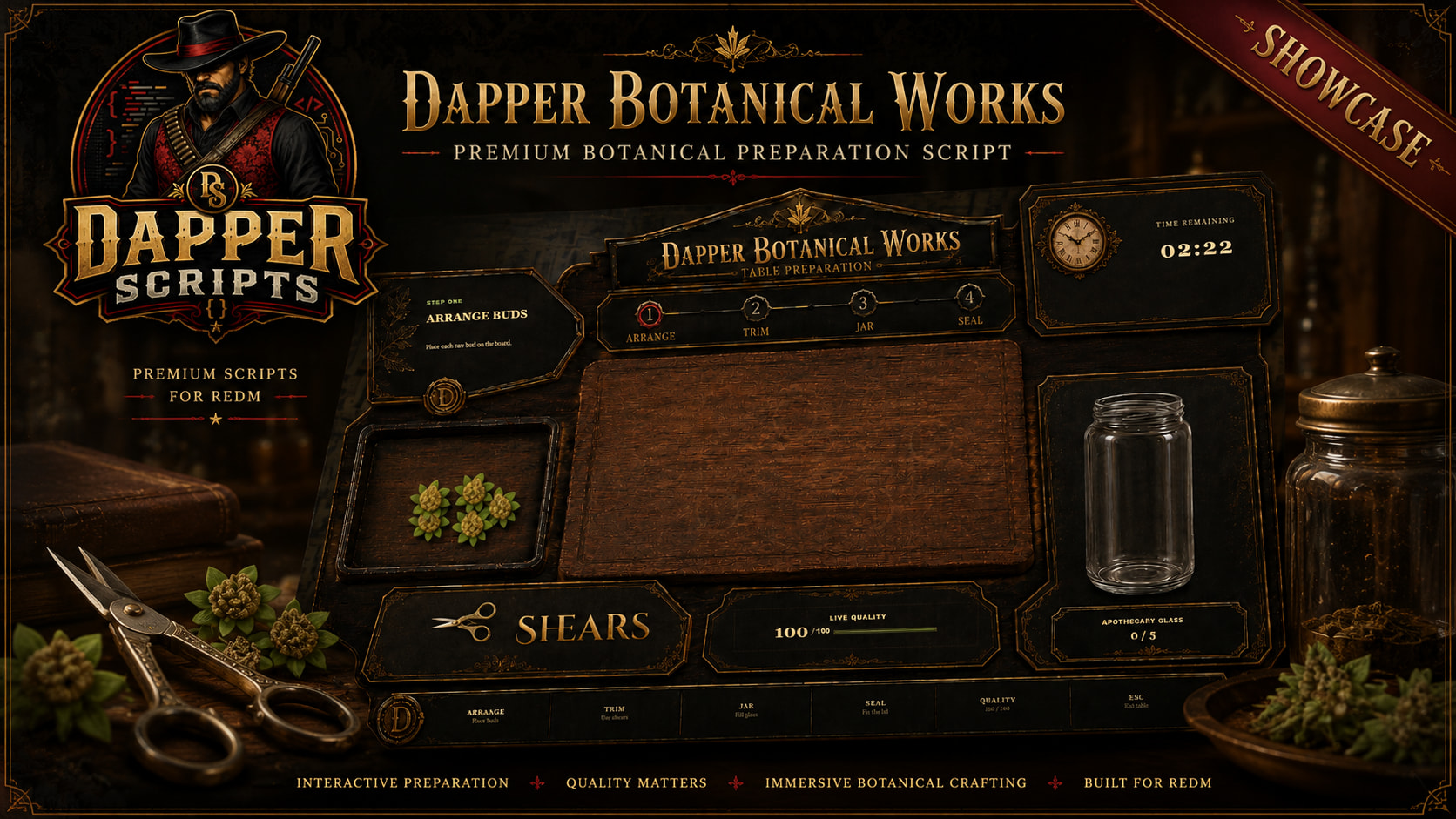
Official Showcase
Watch the full Dapper Botanical Works showcase below:
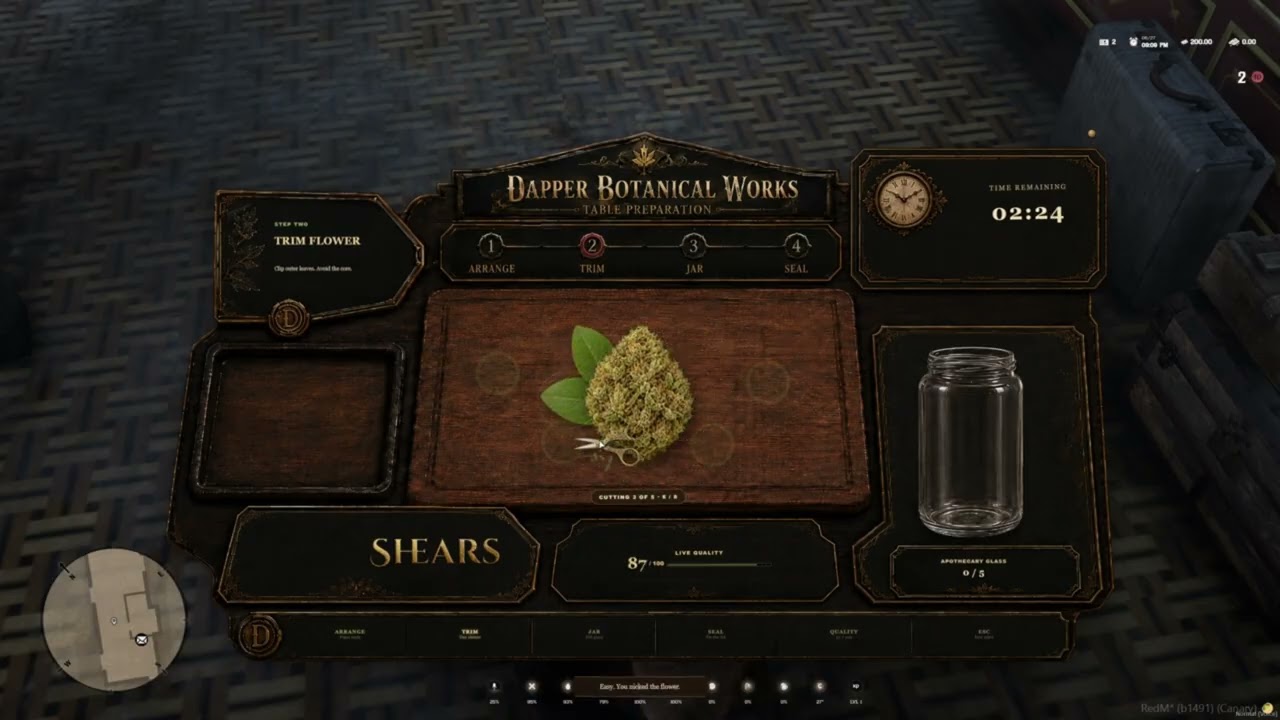
Hello Cfx.re community!
I am releasing Dapper Botanical Works, a fully interactive botanical preparation minigame built for RedM.
Instead of instantly converting raw materials into a finished inventory item, players complete a complete hands-on preparation process:
- Arrange raw flower on the preparation table
- Trim unwanted leaves using interactive shears
- Move the cleaned flower into a glass jar
- Position and seal the jar lid
- Receive a performance-based quality grade
The resource includes a completely custom NUI, configurable quality grades, unique batch serials, named cultivars, finished-item metadata, craftsmanship accolades, VORP Inventory support, and a true standalone mode for servers that only want the minigame.
Tebex Store
Purchase Dapper Botanical Works:
DAPPER BOTANICAL WORKS - TEBEX PACKAGE
The Tebex page includes the full feature breakdown, installation details, additional screenshots, configuration information, and integration examples.
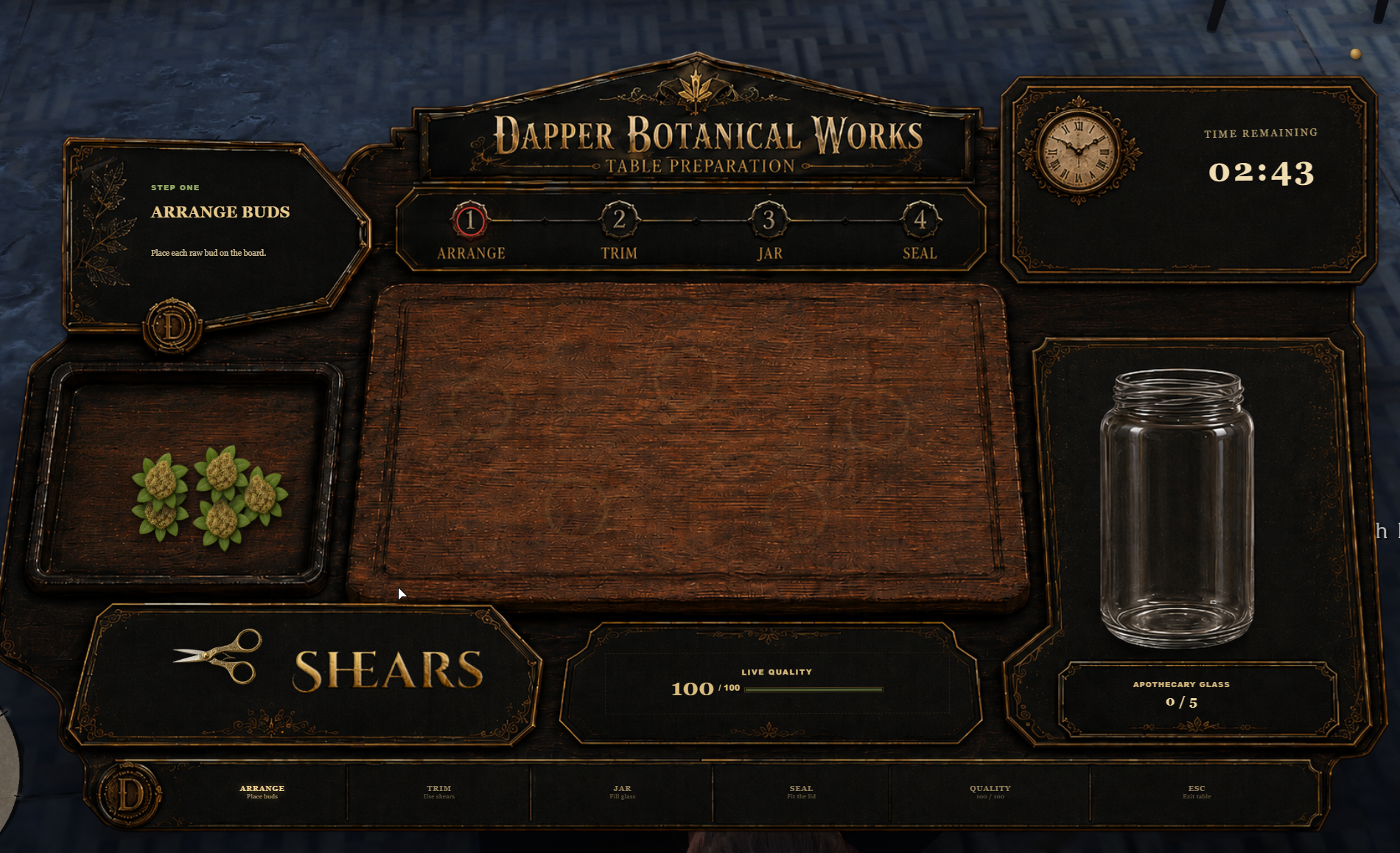
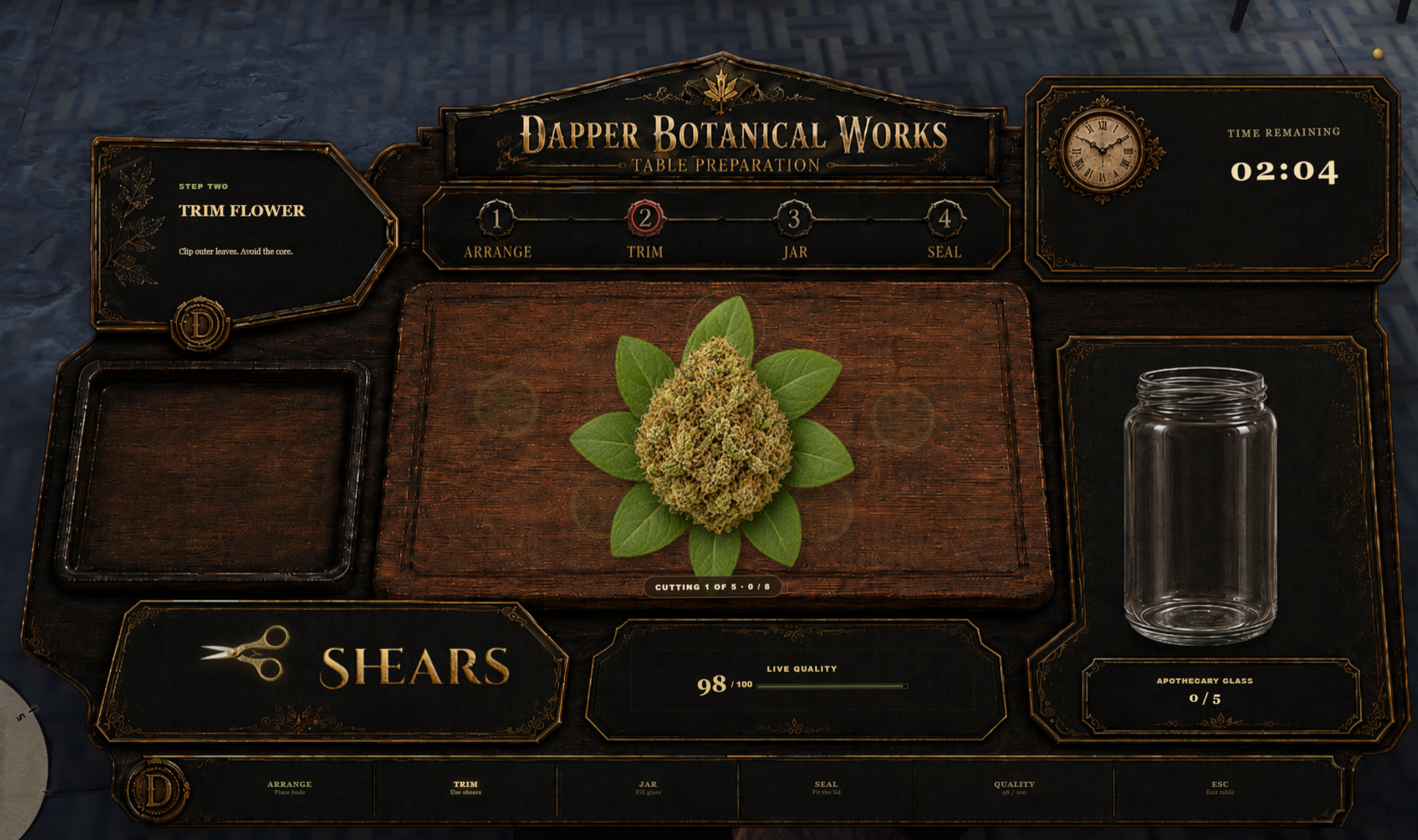
In-Game Screenshots
What Is Dapper Botanical Works?
Dapper Botanical Works is an interactive preparation system designed to replace ordinary progress bars and instant crafting transactions with an actual skill-based activity.
Players are scored based on:
- Bud placement accuracy
- Trimming damage
- Missed cuts
- Sealing mistakes
- Completion speed
The final score determines the finished batch grade, description, inventory output, metadata, and any craftsmanship accolades earned during preparation.
Every major value can be configured, including timing, scoring weights, grade thresholds, input items, output items, cultivars, workstation locations, commands, and presentation settings.
Four Interactive Stages
Arrange
Players move each raw bud into the preparation area.
Placement accuracy contributes to the final score, rewarding players who carefully arrange the flower rather than dropping everything into the nearest available space.
Trim
Players pick up the shears and remove the unwanted leaves from each bud.
The trimming system includes progressive artwork with multiple visible stages. Poor cuts, unnecessary misses, and damage to the flower reduce the final quality.
Jar
After trimming, each cleaned bud must be moved into the glass jar.
The jar fills visually as the prepared flower is added.
Seal
Players position the lid over the jar and complete the sealing interaction.
Incorrect placement or sealing mistakes affect the finished batch result.
Performance-Based Quality Grades
Dapper Botanical Works includes four configurable default grades:
Master Cut
A premium batch produced through excellent placement, clean trimming, proper sealing, and efficient preparation.
Fine Cut
A respectable finished jar with clean preparation and reliable overall quality.
Field Cut
A usable batch with visible imperfections caused by missed cuts, damage, poor arrangement, or rushed handling.
Scrap Jar
A heavily damaged or poorly prepared batch that still produces a configurable lower-quality result.
Grade thresholds, names, descriptions, colors, and inventory outputs can all be changed in the configuration.
Cultivars and Batch Identity
Each preparation session may include its own cultivar information and unique batch identity.
The included cultivar system supports details such as:
- Cultivar name
- Short code
- Aroma profile
- Visual color
- Batch serial
- Quality score
- Grade
- Preparation duration
- Placement accuracy
- Trimming performance
- Seal performance
- Earned accolades
This information can be attached to finished inventory items or used by another resource through the included completion event.
Craftsmanship Accolades
Players can earn additional titles for strong performance.
Included accolades include:
- Flawless Trim
- Perfect Arrangement
- Clean Seal
- Swift Hands
- Botanical Masterwork
Accolades appear on the finished batch inspection screen and are included in the completion metadata.
Custom Botanical NUI
Dapper Botanical Works includes a completely custom preparation-table interface designed specifically for this resource.
The NUI includes:
- Guided preparation stages
- Interactive shears
- Progressive trimming artwork
- Live quality tracking
- Countdown timer
- Jar filling visuals
- Interactive lid placement
- Sealing progress
- Finished batch inspection
- Quality score
- Grade description
- Cultivar and batch serial
- Performance statistics
- Craftsmanship accolades
The interface is responsive across common resolutions, including:
- 1280×720
- 1366×768
- 1600×900
- 1920×1080
- 2560×1440
- Ultrawide displays
Two primary interface artwork options are included:
- Dapper Botanical Works branded version
- Neutral Botanical Works version without Dapper branding
Server owners can switch between them through the configuration.
VORP Integration
When configured for VORP, the resource can:
- Check for the required raw materials
- Remove ingredients server-side
- Validate inventory capacity
- Award the correct finished jar
- Apply detailed finished-item metadata
- Refund materials when appropriate
- Prevent duplicate rewards
- Validate active preparation sessions
The package includes:
- SQL item definitions
- JSON item definitions
- VORP Inventory images
- Installation documentation
True Standalone Mode
Dapper Botanical Works can also run without VORP Core, VORP Inventory, oxmysql, or another framework.
Standalone mode still includes:
- The complete preparation minigame
- Server-created preparation sessions
- Quality scoring
- Grade calculation
- Cultivars
- Batch serials
- Accolades
- Station locks
- Completion metadata
- Production statistics
- Server-side completion validation
Standalone servers can connect the completed batch to their own inventory, economy, crafting, XP, reputation, or progression system through the included event:
AddEventHandler('dapper_botanical_works:server:batchCompleted', function(source, batch, metadata)
    -- Give your custom item, money, XP, reputation, etc.
end)
This makes the resource usable as a complete VORP system or as a portable minigame for custom frameworks.
Configurable Workstations
Server owners may configure physical botanical preparation stations throughout the map.
Station options include:
- Unique station ID
- Display name
- Interaction coordinates
- Player positioning
- Interaction distance
- Enabled state
- Server-side station locks
The resource may also be configured to open through the included command or launched from another resource using the available exports.
Default command:
/botanicalworks
Server Validation and Security
Important preparation and reward actions are controlled by the server.
The resource includes:
- Server-issued session tokens
- Session expiration
- Duplicate completion protection
- Station ownership locks
- Station-distance checks
- Event rate limiting
- Numeric payload validation
- Server-side grade calculation
- Server-controlled inventory rewards
- Invalid-session rejection
- Safe session cleanup when players disconnect or the resource stops
Because the actual interaction takes place inside a client NUI, no client minigame can be completely immune to modified clients. However, the client cannot directly award itself inventory items or bypass the server-owned reward process.
Production Statistics
Completed batches may be recorded in the included lightweight production ledger.
Tracked information can include:
- Total completed batches
- Grade totals
- Cultivar totals
- Average quality
- Best quality
- Recent batch history
- Batch serial
- Player source
- Station used
- Completion time
- Earned accolades
The production ledger uses a local JSON file and does not require an additional database table.
Configuration
Server owners can configure:
- Framework mode
- Input items
- Input amount
- Output items
- Grade thresholds
- Grade names
- Grade descriptions
- Scoring weights
- Time limits
- Par time
- Cultivars
- Aroma profiles
- Accolade labels
- Commands
- Workstation locations
- Interaction distance
- Camera behavior
- Player positioning
- Notification text
- Security cooldowns
- Production history
- Main NUI artwork
- Interface colors and presentation
Requirements
VORP Mode
- RedM
- VORP Core
- VORP Inventory
- Included inventory items installed
Standalone Mode
- RedM
- No framework dependency
- No inventory dependency
- No SQL dependency
The resource manifest contains no hard VORP dependencies. Framework resources are detected at runtime based on the selected configuration mode.
Installation
Place the resource in your server resources using the folder name:
dapper_botanical_works
Choose the framework mode inside config.lua:
Config.Framework = 'vorp'
or:
Config.Framework = 'standalone'
For VORP mode:
ensure vorp_core
ensure vorp_inventory
ensure dapper_botanical_works
For standalone mode:
ensure dapper_botanical_works
VORP users should also install the included item definitions and copy the included item images into the image directory used by their inventory installation.
Performance
Dapper Botanical Works is primarily event-driven.
- The NUI remains inactive while closed
- Workstation checks use configurable intervals
- Preparation sessions are cleaned when completed, cancelled, expired, or disconnected
- Production statistics are stored locally without constant database queries
- No permanent full-frame processing is required while the interface is closed
Asset Escrow
Core client and server Lua logic is protected through Cfx.re Asset Escrow.
The following remain accessible:
- Configuration
- SQL item definitions
- JSON item definitions
- Documentation
- NUI HTML
- CSS
- JavaScript
- Interface artwork
- Inventory images
This allows server owners to configure the resource, change its presentation, customize grades and cultivars, switch between branded and neutral artwork, and integrate standalone rewards while protecting the primary Lua systems.
Discord and Support
Join the Dapper Scripts Discord for installation assistance, configuration questions, integration help, bug reports, and updates:
Code is accessible: Configuration, SQL, JSON item definitions, documentation, NUI files, JavaScript, CSS, interface artwork, and inventory images; core Lua logic protected
Subscription-based: No
Lines approximately: 5,000+
Requirements: RedM; VORP Core and VORP Inventory when using VORP mode
Optional: Standalone integration with any custom inventory, economy, XP, reputation, or progression resource
Support: Yes